Z-Wave JS UI without Home Assistant
Z-Wave JS UI is the best way to run a Z-Wave network. Pair it with Gladys Assistant over MQTT and you get dashboards, scenes and AI, without Home Assistant.
Z-Wave JS UI is an open-source application that drives your Z-Wave USB stick and manages your network: inclusion, exclusion, healing, firmware updates. It runs perfectly on its own in Docker, and it can publish every device to an MQTT broker.
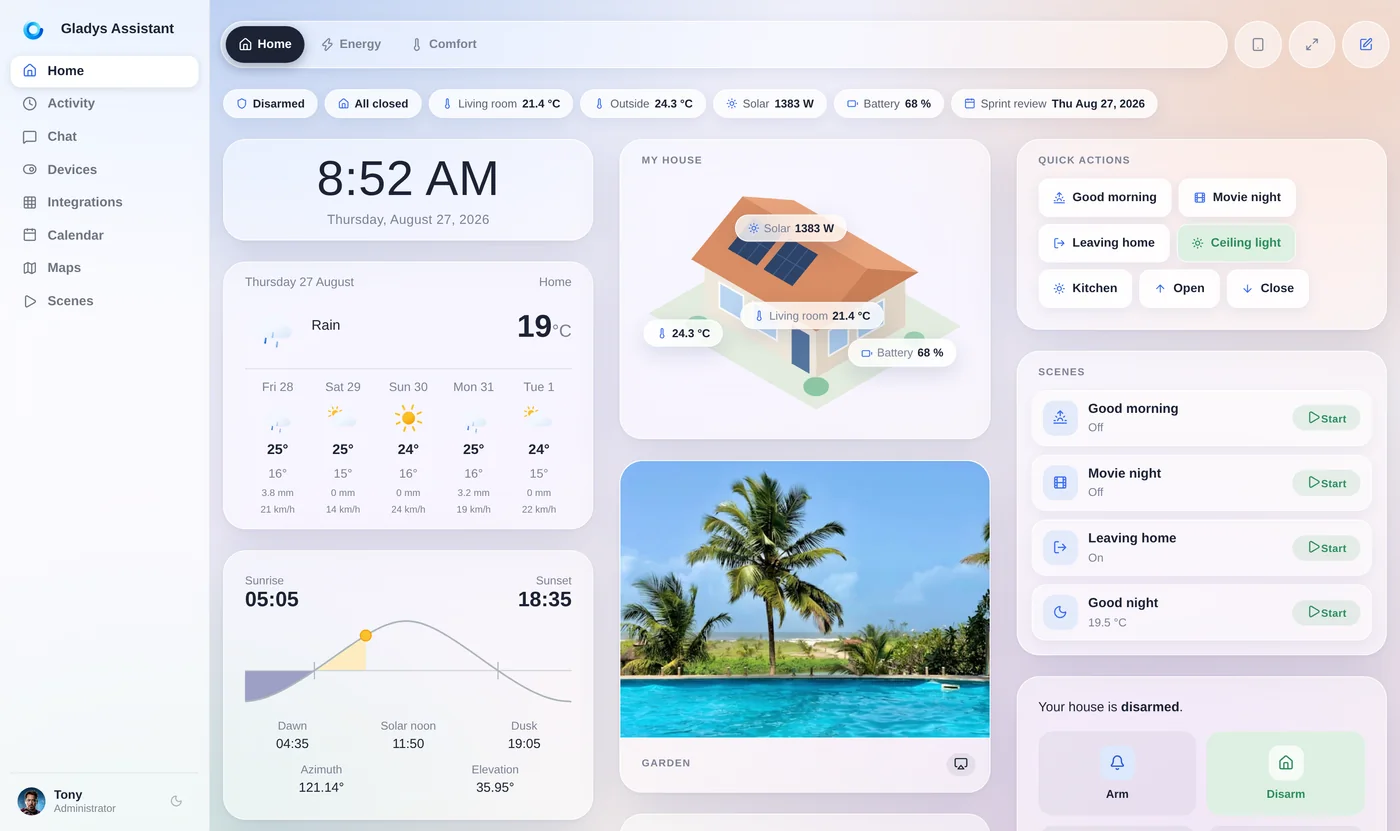
That's exactly how Gladys Assistant connects to it. Z-Wave JS UI keeps doing what it does best, and Gladys, a free and open-source smart home platform, turns each node into a device you can put on a dashboard, use in scenes and control from your phone. Everything stays local, on your own hardware.
Why people look for Z-Wave without Home Assistant
Z-Wave users usually want one thing: a reliable network that just works.
- Z-Wave JS UI's interface is excellent for managing the network, but it isn't a dashboard for the family, and it doesn't do everyday automations.
- Home Assistant brings those, along with a large platform to learn, YAML, add-ons and frequent updates to keep up with.
- Leaving an old hub (SmartThings, Wink, Vera, Hubitat) is a good moment to choose something simpler, as long as it stays local.
Z-Wave JS UI for the network plus a simple platform on top is a clean, robust split.
Z-Wave JS UI with Gladys vs with Home Assistant
The same Z-Wave JS UI, two ways to use it:
| With Gladys | With Home Assistant | |
|---|---|---|
| Connection | MQTT: Z-Wave JS UI publishes, Gladys subscribes | WebSocket to the Z-Wave JS server |
| Network management | In Z-Wave JS UI | In Z-Wave JS UI or the Home Assistant interface |
| Adding devices | One click from the Discovered tab | Automatic entity discovery |
| Automations | Visual scenes, no code | Automations, YAML, Node-RED |
| Runs locally | Yes | Yes |
Home Assistant exposes more Z-Wave device types today. Gladys covers the essentials (sensors, switches, dimmers, shutters, energy metering) and is simpler to live with.
What you get with Z-Wave JS UI in Gladys
Once your Z-Wave nodes are in Gladys:
Door and window contacts, temperature, luminosity, alarm and binary sensors, with history.
Plugs, in-wall switches and dimmers, such as Fibaro and Qubino modules.
Open, close and set the position of roller shutters and blinds.
Track the power and consumption of metering plugs and modules.
Trigger on any Z-Wave event and act on any device, Z-Wave or not, without code.
Z-Wave next to Zigbee, Matter and Wi-Fi devices in the same interface.
Set up Z-Wave JS UI without Home Assistant
On a mini-PC, a Raspberry Pi or a NAS running Docker:
- Plug in a Z-Wave USB stick for your region: 908.42 MHz in the US and Canada (Zooz ZST10 700 / ZST39, Aeotec Z-Stick 7 US), 868.42 MHz in Europe.
- Run Z-Wave JS UI in Docker and include your devices.
- In Z-Wave JS UI, enable the MQTT gateway with the settings from the Gladys guide (named topics, entire value object).
- Install Gladys, open the Z-Wave JS UI integration and enter your MQTT broker.
- Open the Discovered tab and add your devices in one click.
Need an MQTT broker? Gladys's MQTT integration can start one for you in Docker.
Keep Z-Wave JS UI, drop the complexity
Gladys doesn't replace Z-Wave JS UI: your network, your inclusions and your firmware updates stay where they are. Gladys adds the part your household actually sees: dashboards, notifications, scenes, AI and remote access with Gladys Plus.
Gladys is free and open source, has been developed since 2013, and runs entirely on your own hardware.
Go further
More on local protocols:
The same approach for your Zigbee devices.
Which protocol to choose, and how they can live together.
Moving a Z-Wave and Zigbee setup off a Hubitat hub.
A local, private alternative to Samsung SmartThings.
Frequently asked questions
Can Z-Wave JS UI run without Home Assistant?
Yes. Z-Wave JS UI is a standalone application, usually run with Docker. It manages the Z-Wave stick and the network on its own, and can publish devices to an MQTT broker. Gladys Assistant connects to that broker to add dashboards, scenes and AI.
How does Gladys connect to Z-Wave JS UI?
Over MQTT. Z-Wave JS UI publishes device states to an MQTT broker with named topics, and Gladys subscribes to the broker to read states and send commands in real time. The exact settings are in the Gladys Z-Wave JS UI guide.
Which Z-Wave stick should I buy in the US or Canada?
One built for the North American 908.42 MHz frequency, such as the Zooz ZST10 700 / ZST39 or the Aeotec Z-Stick 7 (US version). A European 868.42 MHz stick won't talk to North American devices.
Which Z-Wave devices does Gladys support?
Door and window sensors, binary switches and plugs, dimmers, roller shutters, temperature, luminosity and alarm sensors, and energy metering. If a device isn't supported yet, the forum is the place to ask.
Does Z-Wave with Gladys work without the internet?
Yes. Z-Wave JS UI, the MQTT broker and Gladys all run on your own hardware, so your Z-Wave devices and scenes keep working with no internet connection and no manufacturer cloud.
Give your Z-Wave network a simple home
Gladys is free, open source and installs with a single Docker command. Connect Z-Wave JS UI over MQTT and start automating.