Works with Gladys: the devices and brands you already own
Gladys speaks the open smart home standards and dozens of popular brands, so you can bring the devices you already have into one local, private dashboard.
Before switching smart home platforms, everyone asks the same question: will it work with my devices? With Gladys Assistant, the answer is very likely yes.
Gladys supports the open standards (Zigbee, Z-Wave, Matter, MQTT), which alone cover thousands of devices from hundreds of manufacturers, plus integrations for the brands people actually buy: Philips Hue, SmartThings, TP-Link Kasa and Tapo, Shelly, Sonos, Reolink, LG, Samsung and more. Here is the full picture, with a link to the setup guide for each one.
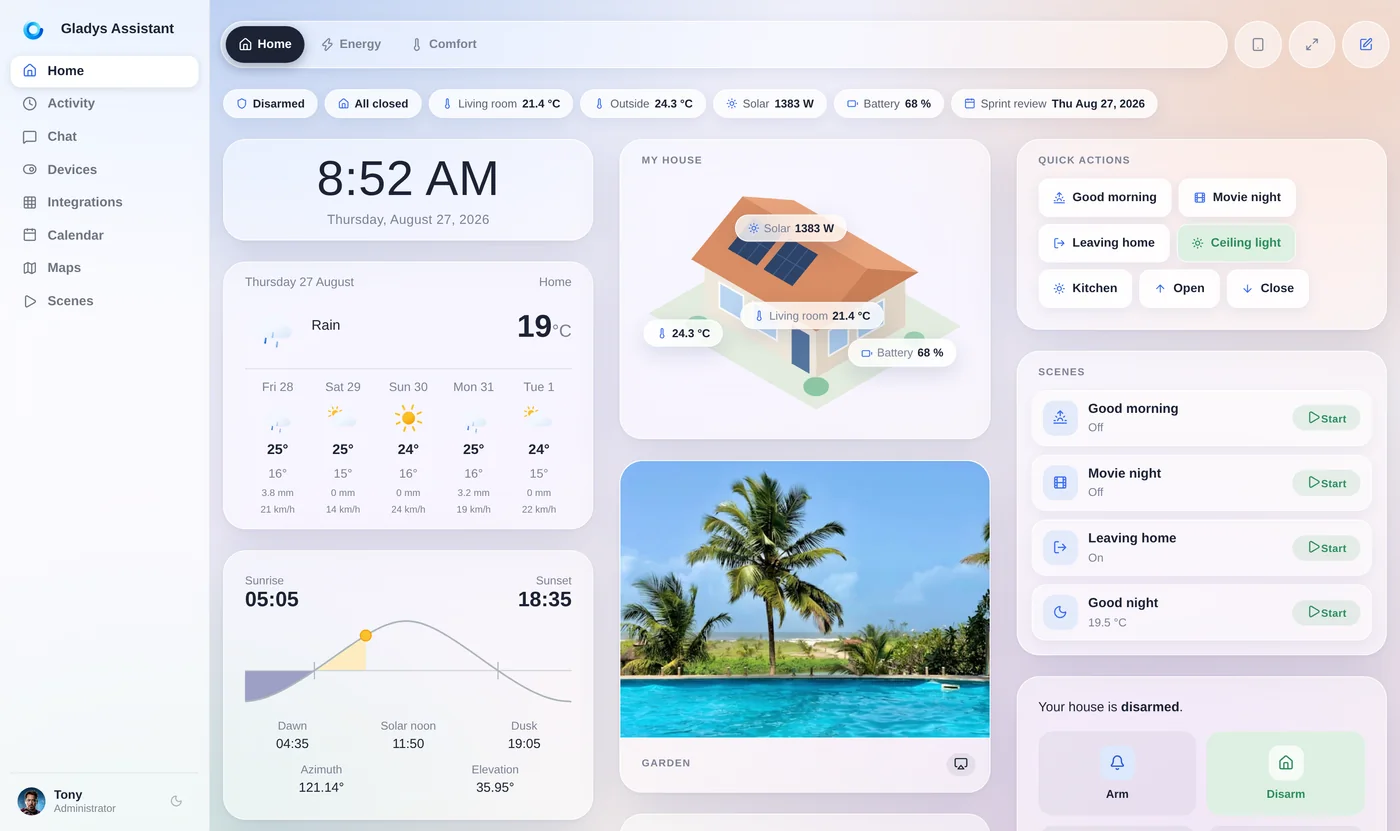
Why one app per brand doesn't scale
Most smart home devices ship with their own app and their own cloud. It works for the first two or three devices, then it becomes a problem:
- Your lights, plugs, cameras and sensors live in separate apps that don't talk to each other.
- Automations can't mix brands: the motion sensor from one vendor can't turn on the lights of another.
- Each app depends on its manufacturer's cloud, so your home stops responding when the internet or their servers go down.
- Every vendor collects its own share of data about your household.
Gladys brings every device into one place, with one automation engine, running on your own hardware.
How Gladys talks to your devices
Not every integration works the same way. Here is where each kind of device is handled, and what keeps working without the internet:
| Device family | How Gladys connects | Works without the internet? |
|---|---|---|
| Zigbee (Hue bulbs, Aqara, IKEA, Sonoff…) | Directly, with a Zigbee USB dongle and Zigbee2MQTT | Yes, fully local |
| Z-Wave (locks, switches, sensors) | Directly, with a Z-Wave stick and Z-Wave JS UI | Yes, fully local |
| Matter over Wi-Fi or Ethernet | Gladys is your Matter controller, no hub needed | Yes, fully local |
| Matter over Thread (Eve, Nanoleaf, IKEA…) | Through a Thread border router (Apple TV, HomePod, Nest Hub…) | Yes, local |
| Philips Hue bridge, Kasa, Sonos, Shelly, ESPHome, Reolink | Over your local network | Yes |
| SmartThings, LG ThinQ, SolarEdge, Daikin… | Through the manufacturer's official cloud API | No, they need the vendor's cloud |
Whenever a device offers a local option, that's the one Gladys uses. Cloud integrations are there so you can still bring everything into one dashboard.
Popular brands that work with Gladys
A selection of the brands supported today. Click a card to open its setup guide:
Control your Hue lights locally through the Hue bridge, or pair the bulbs directly over Zigbee, no bridge needed.
Bring the switches, lights, locks, shades, thermostats and sensors of your SmartThings account into Gladys.
Smart plugs, switches and bulbs, controlled over your local network.
Images, doorbell presses and motion from your Tapo cameras and doorbells. Images stay on your network.
Relays, plugs and energy meters, locally over MQTT or HTTP, with the Shelly cloud only as a fallback.
Images, detections, spotlight, siren and PTZ presets. No Reolink account, nothing goes through the cloud.
Control your Sonos speakers from the dashboard music widget and from your scenes, locally.
Washers, dryers, fridges and air conditioners of your ThinQ account, through LG's official API.
Power, volume, mute and input source of your LG webOS and Samsung Tizen TVs, over the local network.
Monitor and control your Bosch, Siemens, Neff and Gaggenau appliances.
Solar production, home consumption and battery storage, next to the rest of your energy data.
State, start/stop, fan power, dock and routines of the robot vacuums paired in the Roborock app.
Expose your Gladys devices to the Apple Home app and control them with Siri.
Keep voice control on your Echo and Nest speakers while your automations run in Gladys (with Gladys Plus).
Your DIY and reflashed ESP32/ESP8266 devices, controlled locally.
Don't see your device?
The list above is only a selection. Before giving up, check these:
- Is it Zigbee, Z-Wave or Matter? Then it very likely works, whatever the brand: these standards cover thousands of devices.
- Look at the external integrations catalog: community integrations installable in one click, with new ones published every week.
- Ask on the community forum: someone may already have connected the same device, often through MQTT, Node-RED or Matterbridge.
- Build the integration yourself: external integrations are Docker containers written in the language of your choice, published on GitHub, with no pull request or review needed.
Gladys is open-source, and the catalog grows with every new user. If your favorite brand is missing, you can be the one who adds it.
One dashboard and one automation engine for every brand
Once your devices are in Gladys, brands stop mattering. An Aqara motion sensor can turn on Hue lights, a Shelly energy meter can pause a LG washer, and a Reolink camera can send you a snapshot when a Z-Wave lock opens.
Gladys runs on your own machine (a mini-PC, a Raspberry Pi or a NAS), is free and open-source, and keeps working when the internet goes down for every device that has a local option.
Go further
Choose the right hardware and protocols for your home:
Which smart home protocol to choose, and why you don't have to pick just one.
Matter controllers, Thread border routers and bridges, explained.
The Zigbee coordinator to buy to pair your Zigbee devices locally.
Add support for a new brand, in any language, without a pull request.
Frequently asked questions
Does Gladys Assistant work with Philips Hue?
Yes, in two ways. The Philips Hue integration controls your lights locally through the Hue bridge (on/off, brightness, color, white temperature). You can also pair Hue bulbs directly to Gladys over Zigbee with a Zigbee USB dongle and Zigbee2MQTT, without any bridge.
Does Gladys work with SmartThings?
Yes. The SmartThings integration brings the switches, plugs, lights, locks, shades, thermostats and sensors of your SmartThings account into Gladys, through Samsung's official cloud API. Your Zigbee, Z-Wave and Matter devices can also be moved off the SmartThings hub and paired directly to Gladys to run locally.
Does Gladys work with Matter devices?
Yes. Gladys is a Matter controller running on your own machine: Matter devices on Wi-Fi or Ethernet need no hub at all. Matter over Thread devices need a Thread border router on your network, such as an Apple TV 4K, a HomePod or a Google Nest Hub.
Does Gladys work with Z-Wave?
Yes, through the Z-Wave JS UI integration and a Z-Wave USB stick. Your Z-Wave locks, switches and sensors are controlled locally, without a cloud.
Which devices work without the internet?
Everything paired over Zigbee, Z-Wave or Matter, plus the integrations that talk to your devices on the local network (Philips Hue bridge, TP-Link Kasa, Sonos, Shelly, Reolink, ESPHome, LG and Samsung TVs…). Integrations built on a manufacturer's cloud API, like SmartThings or LG ThinQ, need the internet.
My brand isn't supported, what can I do?
Check whether the device speaks Zigbee, Z-Wave or Matter, look at the external integrations catalog, and ask on the community forum. If it's still missing, anyone can build an external integration in the language of their choice and publish it on GitHub, without a pull request or review.
Bring all your devices into one place
Gladys is free, open-source and runs on your own hardware. Connect the devices you already own, whatever the brand.