Looking for a SmartThings alternative?
Keep your devices, lose the dependency: Gladys Assistant runs your smart home locally, on hardware you own, with no Samsung account required.
Samsung SmartThings made smart homes accessible to millions of people. But everything revolves around a Samsung account, the SmartThings cloud and Samsung's product decisions, and many users have seen their setups broken by platform changes over the years.
Gladys Assistant takes a different path. It's a free, open-source smart home platform that runs at home, on a mini-PC or a Raspberry Pi. Your Zigbee, Z-Wave and Matter devices pair directly with it, your automations run locally, and your data stays on your network. And because Gladys also integrates with SmartThings, you can migrate at your own pace.
Why people look for an alternative to SmartThings
SmartThings is free and easy to start with, but the trade-offs show up over time:
- Everything is tied to a Samsung account and the SmartThings cloud, including the app you use to control your home.
- When the internet or Samsung's servers are down, anything that depends on the cloud, from the app to cloud-connected devices, stops responding.
- The platform changes on Samsung's schedule: older hubs lost support and the end of Groovy custom code forced many users to rebuild their setups.
- Developer access keeps getting tighter: since late 2024, new personal access tokens expire after 24 hours.
- Your usage data lives on Samsung's servers, next to the rest of your Samsung account.
None of this makes SmartThings a bad product. But if you want a home that belongs to you, the foundation matters.
Gladys Assistant vs SmartThings
How the two platforms compare on what matters for a long-lived smart home:
| Gladys Assistant | Samsung SmartThings | |
|---|---|---|
| Where it runs | On your own mini-PC, Raspberry Pi or NAS | Samsung's cloud, plus a SmartThings hub or compatible Samsung device |
| Account required | No, local accounts on your machine | Yes, a Samsung account |
| Works without the internet | Yes, the core runs locally | Partly, the app and cloud features need the internet |
| Zigbee, Z-Wave, Matter | Yes, with a USB dongle or through Matter | Yes, through the SmartThings hub |
| Source code | Open-source (Apache 2.0) | Proprietary |
| Your data | Stays on your network | Stored on Samsung's servers |
| Price | Free, optional Gladys Plus for remote access, backups and AI | Free app, hub sold separately |
SmartThings wins on out-of-the-box convenience and on the number of certified devices. Gladys wins on ownership, privacy and local control.
Why Gladys is a good SmartThings alternative
What you get when you move your home to Gladys:
Gladys runs on your own machine. Your devices, automations and history stay on your local network.
Pair your devices directly with a USB dongle or through Matter, no proprietary hub in the middle.
Scenes with triggers, conditions, if/then/else and delays, built from a visual editor, no code.
The SmartThings integration brings the devices of your account into Gladys while you migrate.
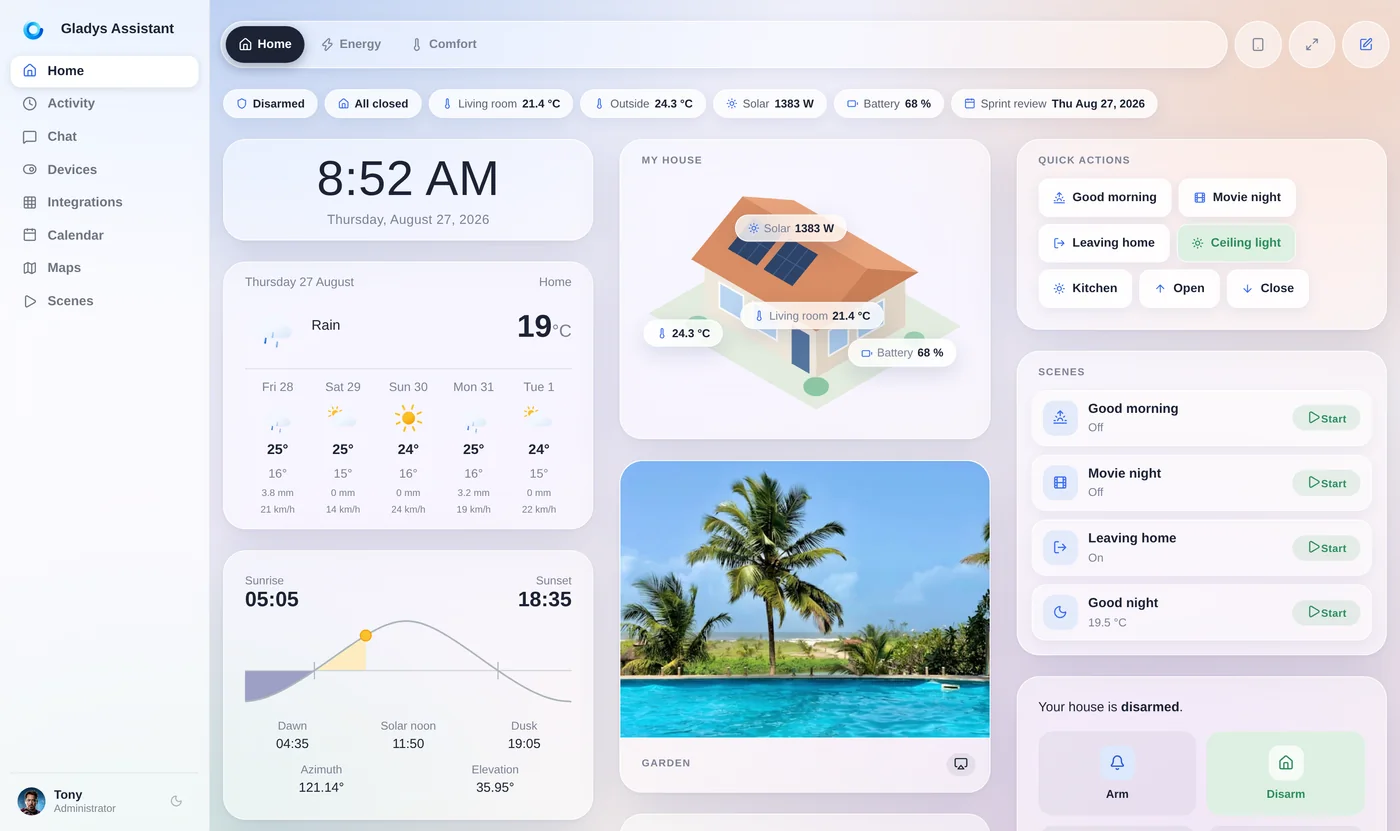
Gladys 5 was designed for the phone in your pocket and the tablet on your wall.
Free and open-source at its core. If you ever leave, your devices are standard and your data is yours.
How to migrate from SmartThings to Gladys
You don't have to switch everything in one weekend. A smooth path:
- Install Gladys on a mini-PC or a Raspberry Pi, and list your SmartThings devices by protocol: Zigbee, Z-Wave, Matter or Wi-Fi.
- Connect the SmartThings integration to see your current devices in Gladys right away (keep in mind that SmartThings personal access tokens now expire after 24 hours, so this is a transition tool rather than a permanent setup).
- Zigbee devices: add a Zigbee USB dongle, remove each device from SmartThings, and pair it with Zigbee2MQTT.
- Z-Wave devices: add a Z-Wave USB stick, exclude each device from SmartThings, and include it in Z-Wave JS UI.
- Matter devices: generate a new pairing code from the SmartThings app (Matter lets a device have several controllers) and add it to Gladys, which then controls it locally.
- Wi-Fi devices (Kasa, Shelly, Hue bridge, Sonos…): connect them through their own Gladys integration, most of them locally.
- Rebuild your routines as Gladys scenes, then unplug the SmartThings hub when you're ready.
Most people move room by room. The forum is there if a device gives you trouble.
Your devices, your hardware, your rules
The Zigbee, Z-Wave and Matter devices you bought for SmartThings are standard devices. They don't belong to Samsung, and they work just as well with a platform that runs in your home.
Gladys is free and open-source, and has been developed in the open since 2013. An optional Gladys Plus subscription adds encrypted remote access, Alexa and Google Home, backups and AI, but the core stays local and yours.
Go further
Everything you need to plan the move:
SmartThings, Hubitat, Homey and a mini-PC, compared.
Another local hub, and how Gladys compares to it.
The brands and protocols supported by Gladys, with a setup guide for each.
The coordinator to buy to take your Zigbee devices off the SmartThings hub.
Matter controllers, Thread border routers and bridges, explained.
Also considering Home Assistant? Here's how Gladys compares.
Frequently asked questions
What is the best local alternative to SmartThings?
Gladys Assistant is a free, open-source smart home platform that runs on your own hardware (a mini-PC, a Raspberry Pi or a NAS). It supports Zigbee, Z-Wave and Matter devices directly, runs your automations locally and doesn't require a Samsung or any other cloud account. Home Assistant, Hubitat and openHAB are other local options.
Can I reuse my SmartThings devices with Gladys?
Yes. Zigbee devices pair with Gladys through a Zigbee USB dongle and Zigbee2MQTT, Z-Wave devices through a Z-Wave stick and Z-Wave JS UI, and Matter devices directly, since Gladys is a Matter controller. Wi-Fi devices connect through their own integrations (Kasa, Shelly, Philips Hue, Sonos…).
Does Gladys integrate with SmartThings?
Yes. The SmartThings integration brings the switches, lights, locks, shades, thermostats and sensors of your SmartThings account into Gladys, through Samsung's cloud API. Since late 2024, SmartThings personal access tokens expire after 24 hours, so it works best as a bridge while you move your devices to Gladys.
Does Gladys work without the internet?
Yes. Gladys runs on your local network, so devices paired over Zigbee, Z-Wave or Matter and your scenes keep working when the internet is down. Only cloud-based integrations and optional Gladys Plus features like remote access need a connection.
What hardware do I need to replace the SmartThings hub?
A small always-on computer to run Gladys, such as an Intel N100 mini-PC or a Raspberry Pi, plus a Zigbee USB dongle for Zigbee devices and a Z-Wave USB stick if you have Z-Wave devices. Matter over Wi-Fi devices need nothing else; Matter over Thread devices need a Thread border router.
Is Gladys free?
Yes. Gladys is free and open-source, forever. An optional Gladys Plus subscription adds encrypted remote access, Alexa and Google Home, backups and AI, starting at $7.99/month in the US and Canada, with a 1-month free trial.
Move your smart home back home
Gladys is free, open-source and installs in a single Docker command. Keep your devices, run them locally, and stay in control.