Sinopé Zigbee thermostats, without Neviweb
Sinopé's Zigbee devices are standard Zigbee. Pair them with Zigbee2MQTT and control your heating locally, with Gladys Assistant, and automate Hydro-Québec peaks.
Sinopé thermostats heat a large share of Quebec homes. The Zigbee models (the ones ending in ZB, like the TH1123ZB) normally go through Sinopé's GT130 gateway and the Neviweb app. But they speak standard Zigbee, and Zigbee2MQTT supports them.
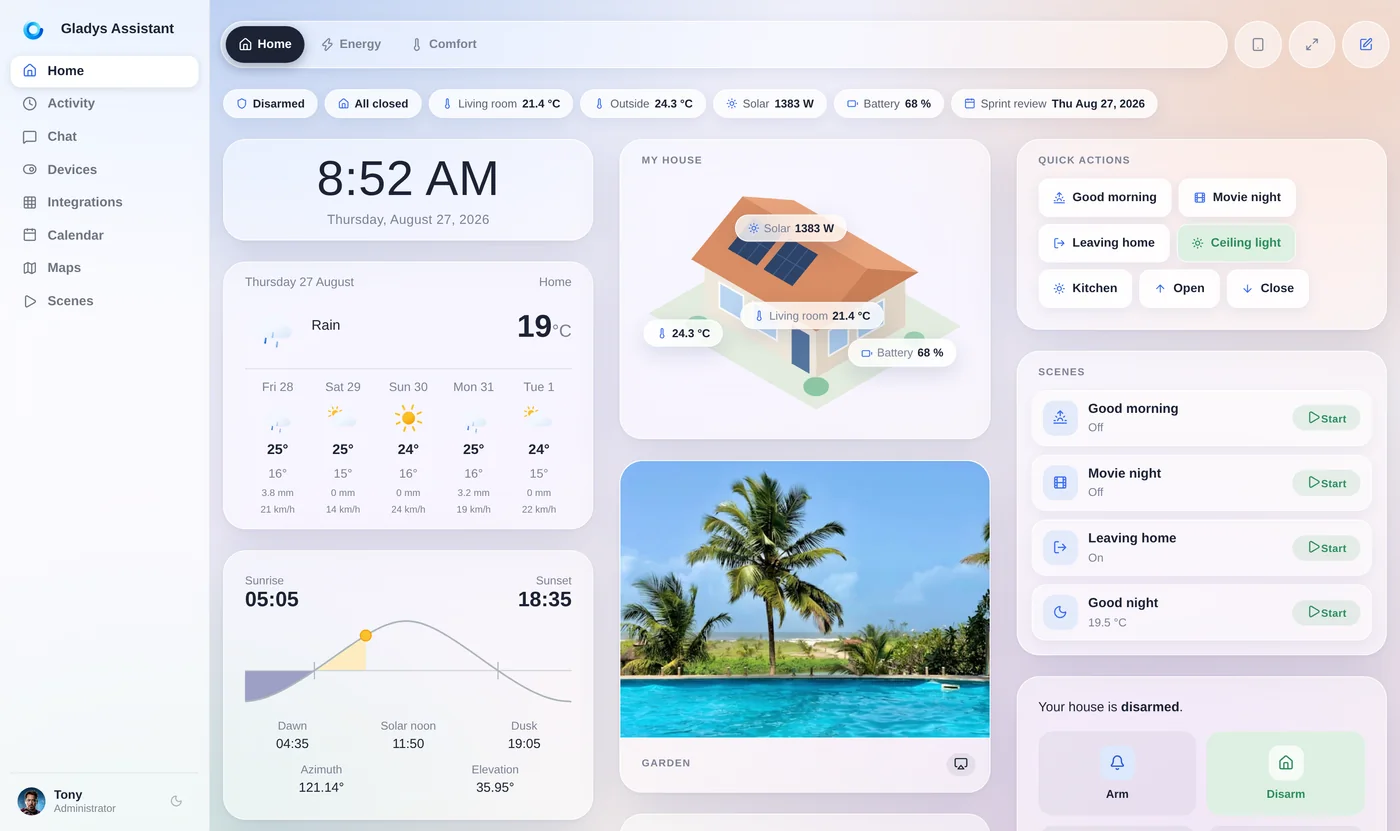
That means you can pair them directly with Gladys Assistant, a free and open-source smart home platform that runs on a mini-PC or a Raspberry Pi. Set the temperature, read the room temperature and power use, and build scenes that lower the heat during Hydro-Québec peak events, all locally.
Why control Sinopé devices locally
The GT130 and Neviweb work, but they come with limits:
- The Neviweb app is a cloud service: remote control and many features depend on Sinopé's servers and your internet connection.
- Automations stay inside the Sinopé world, so it's hard to combine your thermostats with sensors, lights or appliances from other brands.
- Your heating data, one of the biggest parts of a Quebec electricity bill, lives in someone else's app.
- With Rate Flex D, lowering the heat at the right time, every time, is where the savings are.
Pairing your Sinopé Zigbee devices with a local platform keeps the hardware you already have, and gives you full control over it.
Gladys + Zigbee2MQTT vs GT130 + Neviweb
The same Sinopé devices, two ways to run them:
| Gladys + Zigbee2MQTT | GT130 + Neviweb | |
|---|---|---|
| Gateway | A Zigbee USB dongle on your mini-PC or Raspberry Pi | Sinopé GT130 ($109.99 CAD) |
| App | Gladys, running at home | Neviweb, a cloud service |
| Other brands | Any Zigbee, Z-Wave, Matter or Wi-Fi device Gladys supports | Mostly Sinopé devices |
| Hydro-Québec peaks | Scenes driven by the Hydro-Québec integration | Through Hilo, with the Hilo hub |
| Hilo bonus program | Not eligible | Eligible with the GT130 and the Hilo hub |
| Source code | Open source | Proprietary |
A Zigbee device can only be paired with one gateway at a time: moving a device to Gladys removes it from Neviweb.
Sinopé Zigbee devices supported by Zigbee2MQTT
These Sinopé models are listed as supported by Zigbee2MQTT. Gladys exposes their main features: setpoint, temperature, on/off, power and energy.
TH1123ZB and TH1124ZB (and their G2 versions), the classic line-voltage thermostats for electric baseboards.
TH1300ZB for floor heating, TH1400ZB for low-voltage systems and TH1500ZB dual-pole.
RM3250ZB 50 A load controller and RM3500ZB Calypso water heater controller: ideal to cut the water heater during a peak.
SW2500ZB switch, DM2500ZB and DM2550ZB dimmers, SP2600ZB and SP2610ZB smart plugs.
WL4200 leak sensors and Sedna valves (VA4200WZ, VA4220ZB) to shut the water off automatically.
HP6000ZB interface for mini-split heat pumps.
How to pair Sinopé thermostats with Gladys
On a mini-PC or a Raspberry Pi running Gladys:
- Plug a Zigbee coordinator (Sonoff ZBDongle-E or -P…) into the machine and enable Zigbee2MQTT in Gladys.
- Remove the device from the GT130 in Neviweb, or reset it following Sinopé's instructions, so it leaves the old network.
- In Gladys, open Zigbee2MQTT → Discover and permit joining.
- Put the thermostat in pairing mode as described in its manual: it appears in Gladys with its features.
- Add it to a room and to your dashboard, then build your scenes.
Only Zigbee models (ZB) work this way. Sinopé's Wi-Fi models (TH1123WF, TH1124WF…) are not Zigbee and stay on Neviweb.
Automate Hydro-Québec peaks with your Sinopé thermostats
This is where local control pays off. Gladys's Hydro-Québec integration knows when a Flex D or Winter Credit peak event, or the pre-heat period before it, is in progress. Your scenes can raise your Sinopé thermostats by a degree or two before the peak, lower them during it, cut the water heater with an RM3250ZB or RM3500ZB, and restore everything afterwards.
Everything runs on your own hardware, and Gladys is free and open source.
Go further
Lower your winter bill in Quebec:
Is there a peak event today or tomorrow? Live from Hydro-Québec's open data.
How Flex D works and the automations that make it pay off.
Which Zigbee coordinator to buy for Zigbee2MQTT.
Local Zigbee with a managed setup and dashboards.
Frequently asked questions
Can I use Sinopé thermostats without Neviweb?
Yes, the Zigbee models. Sinopé's ZB thermostats and devices are standard Zigbee devices supported by Zigbee2MQTT, so you can pair them with a Zigbee USB dongle and control them locally from a platform like Gladys Assistant, without the GT130 gateway or the Neviweb app.
Which Sinopé devices work with Zigbee2MQTT?
Zigbee2MQTT lists the TH1123ZB, TH1124ZB (and G2 versions), TH1300ZB, TH1400ZB and TH1500ZB thermostats, the RM3250ZB and RM3500ZB load controllers, the SW2500ZB, DM2500ZB and DM2550ZB switches and dimmers, the SP2600ZB and SP2610ZB plugs, WL4200 leak sensors, Sedna valves and the HP6000ZB heat pump interface.
Do Sinopé Wi-Fi thermostats work with Zigbee2MQTT?
No. The Wi-Fi models, such as the TH1123WF and TH1124WF, connect to Neviweb over Wi-Fi and are not Zigbee devices. Only the models ending in ZB can be paired with a Zigbee coordinator.
Will I lose the Hilo bonus if I leave the GT130?
Yes. Sinopé devices earn Hilo bonuses when they are connected through both the GT130 gateway and the Hilo hub. A Zigbee device can only belong to one network, so a device paired with Gladys is no longer seen by Neviweb or Hilo. With Rate Flex D, your own automations can still cut consumption during peaks.
Can Gladys lower my Sinopé thermostats during a Hydro-Québec peak?
Yes. The Hydro-Québec integration tells Gladys when a peak or pre-heat period is in progress, and a scene can change the setpoint of your Sinopé thermostats, cut the water heater through an RM3250ZB or RM3500ZB, and restore everything when the peak ends.
Take back control of your heating
Gladys is free, open source and installs with a single Docker command. Pair your Sinopé thermostats and automate the peaks.