Philips Hue without the bridge
Hue bulbs speak standard Zigbee. Pair them with a Zigbee USB dongle and Gladys Assistant, and control them locally, alongside every other brand.
The Hue Bridge is a Zigbee hub. Every Hue bulb, plug and switch talks to it over Zigbee, the same open protocol used by IKEA, Aqara and hundreds of other brands. That means you don't actually need the bridge: any Zigbee coordinator can drive Hue lights.
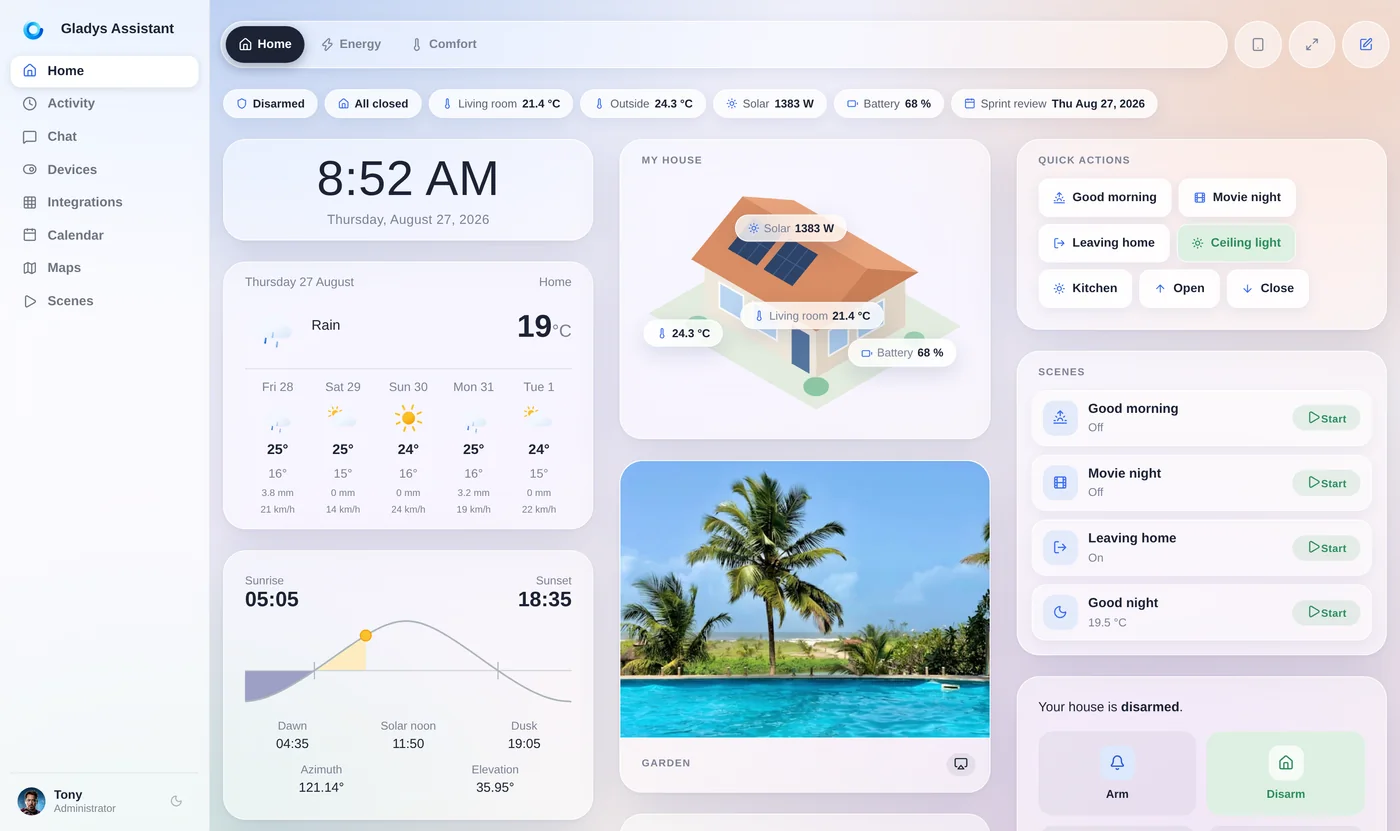
Gladys Assistant, a free and open-source smart home platform, installs Zigbee2MQTT for you. Pair your Hue bulbs with a Zigbee USB dongle, and you control on/off, brightness, color and white temperature locally, in the same scenes as your sensors and devices from other brands.
Why skip the Hue Bridge
The bridge works well, but it isn't always the best option:
- It's one more box to buy and to power, for a single brand.
- The Hue app and its features revolve around the bridge (or the newer Bridge Pro, about $99), and Hue's cloud for remote access.
- Your Hue lights live in their own app, separate from your sensors, thermostats and other Zigbee devices.
- Every Zigbee hub runs its own network: Hue bulbs paired with your main coordinator also act as Zigbee routers and strengthen your whole mesh.
If you already run Zigbee at home, putting your Hue bulbs on the same network is simpler and makes the network stronger.
Hue with Gladys and Zigbee2MQTT vs with the Hue Bridge
Both are local. The difference is what you get around the lights:
| Gladys + Zigbee2MQTT | Hue Bridge + Hue app | |
|---|---|---|
| On/off, brightness, color, white temperature | Yes | Yes |
| Works without the internet | Yes | Yes, locally |
| Other brands in the same scenes | Any Zigbee, Z-Wave, Matter or Wi-Fi device | Hue devices and Works with Hue partners |
| Hue Sync / Entertainment areas | No | Yes |
| Hue app scenes and effects | No, Gladys scenes instead | Yes |
| Firmware updates | Yes, through Zigbee2MQTT (OTA) | Yes, through the Hue app |
| Extra hardware | A Zigbee USB dongle | The Hue Bridge |
Want Hue Sync with your TV or the Hue app's effects? Keep the bridge: Gladys can control your Hue lights through it with the Philips Hue integration. Want one Zigbee network for everything? Pair them directly.
What you get with Hue bulbs in Gladys
Once paired, each Hue light becomes a Gladys device:
On/off, brightness, color and white color temperature, from the dashboard or a scene.
Turn the hallway lights on when an Aqara motion sensor triggers, or dim the living room when the TV turns on.
Mains-powered Hue bulbs route Zigbee traffic for your battery sensors.
No cloud: commands go from Gladys to the bulb over your own Zigbee network.
Schedule lights around sunset and sunrise, with an offset, for your location.
Control lights in plain language with Gladys Plus, or from Claude through the MCP server.
How to pair Hue bulbs without the bridge
On a mini-PC or a Raspberry Pi running Gladys:
- Plug a Zigbee coordinator into the machine and enable Zigbee2MQTT in Gladys.
- If the bulb was paired with a Hue Bridge, delete it from the Hue app first, or factory reset it.
- Reset options: a Touchlink reset from the Zigbee2MQTT interface with the bulb within a few centimeters of the coordinator; a factory reset from the Hue app for Bluetooth Hue bulbs; or a Hue dimmer switch held close to the bulb with the On and Off buttons pressed for about 10 seconds.
- In Gladys, open Zigbee2MQTT → Discover, permit joining, and power the bulb on: it shows up with its features.
- Add it to a room and to your dashboard, then use it in your scenes.
Hue dimmer switches and motion sensors can be paired the same way, and then trigger any Gladys scene.
Hue quality, one open Zigbee network
Hue makes excellent bulbs. Pairing them directly with your Zigbee coordinator keeps that quality while removing a proprietary hub and a separate app from your setup.
Gladys is free and open source, has been developed since 2013, and runs entirely on your own hardware.
Go further
More devices without their hub:
Frequently asked questions
Can Philips Hue bulbs work without the bridge?
Yes. Hue bulbs are standard Zigbee lights, so any Zigbee coordinator can control them. With Gladys Assistant and a Zigbee USB dongle, Zigbee2MQTT pairs them directly and you control them locally, without a Hue Bridge.
What do I lose without the Hue Bridge?
The Hue app and its scenes and effects, Hue Sync and Entertainment areas, and Hue's own remote and voice features. Basic control (on/off, brightness, color, white temperature) works fully, and Gladys replaces the app's automations with its own scenes.
How do I reset a Hue bulb to pair it with Zigbee2MQTT?
Delete it from the Hue app if it was paired with a bridge. Then either run a Touchlink reset from the Zigbee2MQTT interface with the bulb close to the coordinator, or, for Bluetooth Hue bulbs, factory reset it from the Hue app. The bulb then joins when pairing is allowed.
Can I keep the Hue Bridge and still use Gladys?
Yes. The Philips Hue integration connects Gladys to your bridge, so you keep the Hue app and Hue Sync while using your lights in Gladys scenes.
Do Hue switches and motion sensors work without the bridge?
Yes, Hue dimmer switches and motion sensors are Zigbee devices supported by Zigbee2MQTT. Once paired, their buttons and motion events can trigger any Gladys scene.
Put your Hue bulbs on one open network
Gladys is free, open source and installs with a single Docker command. Plug in a Zigbee dongle and pair your first Hue bulb.