Build a 100% local, private smart home
No cloud, no recordings, no data resale: a smart home that runs at home and answers only to you.
Most smart home gadgets send everything they see and hear to a manufacturer's cloud. Your routines, your presence, sometimes your voice and your camera feeds all leave your home, and you have to trust they'll be kept secure and not switched off when the company changes its mind.
A local smart home flips that around. Your devices, your automations and your data stay on your own network. It keeps working without an internet connection, it doesn't depend on a subscription to stay alive, and nobody profiles you from it. This guide explains why it matters, what "local" really means, and how to build one.
Why your smart home shouldn't live in the cloud
Cloud-based smart homes are convenient on day one, but you're effectively renting your home automation from a third party. The trade-offs add up:
- Privacy: your habits, presence, voice and camera data are sent to servers you don't control, and can be stored, analyzed or used for advertising.
- Dependence: if your internet drops or the vendor's servers go down, your lights, locks and routines can stop responding.
- Discontinuation: cloud devices get bricked when a company shuts down a product line or gets acquired, even if the hardware is perfectly fine.
- Latency: a tap or a sensor often has to make a round trip to a distant server before anything happens at home.
- Lock-in: each ecosystem pushes you to buy its own accessories and keeps your data inside its app.
- Cost: more and more features keep moving behind monthly subscriptions.
None of this means cloud devices are useless, but they shouldn't be the foundation your whole home depends on.
What is a local smart home?
A local (or self-hosted) smart home runs the brain of your home on hardware you own, on your own network. In practice, that means:
- Your automations run on a device in your home, not on a remote server.
- It keeps working offline: no internet, no problem for your core scenes.
- Your data stays on your local network, with no mandatory cloud account.
- You control updates, and you can't be cut off because a service was discontinued.
- It's built on open standards, so you're free to mix brands and avoid lock-in.
Remote access and AI are still possible, but they become an option you switch on, not a requirement you're forced into.
How to build a local smart home
Start with a self-hosted controller that runs at home and orchestrates everything. This is the brain of your setup, and it's where Gladys Assistant comes in.
Prefer devices that speak Zigbee, Matter or MQTT instead of Wi-Fi gadgets that only work through a vendor's app and cloud.
Run it on a Raspberry Pi, a mini-PC or a NAS you already own. A small, low-power machine is plenty for most homes.
Build scenes with triggers, conditions and actions so your home reacts on its own, all evaluated locally.
Hands-free voice and AI assistance are optional. When you use them, requests go through a private, secure cloud run by an independent project, with no ads and no data resale, never a big-tech assistant that profiles you.
When you want to check in from outside, use end-to-end encrypted remote access instead of opening your home to a third party.
Gladys Assistant: a local-first foundation
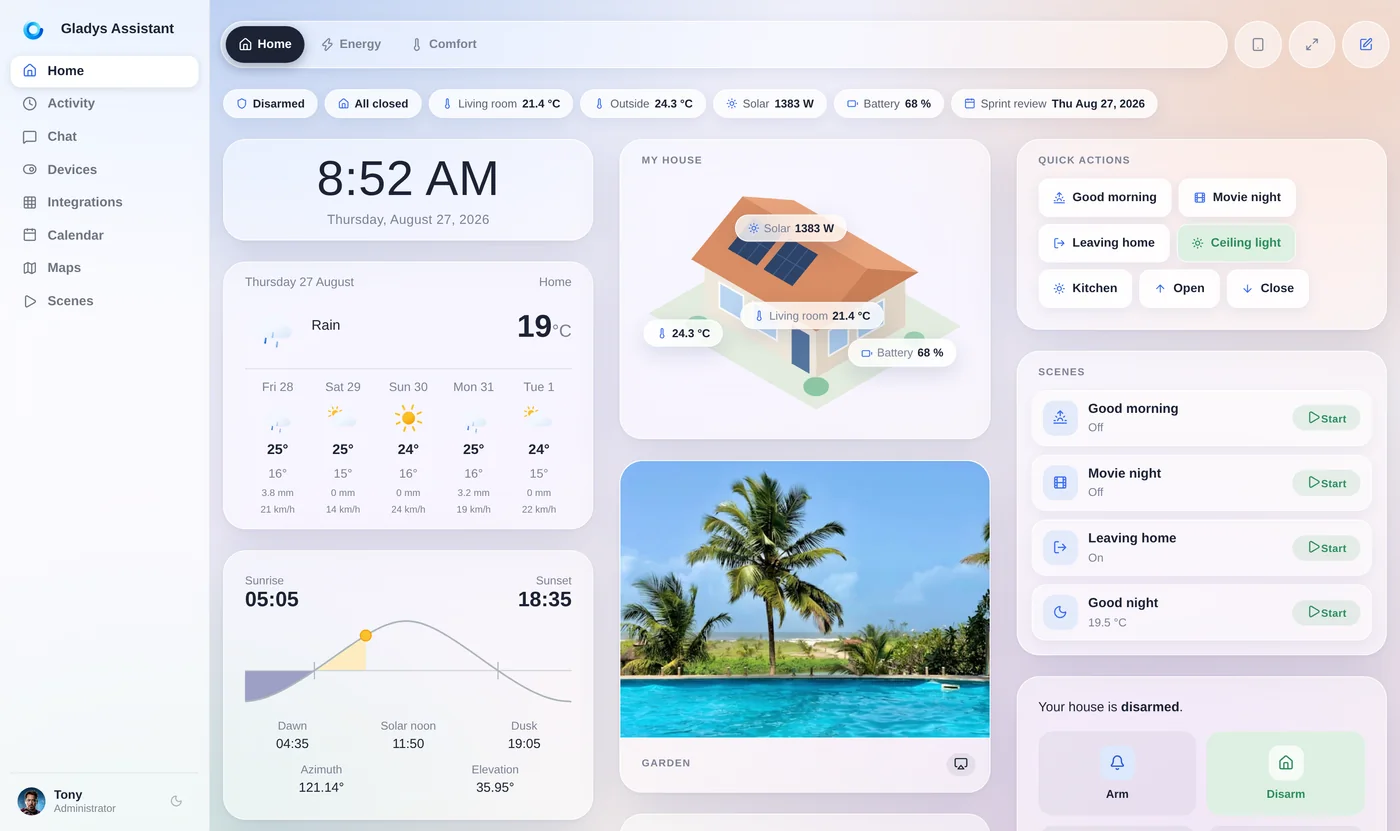
Gladys Assistant is a free, open-source, self-hosted smart home platform built exactly on these principles. It installs in a single Docker command on a Raspberry Pi, mini-PC or NAS, and runs entirely on your local network.
Everything is configured from a clean interface, with no configuration files. It's built around open standards (Zigbee, Matter, MQTT) and a full local automation engine, so your everyday scenes run entirely at home. Optional features like voice, AI and remote access do rely on the cloud, but a private, secure one from an independent project: no ads, no data resale, and end-to-end encrypted remote access.
Replace the cloud, piece by piece
You don't have to switch everything at once. These guides show how to move away from the most common cloud services while keeping the convenience:
Keep voice control without sending everything you say to Amazon's cloud.
A private, local alternative to Google Home and Google Assistant.
A simpler, local, open-source platform, without the YAML and the steep learning curve.
How the two main open-source, local-first platforms really compare.
Keep the convenience of AI and voice control, on a private cloud, not a big-tech assistant.
Frequently asked questions
What is a local smart home?
A local smart home runs the brain of your home, the automation engine and your data, on hardware you own, on your own network, instead of in a manufacturer's cloud. It keeps working offline, doesn't depend on a subscription, and your data stays at home.
Can a smart home work without internet?
Yes. With a local, self-hosted platform like Gladys Assistant, your automations run on a device in your home, so your core scenes keep working even when your internet is down. Only remote access and some cloud features need a connection.
Is a local smart home more private?
Yes. Because everything runs on your own machine, your habits, presence, voice and camera data stay on your local network instead of being sent to servers you don't control. There are no recordings on a third party's servers and no advertising profiles.
What is the best local, open-source smart home software?
Popular local, open-source options include Gladys Assistant, Home Assistant, openHAB, Jeedom and Domoticz. Gladys focuses on simplicity and a clean interface with no configuration files, built on open standards like Zigbee, Matter and MQTT.
Do I need to be technical to build a local smart home?
Less than you might think. Gladys installs in a single Docker command, everything is configured by clicking in the interface. You mainly need a small machine (Raspberry Pi, mini-PC or NAS) and devices that use open standards.
Can I still access my smart home remotely if it's local?
Yes. A local smart home can still offer remote access, the difference is how. With Gladys Plus, remote access is end-to-end encrypted, so you can check in from anywhere without handing control of your home to a third party.
Start building your local smart home
Gladys is free, open-source, and installs in a single Docker command. Local-first, self-hosted, no cloud required.