Integración domótica Zapier, gratuita y de código abierto
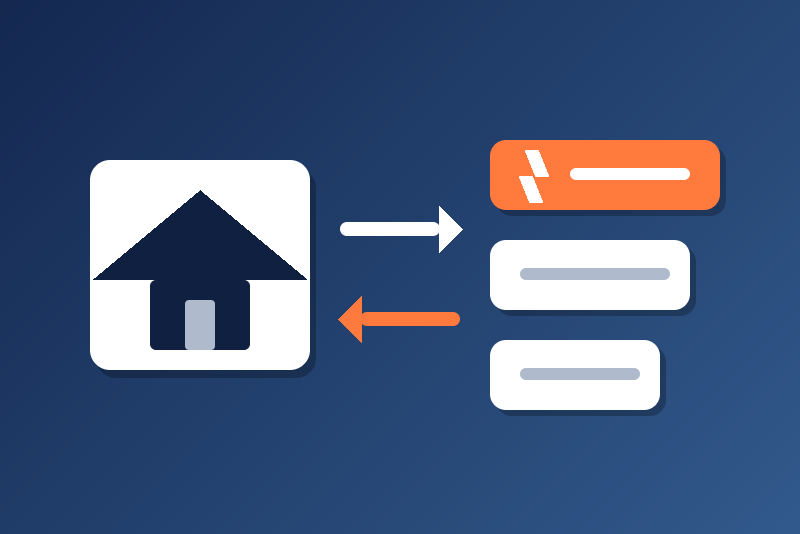
Unofficial: send scene events to your Zaps, and start scenes from a Zap (Gladys Plus).
Publicado por LM1LC3N7
- Dispositivos
- Versión 0.1.1
- Requiere Gladys >=5.1.0
- ★ 0
La documentación de esta integración la escribe su autor y, por ahora, solo está disponible en inglés.
Unofficial integration, not affiliated with Zapier. It has never been tested with a real Zapier account yet: please report how it goes.
What it does
- From Gladys to Zapier: the scene actions Send to a Zap and Send JSON to a Zap post an
event to the Catch Hook URL of a Zap. The Zap then runs with the fields
event,value1,value2,value3(or the keys of your JSON object),source(gladys) andsent_at(ISO date). - From Zapier to Gladys (needs Gladys Plus): a Zap posts to the Gladys Plus URL of the
integration, and your scenes start on the trigger Event received from Zapier, with the
variables
event,value1,value2,value3andpayload(the other fields, as JSON).
Zapier is called only by the two scene actions and the Send a test event button: never at start, never on a timer, never because an event was received.
Costs: Zapier tasks and Zap runs
"Webhooks by Zapier" is a premium app: it needs a paid Zapier plan. Each send runs the Zap and uses one Zapier task per action step that runs: a Zap with 3 action steps uses 3 tasks. The module counts Zap runs (one per Zap started), not tasks, and refuses a send beyond its caps: divide the tasks of your plan by the action steps of your Zaps.
- Maximum Zap runs over 24 hours (1 to 2000, 20 by default);
- Maximum Zap runs over 30 days (1 to 50000, 500 by default): a rolling 30 days, not your Zapier billing month; set it below the tasks of your plan divided by the action steps, minus what your other Zaps use;
- at most 10 requests per minute, whatever the caps, answered or not (a request Zapier refused counts here even when its run is given back);
- from the third refusal in a row of one Catch Hook (a 4xx answer or a redirect), a pause of that hook only, 60 s, doubled at each new refusal, 6 h at most: the other hooks go on. During the pause the test button may still try the hook (one request per click); a send it accepts ends the series, and saving the configuration lifts the pause at once.
A send is counted, and the count saved in /data, before its request leaves (no save, no
request), so the count survives a restart. It is given back only when Zapier surely did not take it
(a 4xx answer, a 429, a redirect, a name or connection refused). A send without a clear answer (a
timeout, a cut connection, a 5xx) stays counted and is not tried again: a second try could run
the Zap twice. The module counts its own sends only; your Zapier dashboard shows the real tasks.
Set up the sends to Zapier
- In Zapier, create a Zap whose trigger is Webhooks by Zapier → Catch Hook.
- Copy the URL Zapier shows (
https://hooks.zapier.com/hooks/catch/<account>/<hook>/) into Catch Hook URL 1 of the integration configuration (up to three Zaps: URLs 2 and 3). Zapier documents joining the hooks of several Zaps of the same account with commas (…/catch/123456/zbB61,kzXC4/): each Zap named runs and counts as one run. - Click Send a test event: the event
gladys_test(withtest: true) reaches the Zap, and counts as a run. Then build the rest of the Zap with its fields. - In a scene, add Send to a Zap: choose the Catch Hook, an event name (1 to 64 letters, digits,
_,-,.) and up to three values (1000 characters each at most, never cut: a longer value refuses the send). Outputs for the next actions:request_id(Zapier's) andzap_runs.
The Catch Hook URL is a secret: whoever has it can start the Zap. It is kept by Gladys in its
database, never shown again, sent only to hooks.zapier.com, and never written in the logs, the
status or /data. A URL that is not a Zapier Catch Hook URL is refused (and never shown back).
Set up the events from Zapier (Gladys Plus)
Without Gladys Plus, only the sends to Zapier work; the status of the integration says so.
- Link Gladys Plus and paste your Open API key in the Gladys Plus webhooks block of the integration configuration: Gladys shows the public URL of the webhook Events from Zapier. This URL is a secret too.
- In a Zap, add the action Webhooks by Zapier → POST, URL = that Gladys Plus URL,
Payload Type
json, Data:event= your event name, andvalue1,value2,value3as you wish. Other keys go intopayload, a JSON object of 20 keys and 1000 characters at most: a key that does not fit is left out, never cut. - Optional: type a shared secret (8 to 200 characters, no space) in the configuration, and add a
secretfield with the same value in the Zap: an event without it is ignored. A secret that does not read refuses every event. - In a scene, use the trigger Event received from Zapier, filtered on the event name or not.
The module publishes at most 60 events per minute and ignores a body larger than 64 KB.
Loops
An event received never sends anything to Zapier. But a scene started by Event received from Zapier that sends to a Zap which calls Gladys again would loop and use tasks. The module watches the sends a scene calls less than 15 s after an event received: after 3 of them within 5 minutes, the next one is refused and every send stops for 30 minutes (kept across a restart). Its limits: a scene that waits 15 s or more before sending escapes the guard, and only the caps stop such a loop; a hook joining several Zaps loses up to 3 runs per Zap before the stop. Fix the scene, then save the configuration to resume at once.
Pauses and refusals
- 429 (Zapier asks to slow down): no send for its
Retry-After, 60 s to 6 h. - 5xx: no send for 60 s, doubled at each new failure, 6 h at most.
- 404 or 410 (Zapier knows no such hook: Zap deleted, or URL changed): the scenes stop using
this hook. Its 8-bit fingerprint is kept in
/data; pasting another URL lifts it, and so does a success of the test button. A new URL typed while the integration was stopped shares that fingerprint once in 256: then click the test button. - 401/403 are not taken as a refusal of the hook.
/dataunreadable: nothing is sent (the runs counted are unknown); read again every 10 s, never overwritten.
Parámetros de configuración
Estos son los parámetros que Zapier te pide en su pantalla de configuración en Gladys.
| Parámetro | Tipo | Obligatorio | Descripción |
|---|---|---|---|
| Zapier, both ways | section | No | Unofficial connector, not affiliated with Zapier. To Zapier: the scene actions "Send to a Zap" post an event to the Catch Hook URL of a Zap whose trigger is "Webhooks by Zapier" (a premium app: a paid Zapier plan is needed). Each send runs the Zap, and Zapier bills a task per action step that runs. The module counts Zap runs (one per Zap started) and refuses a send beyond the caps below: divide the tasks of your plan by the action steps of your Zaps. Zapier is called only by the scene actions and the test button, never at start nor on a timer. Never tested with a real Zapier account yet. |
| Catch Hook URL 1 | secret | No | Kept by Gladys in its database, never shown again, sent only to hooks.zapier.com. Copy it from the trigger "Webhooks by Zapier" → "Catch Hook" of the Zap (https://hooks.zapier.com/hooks/catch/…/…/). Whoever has this URL can start the Zap: never share it. |
| Catch Hook URL 2 (optional) | secret | No | Kept by Gladys in its database, never shown again, sent only to hooks.zapier.com. Copy it from the trigger "Webhooks by Zapier" → "Catch Hook" of the Zap (https://hooks.zapier.com/hooks/catch/…/…/). Whoever has this URL can start the Zap: never share it. |
| Catch Hook URL 3 (optional) | secret | No | Kept by Gladys in its database, never shown again, sent only to hooks.zapier.com. Copy it from the trigger "Webhooks by Zapier" → "Catch Hook" of the Zap (https://hooks.zapier.com/hooks/catch/…/…/). Whoever has this URL can start the Zap: never share it. |
| Maximum Zap runs over 24 hours | number | No | Counted by the module before each send, kept across restarts: one run per Zap the hook starts (1 to 2000). Beyond, a send is refused. |
| Maximum Zap runs over 30 days | number | No | A rolling 30 days, not your Zapier billing month: set it below the tasks of your plan divided by the action steps of your Zaps, minus what your other Zaps use (1 to 50000). |
| From Zapier to Gladys (Gladys Plus) | section | No | Needs Gladys Plus: without it, only the sends to Zapier work. Link Gladys Plus and paste your Open API key in the "Gladys Plus webhooks" block: Gladys then shows the public URL to use in a Zap with the action "Webhooks by Zapier" → "POST" (Payload Type json, data event = my_event, value1, value2, value3, and secret if you set one below). Your scenes then use the trigger "Event received from Zapier". That URL is a secret too. An event received never sends anything to Zapier. A scene that answers it at once by sending to a Zap that calls Gladys again loops: the module stops sending for 30 minutes after 3 such rounds; a scene that waits 15 s or more escapes this guard, only the caps stop it. |
| Shared secret of the events received (optional) | secret | No | Kept by Gladys in its database, never shown again, never sent. When set (8 to 200 characters, no space), an event received is accepted only if its data carries "secret" with this value. |
Cómo instalar Zapier en Gladys
- En Gladys, abre Integraciones: Zapier aparece en el catálogo junto a las integraciones nativas, con una insignia de comunidad.
- Haz clic en Instalar. Gladys descarga la imagen Docker (
ghcr.io/lm1lc3n7/gladys-zapier:0.1.1), la ejecuta en un entorno aislado del núcleo y genera la interfaz de la integración (dispositivos, descubrimiento y configuración). - Abre la pantalla de Configuración de la integración, rellena los parámetros y guarda.
- También puedes instalarla directamente desde la URL de su repositorio: https://github.com/LM1LC3N7/gladys-zapier.
Zapier requiere Gladys >=5.1.0. El catálogo de Gladys se actualiza cada hora, así que una nueva versión está disponible como máximo una hora después de publicarse.
¿Todavía no usas Gladys? Es gratuito y de código abierto: sigue la guía de instalación para empezar.
Sobre las integraciones externas
Zapier es una integración externa: una integración comunitaria empaquetada como contenedor Docker y publicada en GitHub. Gladys la instala con un clic y la ejecuta en un entorno aislado del núcleo. La publica y mantiene LM1LC3N7, no el equipo principal de Gladys.
- Explorar todas las integraciones, nativas y de la comunidad
- Crear y publicar tu propia integración externa
- Código fuente en GitHub — fuente de esta documentación