Integración domótica Visonic PowerMax, gratuita y de código abierto
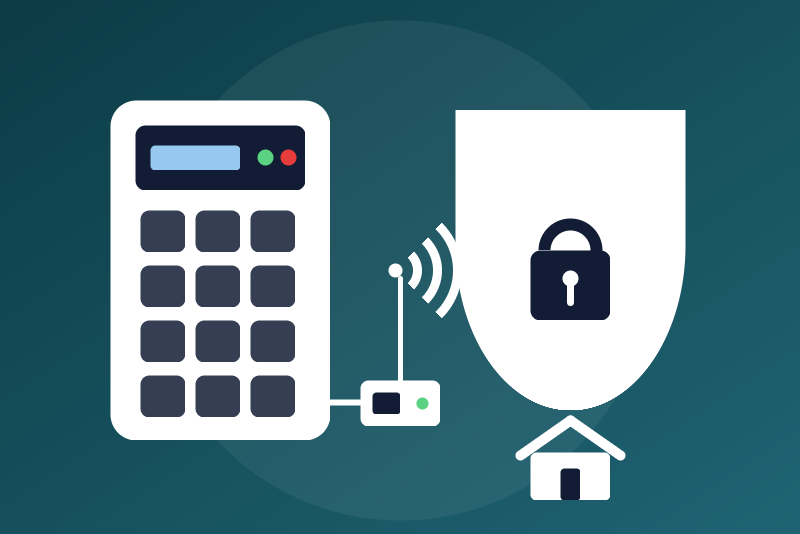
Visonic PowerMax and PowerMaster alarms, locally through a network adapter.
Publicado por LM1LC3N7
- Dispositivos
- Versión 0.1.2
- Requiere Gladys >=5.1.0
- ★ 0
La documentación de esta integración la escribe su autor y, por ahora, solo está disponible en inglés.
This integration connects a Visonic PowerMax or PowerMaster alarm panel to Gladys Assistant, locally on your network, through a serial-to-network adapter (RS-232 to Ethernet or Wi-Fi) wired to the serial port of the panel.
Never tested with a real device. Visonic publishes no description of the protocol of its panels: it comes from the open-source pyvisonic 4.0.8 library (the one of the Home Assistant Visonic integration), ported to JavaScript and checked only against a simulated panel. Make your first tries on site, with the panel disarmed, and report what goes wrong.
Unofficial integration, not affiliated with Visonic.
Before you start
- A serial-to-network adapter wired to the serial port of the panel (the wiring and the adapters known to work are listed in the wiki of the Home Assistant integration), set as a TCP server, with the serial settings of the panel (9600 bauds, 8N1 on most panels). Give it a fixed address in your router.
- Not supported: a direct serial or USB link to the Gladys machine, and a Visonic Powerlink module (pyvisonic says not to use it with one).
- Most adapters accept one client at a time: stop any other software connected to it (Home Assistant, another Gladys).
- This integration is not the reading of Visonic wireless detectors through an RFXCOM or RFPlayer receiver: it talks to the panel itself.
What you get
- Visonic panel:
- State, read-only: disarmed, arming (exit delay), entry delay, armed (away), armed (stay), programming;
- Armed, Ready to arm, Trouble, Panel tamper, Alarm in progress, Fire alarm, Panel connected;
- three buttons: arm away, arm stay, disarm.
- One device per zone (only the ones you list, 1 to 32): open or not (opening, smoke or leak as chosen), or motion (shown 30 seconds, the panel never sends the end of a motion), tamper, low battery, alarm, bypassed.
- Scene triggers: alarm triggered (its kind: intrusion, fire, panic, emergency, gas or flood, and the zone when the panel gives it), panel armed (mode, asked by Gladys or not), panel disarmed.
- Scene actions: arm (away or stay), disarm.
No command is a switch: a "turn everything off" from a voice assistant, HomeKit or a scene can never disarm the alarm. The states are read-only, the commands are buttons.
Configuration
- Address of the network adapter: its IP address.
- TCP port of the adapter: the port of its "TCP server" mode, as set in its own web page.
- User code (optional): the 4-digit code of a panel user, needed only for the commands; the states need none.
- Zones: for example
1-6, 7:motion, 9:smoke, 10:leak. Kinds:opening(default),motion,smoke,leak. Changing the kind of a zone already created in Gladys adds a new feature and keeps the old one (and its history): delete the old one by hand if you no longer want it. - Safety: see below.
- Language of the names: French or English.
The user code is a secret field: kept by Gladys in its database, never shown
again in the interface, sent only to the panel. It never appears in the logs
nor in /data.
The Test the connection button tells what the connection knows (the state of the panel, or why it is not connected and when the next try comes). It never connects sooner than the waits between tries allow and sends nothing to the panel (its state is read every 25 seconds anyway).
The Allow a new try of the code button lifts the stop set after a refused user code (see "Safety"): the next command sends the code again, once. It sends nothing itself.
What travels on the network
The protocol of the panel has no protection of its own: everything travels in clear text between Gladys, the adapter and the panel, the user code of each command included. Any device of your network listening to the traffic can read it, and send commands to the adapter. Protect your network (a separate network for the devices you are not sure of), restrict the access to the adapter if it allows it, and give Gladys a panel user of its own.
Safety
- Arming is always allowed, with the user code: it protects. Arming while someone is inside (a badly set scene, a mistake) may raise a false alarm, the sirens and a call of your alarm monitoring company. An arming never lowers the protection: "arm stay" while the panel is armed away sends nothing. While the integration waits between two connection tries, an arming makes one try at once instead of waiting.
- Disarming is off by default. Once the option is checked, every Gladys user, every scene and the Gladys mobile app can disarm, with the code of the configuration, without typing any code. Allow it only if your Gladys is well protected (accounts, remote access). The option is read again right before the send: unchecked while a disarm waits, that disarm stops.
- Before a disarm, the integration reads the state from the panel again and decides on that state, never on what it has in memory (already disarmed: nothing is sent; a state the integration does not know: refused, nothing is sent). An arm reads it too when it can (already armed as much: nothing is sent). When the state cannot be read, "arm away" is sent anyway (it never lowers anything), "arm stay" only if the last state known protects less, otherwise it is refused with "nothing was sent".
- Disarms go one at a time, in order. An arm never waits behind them: it withdraws the disarms still waiting, and takes the line from a state read or a disarm already sent and not acknowledged yet (that disarm is then reported "sent, without confirmation"). Arms go one at a time: an "arm stay" asked right after an "arm away" sends nothing; an "arm away" is never held back. Just after a disarm whose outcome is not known yet, an arm is sent even if the state read shows the panel still armed (the disarm may apply after it), and is never reported done without being sent.
- A command that cannot leave in time (slow panel, unreadable state for a disarm) is refused with "nothing was sent". A command is reported done only when the state read back shows it; otherwise it is reported "sent, without confirmation" (or "acknowledged, but the state read back does not show it yet", for example when a zone is open), and the state is read again two seconds later: it is never reported "not sent".
- When the panel refuses the user code ("access denied"), the integration
never sends it again by itself, even after a restart (wrong codes may
lock the keypads or be reported to your monitoring company). The states
keep coming. Change the code in the configuration, or click "Allow a new
try of the code". A refusal that comes late stops the commands too. The
file
/data/visonic-state.jsonkeeps only the date of the stop and of the last connection attempt, never the code. - Every command, sent or refused, is written in the integration logs; the code never is.
Connection
- Standard mode of pyvisonic only: the integration never downloads the memory of the panel (no download code needed) and never enrols itself as a Powerlink accessory.
- The state is read every 25 seconds when nothing else happens, every status of the panel is read about every 5 minutes; with nothing received for 2 minutes, the integration reconnects.
- On a cut, the new tries are spaced: 10 s, 30 s, 1 min, 2 min, then every 5 minutes, and these waits hold across a restart of the integration (after a session that worked, a restart waits 25 seconds).
Known limits
- Never tested with a real device (see above).
- One panel state, no partitions: the commands act on every partition (as pyvisonic does when none is given) and the state shown is the one the panel reports without partitions. With partitions enabled, the state may be wrong: tell us.
- Zones 1 to 32 only (the status messages of Standard mode); no zone names (the zones are named "Zone n", rename them in Gladys).
- PowerMaster panels send more (B0 messages) that this version does not read; their zone states may come late or not at all.
- An alarm in Standard mode is seen through a flag of the panel and its events: an alarm the panel never ends is cleared after 20 minutes.
- No identity of the panel can be read without its download code: if the address of the adapter goes to another adapter (a new DHCP lease), the integration cannot tell. Give the adapter a fixed address.
- An alarm already in progress when the integration starts fires the "alarm triggered" scene once (a duplicate is better than a missed alarm). The same kind of alarm fires it at most once every 30 seconds.
- What the adapter sends in the first half second of a connection (bytes it may have kept while no client was connected) is acknowledged but not read, except the alarm events (fire, panic, gas…), which are read. Frames are written at least 190 ms apart, as pyvisonic does (the panel cannot cope with faster).
Privacy
Everything stays on your network: the integration only talks to the adapter.
Licence
Apache-2.0. Protocol logic ported from pyvisonic 4.0.8 (MIT, davesmeghead):
see THIRD_PARTY_NOTICES.md.
Parámetros de configuración
Estos son los parámetros que Visonic PowerMax te pide en su pantalla de configuración en Gladys.
| Parámetro | Tipo | Obligatorio | Descripción |
|---|---|---|---|
| Your Visonic panel | section | No | For Visonic PowerMax and PowerMaster alarm panels whose serial port is wired to a serial-to-network adapter (RS-232 to Ethernet or Wi-Fi), on your network, without any cloud: the state of the panel (disarmed, arming, armed away or stay, entry delay, alarm, fire alarm, ready, trouble), the zones you list (open, motion, tamper, low battery, alarm, bypassed), arm and disarm buttons, scene triggers. A direct serial or USB link is not supported, nor a Powerlink module. The protocol of the panel is not public: it comes from the open-source pyvisonic library. Never tested with a real panel. Unofficial, not affiliated with Visonic. |
| Address of the network adapter | string | Sí | The IP address of the serial-to-network adapter wired to the panel (give it a fixed address in your router). |
| TCP port of the adapter | number | Sí | The port of the adapter in "TCP server" mode, as set in its own web page. |
| User code | secret | No | Optional: the 4-digit code of a panel user, needed only for the commands (arming, disarming); the states need none. It travels in clear text between Gladys, the adapter and the panel, on your network, at each command. A code refused by the panel is never sent again by itself ("Allow a new try of the code" button). Kept by Gladys in its database, never shown again, sent only to the panel, never in the logs. |
| Zones | string | No | The zones to show (1 to 32), with their kind if not an opening, e.g. "1-6, 7:motion, 9:smoke, 10:leak" (opening, motion, smoke, leak). |
| Safety | section | No | Anyone who can control the devices in Gladys (dashboard, scenes, the Gladys app) can use the alarm through this integration, with the user code above. Arming is always allowed: arming while someone is inside (a scene, a mistake) may raise a false alarm, the sirens and a call of your alarm monitoring company. Disarming is off by default, behind the option below: allow it only if your Gladys is well protected. Every command is written in the integration logs; the code never is. |
| Allow disarming from Gladys | boolean | No | Once checked, every Gladys user, every scene and the Gladys mobile app can disarm with the user code of the configuration, without typing any code. |
| Language of the names | select | No | Used for the names of the devices and features added from now on, and for the panel state. |
Cómo instalar Visonic PowerMax en Gladys
- En Gladys, abre Integraciones: Visonic PowerMax aparece en el catálogo junto a las integraciones nativas, con una insignia de comunidad.
- Haz clic en Instalar. Gladys descarga la imagen Docker (
ghcr.io/lm1lc3n7/gladys-visonic:0.1.2), la ejecuta en un entorno aislado del núcleo y genera la interfaz de la integración (dispositivos, descubrimiento y configuración). - Abre la pantalla de Configuración de la integración, rellena los parámetros y guarda.
- También puedes instalarla directamente desde la URL de su repositorio: https://github.com/LM1LC3N7/gladys-visonic.
Visonic PowerMax requiere Gladys >=5.1.0. El catálogo de Gladys se actualiza cada hora, así que una nueva versión está disponible como máximo una hora después de publicarse.
¿Todavía no usas Gladys? Es gratuito y de código abierto: sigue la guía de instalación para empezar.
Sobre las integraciones externas
Visonic PowerMax es una integración externa: una integración comunitaria empaquetada como contenedor Docker y publicada en GitHub. Gladys la instala con un clic y la ejecuta en un entorno aislado del núcleo. La publica y mantiene LM1LC3N7, no el equipo principal de Gladys.
- Explorar todas las integraciones, nativas y de la comunidad
- Crear y publicar tu propia integración externa
- Código fuente en GitHub — fuente de esta documentación