Integración domótica Team Tracker, gratuita y de código abierto
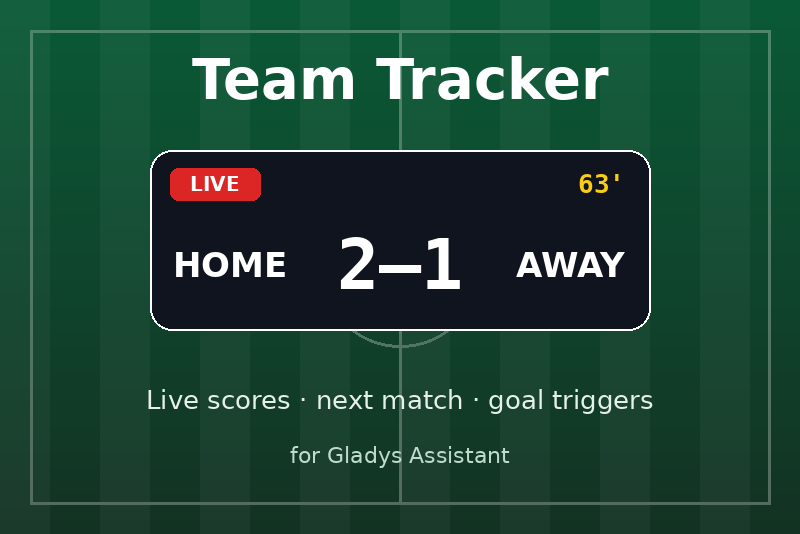
Siga a sus equipos: resultados en directo, próximo partido y escenas cuando su equipo marca.
Publicado por prohand
- Dispositivos
- Versión 1.2.0
- Requiere Gladys >=5.3.0
- ★ 0
Siga a sus equipos deportivos en Gladys: resultados en directo, el próximo partido y escenas que se ejecutan cuando su equipo marca o gana.
Beta. Los resultados proceden de la API pública de ESPN, gratuita pero no documentada: puede cambiar sin previo aviso. Sus comentarios son bienvenidos en el repositorio de GitHub o en el foro de Gladys.
Qué obtiene
- Un dispositivo por equipo, con tres valores:
- Puntos: los puntos de su equipo en el partido en curso (o el último);
- Puntos del rival;
- Partido: una línea, p. ej.
En directo · 63' · PSG 2 – 1 OM,Finalizado · PSG 2 – 1 OM · VictoriaoPróximo partido · sáb, 17 oct, 17:15 · en casa de STR.
- Desencadenantes de escena: el partido empieza pronto, partido iniciado, mi equipo ha marcado, el rival ha marcado, partido terminado.
- Una acción de escena que lee el partido de un equipo, para anunciar el resultado o cambiar las luces según el resultado.
- Dos widgets de panel: el partido en directo de un equipo y la lista de todos sus equipos.
Sin cuenta, sin clave de API, nada que instalar en su red. Se requiere Gladys 5.3 o posterior.
Configuración
-
Abra la pestaña Configuración de la integración.
-
En Equipos, escriba los equipos que desea seguir como
LIGA:EQUIPO, separados por comas:LIG1:PSG, TOP14:RAC, NFL:KC, NBA:LALLIGAes un código de la tabla siguiente.EQUIPOes la abreviatura del equipo (PSG,KC) o su identificador ESPN (160).- ¿No está seguro? Pulse Buscar un equipo, elija la liga y escriba parte del nombre: la integración lista las líneas exactas que debe pegar.
-
Elija el idioma de los textos del partido y su zona horaria (p. ej.
Europe/Madrid,Europe/Paris), utilizada para escribir las horas de inicio. -
Guarde y pulse Probar los equipos: cada equipo aparece con su partido en curso o próximo, y cada entrada que no se puede seguir indica por qué.
-
Abra la pestaña Descubrir y añada los dispositivos de los equipos con Añadir a Gladys.
Otros ajustes
| Ajuste | Por defecto | Significado |
|---|---|---|
| Aviso antes del inicio (min) | 30 | El desencadenante «El partido empieza pronto» se activa antes. |
| Actualización durante un partido (s) | 30 | Frecuencia de lectura de los resultados durante un partido. |
| Actualización entre partidos (min) | 15 | Frecuencia de comprobación de los próximos partidos el resto. |
| Zona horaria | Europe/Paris | Las horas de inicio se escriben en esta zona (nombre IANA). |
| Idioma de los textos del partido | Inglés | Idioma de la línea «Partido» y del summary de las escenas. |
La integración se activa por sí sola para el aviso y para el inicio: no necesita una actualización corta para captar el comienzo de un partido.
Ligas
| Código | Liga | Código | Liga |
|---|---|---|---|
LIG1 | Ligue 1 | TOP14 | Top 14 |
LIG2 | Ligue 2 | SIXN | Six Nations |
CDF | Coupe de France | RWC | Rugby World Cup |
D1F | Première Ligue (femenina) | NFL | NFL |
EPL | Premier League | NCAAF | NCAA Football |
LIGA | LaLiga | NBA | NBA |
SERA | Serie A | WNBA | WNBA |
BUND | Bundesliga | NCAAM | NCAA Men's Basketball |
CL | Champions League | NCAAW | NCAA Women's Basketball |
EL | Europa League | NHL | NHL |
ECL | Conference League | MLB | MLB |
MLS | MLS | WC | FIFA World Cup |
NWSL | NWSL | WWC | FIFA Women's World Cup |
¿Otra liga? Cualquier liga de equipos de ESPN funciona con sus dos segmentos de ruta
en lugar de un código: soccer/por.1:SLB (Liga Portugal), soccer/ned.1:AJA
(Eredivisie). Son las dos partes que siguen a /sports/ en las direcciones de la API de
ESPN.
Un equipo en dos competiciones (Ligue 1 y Champions League) son dos entradas:
LIG1:PSG, CL:PSG. Cada una es su propio dispositivo.
La misma abreviatura para dos equipos (tres equipos del Top 14 son STA): use el
identificador ESPN que da Buscar un equipo (TOP14:25922 para el Stade Toulousain).
Los deportes individuales (tenis, golf, F1, MMA) no son compatibles: allí un partido no son dos equipos con un resultado.
Escenas
La integración añade sus propias tarjetas al editor de escenas, en la categoría Integraciones.
Desencadenantes
| Desencadenante | Cuándo |
|---|---|
| El partido empieza pronto | Llega el aviso antes del inicio (30 min antes, por defecto). |
| Partido iniciado | El partido ha empezado. |
| Mi equipo ha marcado | Los puntos de su equipo han subido (gol, ensayo, touchdown…). |
| El rival ha marcado | Los puntos del rival han subido. |
| Partido terminado | El partido ha terminado; filtre por victoria, derrota, empate. |
Cada desencadenante puede limitarse a un equipo y a partidos como local o como
visitante; si se deja vacío, vale cualquier equipo. Las acciones siguientes pueden
leer los detalles con {{triggerEvent.data.<name>}}:
| Variable | Ejemplo | Desencadenantes |
|---|---|---|
team_name | Paris Saint-Germain | todos |
opponent | Strasbourg | todos |
home_away | away | todos |
league | Ligue 1 | todos |
team_score | 2 | todos |
opponent_score | 1 | todos |
summary | En directo · 63' · PSG 2 – 1 STR | todos |
points | 1 (6 por un touchdown) | mi equipo ha marcado, el rival ha marcado |
result | win, loss o draw | partido terminado |
kickoff | 2026-10-17T15:15Z | el partido empieza pronto |
minutes | 30 | el partido empieza pronto |
Ejemplos:
- Luz de gol: «Mi equipo ha marcado» → poner las luces del salón en verde durante 30 segundos.
- Aviso de partido: «El partido empieza pronto» → enviar un mensaje «{{triggerEvent.data.summary}}».
- Resultado: «Partido terminado», resultado = victoria → reproducir una canción.
Los resultados se leen cada 30 segundos por defecto: un evento llega hasta ese tiempo después de la acción en el campo, más el retraso propio de ESPN.
Acción: Leer el partido de un equipo
Da a las acciones siguientes el partido en curso o próximo de un equipo: state (pre,
in, post o none), is_live, team_score, opponent_score, opponent, kickoff,
result y summary. Responde a partir de la última lectura, sin llamar a ESPN.
Los dos marcadores son también valores del dispositivo: una condición de escena puede compararlos («solo si mi equipo va ganando»).
Panel
- Partido de un equipo: elija un equipo en la configuración del widget. Resultado en directo (sigue los valores del dispositivo en tiempo real una vez creado el dispositivo), reloj, inicio, rival, local o visitante, y un botón Actualizar.
- Mis equipos: todos los equipos seguidos con su logotipo, primero los partidos en directo, con una insignia EN DIRECTO, el resultado o PRÓXIMO.
Solución de problemas
- Falta un equipo en Descubrir: pulse Probar los equipos, le dirá por qué (liga desconocida, equipo no encontrado, abreviatura compartida por varios equipos, ESPN inaccesible).
- La insignia de un equipo indica «Inaccesible»: ESPN no respondió a la última lectura. Los últimos resultados conocidos siguen mostrándose; la siguiente lectura lo intenta de nuevo.
- Las horas de inicio están desfasadas varias horas: configure su Zona horaria.
- Registros: abra la pestaña Registros de la integración en Gladys. Cada evento de escena
queda registrado (
Scene event team_scored <- LIG1:PSG: …).
Privacidad
La integración solo envía a ESPN las ligas y los identificadores de equipo que lee. No
necesita ninguna cuenta y guarda un pequeño archivo en su propio volumen /data (la
última lectura de cada equipo).
Parámetros de configuración
Estos son los parámetros que Team Tracker te pide en su pantalla de configuración en Gladys.
| Parámetro | Tipo | Obligatorio | Descripción |
|---|---|---|---|
| Primeros pasos | section | No | Los resultados proceden de la API pública de ESPN: sin cuenta ni clave. Escriba los equipos que desea seguir como LIGA:EQUIPO, separados por comas, p. ej. LIG1:PSG, TOP14:RAC, NFL:KC. ¿No está seguro de la abreviatura? Use el botón «Buscar un equipo» más abajo. Cada equipo se convierte en un dispositivo en la pestaña «Descubrir». |
| Equipos | string | Sí | Entradas LIGA:EQUIPO separadas por comas (20 como máximo). El equipo es su abreviatura o su identificador ESPN. |
| Idioma de los textos del partido | select | No | Idioma del texto «Partido» mostrado en los dispositivos y enviado a las escenas. |
| Zona horaria | string | No | Las horas de inicio se escriben en esta zona horaria (nombre IANA). |
| Aviso antes del inicio (min) | number | No | El desencadenante «El partido empieza pronto» se activa estos minutos antes del inicio. 0 lo desactiva. |
| Actualización durante un partido (s) | number | No | Frecuencia de lectura de los resultados durante un partido en directo, en segundos. |
| Actualización entre partidos (min) | number | No | Frecuencia de comprobación de los próximos partidos cuando no hay nada en directo, en minutos. |
Cómo instalar Team Tracker en Gladys
- En Gladys, abre Integraciones: Team Tracker aparece en el catálogo junto a las integraciones nativas, con una insignia de comunidad.
- Haz clic en Instalar. Gladys descarga la imagen Docker (
ghcr.io/prohand/gladys-teamtracker:1.2.0), la ejecuta en un entorno aislado del núcleo y genera la interfaz de la integración (dispositivos, descubrimiento y configuración). - Abre la pantalla de Configuración de la integración, rellena los parámetros y guarda.
- También puedes instalarla directamente desde la URL de su repositorio: https://github.com/prohand/gladys-teamtracker.
Team Tracker requiere Gladys >=5.3.0. El catálogo de Gladys se actualiza cada hora, así que una nueva versión está disponible como máximo una hora después de publicarse.
¿Todavía no usas Gladys? Es gratuito y de código abierto: sigue la guía de instalación para empezar.
Sobre las integraciones externas
Team Tracker es una integración externa: una integración comunitaria empaquetada como contenedor Docker y publicada en GitHub. Gladys la instala con un clic y la ejecuta en un entorno aislado del núcleo. La publica y mantiene prohand, no el equipo principal de Gladys.
- Explorar todas las integraciones, nativas y de la comunidad
- Crear y publicar tu propia integración externa
- Código fuente en GitHub — fuente de esta documentación