Integración domótica Sunricher DALI, gratuita y de código abierto
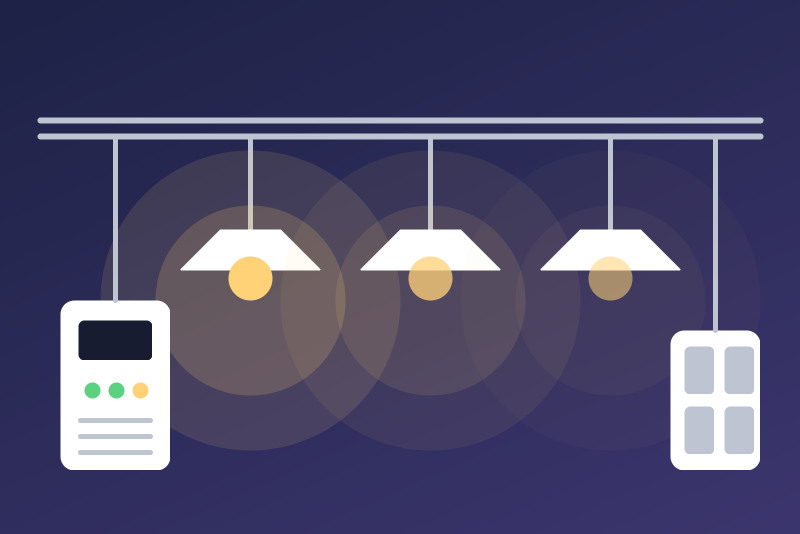
Sunricher DALI gateways (DALI Center): lights, groups, scenes and sensors, locally.
Publicado por LM1LC3N7
- Dispositivos
- Versión 0.1.1
- Requiere Gladys >=5.1.0
- ★ 0
La documentación de esta integración la escribe su autor y, por ahora, solo está disponible en inglés.
This integration connects Gladys to Sunricher DALI gateways (SR-GW-EDA, configured with the DALI Center app) locally, through the MQTT server built into the gateway: no cloud, no other broker to install.
Never tested with a real gateway. The protocol comes from the PySrDaliGateway library (Sunricher, Apache-2.0), used by Home Assistant. Unofficial, not affiliated with Sunricher.
What the integration does
At every connection, and when you click "Scan" (once a minute at most), it reads the list the gateway already keeps (it never starts a search on the DALI bus):
- DALI lights: on/off, brightness, and by DALI type the colour temperature (DT8 Tc) or the colour (DT8 RGB, XY, RGBW, RGBWA).
- DALI groups: on/off and brightness of the group. The gateway gives no state of the group itself: Gladys shows "on" when a member is on, "off" when all are off (unknown while a member is unknown).
- Scenes: an "Activate the scene" button per scene of the gateway. Scenes are created and edited in DALI Center.
- Motion sensors: motion (instant) and occupancy (stays on until "vacant").
- Light sensors: lux (0 to 1000; a value outside is ignored).
- DALI-2 push button panels: no device, but a scene trigger "DALI push button panel" (panel, key number, event: pressed, held, double pressed, turned, released).
States come in real time (the gateway pushes them). Not supported yet: the energy use of the lights, identify (blinking), sensor and driver settings.
1. Pairing: getting the credentials of the gateway
The gateway gives its MQTT user name and password only after its button is pressed, as an answer to a request sent on the local network by UDP multicast. The container of a Gladys integration does not see the multicast of your network (Docker bridge): pairing is therefore done once, by a small command on the Gladys machine (or any computer of the same network with Node.js 22 or later):
docker run --rm -it --network host --log-driver none --read-only \
  --cap-drop ALL --security-opt no-new-privileges \
  ghcr.io/lm1lc3n7/gladys-sunricher-dali:<version> node scripts/pair.mjs
(replace <version> with the installed version shown in Gladys; from a clone
of the repository: node scripts/pair.mjs).
--network host only serves to receive the multicast of your network; the
container is removed at the end (--rm). --log-driver none keeps Docker
from storing the output (so the password) in its logs; the other options take
from the container every right it does not need.
- Run the command: it looks for gateways for 3 minutes.
- Press the Reset button of the gateway once, briefly.
- The command shows the address, the MQTT port, the serial number, the user name, the password and whether the gateway uses TLS.
- Copy these values into the configuration of the integration, then clear
the terminal: the password is shown there only (the command writes it to
no file; with
--log-driver none, Docker does not keep it either).
Options: --serial <number> (only that gateway), --timeout <seconds>. When
several gateways answer, the first one with credentials is shown: run again
with --serial for the others.
If the gateway answers by multicast, its answer (so its credentials, only scrambled) can be read by any device of the network during the pairing: this comes with the protocol of the gateway.
The request and the answer are scrambled with a fixed key published in
PySrDaliGateway: a convention of the gateway protocol, not a protection. The
type: "HA" field of the request is the one of the library Sunricher
publishes for Home Assistant; no other value is documented.
2. Configuration
- Address of the gateway: its IP address (give it a fixed address in your router).
- MQTT port: the one shown by the pairing (1883 by default).
- Serial number: as shown (on the SR-GW-EDA, the MAC address without
separators;
A1:B2:…is accepted, and 12 hexadecimal digits are put in capitals; another format is kept as typed, capitals included). It is part of the MQTT topics: the integration only takes the messages of this serial number, and ignores a message that names another one. - User name and password: those of the pairing. The password is kept by Gladys in its database, never shown again, sent only to the gateway, never written in the logs.
- TLS: only when the pairing says
TLS: yes. - Certificate fingerprint (TLS only, optional): empty, the first
certificate seen must be signed by the Sunricher root authority (the one of
PySrDaliGateway, shipped with the integration); it is then pinned and kept
in
/databefore the password is sent. Typed, it is the one expected, signed by Sunricher or not. - Language of the names: for the devices without a name in the gateway.
The Test the connection button tries a connection (when none is under way) and shows what was read.
Security and limits
- Without TLS (how the gateway works by default), the user name and the
password travel in clear on your local network: the status of the
integration says so. With TLS, a first certificate not signed by Sunricher
is refused: nothing is sent, a stop with no new try, the status shows
its fingerprint (enter it only if you are sure this is your gateway). If
/datacannot keep the fingerprint, nothing is sent either. Then the certificate is pinned; if it changes, nothing is sent, the connection stops with no new try and the status shows both fingerprints. If you replaced or reset the gateway, enter the new fingerprint. Emptying the field never relearns a certificate. - Refused credentials (answer 4 or 5 of the gateway, or two connections in
a row closed or unanswered within 15 s after the credentials were sent): a
stop kept in
/data, no new try, even after a restart. It is lifted by changing the configuration (new credentials after a new pairing, typed while the integration was stopped included), or by "Test the connection" once a connection works. To see that the credentials changed,/datakeeps 8 bits of a salted hash of the refused pair (never of an accepted one): useless to find it back; in 1 case out of 256, new credentials look the same and "Test the connection" is needed. A protocol error of the gateway is an ordinary cut (a spaced new try). - One MQTT session at a time; reconnections spaced 10 s, 30 s, 1 min,
2 min then 5 min; a container that restarts again and again connects at
most once per 10 s (time of the attempt kept in
/data). - Bounded messages: 512 KB at most per message, bounded lists and names, 1,000 messages per 10 s at most; a malformed message or one of another serial number is ignored.
- Many lights: commands of the same kind sent within 100 ms leave in a single MQTT message (32 devices per message); Gladys gets at most 240 states per minute, lights and motion sensors first; an unchanged value is sent again only every 30 minutes.
Commands
A command is acknowledged once written to the gateway; the light (or the members of the group, or the lights of the bus after a scene) is read back 1.5 s later and Gladys gets the real state. A command is refused, nothing sent, exactly in these cases:
- the integration is not connected to the gateway, or the connection ended before the message was written;
- the command could not leave within 3.5 s;
- the device is not (or no longer) in the list read from the gateway, or belongs to another gateway;
- the value is not understood (on/off other than 0 or 1, brightness outside 0 to 100, temperature outside 153 to 500 mired, colour outside 0 to 16777215, scene other than 1, empty value);
- the feature is read only (sensors).
A brightness above 0 also turns the light on; 0 turns it off.
External ids
Frozen rule (it fixes the devices, their history and your scenes):
light:<serial>-<bus>-<address>, motion:…, illuminance:…,
group:<serial>-<bus>-<group>, scene:<serial>-<bus>-<scene>, with the serial
number in lower case, the DALI bus (channel) and the DALI short address.
Changing the DALI address of a driver creates a new device in Gladys.
Troubleshooting
- "Connected, but the gateway does not answer on the topics of this serial number": check the serial number (the one of the pairing).
- Unreachable: check the IP address and the port; a host firewall may block the traffic from the Docker bridge to the local network.
- A light is missing: it must be added to the gateway in DALI Center, then "Scan" in the Discovery tab.
Parámetros de configuración
Estos son los parámetros que Sunricher DALI te pide en su pantalla de configuración en Gladys.
| Parámetro | Tipo | Obligatorio | Descripción |
|---|---|---|---|
| Your DALI gateway | section | No | For the Sunricher DALI gateways (SR-GW-EDA, DALI Center app). The integration talks to the gateway on your network through the gateway's own MQTT server: no cloud, no other broker. It reads the devices, groups and scenes configured on the gateway: DALI lights (on/off, brightness, colour temperature or colour), DALI groups, scenes (a button to recall each one), motion and light sensors; the keys of DALI-2 push button panels become scene triggers. The gateway gives its user name and password only at pairing: follow the guide (one command on a computer of your network, then the button of the gateway). One connection at a time. Never tested with a real gateway. Unofficial, not affiliated with Sunricher. |
| Address of the gateway | string | Sí | Its IP address on your network, as the pairing shows it; give it a fixed address in your router. |
| MQTT port of the gateway | number | No | As the pairing shows it (1883 unless told otherwise). |
| Serial number of the gateway | string | Sí | As the pairing shows it (on the SR-GW-EDA, its MAC address without separators; 12 hexadecimal digits are put in capitals). The integration only takes the messages of this gateway. |
| User name (from the pairing) | string | Sí | |
| Password (from the pairing) | secret | Sí | Kept by Gladys in its database, never shown again, sent only to the gateway, never written in the logs. With TLS, sent only once the certificate of the gateway is checked (signed by Sunricher on the first connection, then the pinned one). |
| TLS (if the pairing says the gateway uses it) | boolean | No | Without TLS, the user name and the password travel in clear on your network (plain MQTT, as the gateway works by default). With TLS, the certificate of the gateway must be signed by Sunricher on the first connection, then it is pinned. |
| Certificate fingerprint (TLS only) | string | No | Optional: the SHA-256 fingerprint of the gateway certificate. Empty, the first certificate seen is kept if Sunricher signed it; enter a fingerprint to accept a certificate Sunricher did not sign. If the certificate changes later, nothing is sent and the status shows the new fingerprint: enter it here only if you replaced or reset the gateway. |
| Language of the names | select | No | Used for the names of the devices and features added from now on, when the gateway gives no name. |
Cómo instalar Sunricher DALI en Gladys
- En Gladys, abre Integraciones: Sunricher DALI aparece en el catálogo junto a las integraciones nativas, con una insignia de comunidad.
- Haz clic en Instalar. Gladys descarga la imagen Docker (
ghcr.io/lm1lc3n7/gladys-sunricher-dali:0.1.1), la ejecuta en un entorno aislado del núcleo y genera la interfaz de la integración (dispositivos, descubrimiento y configuración). - Abre la pantalla de Configuración de la integración, rellena los parámetros y guarda.
- También puedes instalarla directamente desde la URL de su repositorio: https://github.com/LM1LC3N7/gladys-sunricher-dali.
Sunricher DALI requiere Gladys >=5.1.0. El catálogo de Gladys se actualiza cada hora, así que una nueva versión está disponible como máximo una hora después de publicarse.
¿Todavía no usas Gladys? Es gratuito y de código abierto: sigue la guía de instalación para empezar.
Sobre las integraciones externas
Sunricher DALI es una integración externa: una integración comunitaria empaquetada como contenedor Docker y publicada en GitHub. Gladys la instala con un clic y la ejecuta en un entorno aislado del núcleo. La publica y mantiene LM1LC3N7, no el equipo principal de Gladys.
- Explorar todas las integraciones, nativas y de la comunidad
- Crear y publicar tu propia integración externa
- Código fuente en GitHub — fuente de esta documentación