Integración domótica SunPower PVS, gratuita y de código abierto
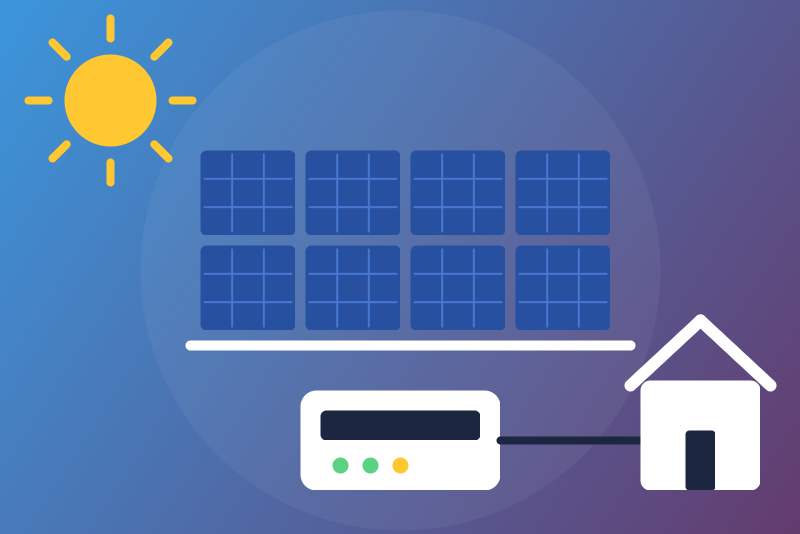
Unofficial: SunPower PVS5/PVS6 solar on your network: production, grid, inverters.
Publicado por LM1LC3N7
- Dispositivos
- Versión 0.1.1
- Requiere Gladys >=5.1.0
- ★ 0
La documentación de esta integración la escribe su autor y, por ahora, solo está disponible en inglés.
Unofficial integration, not affiliated with SunPower nor SunStrong Management. It reads a SunPower PVS5 or PVS6 monitoring gateway through the local API SunStrong published in 2025 (varserver, HTTPS on your home network), no cloud. Read-only: it only reads, nothing is ever written to the PVS.
Never tested with a real PVS: built from SunStrong's "LocalAPI" document, the public variable lists and the code of the pypvs library (MIT, SunStrong Management), and tested against a fake PVS made from them.
Requirements
- A PVS6 with firmware 2025.06 build 61840 or later (SunStrong: PVS6 2025.06 b61839 at least, PVS5 2025.11 b5412; the PVS2 is not supported);
- the PVS on your home network (its LAN port or its Wi-Fi), reachable from
Gladys. The old installer port and its
dl_cgiAPI are not used.
Configuration
- PVS address: its IP address on your network (your router shows it), with a port only if it is not 443. Give it a fixed address in your router.
- Password (optional): leave it empty. The integration reads the serial
number of the PVS and uses its last 5 characters, the password SunStrong
documents (user
ssm_owner). Type it only if the status asks for it: the last 5 characters of the serial number printed on the label of the PVS. It is kept by Gladys in its database, never shown again, sent only to the PVS, over HTTPS to its pinned certificate, and never logged. The serial number and the password are never written to the logs, the status nor/data. - Certificate fingerprint (optional): leave it empty. The PVS has a
self-signed certificate: at the first connection its fingerprint is pinned
(kept in
/data) before the password is sent. If the certificate changes later (a PVS replaced or reset), nothing is sent any more and the status shows the new fingerprint: if you trust it, copy it into this field and save.
Then open the Discover tab and create the devices you want.
What you get
- SunPower PVS site (read every 30 seconds):
- Production power (W);
- Production index (kWh, the lifetime production of the PVS, sent once a minute): the Gladys energy monitoring turns it into production per half hour (the 30-minute feature is declared with it, Gladys fills it);
- Grid power (W, + bought from the grid, - sold to it), Home consumption (W) and Home consumption lifetime (kWh, a plain sensor, not counted);
- with a SunVault battery: Battery power (W, + discharging,
- charging) and Battery backup time left (minutes).
- Each micro-inverter (read every 5 minutes, one sample each 5 minutes): production power, lifetime production (kWh, plain sensor), AC voltage and current, grid frequency, heat sink temperature, panel DC power, voltage and current.
- The production meter of the PVS: power, lifetime production (plain sensor), voltage, frequency. The consumption meter: grid power (signed as the PVS gives it), totals bought from and sold to the grid (kWh, plain sensors), voltages and currents of L1 and L2, frequency.
- Each SunVault battery: state of charge (%), power (signed as the PVS gives it), battery voltage, inverter temperature.
- Each transfer switch (MIDC): grid relay closed (1) or open (0), temperature, grid voltages.
Only the production index of the site is in the energy monitoring: with this integration alone, the consumption of the home does not show there. The totals bought from and sold to the grid and the home consumption are plain sensors (the unit in their name), because: what the consumption meter of the PVS measures depends on where its sensors are installed (at the grid connection or on the home's circuits) and the signs are not documented, so as an index a wrong guess would skew the monitoring without a warning; and a home that already sends its grid meter to Gladys (another integration) would count it twice. Making "bought from the grid" a consumption index is an option for later, once checked on a real PVS.
Lifetime counters: the guard
Each lifetime counter (the production index and every total) goes through a guard before Gladys gets it:
- a value of 0 or below is not sent;
- a value lower than the last one sent (a drop), or higher than what the site can produce or draw since then (200 kW on average for the site and its meters, 2 kW for a micro-inverter), is held back: not sent, shown in the status, the device badge turns orange, and it stays held across restarts. Time and repetition do not lift it;
- if it is right (a device replaced, a counter set back), click Accept the held values twice: the first click lists what is held, the second (3 seconds to 5 minutes later) accepts exactly what was listed if it has not changed otherwise. A jump accepted is counted at once; a drop accepted counts nothing and the counter goes on from there. Saving the configuration does not accept anything.
The guard measures time on the clock of the integration's own session: a clock set by the network (NTP) does not widen nor narrow its margin.
Freshness and identity
- Each sample of a device is sent once (its time is kept in
/data, so a restart does not send it again). A sample more than 2 hours older than the clock of the PVS (itsDateheader, or the time of its live data) is not sent; without a readable clock of the PVS, a sample is not taken as expired. - Every read checks the network MAC address of the PVS (kept in
/dataas a salted hash, not the address). If another PVS answers at the address, nothing is published until you click Accept the held values twice. A MAC address that cannot be read publishes nothing from that read.
Status and buttons
- Test the connection: reads the PVS once when a read is due (never more than one every 30 seconds), otherwise tells the last read. After a refused password it tries once more; a success lifts the refusal.
- A refused password stops the reads until another password is saved or the test button succeeds (kept across restarts).
- "Too many requests" (429) or an error of the PVS (5xx) on the live data pauses the reads (1 minute, doubled up to 6 hours, kept across restarts).
- An unreachable PVS is tried again after 30 seconds, doubled up to 30 minutes. A kind of device that fails (inverters, meters...) is tried again after 5 minutes, doubled up to 1 hour, and does not hold back the others.
Limits
- One PVS per integration.
- The local API is new: SunStrong says the list of variables may change.
- At most 200 micro-inverters, 8 meters, 8 batteries, 4 transfer switches; the integration sends at most 250 values a minute to Gladys: beyond about 130 micro-inverters, they are sent in turn (the one sent longest ago first), so each one gets a value every 10 to 15 minutes instead of 5.
- The signs of the battery and meter powers are the PVS's own (not checked on a real system).
Parámetros de configuración
Estos son los parámetros que SunPower PVS te pide en su pantalla de configuración en Gladys.
| Parámetro | Tipo | Obligatorio | Descripción |
|---|---|---|---|
| SunPower PVS | section | No | Unofficial connector, not affiliated with SunPower nor SunStrong Management. It reads a SunPower PVS5 or PVS6 monitoring gateway through the local API SunStrong published (varserver, HTTPS on your network, PVS6 firmware 2025.06 build 61840 or later), without any cloud: the production, grid and home power of the site, its production index for the Gladys energy monitoring, and each micro-inverter, meter, SunVault battery and transfer switch the PVS lists. Read-only: nothing is ever written to the PVS. Never tested with a real PVS. |
| PVS address | string | Sí | The IP address of the PVS on your home network (its LAN or Wi-Fi interface, shown by your router), with a port only if it is not 443. Preferably give it a fixed address. |
| Password (optional) | secret | No | Leave empty: the integration reads the serial number of the PVS and uses its last 5 characters, the password SunStrong documents for the local API (user ssm_owner). Type it only if the PVS refuses that one or does not give its serial number. Kept by Gladys in its database, never shown again, sent only to the PVS above, over HTTPS to its pinned certificate; never logged. |
| Certificate fingerprint (optional) | string | No | Leave empty: the certificate of the PVS is pinned at the first connection. Fill it only when the status says the certificate changed (a PVS replaced or reset) and shows the new fingerprint: copy it here and save. |
Cómo instalar SunPower PVS en Gladys
- En Gladys, abre Integraciones: SunPower PVS aparece en el catálogo junto a las integraciones nativas, con una insignia de comunidad.
- Haz clic en Instalar. Gladys descarga la imagen Docker (
ghcr.io/lm1lc3n7/gladys-sunpower-pvs:0.1.1), la ejecuta en un entorno aislado del núcleo y genera la interfaz de la integración (dispositivos, descubrimiento y configuración). - Abre la pantalla de Configuración de la integración, rellena los parámetros y guarda.
- También puedes instalarla directamente desde la URL de su repositorio: https://github.com/LM1LC3N7/gladys-sunpower-pvs.
SunPower PVS requiere Gladys >=5.1.0. El catálogo de Gladys se actualiza cada hora, así que una nueva versión está disponible como máximo una hora después de publicarse.
¿Todavía no usas Gladys? Es gratuito y de código abierto: sigue la guía de instalación para empezar.
Sobre las integraciones externas
SunPower PVS es una integración externa: una integración comunitaria empaquetada como contenedor Docker y publicada en GitHub. Gladys la instala con un clic y la ejecuta en un entorno aislado del núcleo. La publica y mantiene LM1LC3N7, no el equipo principal de Gladys.
- Explorar todas las integraciones, nativas y de la comunidad
- Crear y publicar tu propia integración externa
- Código fuente en GitHub — fuente de esta documentación