Integración domótica SPAN Panel, gratuita y de código abierto
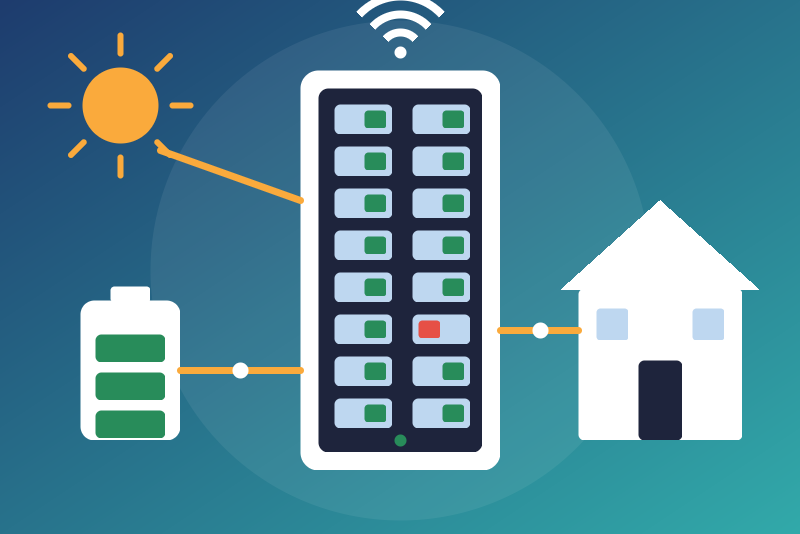
Unofficial: SPAN smart electrical panel on your network, per circuit power and energy.
Publicado por LM1LC3N7
- Dispositivos
- Versión 0.1.1
- Requiere Gladys >=5.1.0
- ★ 0
La documentación de esta integración la escribe su autor y, por ahora, solo está disponible en inglés.
Unofficial integration, not affiliated with SPAN. It connects Gladys to a SPAN smart electrical panel (United States) through its official local API, "eBus": the MQTT broker that runs in the panel, over TLS. No cloud: the SPAN servers are never contacted.
Never tested with a real device. It was built from the documentation of the open-source client span-panel-api, the Home Assistant integration SpanPanel/span and a capture of a real MAIN 32 panel. Feedback welcome on the Gladys forum.
What you get
A device for the panel:
- grid power (+ imported, − exported), solar production, house consumption;
- power through the main lugs and the energy drawn through them (an index for the Gladys energy monitoring), the energy sent back (shown, not counted);
- battery level, charge and discharge power, energy remaining (when a battery is commissioned);
- voltage of both legs; main relay, door and grid state (texts).
A device per circuit:
- power (consumption, or production for a solar circuit);
- energy consumed (an index for the energy monitoring), or energy produced for a solar circuit;
- the Relay list (Closed, Open) and who last set it (USER, LOAD_SHED, PCS…).
Requirements
- Firmware r202633 or later (data model 1.x). SPAN updates panels over the air. Older firmware publishes the "flat" schema, which this integration does not read: the status says so.
- Gladys 5.1 or later, on the same network as the panel.
Pairing
- Enter the address of the panel (give it a fixed address in your router).
- Either type the passphrase of the panel (printed on the label inside the door unless it was changed), or leave it empty to pair by proximity: open and close the door of the panel three times just before the next step.
- Click Pair with the panel. The first click reads the certificate authority of the panel over plain HTTP and shows its fingerprint: nothing secret is sent. That authority is not trusted yet.
- Click again after a few seconds, within 5 minutes. The integration checks
that this authority signs the HTTPS certificate of the panel, keeps it in
/data, then registers with the panel over HTTPS checked against it (the passphrase only travels there). The panel answers with credentials for its broker, which Gladys keeps in its database (never in/data, never in a log).
If you already know the fingerprint (another installation), type it in "Certificate authority fingerprint": one click is then enough.
Each successful pairing adds a client in the panel: pair again only when needed (new panel, credentials refused).
Relays
Opening a relay cuts the power of a circuit of the house; closing it powers the circuit again. Both are refused unless Allow opening and closing the circuit relays is on (off by default). The Relay list is a list, not a switch: a "turn everything off" scene does not touch it.
When the option is on, a command is sent only if all of these hold at that moment (otherwise it is refused and nothing is sent): the option is still on; the session with the panel is up; the panel is ready and is the one paired; the circuit is in the panel; the panel declares its relay commandable (not an always-on circuit, not a solar circuit); its current state is known; the command did not wait more than 2.5 s behind another one on the same circuit. A command for the state the relay is already in sends nothing.
A command is confirmed only when the panel publishes the new state, within about 3 seconds of the click. Otherwise Gladys reports "Sent, without confirmation": the state shown follows as soon as the panel publishes it. Nothing is queued while the panel is unreachable.
The shed priorities, the main relay and the EV chargers are not commanded.
Energy counters
The lifetime counters (energy per circuit, through the main lugs) go through a guard. A value of 0 is ignored (never published). A drop (a reset of the panel) or a jump larger than what a circuit can draw (60 kW) or the main lugs can carry (120 kW) since the last value is held: Gladys keeps receiving the last accepted value, and the status lists what is held. Time does not take a held value. If it is real (a counter reset, a replaced panel), click Accept the held counter twice: the first click lists, the second (after a few seconds, within 5 minutes) accepts exactly what was listed; an accepted drop is a new floor (a lower value later is held again). A held value survives a restart. One limit: the margin counts the time since the last accepted value with the clock of the system across a restart of the integration, so a system clock wrong by hours at that moment widens it for the first value.
Publication
The panel pushes its values; Gladys receives them every 60 seconds by default (30 to 600 s), within the limit of 300 values a minute (circuits beyond it are served in turn at the next publications). A relay change is sent at once. Values are published only while the panel and the device they belong to say they are ready; after a reconnection nothing is published before the panel has described itself again.
Status and failures
- Credentials refused by the broker: connections stop until the next pairing.
- The broker closed the connection twice without answering (a panel restarting, another service at the address): automatic tries stop; "Test the connection" tries once per click, saving the configuration tries once.
- The panel sends nothing for 5 minutes while connected: its values are no longer published as current, the status says so, until it speaks again.
- Panel unreachable: new tries after 5 s, 15 s, 30 s, 1 min, 2 min, then every 5 min.
- A certificate the pinned authority does not sign: nothing is sent to that peer. The status shows the authority the panel now advertises (if it changed). It is not trusted by itself: type its fingerprint in the configuration and save, or empty the fingerprint field, save, and pair again (two clicks).
- "Test the connection" shows the state of the current session (it opens no new connection, except one try after the broker closed twice without answering).
Privacy
The passphrase and the broker credentials are only sent to the panel. The
integration writes to /data only the certificate authority of the panel
(public), the one it advertised when the pin refused its certificate
(public), a random salt, the state of the energy guards, and, while the
broker refuses the credentials (or closed twice without answering), an 8-bit
salted fingerprint of them.
Parámetros de configuración
Estos son los parámetros que SPAN Panel te pide en su pantalla de configuración en Gladys.
| Parámetro | Tipo | Obligatorio | Descripción |
|---|---|---|---|
| SPAN panel | section | No | Unofficial connector, not affiliated with SPAN. It reads your SPAN panel (United States) through its official local API (eBus: the MQTT broker of the panel, firmware r202633 or later): power and energy per circuit, grid, solar, battery, main relay and the relay of each circuit. No cloud: the SPAN servers are never contacted. Enter the address, then click "Pair with the panel" (twice: the first click shows the fingerprint of the certificate authority of the panel). Opening or closing a circuit relay is off by default. Never tested with a real device. |
| Panel address | string | Sí | The IP address (or host name) of the SPAN panel on your network, shown by your router or the SPAN app. Preferably give it a fixed address in your router. |
| Panel passphrase | secret | No | Used only by the "Pair with the panel" button. The passphrase is printed on the label inside the door of the panel unless it was changed. Leave it empty to pair by proximity: open and close the door of the panel three times, then click the button. Kept by Gladys in its database, never shown again, sent only to the SPAN panel, over HTTPS checked against its certificate authority. |
| Certificate authority fingerprint (optional) | string | No | The SHA-256 fingerprint of the certificate authority of the panel, if you know it (another installation, or the status of this integration after a change of certificate). Typed here, it is trusted without the second click; it never has to be typed. |
| Allow opening and closing the circuit relays | boolean | No | Off by default. Opening a relay cuts the power of a circuit of the house (a fridge, a medical device, a pump...); closing it powers the circuit again. On, the "Relay" list of each circuit the panel lets you command sends Open or Closed. Off, every command is refused and nothing is sent. |
| Publication interval (seconds) | number | No | How often the power and energy values are sent to Gladys, from 30 to 600 seconds (the panel pushes its values; Gladys accepts 300 values a minute). A relay change is sent at once. |
| HTTP port (advanced) | number | No | Leave 80 unless the panel is reached through a port forwarding. |
| HTTPS port (advanced) | number | No | Leave 443 unless the panel is reached through a port forwarding. |
Cómo instalar SPAN Panel en Gladys
- En Gladys, abre Integraciones: SPAN Panel aparece en el catálogo junto a las integraciones nativas, con una insignia de comunidad.
- Haz clic en Instalar. Gladys descarga la imagen Docker (
ghcr.io/lm1lc3n7/gladys-span-panel:0.1.1), la ejecuta en un entorno aislado del núcleo y genera la interfaz de la integración (dispositivos, descubrimiento y configuración). - Abre la pantalla de Configuración de la integración, rellena los parámetros y guarda.
- También puedes instalarla directamente desde la URL de su repositorio: https://github.com/LM1LC3N7/gladys-span-panel.
SPAN Panel requiere Gladys >=5.1.0. El catálogo de Gladys se actualiza cada hora, así que una nueva versión está disponible como máximo una hora después de publicarse.
¿Todavía no usas Gladys? Es gratuito y de código abierto: sigue la guía de instalación para empezar.
Sobre las integraciones externas
SPAN Panel es una integración externa: una integración comunitaria empaquetada como contenedor Docker y publicada en GitHub. Gladys la instala con un clic y la ejecuta en un entorno aislado del núcleo. La publica y mantiene LM1LC3N7, no el equipo principal de Gladys.
- Explorar todas las integraciones, nativas y de la comunidad
- Crear y publicar tu propia integración externa
- Código fuente en GitHub — fuente de esta documentación