Integración domótica Somfy MyLink, gratuita y de código abierto
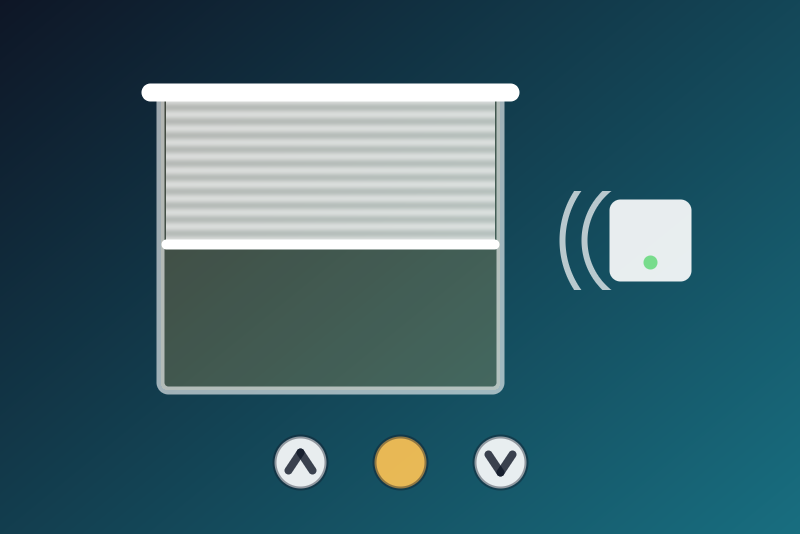
Somfy RTS shades and scenes through the Somfy MyLink bridge, on the local network. Unofficial.
Publicado por LM1LC3N7
- Dispositivos
- Versión 0.1.2
- Requiere Gladys >=5.1.0
- ★ 0
La documentación de esta integración la escribe su autor y, por ahora, solo está disponible en inglés.
This integration drives your Somfy RTS shades and blinds through the Somfy MyLink bridge, on your local network: open, close, stop, favourite position ("my") and MyLink scenes. It talks to the "Synergy" API of the bridge (TCP, port 44100); the Somfy cloud is not used.
Unofficial, not affiliated with Somfy. The integration has never been tested with a real bridge yet: it follows the protocol of the pysomfymylink library (the one of Home Assistant). Your feedback is welcome.
Before you start
- Set up the bridge and your shades in the MyLink app.
- In the app, menu Integration, note the System ID.
- Give the bridge a fixed IP address in your router (DHCP reservation).
Configuration
- Address of the bridge: its IP address, like
192.168.1.60(port 44100 by default;192.168.1.60:44100is accepted). - System ID: kept by Gladys in its database, never shown again, sent only
to your bridge. It never appears in a log, a status or
/data. - Read interval (60 to 3600 s, 300 by default): the list of shades and scenes is read again at this pace, only to know whether the bridge answers.
- Language of the feature names.
The Test the connection button reads the bridge again (at most once a minute).
What you get
- A shutter per motor of the bridge:
Open / close(open, close, stop) and aFavourite position (my)button. - A button per MyLink scene (
Run).
Never a switch: a "turn everything off" does not reach your shades.
The state is assumed, never confirmed
RTS motors are one-way: they send back neither their state nor their position, and the bridge only says it took the command. So:
- there is no position in Gladys;
- the value Gladys shows for
Open / closeis the last command sent, not a measured state: a shade shown "closed" was told to close, nothing more (a remote, an obstacle or the thermal protection of the motor may have changed it); - the badge of each shade (orange dot) says "Assumed state" with the last command and whether the bridge accepted it;
- no command can be "confirmed by a read": a successful command means "accepted by the bridge" (it answered). Without an answer of the bridge, Gladys shows an error "sent, but the bridge did not answer: state unknown" (the command may have left: it is never told "not sent").
Stop and favourite position: on an RTS motor this is the same "my" button. While moving, it stops the shade; at rest, it sends it to its favourite position. The bridge does not know whether the shade moves: pressing stop while the shade is still moves it to its favourite position.
Stop and close
Stop and close go before the other commands: a read in progress is cut, and they wait neither for the list of shades, nor for a System ID validated by a read, nor for a recent read. The bridge accepts one connection, and the integration sends it one request at a time, each after the answer of the bridge to the previous one. When the request in flight has had no answer for a second, the connection is cut, and the stop or close goes on a new connection once the old one is closed. A Gladys scene on five shades therefore takes five times the answer time of the bridge; what could not leave within 3.5 s is held (see below).
The newest wins, from its arrival: any new click on a shade (open, close, stop, favourite position), whether it leaves or not, cancels the held command of that shade; running a MyLink scene cancels every held command.
They are refused (an error in Gladys) in these cases, and only these:
- the address or the System ID is missing in the configuration, or the configuration could not be read from Gladys yet (nothing is sent);
- the value received is not "close" or "stop";
- a newer command of the same shade has already left;
- the bridge answers an error or an unexpected answer (System ID refused, shade unknown to the bridge): the message says so;
- stop written without an answer of the bridge: error "check the shade"; it is never sent again (at rest, stop moves the shade to its favourite position);
- stop not sent within 3.5 s (bridge not reachable, tries every 250 ms): it is held and tried again from 4 s, never written later than 8 s after the click (later, the shade has often finished its travel and the stop would move it to its favourite position);
- close without an answer of the bridge within 3.5 s: it is written again on a new connection within that time, then held and tried again 5, 12 and 25 s after the click (3 s each, until about 30 s).
A held command lives in memory only: if the integration restarts, it is lost, never replayed; the badge of the shade then says "not sent or not confirmed: check the shade".
Open, favourite position, scenes
They are refused, nothing sent, when: the address or the System ID is missing or the configuration is not read yet; the bridge refused the System ID; the shade or scene is not in the list read from the bridge (Scan button of the Discovery tab); 32 commands are already waiting; a newer stop or close of the same shade (for a scene: of any shade) arrived before they left; they could not leave within 3.5 s (bridge busy or not reachable). Written without an answer of the bridge, they show an error "state unknown". They are never tried again.
Direction of each shade
Check the direction of each shade before using it in a scene: on a motor wired the other way round, "close" opens. Home Assistant has a "reverse" option; it is planned here later.
System ID refused
When the bridge refuses the System ID, the integration stops reading the
bridge (the refusal is kept in /data as an 8-bit marker that cannot give the
System ID back) until you save another System ID, Test the connection
succeeds, or the bridge answers a command without an error. Stop and close are
still sent.
Privacy
Everything stays on your local network. /data holds the time of the last
read, the list of shades and scenes (ids and names), the last command of each
shade and the commands left "not sent" (for the badge, never sent again);
never the System ID.
Parámetros de configuración
Estos son los parámetros que Somfy MyLink te pide en su pantalla de configuración en Gladys.
| Parámetro | Tipo | Obligatorio | Descripción |
|---|---|---|---|
| Your Somfy RTS shades in Gladys | section | No | Each shade of your MyLink bridge becomes a shutter in the Discovery tab (open, close, stop, favourite position), and each MyLink scene a button. RTS motors never send their state back: Gladys only knows the last command sent, shown as an assumed state, never as a fact. Everything stays on your local network (the Synergy API of the bridge, port 44100). Never tested with a real bridge yet. Unofficial, not affiliated with Somfy. |
| Address of the bridge | string | Sí | The local IP address of your MyLink bridge, like 192.168.1.60. Give it a fixed address in your router (DHCP reservation). |
| System ID | secret | Sí | Shown in the MyLink app, menu Integration. Kept by Gladys in its database, never shown again, sent only to your bridge. |
| Read interval (s) | number | No | How often the list of shades and scenes is read from the bridge (60 to 3600 s). It only tells whether the bridge answers: RTS motors have no state to read. |
| Language of the feature names | select | No | Used for the names of the features of the devices added from now on. |
Cómo instalar Somfy MyLink en Gladys
- En Gladys, abre Integraciones: Somfy MyLink aparece en el catálogo junto a las integraciones nativas, con una insignia de comunidad.
- Haz clic en Instalar. Gladys descarga la imagen Docker (
ghcr.io/lm1lc3n7/gladys-somfy-mylink:0.1.2), la ejecuta en un entorno aislado del núcleo y genera la interfaz de la integración (dispositivos, descubrimiento y configuración). - Abre la pantalla de Configuración de la integración, rellena los parámetros y guarda.
- También puedes instalarla directamente desde la URL de su repositorio: https://github.com/LM1LC3N7/gladys-somfy-mylink.
Somfy MyLink requiere Gladys >=5.1.0. El catálogo de Gladys se actualiza cada hora, así que una nueva versión está disponible como máximo una hora después de publicarse.
¿Todavía no usas Gladys? Es gratuito y de código abierto: sigue la guía de instalación para empezar.
Sobre las integraciones externas
Somfy MyLink es una integración externa: una integración comunitaria empaquetada como contenedor Docker y publicada en GitHub. Gladys la instala con un clic y la ejecuta en un entorno aislado del núcleo. La publica y mantiene LM1LC3N7, no el equipo principal de Gladys.
- Explorar todas las integraciones, nativas y de la comunidad
- Crear y publicar tu propia integración externa
- Código fuente en GitHub — fuente de esta documentación