Integración domótica Rituals Perfume Genie, gratuita y de código abierto
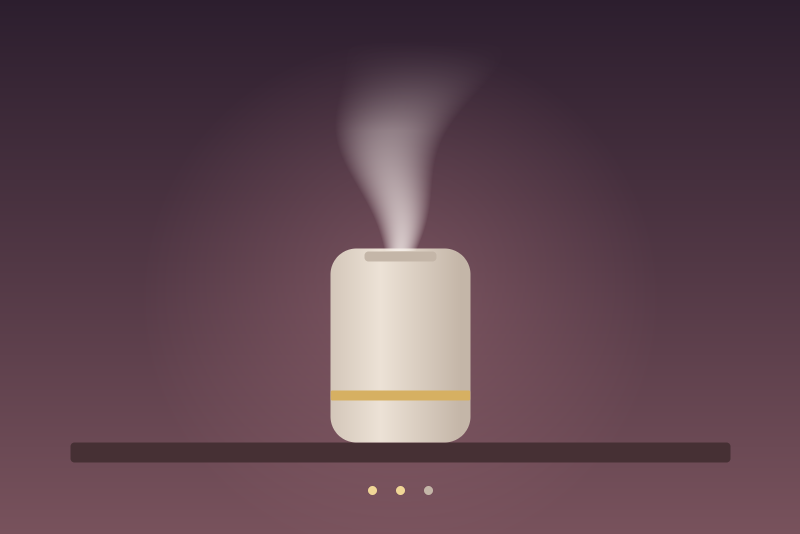
Rituals Perfume Genie 2.0 diffusers: on/off, intensity, perfume level, Wi-Fi, battery.
Publicado por LM1LC3N7
- Dispositivos
- Versión 0.1.1
- Requiere Gladys >=5.1.0
- ★ 0
La documentación de esta integración la escribe su autor y, por ahora, solo está disponible en inglés.
Brings the Rituals Perfume Genie 2.0 diffusers of your Rituals account into Gladys, through the Rituals cloud (the one the Rituals app uses). Unofficial integration, not affiliated with Rituals.
This integration has never been tested with a real diffuser: it was written from the
ritualsgenielibrary (the one Home Assistant uses) and tested against a simulated Rituals cloud. Feedback is welcome on the forum.
What you get
One Gladys device per diffuser of the account, named as in the Rituals app:
| Feature | Type | Notes |
|---|---|---|
| Diffusing | switch, on/off | Command: turn on, turn off. |
| Perfume intensity (1-3) | fan speed, 1 to 3 | Command: 1 low, 2 medium, 3 high. |
| Perfume level | level, % | An estimate from the use of the cartridge, as in the app. |
| Perfume | text | The name of the perfume, or "No cartridge". |
| Wi-Fi signal | signal, 0 to 5 | From the RSSI the diffuser reports. |
| Battery, Charging | battery %, charging | Portable Genie only; the level is rough (the app's icons). |
A diffuser that Rituals reports offline gets an "unreachable" badge and no new value until it is back.
Configuration
- In the Configuration tab, enter the e-mail and the password of your Rituals account. The password is kept by Gladys in its database, never shown again, and sent only to Rituals. A password without an e-mail is not used.
- The refresh interval (5 minutes by default, 2 minutes to 1 hour) sets how often the list of diffusers is read: one request each time, whatever the number of diffusers. The sensors (level, perfume, Wi-Fi, battery) take one request each, so they are read for one diffuser per read, at most every 30 minutes: Rituals has blocked clients that asked too often.
- Save, then add the diffusers from the Discovery tab.
- Test the connection shows the diffusers found. It reads the account only when the interval has passed since the last read; otherwise it shows the last read and when the next one comes.
How it talks to Rituals
- The integration logs in with the e-mail and the password and keeps the token Rituals gives (valid about an hour) in memory only. It renews it a minute before it expires, comparing with the date Rituals sends; without that date, the token is used until Rituals refuses it. Logins for reads and for turn on or intensity commands are at least 2 minutes apart (a turn off logs in at once). A 401 on a turn on or intensity command of one diffuser, with a token the account list accepts, refuses that command and keeps the token (a token revoked meanwhile is renewed at the next read). A turn off refused that way logs in again once for that token and is sent again. A 400 or 422 of the login without a message about the credentials is a wrong answer, retried later, not a refused password.
- It presents itself with its own name (
gladys-rituals), not as the Rituals app, and sends no key of the app. - Refused password: when Rituals refuses the e-mail or the password, nothing is tried again until you change them or the Test the connection button succeeds (one login per click, 30 seconds apart after a refusal). The refusal is remembered across restarts by a marker that cannot give the password back.
- Too many login attempts: Rituals then locks the logins for a while (it says how long); no login is tried before the end, even after a restart.
- 429 (too many requests) or 5xx on a read: reads and commands pause as long as Rituals asks (Retry-After), otherwise 1 minute, doubled each time, 6 hours at most; the pause survives a restart. A turn off is not paused. A 5xx on a command concerns that diffuser only (no pause).
- Network errors, unreadable answers: the reads wait longer each time (never less than the interval). A 401 on a token Rituals just gave is not a refused password: the reads are spaced out, doubled each time, up to one hour.
- After a restart, the next read never comes sooner than the interval after the last one, even if the clock of the machine moved.
Commands
-
Turn on and intensity wait their turn per diffuser (two at most waiting) and are refused, with nothing sent, while Rituals asks to wait (429), for a diffuser offline or unknown, or with a refused password. Once sent, the integration reads the diffuser back: the state in Gladys changes only when Rituals shows the value asked. Otherwise ("not applied yet", or no answer), Gladys keeps the previous state and the list is read again 5 and 20 seconds later.
-
Turn off is handled as a protective command. It does not wait for a read in progress (a read silent for a second is cut, without counting as a failure), for the 429 pause, for the spacing of the logins nor for other commands; it logs in at once when no token is held; it cancels the turn on and intensity commands still waiting for that diffuser; if a command was already on its way, the turn off is sent again after it. It is kept in
/dataand tried again every minute for 30 minutes, until a read made after it shows the diffuser off, unless a newer command for that diffuser left meanwhile. Only the sends that reached Rituals count, three at most: a try that never left (network down, logins locked, 429, a 401 before the token was renewed) does not count, and the turn off leaves as soon as it can; after a 429, not before the Retry-After of Rituals (within the 30 minutes). A second turn off of a diffuser whose turn off is on its way joins it when no other command of that diffuser left meanwhile (otherwise it is sent itself), and is confirmed only by a read made after it. A turn off sent without an answer is read back 5 and 20 seconds later (that diffuser alone, even during a pause); a diffuser turned on again from the Rituals app before that confirmation may be turned off again by a resend. After a restart, a kept turn off is sent as soon as the configuration is read, before the first read; one clicked while Gladys has not given the configuration yet is kept and sent then.A turn off is refused only when: no account is configured once the configuration is read (or the e-mail is missing or invalid); Rituals refused the e-mail or the password (until they change or the test button succeeds); Rituals locked the logins and no token is held (it is then kept and sent again); the diffuser was never seen on the account (neither in a read nor in
/data); Rituals answers that the diffuser is not linked to the account; Rituals answers the turn off with another error 4xx (it is then kept and sent again).
The diffuser's own schedules (set in the Rituals app) keep working and may turn it on or off by themselves.
Privacy and data
/data/rituals-state.json keeps: the time of the last read and of the last
login, a pause or a lockout asked by Rituals, the marker of a refused login (8
bits of a salted hash), a salted hash of the account, the diffusers seen
(hublot, API hash) and the turns off still to confirm. Never the
password, the e-mail nor the token. If the file cannot be read, it is not
written over.
Troubleshooting
- "Rituals refused the e-mail or the password": check them in the Rituals app, fix them in Gladys (the integration tries again at once) or click Test the connection.
- "paused": Rituals asked to wait; the integration resumes by itself.
- A diffuser is missing: it must be on the account and have a valid
identifier; the logs (
docker logs) say when one is left out.
Parámetros de configuración
Estos son los parámetros que Rituals Perfume Genie te pide en su pantalla de configuración en Gladys.
| Parámetro | Tipo | Obligatorio | Descripción |
|---|---|---|---|
| Your Rituals account | section | No | Brings the Rituals Perfume Genie 2.0 diffusers of your Rituals account into Gladys through the Rituals cloud (the one of the Rituals app): turn on and off, perfume intensity (1 to 3), perfume level, perfume name, Wi-Fi signal, and the battery of the portable model. Enter the e-mail and the password of your Rituals account, then add the diffusers from the Discovery tab. The list is read every 5 minutes by default, the sensors every 30 minutes (Rituals blocks clients that ask too often). Unofficial, not affiliated with Rituals. |
| Rituals e-mail | string | Sí | |
| Rituals password | secret | Sí | Kept by Gladys in its database, never shown again, sent only to Rituals. |
| Refresh interval (s) | number | No | How often the list of diffusers is read, in seconds (120 to 3600). One request each time, plus one per sensor of one diffuser every 30 minutes. |
| Language of the feature names | select | No |
Cómo instalar Rituals Perfume Genie en Gladys
- En Gladys, abre Integraciones: Rituals Perfume Genie aparece en el catálogo junto a las integraciones nativas, con una insignia de comunidad.
- Haz clic en Instalar. Gladys descarga la imagen Docker (
ghcr.io/lm1lc3n7/gladys-rituals:0.1.1), la ejecuta en un entorno aislado del núcleo y genera la interfaz de la integración (dispositivos, descubrimiento y configuración). - Abre la pantalla de Configuración de la integración, rellena los parámetros y guarda.
- También puedes instalarla directamente desde la URL de su repositorio: https://github.com/LM1LC3N7/gladys-rituals.
Rituals Perfume Genie requiere Gladys >=5.1.0. El catálogo de Gladys se actualiza cada hora, así que una nueva versión está disponible como máximo una hora después de publicarse.
¿Todavía no usas Gladys? Es gratuito y de código abierto: sigue la guía de instalación para empezar.
Sobre las integraciones externas
Rituals Perfume Genie es una integración externa: una integración comunitaria empaquetada como contenedor Docker y publicada en GitHub. Gladys la instala con un clic y la ejecuta en un entorno aislado del núcleo. La publica y mantiene LM1LC3N7, no el equipo principal de Gladys.
- Explorar todas las integraciones, nativas y de la comunidad
- Crear y publicar tu propia integración externa
- Código fuente en GitHub — fuente de esta documentación