Integración domótica Remootio, gratuita y de código abierto
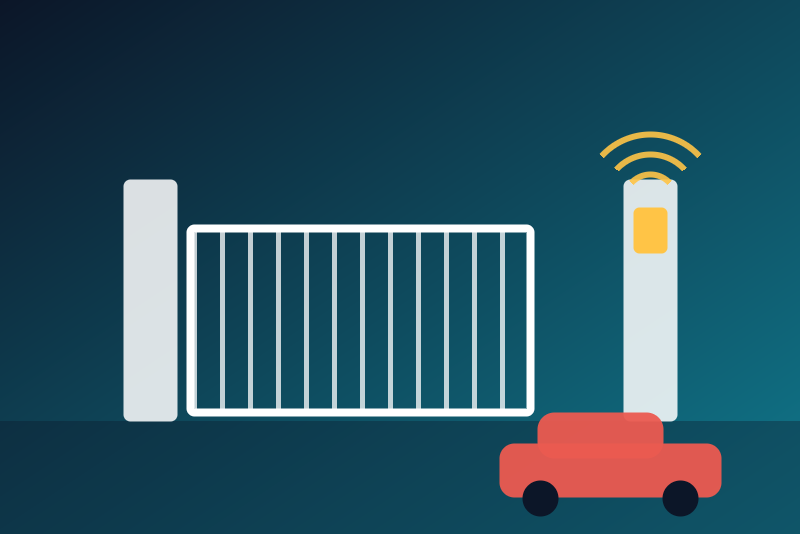
Remootio gate and garage door controllers, locally: state, open and close.
Publicado por LM1LC3N7
- Dispositivos
- Versión 0.1.3
- Requiere Gladys >=5.1.0
- ★ 0
La documentación de esta integración la escribe su autor y, por ahora, solo está disponible en inglés.
Unofficial integration, not affiliated with Remootio. Never tested with a real device: it follows the official documentation of the Remootio Websocket API and was checked against a fake Remootio that reproduces its frames and their cryptography. Feedback with a real Remootio is welcome.
What the integration does
For each Remootio (up to two), through its local Websocket API (without the Remootio cloud):
- the state of the gate or garage door (closed or not closed), when a status sensor is installed;
- two buttons: Open and Close (never a switch: a "turn everything off" or a scene on switches does not reach the gate).
The state comes as soon as it changes (events pushed by the Remootio) and is read again every 5 minutes.
Setup
- In the Remootio app, with the master key: Device software, then Remootio Websocket API. Enable the API, preferably with logging ("Enable API with logging"): Gladys then also sees the pulses of the other Remootio keys (the app, shared keys, Remootio automations) and of the Remootio's manual button, and waits for the end of the travel before sending one.
- The app shows the API Secret Key, the API Auth Key (64 hexadecimal digits each) and the IP address. Give the Remootio a fixed IP address in your router.
- In Gladys, configuration of the integration: type the address and both keys. The key fields are kept by
Gladys in its database, never shown again, and only used with this Remootio, on your local network. The
keys are in no log line, no status and no file of
/data. - Add the device from the Discovery tab.
Remootio software: 2.21 or later (API v2 or v3). An older one does not give its serial number: the status says so, update the Remootio.
The API takes one connection at a time: when another home automation system (Home Assistant…) is connected to the same Remootio, the two keep closing each other.
Opening and closing
The output of the Remootio drives the opener with a pulse that is a toggle: the same pulse opens a closed door, closes an open one, and stops or reverses a moving one. Therefore:
- Gladys only sends the OPEN and CLOSE actions of the API, never the plain pulse (TRIGGER): the Remootio only drives its output when its own sensor reads the door closed (Open) or open (Close), when the action arrives. Without a status sensor it refuses both.
- Open and Close are off by default, each with its own option: "Allow opening" and "Allow closing"
(decision of 2026-10-26). Close does not need "Allow opening", so you can close at night without allowing
remote opening. Close has its own option because it can open or stop the door in these cases:
- a door closing without the Remootio knowing it: the opener's own remote, a wall button, the opener's automatic close, a Remootio key while the API runs without logging, or a travel time set too short. The sensor reads "open" down to the bottom, and the pulse stops the door or sends it back up;
- a sensor that reads "open" on a closed door (a cut wire, a magnet off, an inverted logic): Close becomes a blind pulse and opens the door. Check the state shown in the Remootio app before automating a close.
- Updating from 0.1.1: Close used to need "Allow opening". Now it needs "Allow closing" only, which is not ticked automatically: if you had ticked "Allow opening" to be able to close, tick "Allow closing" too, or Close is refused.
- After a pulse (from Gladys, from another Remootio key or the manual button when the API runs with logging,
or an output already being driven), the next one waits for the configured travel time (30 s by default)
plus 5 s. After a close, only until the door is read closed. This guard is written to
/databefore the pulse is sent: a restart keeps it. The pulses of the opener's own remote and wall button do not go through the Remootio: no guard follows them.
When a command is refused
Open or Close is refused, with nothing sent, in these cases (each button has its own option):
- the configuration is not loaded yet (it is asked again to Gladys);
- Open: "Allow opening" is not ticked;
- Close: "Allow closing" is not ticked (even if "Allow opening" is);
- the address or a key of this Remootio is missing or invalid, or this Remootio is no longer in the configuration, or another Remootio answers at its address;
- the keys were refused by the Remootio (see below);
- a pulse left less than the travel time plus 5 s ago, or another Remootio key or the manual button operated the door just now;
- another command of the same door is in progress (a close cancels an opening not sent yet);
- the Remootio could not be reached within 3.5 s;
- the guard of the pulse could not be written to
/data; - the configuration changed during the command.
The Remootio itself may then refuse the action: no status sensor (ERR_NO_SENSOR); output being driven (ERR_RELAY_BUSY: the door is about to move, Gladys sets the travel guard and sends nothing again); already in the state asked (nothing moves, the command succeeds).
The kept close
A close that could not leave within 3.5 s (Remootio unreachable) is kept: it leaves at the next connection, tried every 5 s, up to 2 minutes after the click, 3 tries at most. The door may therefore move up to 2 minutes after the click, with nobody watching: only the opener's safety devices (photocells, force detection) then protect someone under the door. It is dropped, and the status says so, when:
- the Remootio could not be reached within 2 minutes, or 3 tries did not succeed;
- the history the Remootio sends at the reconnection shows that the door moved during the outage;
- another Remootio key or the manual button operated the door, or the output was being driven;
- "Allow closing" was unticked (it is read again at the moment the close leaves).
An opening that left meanwhile cancels it without a message.
To let that history arrive, the kept close leaves only after a PING/PONG exchange and at least 1 s of ready session.
After sending
When the action may have left but its answer did not come, Gladys answers "Command sent, without confirmation", keeps the guard, and opens a new connection. Before a pulse is written, the connection is checked by a PING when nothing was received for 2 s. The state is read 5 s and 15 s after a pulse, then at the end of the travel; a door not read where it was sent (an obstacle, the remote, a travel longer than configured), or a state that could not be read, is said in the status.
Connection and refused keys
- The connection is opened at the start and kept; a lost one is opened again after 5 s, 15 s, 30 s, 1 min, 2 min, then every 5 minutes (every 5 s while a close is kept). A PING leaves every minute.
- A command does not wait for the reconnection: it uses the open connection, else opens a new one at once, after closing the old one; its tries do not lengthen the wait of the reconnection.
- Keys refused: twice in a row, the Remootio answered with a challenge these keys cannot open. No more automatic tries, the status says so. A slow link, a link cut or taken by another home automation system during the authentication is not a refusal. Save the right keys or another address, or use the Check the Remootio devices button (one try, at most every 30 s; the refusal is only lifted by a success).
- Another Remootio answers at the address (its serial number is not the one expected, and the keys do not open it): the status says so, the tries go on as usual; correct the address.
Known limits
- Without a status sensor, nothing is read and both buttons are refused by the Remootio.
- Without logging in the API, the pulses of the other Remootio keys are not seen; the opener's own remote and wall button are not seen in any case.
- During the very first fraction of a second of an opening started by the remote, the sensor still reads "closed": an opening sent at that moment would stop the door.
- The protocol has no random value from the client: someone recording the local network can replay a whole session; this cannot be fixed on the Gladys side.
- The secondary output ("free relay output" of the Remootio 2) is not used.
Parámetros de configuración
Estos son los parámetros que Remootio te pide en su pantalla de configuración en Gladys.
| Parámetro | Tipo | Obligatorio | Descripción |
|---|---|---|---|
| Your Remootio, on your local network | section | No | The state of the gate or garage door (with the Remootio status sensor), and Open and Close buttons, through the local Websocket API of each Remootio (up to two), without the Remootio cloud. Type the address and the two API keys below, then add the device from the Discovery tab. Never tested with a real device. Unofficial integration, not affiliated with Remootio. |
| Remootio 1 | section | No | Your Remootio: its address and its two API keys. In the Remootio app (with the master key), open Device software, then Remootio Websocket API, and enable the API (preferably "with logging": the pulses of the other Remootio keys and of its manual button are then seen (never those of the opener's own remote or wall button)). The app then shows the API Secret Key, the API Auth Key and the IP address. Give the Remootio a fixed IP address in your router. |
| IP address | string | No | For example 192.168.1.115 (port 8080 of the Websocket API; add :port only if it differs). |
| API Secret Key | secret | No | 64 hexadecimal digits, shown by the Remootio app when the Websocket API is enabled. This field is kept by Gladys in its database, never shown again, and only used with this Remootio, on your local network. |
| API Auth Key | secret | No | 64 hexadecimal digits, shown by the Remootio app when the Websocket API is enabled. This field is kept by Gladys in its database, never shown again, and only used with this Remootio, on your local network. |
| Remootio 2 | section | No | A second Remootio (another gate or garage door), optional: same fields. |
| IP address | string | No | For example 192.168.1.115 (port 8080 of the Websocket API; add :port only if it differs). |
| API Secret Key | secret | No | 64 hexadecimal digits, shown by the Remootio app when the Websocket API is enabled. This field is kept by Gladys in its database, never shown again, and only used with this Remootio, on your local network. |
| API Auth Key | secret | No | 64 hexadecimal digits, shown by the Remootio app when the Websocket API is enabled. This field is kept by Gladys in its database, never shown again, and only used with this Remootio, on your local network. |
| Opening and closing | section | No | The door has two buttons, never a switch. The output drives the opener with a toggle pulse. Gladys only sends the Open and Close actions: the Remootio pulses only when its own sensor reads the door closed (Open) or open (Close); without a sensor it refuses both. Each button has its own option, both off by default: Close can stop, reverse or open a door closing without the Remootio knowing it (remote, wall button, automatic close), or with a wrong sensor, so it does not depend on Open. After a pulse, the next one waits for the travel time below plus 5 s. A close that cannot leave is kept and sent up to 2 minutes later, if still allowed. Updating from 0.1.1: Close used to need "Allow opening"; tick "Allow closing" to keep closing. |
| Allow opening | boolean | No | Off by default: the doors are only read. On: the dashboard, the scenes and the voice assistants can open the gate or garage door. |
| Allow closing | boolean | No | Off by default. On: the dashboard, the scenes and the voice assistants can close the gate or garage door, without needing "Allow opening". Close is the same pulse as Open: on a door already closing without the Remootio knowing it, or with a wrong sensor, it can stop, reverse or open it. |
| Longest travel time of the door (s) | number | No | How long the gate or door takes to open or close completely, in seconds (10 to 120). No other pulse is sent during this time plus 5 s. |
| Language of the feature names | select | No | Used for the names of the features added from now on, and for the command errors. |
Cómo instalar Remootio en Gladys
- En Gladys, abre Integraciones: Remootio aparece en el catálogo junto a las integraciones nativas, con una insignia de comunidad.
- Haz clic en Instalar. Gladys descarga la imagen Docker (
ghcr.io/lm1lc3n7/gladys-remootio:0.1.3), la ejecuta en un entorno aislado del núcleo y genera la interfaz de la integración (dispositivos, descubrimiento y configuración). - Abre la pantalla de Configuración de la integración, rellena los parámetros y guarda.
- También puedes instalarla directamente desde la URL de su repositorio: https://github.com/LM1LC3N7/gladys-remootio.
Remootio requiere Gladys >=5.1.0. El catálogo de Gladys se actualiza cada hora, así que una nueva versión está disponible como máximo una hora después de publicarse.
¿Todavía no usas Gladys? Es gratuito y de código abierto: sigue la guía de instalación para empezar.
Sobre las integraciones externas
Remootio es una integración externa: una integración comunitaria empaquetada como contenedor Docker y publicada en GitHub. Gladys la instala con un clic y la ejecuta en un entorno aislado del núcleo. La publica y mantiene LM1LC3N7, no el equipo principal de Gladys.
- Explorar todas las integraciones, nativas y de la comunidad
- Crear y publicar tu propia integración externa
- Código fuente en GitHub — fuente de esta documentación