Integración domótica PAJ GPS, gratuita y de código abierto
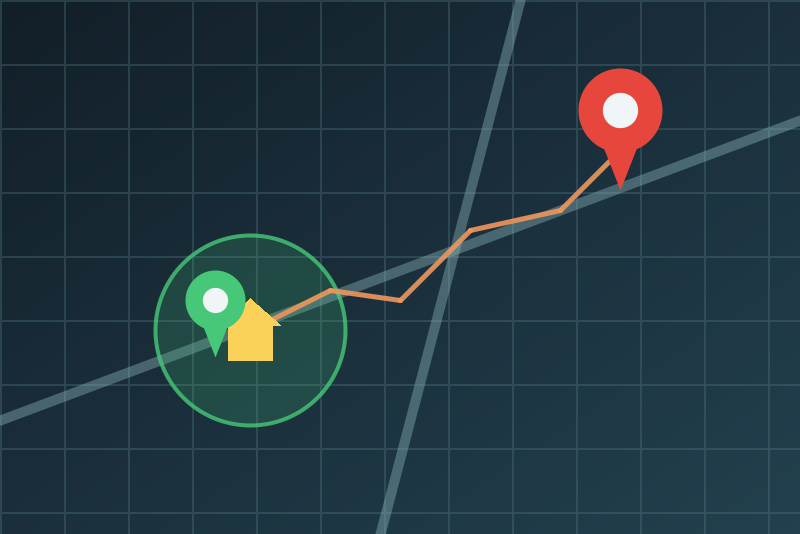
Position, battery, presence at home and alerts of your PAJ GPS trackers, read only.
Publicado por LM1LC3N7
- Dispositivos
- Versión 0.1.1
- Requiere Gladys >=5.1.0
- ★ 0
La documentación de esta integración la escribe su autor y, por ahora, solo está disponible en inglés.
Follow your PAJ GPS trackers (car, bike, people, pets, valuables) in Gladys: position, speed, battery, last seen, distance to home and "at home", and the alerts PAJ raises (SOS button, shock, low battery, zone...). Read only, through the cloud of PAJ GPS (connect.paj-gps.de), with the account of the PAJ app.
This integration has never been tested with a real PAJ GPS tracker nor a real account: it follows the documented API of PAJ and the pajgps-api library. Please report what differs. Unofficial integration, not affiliated with PAJ.
Setup
- Fill in the e-mail address and the password of your PAJ GPS account (the ones you use in the PAJ app or on connect.paj-gps.de). The password is kept by Gladys in its database, never shown again, never logged, sent only to the PAJ GPS API.
- Choose the refresh (5 minutes by default, never less) and the "at home" radius (200 m by default).
- Save. Gladys reads the account, then the Discovery tab lists one device per tracker (20 at most): add the ones you want.
For the distance to home, give your house a position in Gladys (Settings > Houses). On installation, Gladys asks you to let the integration read the position of your houses: it is only used here, in your Gladys, to compute the distances.
What each tracker gives
| Feature | What it is |
|---|---|
| Latitude | Last position known by PAJ (no history by default) |
| Longitude | Last position known by PAJ (no history by default) |
| Speed | km/h at the last position |
| Battery | % (trackers with their own battery only) |
| Last seen | Date of the last position (UTC) |
| Distance to home | Meters to the nearest house of Gladys that has a position |
| At home | 1 within the radius; 0 beyond the radius plus a margin (half of it, 100 m at least) |
A position is published once: a restart of the integration never sends an old position again as a new one, a position older than the one shown (a late upload of the tracker) is never published, and a position dated more than 5 minutes ahead of the clock of Gladys (a tracker with a wrong clock) is ignored. Everything is read only: a tracker cannot be switched, configured or located on demand from Gladys.
Presence of a Gladys user. Gladys cannot yet move a user on its map from an integration: use the "At home" feature of the tracker in your scenes (for example "when At home of the car becomes 1").
The "PAJ GPS alert" scene trigger
It fires for each alert PAJ records for a tracker created in Gladys: choose a tracker (or any) and an alert type (or any): SOS, shock (movement), low battery, radius left, speed, power cut off, ignition, drop, zone entered, zone left, voltage, turned off, other. The alerts are set in the PAJ app (they must be turned on there). Variables: the tracker name, the alert type and its time (UTC); never the position.
- Read at the refresh, so an alert arrives up to one interval late.
- Only alerts of the last hour fire; none for what happened before the tracker was created in Gladys or before the first reading. With a refresh of 1 hour, an alert may never fire (it can be just over an hour old when read): choose 30 minutes or less if you use this trigger.
- 30 events at most per reading (the most recent ones); nothing is marked read in PAJ. An alert route refused for one tracker (HTTP 401/403) only skips its alerts for that reading.
Pace, failures and privacy
- Pace. One reading per interval: the trackers and their last positions
(two requests), then one request per tracker created in Gladys for its
alerts. Nothing reads sooner: neither the Test the connection button,
nor Discovery, nor a reconnection, nor saving an unchanged configuration,
nor a restart (the time of the last attempt is kept in
/data). - Refused credentials. When PAJ refuses the e-mail address or the password, nothing more is sent with them (a wrong password tried again and again may lock the account). Correct them and save, or click Test the connection: one more try, never sooner than the interval. A new token is asked at most once per reading when PAJ refuses the current one.
- PAJ asks to wait (HTTP 429, a server error): every request pauses (Retry-After when given, 6 h at most), even after a restart. A 403 page of a firewall pauses 6 h (not about the credentials).
- Privacy. Positions, tracker names and ids, the e-mail address, the
password and the tokens are never logged nor written to disk by the
integration.
/dataonly keeps salted fingerprints, the time of the last attempt, a pause, and the dates of the last position and alert published. The positions published are kept by Gladys like any other value (without history unless you turn it on). The e-mail address and the password go in the address of the login request, as the PAJ API asks for them (over HTTPS, never logged by the integration). They may therefore appear in the access logs of PAJ or of its hosting: use a password for PAJ that you use nowhere else. - Unexpected login answer (HTTP 404: the API may have changed): said as such, not as refused credentials; not tried again by itself.
- Houses. Read again at every reading: a house given a position later counts at the next reading. A restart keeps "at home" within the margin (the last value Gladys keeps).
Limits
- 20 trackers at most per account (the ones created in Gladys first).
- A tracker reports its position at its own pace (PAJ settings), often less often than the refresh.
- Not tested with a real tracker (see above). The voltage of car trackers, the geofences and the trip history are not read (yet).
Reference: pajgps-api (MIT), ported to JavaScript.
Parámetros de configuración
Estos son los parámetros que PAJ GPS te pide en su pantalla de configuración en Gladys.
| Parámetro | Tipo | Obligatorio | Descripción |
|---|---|---|---|
| How it works | section | No | Gladys reads your PAJ GPS trackers through connect.paj-gps.de, with the account of the PAJ app. Each tracker becomes a Gladys device (Discovery tab): latitude, longitude, speed, battery, last seen, and, when a house of Gladys has a position, the distance to home and "at home". The alerts of the trackers (SOS, shock, low battery, zone...) become a scene trigger. Read only: Gladys never changes anything at PAJ. The position of your house is only used here, in your Gladys; positions are never logged nor written to disk by the integration. Never tested with a real tracker. Unofficial integration, not affiliated with PAJ. |
| E-mail address | string | Sí | The e-mail address of your PAJ GPS account. Never logged. |
| Password | secret | Sí | The password of your PAJ GPS account. Kept by Gladys in its database, never shown again, never logged, sent only to the PAJ GPS API. |
| Refresh | select | Sí | How often Gladys reads the trackers (two requests, plus one per tracker created in Gladys for its alerts). Nothing reads faster: neither the test button, nor a restart. |
| At home within | select | Sí | A tracker closer than this to a house of Gladys (Settings > Houses) is at home. It is away again only beyond this distance plus a margin (half of it, 100 m at least), against the jitter of a position. |
Cómo instalar PAJ GPS en Gladys
- En Gladys, abre Integraciones: PAJ GPS aparece en el catálogo junto a las integraciones nativas, con una insignia de comunidad.
- Haz clic en Instalar. Gladys descarga la imagen Docker (
ghcr.io/lm1lc3n7/gladys-paj-gps:0.1.1), la ejecuta en un entorno aislado del núcleo y genera la interfaz de la integración (dispositivos, descubrimiento y configuración). - Abre la pantalla de Configuración de la integración, rellena los parámetros y guarda.
- También puedes instalarla directamente desde la URL de su repositorio: https://github.com/LM1LC3N7/gladys-paj-gps.
PAJ GPS requiere Gladys >=5.1.0. El catálogo de Gladys se actualiza cada hora, así que una nueva versión está disponible como máximo una hora después de publicarse.
¿Todavía no usas Gladys? Es gratuito y de código abierto: sigue la guía de instalación para empezar.
Sobre las integraciones externas
PAJ GPS es una integración externa: una integración comunitaria empaquetada como contenedor Docker y publicada en GitHub. Gladys la instala con un clic y la ejecuta en un entorno aislado del núcleo. La publica y mantiene LM1LC3N7, no el equipo principal de Gladys.
- Explorar todas las integraciones, nativas y de la comunidad
- Crear y publicar tu propia integración externa
- Código fuente en GitHub — fuente de esta documentación