Integración domótica Nord Pool, gratuita y de código abierto
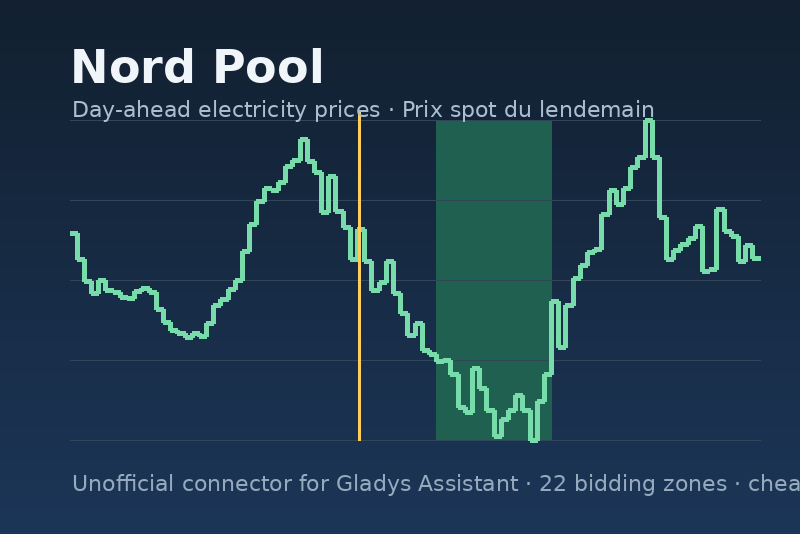
Unofficial connector: Nord Pool day-ahead electricity prices, cheap hours and spot contracts.
Publicado por LM1LC3N7
- Dispositivos
- Versión 1.1.2
- Requiere Gladys >=5.2.0
- ★ 0
La documentación de esta integración la escribe su autor y, por ahora, solo está disponible en inglés.
Unofficial connector, not affiliated with Nord Pool. It brings the day-ahead electricity prices of the Nord Pool market into Gladys: 22 bidding zones from France to Finland, read from the public data portal behind data.nordpoolgroup.com, without any account. Nord Pool is a trademark of Nord Pool AS.
What you get
| Surface | Content |
|---|---|
| One device per area | current price, next price (15 minutes later), today's average, minimum and maximum, per kWh, in the currency you pick |
| Scene triggers | "cheap period started / ended" (the N cheapest hours of the day), "price level changed" (very cheap, cheap, normal, expensive, very expensive, against today's average), "tomorrow's prices published" |
| Dashboard widget | now, next, today's and tomorrow's average, the curve of the day with the current time, the price level and the cheapest window |
| Energy contracts (5.2+) | the spot prices of ten areas as tariff calendars, and a "Nord Pool spot" contract template per area for the energy monitoring: spot price + your supplier margin + a monthly subscription + VAT |
The prices are the wholesale market prices (the day-ahead auction, cleared at noon CET for the next day, in 15-minute slots since October 2025). Your supplier adds its margin, the grid fees and the taxes: the contract templates let you fill them in.
Setup
- Install the integration from the store and open its Configuration screen.
- Pick your delivery areas (the bidding zone of your meter: FR for France, BE, NL, GER for Germany and Luxembourg, SE1 to SE4 for Sweden, NO1 to NO5 for Norway, DK1 and DK2 for Denmark, FI, AT, PL, EE, LT, LV), the currency of the sensors and the number of cheap hours per day (4 by default). Save.
- Open Discovery and create the device of each area.
- Put the Electricity prices widget on a dashboard. Its Area list only shows the areas whose device was created at step 3; if left empty, the widget shows the first area of the configuration (in the order of the list above).
Nothing else: no key, no account. The integration reads Nord Pool at start and every hour, asks for tomorrow from 12:45 CET every 10 minutes until it is published, and moves the sensors every 15 minutes.
Scenes
- Cheap period started / ended: fires when the current slot enters or leaves the N cheapest hours of the day (N = "cheap hours per day"). Start the water heater, the charger, the washing machine.
- Price level changed: fires at every change of level, with the new and the previous level; filter on a level to react only to "very expensive".
- Tomorrow's prices published: fires once a day, around 13:00 CET, with tomorrow's average, minimum, maximum and the cheapest window (start and end), ready for a notification.
Every event carries the price, the currency and the end of the slot.
Two scene actions, for a condition or a message that follows:
- Nord Pool price now: the price of the current 15-minute slot, its
level, whether it is in the cheap hours, the next price, today's average,
minimum and maximum, tomorrow's average once published, and the cheapest
window of the day (
window_start_time,window_end_time). - Nord Pool cheapest hours: the start and end of the cheapest N
consecutive hours of a period (the next 24 hours, the rest of today, or
tomorrow), with the minutes until the start and the saving against the
period average.
{{start_time}}and{{end_time}}are local times,{{start}}and{{end}}ISO dates for a "wait until";{{found}}is false when the period has no prices yet (tomorrow before 13:00 CET).
Energy contracts (Gladys 5.2 or newer)
For FR, BE, NL, GER, AT, FI, DK1, DK2, SE3 and NO1, the integration feeds a
tariff calendar (spot-fr, spot-de-lu, spot-se3…) with the 15-minute spot
prices, in the currency of the area, and backfills the last six weeks the
first time. In Energy monitoring → Contracts, create a contract from the
Nord Pool spot template of your area and fill in:
- the supplier margin per kWh (add the per-kWh grid fees and levies here if you want them counted);
- the monthly subscription;
- the VAT rate (pre-filled for the country);
- the fallback price, used for a slot that has no spot price yet.
The costs of your meter then follow the spot price slot by slot, and the core "current price" widget and scene trigger work with it. The other twelve areas have no calendar yet (the store allows ten per integration): tell us on the forum if you need yours.
Options
- Delivery areas: one device each; the sensors share the chosen currency.
- Currency of the sensors: EUR, SEK, NOK, DKK or PLN, converted by Nord Pool at its daily rate. The calendars always use the currency of the area.
- Cheap hours per day: how many of the cheapest hours count as "cheap" for the triggers and the widget window (1 to 12).
The Read the prices now button reads today and tomorrow and shows the current price of every area.
Troubleshooting
- "Nord Pool publishes no price for …": the area code is not priced by Nord Pool (check the list above), or the portal is down for the day.
- "Nord Pool is unreachable": the integration keeps the last prices read and retries every 5 minutes.
- No tomorrow's prices in the evening: Nord Pool publishes them between 12:45 and 14:00 CET on normal days; on an auction incident they can come later, the integration keeps asking every 10 minutes.
- The contract costs stop at a date: the calendar is fed six weeks back at most; a contract dated earlier is priced with the fallback price before.
- The widget shows a settings error: the device of the area it was set to was deleted, and Gladys refuses a setting that names it. Create the device again in Discovery, or open the widget settings, pick another area, then empty the field.
Privacy
The integration only talks to the Nord Pool data portal, with a request that carries nothing but the date, the areas and the currency. Nothing of your home leaves Gladys.
Parámetros de configuración
Estos son los parámetros que Nord Pool te pide en su pantalla de configuración en Gladys.
| Parámetro | Tipo | Obligatorio | Descripción |
|---|---|---|---|
| Nord Pool day-ahead prices | section | No | Unofficial connector, not affiliated with Nord Pool. It reads the public day-ahead auction prices of the Nord Pool data portal, no account needed: one device per area with the current, next, average, minimum and maximum price per kWh, scene triggers on the cheap hours and the price level, a dashboard widget, and spot energy contracts for the Gladys energy monitoring (ten areas). Prices are the wholesale market prices: your supplier adds its margin, the grid fees and the taxes, which the contract templates let you fill in. |
| Delivery areas | multi_select | Sí | The bidding zones to follow: one device each. Pick the zone of your meter. |
| Currency of the sensors | select | No | Nord Pool converts the prices at its daily exchange rate. The energy contracts always use the currency of the area. |
| Cheap hours per day | number | No | How many of the cheapest hours of the day count as "cheap" for the scene triggers and the widget window. |
Cómo instalar Nord Pool en Gladys
- En Gladys, abre Integraciones: Nord Pool aparece en el catálogo junto a las integraciones nativas, con una insignia de comunidad.
- Haz clic en Instalar. Gladys descarga la imagen Docker (
ghcr.io/lm1lc3n7/gladys-nord-pool:1.1.2), la ejecuta en un entorno aislado del núcleo y genera la interfaz de la integración (dispositivos, descubrimiento y configuración). - Abre la pantalla de Configuración de la integración, rellena los parámetros y guarda.
- También puedes instalarla directamente desde la URL de su repositorio: https://github.com/LM1LC3N7/gladys-nord-pool.
Nord Pool requiere Gladys >=5.2.0. El catálogo de Gladys se actualiza cada hora, así que una nueva versión está disponible como máximo una hora después de publicarse.
¿Todavía no usas Gladys? Es gratuito y de código abierto: sigue la guía de instalación para empezar.
Sobre las integraciones externas
Nord Pool es una integración externa: una integración comunitaria empaquetada como contenedor Docker y publicada en GitHub. Gladys la instala con un clic y la ejecuta en un entorno aislado del núcleo. La publica y mantiene LM1LC3N7, no el equipo principal de Gladys.
- Explorar todas las integraciones, nativas y de la comunidad
- Crear y publicar tu propia integración externa
- Código fuente en GitHub — fuente de esta documentación