Integración domótica Nobø Hub, gratuita y de código abierto
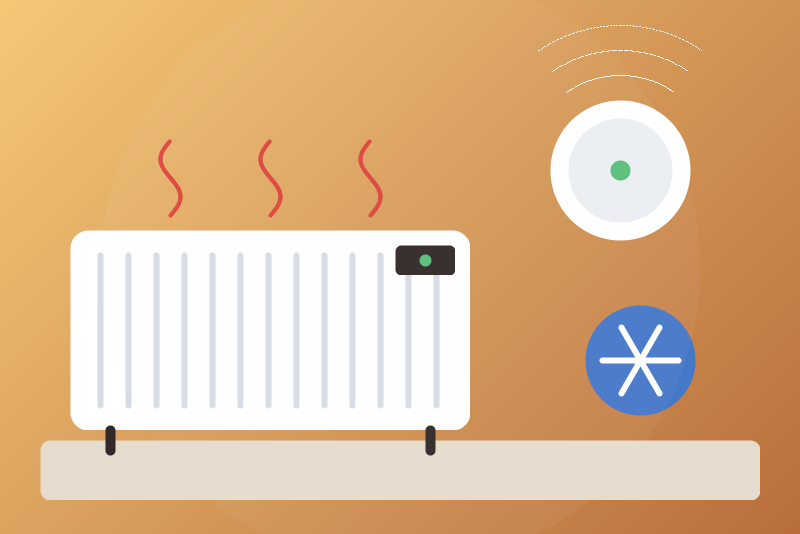
Nobø electric heaters through the Nobø Hub (Ecohub): zones, modes, temperatures.
Publicado por LM1LC3N7
- Dispositivos
- Versión 0.1.1
- Requiere Gladys >=5.1.0
- ★ 0
La documentación de esta integración la escribe su autor y, por ahora, solo está disponible en inglés.
Brings the zones of a Nobø Hub (Nobø Energy Control, also sold as Ecohub) into Gladys, over your local network, through the local API that Glen Dimplex published for the hub (version 1.1). No account, no cloud.
Never tested with a real device: written from the official API document only. Not affiliated with Glen Dimplex Nordic, not officially supported nor endorsed by it. Please report what works and what does not.
What you get
One device per zone of the hub:
| Feature | What it is |
|---|---|
| Temperature | The temperature of the zone (its Nobø Switch or sensor), when the hub has one |
| Comfort temperature | The comfort temperature of the zone (°C, whole numbers, 7 to 30) |
| Eco temperature | The eco temperature of the zone |
| Mode | Week profile, comfort, eco or away: the standing choice of the zone |
| Mode in force | Comfort, eco, away or off: what the zone does now (read only) |
And one device for the hub, with the mode of the whole house.
The "mode in force" is worked out here from the overrides and the week profile
of the zone, at the local time of the configured time zone: the hub does not
send it. Week profiles are read with Monday first (to be checked on a real
hub). A temperature the hub does not know (N/A) publishes nothing.
Setup
- Read the serial number of the hub on its label (12 digits) and enter it. The hub asks for it at every connection. It is kept by Gladys in its database, never shown again, sent only to your hub.
- Leave the IP address empty: Gladys listens for the hub, which announces itself every 2 s on UDP port 10000 (Gladys asks for this permission at the install). If your network blocks that announcement, give the hub a fixed address in your router and enter it.
- Check the time zone (Europe/Oslo by default): the local time is sent to the hub at each connection, as the Nobø app does.
- Open Discover, add the zones you want.
The hub accepts two local clients at once: the Nobø app on the same network counts as one.
Commands (off by default)
Without any option, Gladys only reads, and can set the away mode (anti-frost), which is always allowed. No command goes through a switch: a "turn everything off" never reaches the heating.
- Allow mode commands: comfort, eco or back to the week profile, for a zone or the whole house. Gladys writes a constant override, as the hub defines it.
- Allow temperature commands: the comfort and eco temperatures of a zone, whole numbers from 7 to 30 °C, comfort never below eco.
Each command is decided on the state of the live session (the hub pushes every change to its clients) and confirmed by the answer of the hub. Without an answer within 3.5 s, Gladys shows "sent, without confirmation"; if the hub answers other values, "not applied"; without a downloaded session, "nothing sent". Commands are written one at a time (a scene setting several zones waits its turn).
The away mode
The away mode (anti-frost) of a zone or of the whole house is the protective
command: no option, no missing session, no full queue refuses it. It goes
before the commands waiting, and those of its target (all of them, for the
whole house) are dropped. Until the hub shows it applied, it is kept in
/data and written again: when the hub does not answer within 3.5 s, the
connection is taken as frozen, closed, and the away mode written on the next
one, after its download, or 3 s at most after the handshake if the download
does not end (6 times at most within 15 minutes). After a
restart, it leaves once Gladys has given the configuration back (the hub asks
for the serial number, which is never written to /data). It is not sent
again once a newer mode of the same target has left from Gladys, or once the
hub shows another mode set on it later (from the app, a switch); a
temperature change does not stop it.
This is deliberate, as the away mode is the protective command: when the hub answers slowly after a reconnection, a pending away mode leaves 3 s after the handshake without waiting for the download, and can then overwrite a choice made in the Nobø app while the connection was down. An away mode that ran out while Gladys or the integration was stopped is told at the next start (log and status), as below.
The away mode of the whole house does not reach the zones that do not allow overrides (a setting of the zone in the Nobø app): set those zones one by one.
It can still fail, and Gladys says so: when the hub refuses it (an E00
answer, its message shown), or when the hub does not show it within 15
minutes or 6 sends: then a warning is logged and the status names the zone
(or the whole house), until an away mode is confirmed or another command is
clicked.
A hub that sends nothing for 75 s is asked for its data again; without an answer within 20 s the connection is closed and opened again.
Status and troubleshooting
- "Enter the 12-digit serial number": the field is empty or not 12 digits.
- "The hub refused this serial number": check the label. Nothing is sent again by itself; save a new serial number, or press Test the connection to try once more.
- "No hub with this serial number heard": enter the IP address of the hub.
- "The hub does not answer": new tries after 5 s, 10 s, 20 s… up to 5 minutes.
Privacy
The serial number never appears in logs, statuses, /data, nor device ids:
only its first 9 digits, which the hub announces itself on your network, name
the hub. /data holds the away commands waiting, the time of the last
connection attempt and, after a refusal, 8 bits of a salted hash of the
refused serial number.
Parámetros de configuración
Estos son los parámetros que Nobø Hub te pide en su pantalla de configuración en Gladys.
| Parámetro | Tipo | Obligatorio | Descripción |
|---|---|---|---|
| Your Nobø Hub | section | No | Brings the zones of a Nobø Hub (Nobø Energy Control, Ecohub) into Gladys over your local network, through the local API published by Glen Dimplex: the temperature, the comfort and eco temperatures and the mode of each zone, and the mode of the whole house. Modes and temperatures can be changed from Gladys only once allowed below; the away mode (anti-frost) is always allowed. Never tested with a real device. Not affiliated with Glen Dimplex Nordic, not supported nor endorsed by it. |
| Serial number of the hub (12 digits) | secret | Sí | On the label under the hub. The hub asks for it at every connection. Kept by Gladys in its database, never shown again, sent only to your hub on your local network. |
| IP address of the hub (optional) | string | No | Empty: Gladys listens for the hub on the network (it announces itself every 2 s). Fill it in when the network blocks this announcement; give the hub a fixed address in your router then. |
| Time zone of the house | string | No | The local time sent to the hub at each connection, and used to tell which slot of the week profile is in force (IANA name). |
| Commands (off by default) | section | No | Without these options, Gladys only reads, and sets the away mode (anti-frost), which is always allowed. No command goes through a switch: a "turn everything off" never reaches the heating. |
| Allow mode commands | boolean | No | The dashboard, the scenes and the voice assistants may set a zone or the whole house to comfort, eco, or back to its week profile. |
| Allow temperature commands | boolean | No | The comfort and eco temperatures of a zone may be changed from Gladys (whole numbers, 7 to 30 °C, comfort never below eco). |
| Language of the names | select | No | Used for the names of the devices, features and options added from now on. |
Cómo instalar Nobø Hub en Gladys
- En Gladys, abre Integraciones: Nobø Hub aparece en el catálogo junto a las integraciones nativas, con una insignia de comunidad.
- Haz clic en Instalar. Gladys descarga la imagen Docker (
ghcr.io/lm1lc3n7/gladys-nobo:0.1.1), la ejecuta en un entorno aislado del núcleo y genera la interfaz de la integración (dispositivos, descubrimiento y configuración). - Abre la pantalla de Configuración de la integración, rellena los parámetros y guarda.
- También puedes instalarla directamente desde la URL de su repositorio: https://github.com/LM1LC3N7/gladys-nobo.
Nobø Hub requiere Gladys >=5.1.0. El catálogo de Gladys se actualiza cada hora, así que una nueva versión está disponible como máximo una hora después de publicarse.
¿Todavía no usas Gladys? Es gratuito y de código abierto: sigue la guía de instalación para empezar.
Sobre las integraciones externas
Nobø Hub es una integración externa: una integración comunitaria empaquetada como contenedor Docker y publicada en GitHub. Gladys la instala con un clic y la ejecuta en un entorno aislado del núcleo. La publica y mantiene LM1LC3N7, no el equipo principal de Gladys.
- Explorar todas las integraciones, nativas y de la comunidad
- Crear y publicar tu propia integración externa
- Código fuente en GitHub — fuente de esta documentación