Integración domótica Moon phase, gratuita y de código abierto
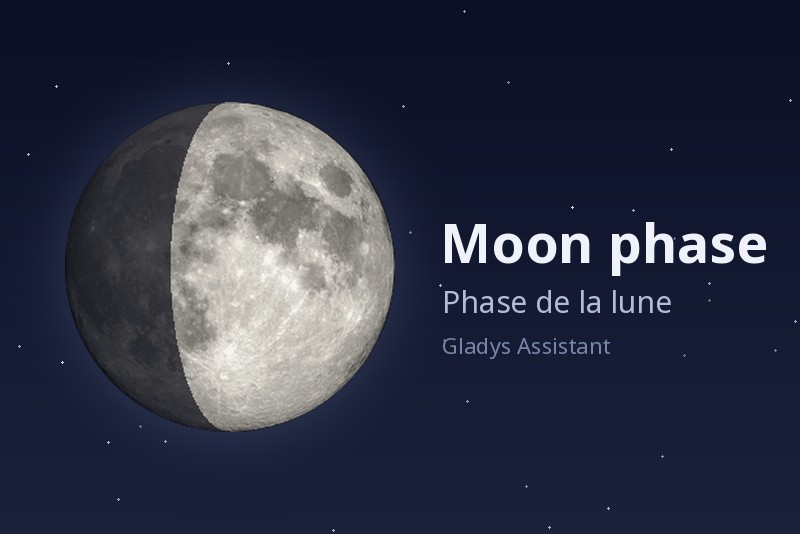
Widget de fase lunar: iluminación, salida y puesta, próximos eventos lunares.
Publicado por William-De71
- Dispositivos
- Versión 1.2.0
- Requiere Gladys >=5.3.0
- ★ 0
Esta integración añade a Gladys un widget del panel «Fase lunar»: la fase del día, la iluminación y la edad de la luna, su disco iluminado, su salida y su puesta, y los próximos eventos lunares. Las escenas pueden reaccionar a los eventos lunares (luna llena, luna nueva, eclipse…) y consultar la fase lunar.
Listo para usar
Nada que configurar: todo se calcula localmente a partir de la ubicación de tu casa, sin cuenta, sin clave y sin acceso a Internet.
La casa debe tener una ubicación: indícala en Ajustes → Casas.
Añadir el widget
Edita un panel, elige Fase lunar entre los widgets de integración y después ajusta:
| Ajuste | Función |
|---|---|
| Casa | Nombre de la casa cuya ubicación se usa. Déjalo vacío para la primera casa con ubicación (el caso de una sola casa). |
| Mostrar los detalles | Muestra la lista bajo la luna (distancia, trayectoria, constelación, próximos eventos). Desmárcalo para conservar solo la fase, el disco, la salida y la puesta. |
| Calcular los valores a medianoche | Calcula la iluminación, la distancia, la edad y las cuentas atrás a medianoche, como los calendarios lunares, para poder compararlos línea a línea. La salida y la puesta no cambian. |
Lo que muestra el widget
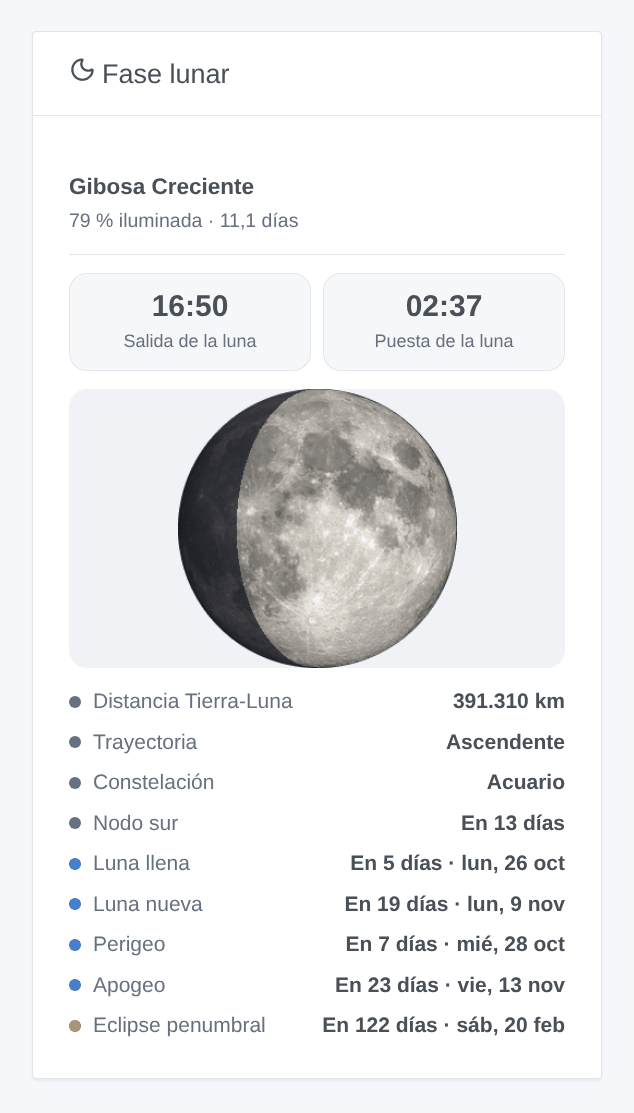
- La fase (Luna Nueva, Luna Creciente, Cuarto Creciente, Gibosa Creciente, Luna Llena…), el porcentaje iluminado y la edad de la luna (días desde la última luna nueva).
- El disco lunar (una foto de la NASA) con su parte iluminada.
- La salida y la puesta de la luna del día, en la zona horaria de Gladys.
--:--cuando la luna no sale o no se pone ese día (ocurre aproximadamente un día al mes). - Hoy: distancia Tierra-Luna, trayectoria (ascendente o descendente), constelación (zodiaco sideral, como los calendarios lunares) y el próximo nodo.
- Próximamente: luna llena, luna nueva, perigeo, apogeo y próximo eclipse lunar, con el número de días y la fecha.
El widget se actualiza cada 10 minutos y justo después de medianoche.
Escenas
Disparador «Luna: evento lunar»
Se dispara en el minuto del evento, a la hora de Gladys:
| Evento | Cuándo |
|---|---|
| Luna nueva | la luna pasa entre la Tierra y el sol |
| Cuarto creciente | la mitad del disco está iluminada, la luna crece |
| Luna llena | todo el disco está iluminado |
| Cuarto menguante | la mitad del disco está iluminada, la luna mengua |
| Perigeo | la luna está lo más cerca de la Tierra |
| Apogeo | la luna está lo más lejos de la Tierra |
| Eclipse lunar | una luna llena que pasa por la sombra de la Tierra |
Elige los eventos a los que reaccionar (vacío: todos). La escena recibe el evento, su nombre, su fecha y su hora, la iluminación, la distancia Tierra-Luna y una frase Resumen lista para enviar: «Luna llena a las 05:11: la luna está iluminada al 100 %, a 368.600 km de la Tierra.»
Un evento solo se dispara una vez, incluso tras un reinicio. Si la integración estaba parada en ese minuto, el evento no se dispara más tarde (una escena «luna llena» una hora después sorprendería más de lo que ayudaría).
Ideas: pasar la iluminación del jardín a un ambiente «luna llena», recibir un mensaje la noche de un eclipse lunar, un recordatorio para sembrar en luna nueva.
Acción «Luna: fase lunar»
Da la luna de una casa ahora (vacío: la primera casa con ubicación): fase, porcentaje iluminado, edad, creciente o no, salida y puesta, la fecha de la próxima luna llena y de la próxima luna nueva con el número de días, y un resumen, por ejemplo para responder a «¿qué luna hay esta noche?» en un mensaje.
Idioma de los textos de escena
Gladys solo da el idioma a los widgets. Los nombres de los eventos y los resúmenes de las escenas siguen el ajuste Idioma de los textos de escena de la integración: inglés, francés, alemán, español o automático (el idioma de tu panel, en cuanto se haya mostrado el widget).
Preguntas frecuentes
El widget dice que ninguna casa tiene ubicación. Indica la ubicación de una casa en Ajustes → Casas.
El widget dice «Ninguna casa se llama …». El nombre escrito en el ajuste Casa no corresponde a ninguna casa: el mensaje lista los nombres que usar.
Las horas están desfasadas. Comprueba la zona horaria de Gladys (Ajustes → Sistema); la integración usa esa. Reinicia la integración después de cambiarla.
Mi idioma no es inglés, francés, alemán ni español. El widget se muestra entonces en inglés.
Los textos de escena están en inglés. Ajusta Idioma de los textos de escena en los ajustes, o muestra una vez el widget.
Parámetros de configuración
Estos son los parámetros que Moon phase te pide en su pantalla de configuración en Gladys.
| Parámetro | Tipo | Obligatorio | Descripción |
|---|---|---|---|
| Listo para usar | section | No | Nada que configurar: todo se calcula localmente a partir de la ubicación de tu casa, sin cuenta y sin acceso a Internet. Añade el widget «Fase lunar» a un panel. La casa debe tener una ubicación (Ajustes → Casas). Las escenas disponen de un disparador para los eventos lunares y de una acción que da la fase lunar. |
| Idioma de los textos de escena | select | No | Nombres de los eventos y resúmenes de las escenas. Automático: el idioma de tu panel, en cuanto se haya mostrado el widget. |
Cómo instalar Moon phase en Gladys
- En Gladys, abre Integraciones: Moon phase aparece en el catálogo junto a las integraciones nativas, con una insignia de comunidad.
- Haz clic en Instalar. Gladys descarga la imagen Docker (
ghcr.io/william-de71/gladys-moon-phase:1.2.0), la ejecuta en un entorno aislado del núcleo y genera la interfaz de la integración (dispositivos, descubrimiento y configuración). - Abre la pantalla de Configuración de la integración, rellena los parámetros y guarda.
- También puedes instalarla directamente desde la URL de su repositorio: https://github.com/William-De71/gladys-moon-phase.
Moon phase requiere Gladys >=5.3.0. El catálogo de Gladys se actualiza cada hora, así que una nueva versión está disponible como máximo una hora después de publicarse.
¿Todavía no usas Gladys? Es gratuito y de código abierto: sigue la guía de instalación para empezar.
Sobre las integraciones externas
Moon phase es una integración externa: una integración comunitaria empaquetada como contenedor Docker y publicada en GitHub. Gladys la instala con un clic y la ejecuta en un entorno aislado del núcleo. La publica y mantiene William-De71, no el equipo principal de Gladys.
- Explorar todas las integraciones, nativas y de la comunidad
- Crear y publicar tu propia integración externa
- Código fuente en GitHub — fuente de esta documentación