Integración domótica Monta, gratuita y de código abierto
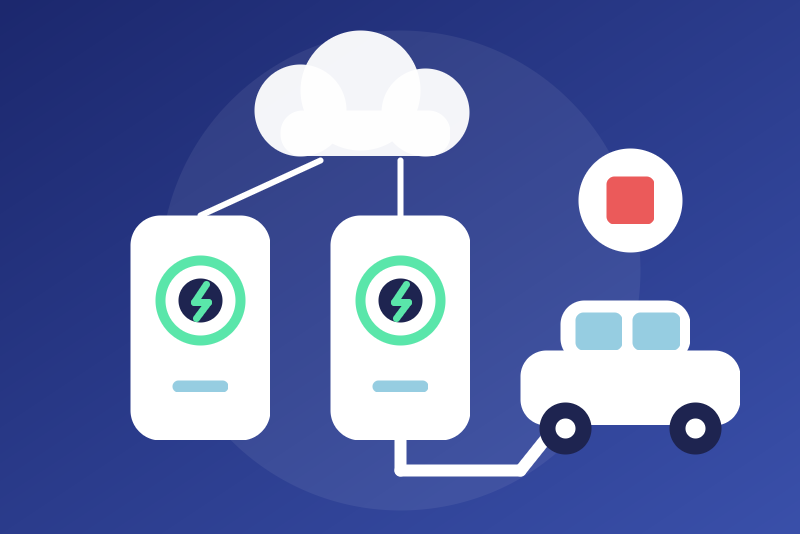
Charge points managed by Monta, official API: state, energy of the charge; start and stop.
Publicado por LM1LC3N7
- Dispositivos
- Versión 0.1.1
- Requiere Gladys >=5.1.0
- ★ 0
La documentación de esta integración la escribe su autor y, por ahora, solo está disponible en inglés.
Shows the charge points of your Monta account in Gladys, through the official Monta public API: state of the charge point, vehicle plugged in, state and energy of the charge, vehicle battery (when the vehicle reports it) and meter reading. A button stops the charge; another one starts it, only if you allow it.
Never tested with a real charge point: written from the public documentation of the API and from monta-python, and tested against made-up answers only. Not affiliated with Monta.
Before you start
- Sign in to the Monta portal (https://portal2.monta.app).
- Open the user menu (bottom left), then Applications, then
+ Add Application. Give it the scopes:
charge-points(the charge points; required),charge-transactions(the charges: energy, battery, state; required for the stop and start buttons: without it, the integration never knows which charge to stop),control-charging(for the start and stop buttons).
- Copy the client id and the client secret. Monta shows the secret only once: if you lose it, use Reset in the list of applications.
Configuration
| Field | Use |
|---|---|
| Client id | The client id of the application. |
| Client secret | Kept by Gladys in its database, never shown again, sent only to Monta, over HTTPS, to get an access token. |
| Allow starting a charge | Off by default. See "Commands". |
| Refresh interval | 120 s by default, 60 s to 1 h. |
| Language | Of the feature names, state texts and command errors. |
Save, then add the charge points from the Discovery tab.
What you get
One device per charge point (its Monta id is the device identifier, forever):
| Feature | Value |
|---|---|
| Status | The state of the charge point (available, charging, plugged in without charging, error, disconnected from Monta...). |
| Connector | Available, occupied, reserved, unavailable, faulted. |
| Charging state | Charging, vehicle connected, paused, idle. |
| Vehicle plugged in | 0 / 1. |
| Charge | The state of the charge in progress, or of the last one. |
| Energy of the charge | kWh of the charge in progress, or of the last one. |
| Vehicle battery | %, when the vehicle reports it. |
| Meter reading | The last meter reading of the charge point, in kWh: a plain sensor, never counted by the energy tab. |
| Start a charge | Button. |
| Stop the charge | Button. |
The public API gives no instantaneous power: there is no power feature. The meter reading is not an energy index: the charge point is behind your main meter, counting it would count its energy twice. The location of the charge point is never read into Gladys.
Commands
- Stop the charge is always available: no option, never held back by a
pause asked by Monta nor by the limit of requests. It reads the charges of
the charge point first when that leaves room (a read made by a stop of
the same charge point in the last 30 s is reused, never a periodic read), else it stops the charge in progress known from the last read
(kept in
/data, so it works right after a restart). A charge kept as in progress is never dropped because it left the list of the last 7 days while the charge point is busy. - After a stop, the integration watches the charge point for 90 s, and at least until the next read: if the stopped charge draws again, the stop is sent again, twice at most; a resend that fails is not counted and the watch then lasts up to 10 minutes, with a read at most every minute. When a start sent by Gladys may still land (sent without confirmation), any charge in progress on the charge point (scheduled, reserved or paused included) is stopped during the watch: a charge started from the Monta app in that window is stopped too. Otherwise a charge someone starts later is left alone.
- A stop that cannot act says why: no charge known and the charges could not be read (with the reason: pause asked by Monta, limit of requests, an HTTP error...), or the charge point is charging but no charge of the last 7 days is in progress (a charge started more than 7 days ago: stop it from the Monta app). Nothing sent is never reported as "sent".
- Start a charge refuses unless "Allow starting a charge" is on. It reads the charge point and its charges just before sending, and sends only when a vehicle is plugged in, the charge point is ready and no charge is in progress (a charge point already charging: nothing is sent). The option is checked again right before sending; a stop clicked meanwhile cancels it. Gladys gets its answer within 5 s: a start not answered by then is reported "sent, without confirmation" and the state follows.
- Both are buttons, never switches: a "turn everything off" can never reach them.
Limits and errors
- Monta allows 10 requests per minute for all the applications of your account. A read takes two requests (up to five with a second page, a token renewal and a new try) and starts only when those five and three more for a stop are free; the requests of the last minute are kept across a restart. A start needs five free requests.
- The charges are read over the last 7 days (
fromDateof the API): a charge started more than 7 days ago and never seen by the integration is not shown. - Refused client id or secret: the integration stops for good (no automatic try, which could lock the application). Save corrected credentials, or click Test the connection once they are fixed on the Monta side.
- A 403 on the charge points (missing
charge-pointsscope) stops the same way (no fingerprint kept: saving the credentials again, or the test button, tries again). A 403 or an outage on the charges only leaves the charge features as they were; a 403 on a command only refuses that command. - A 429 (too many requests) or a Monta outage of the charge points pauses the reads (kept across a restart, for that account only); stopping a charge stays possible.
- The integration never reads Monta sooner than the interval: not on a restart, a reconnection, an unchanged configuration saved, nor the test button. Only new credentials saved are tried at once.
Privacy
Nothing secret is written to /data: only the time of the last read, the
times of the requests of the last minute, the pauses, the ids of the charge
points and of their charge in progress, and,
after refused credentials, a salted fingerprint of those refused credentials
(erased at the first success). Tokens live in memory only and never reach the
logs.
Not affiliated with Monta. Monta is a trademark of its owner.
Parámetros de configuración
Estos son los parámetros que Monta te pide en su pantalla de configuración en Gladys.
| Parámetro | Tipo | Obligatorio | Descripción |
|---|---|---|---|
| Your Monta charge points | section | No | Shows the charge points of your Monta account in Gladys through the official Monta public API: state, vehicle plugged in, state and energy of the charge, vehicle battery (when the vehicle reports it), meter reading. The API gives no instantaneous power. In the Monta portal (portal2.monta.app), open Applications, add an application with the "charge-points" and "charge-transactions" scopes (and "control-charging" for the buttons), then copy its client id and client secret below and save; add the charge points from the Discovery tab. Stopping a charge is always possible from Gladys; starting one only if you allow it below. Monta allows 10 requests per minute for all your applications: a read takes two. Never tested with a real charge point. Not affiliated with Monta. |
| Client id | string | Sí | The client id of your Monta application (Monta portal, Applications). |
| Client secret | secret | Sí | The client secret of the application, shown once by Monta (use Reset there if it is lost). Kept by Gladys in its database, never shown again, sent only to Monta, over HTTPS, to get an access token. Refused, it is never tried again automatically: save corrected credentials or click "Test the connection". |
| Allow starting a charge | boolean | No | Off by default. On: the "Start a charge" button of each charge point may start a charge, only when a vehicle is plugged in and no charge is in progress (checked on a fresh read just before sending). Off: it refuses every command. "Stop the charge" is always available, even during a pause asked by Monta. |
| Refresh interval (s) | number | No | How often Monta is read, in seconds (two requests per read; Monta allows 10 per minute for all your applications). |
| Language of the feature names | select | No | Used for the feature names of the devices added from now on, for the state texts and for the command errors. |
Cómo instalar Monta en Gladys
- En Gladys, abre Integraciones: Monta aparece en el catálogo junto a las integraciones nativas, con una insignia de comunidad.
- Haz clic en Instalar. Gladys descarga la imagen Docker (
ghcr.io/lm1lc3n7/gladys-monta:0.1.1), la ejecuta en un entorno aislado del núcleo y genera la interfaz de la integración (dispositivos, descubrimiento y configuración). - Abre la pantalla de Configuración de la integración, rellena los parámetros y guarda.
- También puedes instalarla directamente desde la URL de su repositorio: https://github.com/LM1LC3N7/gladys-monta.
Monta requiere Gladys >=5.1.0. El catálogo de Gladys se actualiza cada hora, así que una nueva versión está disponible como máximo una hora después de publicarse.
¿Todavía no usas Gladys? Es gratuito y de código abierto: sigue la guía de instalación para empezar.
Sobre las integraciones externas
Monta es una integración externa: una integración comunitaria empaquetada como contenedor Docker y publicada en GitHub. Gladys la instala con un clic y la ejecuta en un entorno aislado del núcleo. La publica y mantiene LM1LC3N7, no el equipo principal de Gladys.
- Explorar todas las integraciones, nativas y de la comunidad
- Crear y publicar tu propia integración externa
- Código fuente en GitHub — fuente de esta documentación