Integración domótica Météo des forêts, gratuita y de código abierto
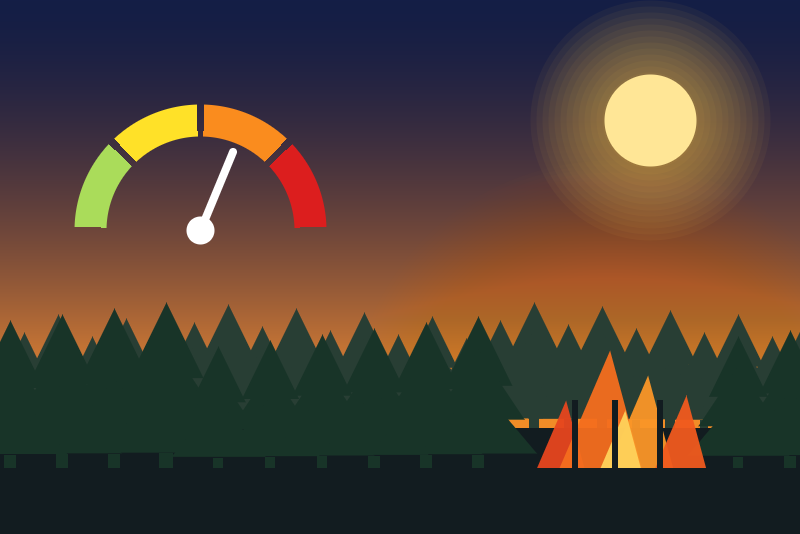
Unofficial: Météo-France forest fire danger by department, tomorrow and the day after.
Publicado por LM1LC3N7
- Dispositivos
- Versión 0.1.1
- Requiere Gladys >=5.1.0
- ★ 0
La documentación de esta integración la escribe su autor y, por ahora, solo está disponible en inglés.
Unofficial integration, not affiliated with Météo-France. It reads the open data of the Météo des forêts published by Météo-France on data.gouv.fr (no account, no key) and gives, for each department followed, the forest fire danger level of today and of tomorrow, the text of the latest bulletin, and a scene trigger.
Information only, never an alert system: follow the instructions of the prefecture and of Météo-France. Never tested with a real device (it is a public service); tried against the real file of Météo-France.
What it does
- One device per department followed (mainland France and Corsica:
01to95,2A,2B; 10 at most). - Features of each device:
- Fire danger today (1-4) and Fire danger tomorrow (1-4): 1 low, 2 moderate, 3 high, 4 very high. The level of a day comes from the bulletin of the day before (J+1), else from the one of two days before (J+2). They change at midnight (Paris time) and when a new bulletin comes out.
- Bulletin: "Bulletin of 05/10/2026 16:50: 06/10 moderate, 07/10 low" (the J+2 level, the day after tomorrow, is in this text), or "No bulletin (off season). Last one: 05/10/2026.".
- Scene trigger "Forest fire danger forecast raised": a new bulletin forecasts for tomorrow a level reaching the chosen one (moderate, high or very high), coming from below it (the level of the day the bulletin comes out; none that day counts as low). Variables: level forecast, its name, level of the day before, level of the day after, department code, day forecast, time of the bulletin. Once per bulletin and per level crossed; never at the first read of a department; never for a bulletin more than 24 h old (found late after an outage); a bulletin corrected the same day never fires a rise already announced; a correction published after the read of the day is only read the next day. After an outage, a bulletin less than 24 h old may still fire while the "tomorrow" it forecasts is already today (the "day forecast" variable says so). When /data cannot be written, the event is sent all the same: a restart may then send it again.
Configuration
- Departments: their codes separated by commas, for example
13, 83, 2A. An unknown code (20,971...) is ignored and the status says so. Beyond 10, the next ones are ignored. - Language of the device names and of the bulletin text (French or English).
- Open Discovery and create the devices of the departments.
The Test button reads the file if a read is due; otherwise it shows the latest bulletin and the time of the next read. It never reads more often than below.
When the integration reads the file
Météo-France publishes the bulletin once a day, around 16:50 Paris time, then updates the yearly
file mdf_<year>.csv.gz (about 50 KB compressed).
- In season (a bulletin less than 3 days old): a read at 15:30 UTC; while the bulletin of the day is missing, again at 16:30, 18:00 and 20:30 UTC; nothing more that day once it is in.
- Off season (usually October to May): one read a day, at 17:30 UTC, to see the first bulletin of the season the day it comes out. There is no bulletin: the state says "no bulletin", it is not an error, and no level is published (never 0). The last values of the season stay shown in Gladys with their date; the bulletin text says there is none any more.
- At start, a read at once only if the file was never read for these departments or a slot was missed; two requests are always at least 20 minutes apart (restart, button, configuration, clock changed), unless /data was lost.
- Each read sends the ETag of the previous one: when the file did not change, the server answers 304 without any download.
- From January 1 until the file of the year exists, the server answers 404: "no bulletin yet this year", not an error, once a day.
- After a failure (429, 5xx, 403, network, a file not understood), the integration waits before
trying again: 20 minutes, doubled at each failure, 6 hours at most, what the server asks when it
says so (
Retry-After), across a restart too. A file not understood publishes no value and leaves the status in error.
What /data keeps
The time of the last request, the pause asked by the server, the 4 latest bulletins of the departments followed with the ETag of the file, the values last published (a restart does not publish the same value again) and the memory of the trigger. No personal data, no secret.
Limits
- Mainland France and Corsica only: the Météo des forêts does not cover the overseas departments.
- An unknown level stays unknown: nothing is published, never 0. An unreadable line of the file is ignored and counted in the status.
- The file is an archive updated once a day, not a real-time feed: the bulletin reaches Gladys by about 17:30 Paris time in summer when it comes out at the usual time.
Source and licence of the data
Météo des forêts, Météo-France, dataset "Archives de la Météo des forêts" on data.gouv.fr, under the Licence Ouverte 2.0 (Etalab, Open Licence). The levels are used as published.
Privacy
The integration sends nothing but a GET request to the file server of Météo-France
(meteofrance.s3.sbg.io.cloud.ovh.net), with a User-Agent of its own; neither your position nor your
departments are sent (the file holds the whole of France).
Parámetros de configuración
Estos son los parámetros que Météo des forêts te pide en su pantalla de configuración en Gladys.
| Parámetro | Tipo | Obligatorio | Descripción |
|---|---|---|---|
| Forest fire danger in your departments | section | No | Unofficial, not affiliated with Météo-France. Reads the open data of the Météo des forêts on data.gouv.fr (no account, no key): one device per department with the danger level (1 low, 2 moderate, 3 high, 4 very high) of today and of tomorrow, the bulletin (with the day after), and a scene trigger. The bulletin comes out once a day in season (June to early October), around 16:50 Paris time; off season there is no bulletin: the status says so, it is not an error, nothing is published as 0. Mainland France and Corsica only. Information only, never an alert system: follow the instructions of the prefecture. Source: Météo-France, Licence Ouverte 2.0. Never tested with a real device (a public service), tried against the real file. |
| Departments | string | Sí | The codes of the departments to follow, separated by commas: 13, 83, 2A (10 at most). Then create their devices in Discovery. |
| Language of the device names and texts | select | No | The names of the devices offered in Discovery and the text of the bulletin. |
Cómo instalar Météo des forêts en Gladys
- En Gladys, abre Integraciones: Météo des forêts aparece en el catálogo junto a las integraciones nativas, con una insignia de comunidad.
- Haz clic en Instalar. Gladys descarga la imagen Docker (
ghcr.io/lm1lc3n7/gladys-meteo-des-forets:0.1.1), la ejecuta en un entorno aislado del núcleo y genera la interfaz de la integración (dispositivos, descubrimiento y configuración). - Abre la pantalla de Configuración de la integración, rellena los parámetros y guarda.
- También puedes instalarla directamente desde la URL de su repositorio: https://github.com/LM1LC3N7/gladys-meteo-des-forets.
Météo des forêts requiere Gladys >=5.1.0. El catálogo de Gladys se actualiza cada hora, así que una nueva versión está disponible como máximo una hora después de publicarse.
¿Todavía no usas Gladys? Es gratuito y de código abierto: sigue la guía de instalación para empezar.
Sobre las integraciones externas
Météo des forêts es una integración externa: una integración comunitaria empaquetada como contenedor Docker y publicada en GitHub. Gladys la instala con un clic y la ejecuta en un entorno aislado del núcleo. La publica y mantiene LM1LC3N7, no el equipo principal de Gladys.
- Explorar todas las integraciones, nativas y de la comunidad
- Crear y publicar tu propia integración externa
- Código fuente en GitHub — fuente de esta documentación