Integración domótica Lennox S30, gratuita y de código abierto
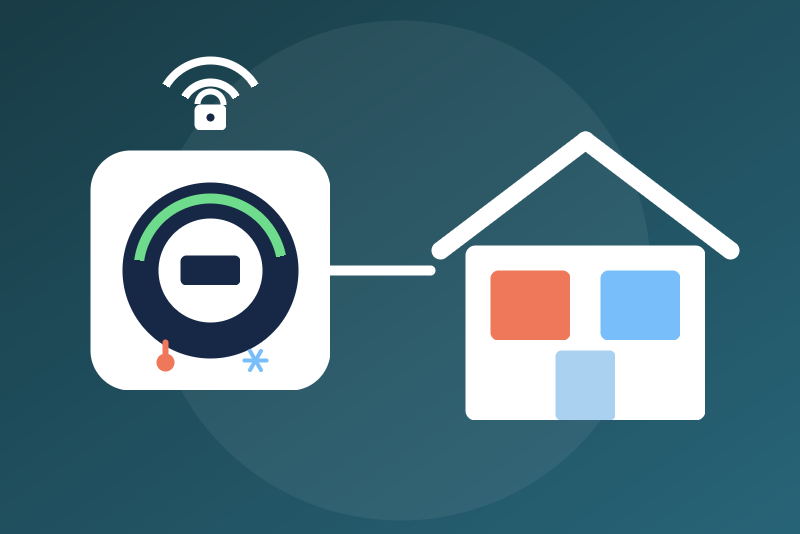
Lennox S30, E30 and M30 thermostats over their local API: zones, setpoints, modes, alerts.
Publicado por LM1LC3N7
- Dispositivos
- Versión 0.1.1
- Requiere Gladys >=5.1.0
- ★ 0
La documentación de esta integración la escribe su autor y, por ahora, solo está disponible en inglés.
This integration shows your Lennox S30, E30 or M30 (iComfort) thermostat in Gladys through its local API, without the Lennox cloud nor the Lennox app. It follows what the lennoxs30api library (the Home Assistant integration) does, for its local part only.
Never tested with a real thermostat: everything was checked against a simulated thermostat built from the lennoxs30api library and its captures. Not affiliated with Lennox.
Prepare the thermostat
- On the thermostat: Settings, Advanced settings, turn on Home Automation (the local API).
- Give the thermostat a fixed IP address in your router.
- In Gladys, enter that address in the configuration of the integration, save.
- Add the devices from the Discovery tab.
The thermostat is reached over HTTPS. Its certificate is self-signed: it is pinned at the first contact (its
fingerprint is kept in /data) and checked at every connection, before anything is sent. If it changes (a
thermostat replaced or updated), nothing is sent any more and the status says so: the Trust the new
certificate button (two clicks, 3 to 60 s apart) pins exactly the fingerprint shown.
The local API takes no credential: the integration keeps none.
Devices
- A zone (one per zone in use): temperature, humidity, mode (off, heating, cooling, both), heating setpoint, cooling setpoint, running (idle, heating, cooling), fan mode (automatic, on, circulate), fan running.
- The system: outdoor temperature, alert level, number of active alerts, text of the active alerts.
Temperatures are in the unit the thermostat shows (°F or °C) when the device is added. A reading in °F is converted exactly to °C (then to a tenth). A reading the thermostat says is not available is not published. The mode "emergency heat" shows as "heating".
Commands
The mode Off
The mode Off of a zone needs no option: it goes even with the commands option off. It writes "off" in the manual
schedule of the zone, then makes the zone follow that schedule (as lennoxs30api does): nothing starts in between.
It goes before a read or a command under way, and is sent during a pause asked by the thermostat, before the
first read after a restart, without a configuration read (from /data), even when /data cannot be written.
It is refused only:
- without an address of the thermostat (neither a valid one in the configuration nor one in
/data); - when
/datacannot be read (the pinned certificate is then unknown); - for a device of another thermostat than the one answering at the address.
Until the thermostat reads off, the Off is kept in /data, with no time limit:
- not sent yet (thermostat unreachable, certificate changed): sent again every 30 seconds and at a restart; after a 429 or a 5xx answered to the Off, after the
Retry-Afterasked (5 minutes at most); this does not count as a try; - refused by the thermostat (a 4xx, an answer other than "code 1"): after a 4xx, a new session and the Off again at once; then sent again 5 minutes later, given up after three refusals in a row;
- accepted: read again 6 seconds later then every 30 seconds, pause or not, and sent again when a read shows the zone running 5 seconds or more after the send; given up after three accepted sends never read off.
It ends when a read shows the zone off after the click (even when the zone is started again at the thermostat right after: a start at the thermostat or in the Lennox app is not fought), when another mode of the zone, clicked after it in Gladys (with the option), left without being refused (a mode refused by a 4xx, an answer other than "code 1" or a 429, redirected (3xx), or never sent, leaves the Off kept), or when another thermostat answers at the address (said in the status). An Off accepted before a restart of the module ends only when two reads, an interval apart at least, show the zone in another mode than before the click (changed at the thermostat), which the status says; in the same mode as at the click, or when that mode was not known, it is sent again (in doubt, the Off goes), even when the zone was started again at the thermostat in that mode during the restart. A new address saved keeps the Offs: they are sent once the new address shows the serial number of the same thermostat. A give-up is said in the status, the badge of the device and the answer, until a read shows the zone off or a new click. In away mode, the Off targets the manual schedule as lennoxs30api does, while the thermostat follows the away schedule: it may be given up after three sends (not checked on a real thermostat).
The other commands (option "Allow the commands")
Off by default. On: the mode (heating, cooling, both), the heating and cooling setpoints and the fan mode.
- Decided on the queue of the thermostat emptied right after the click; refused when a value they need was not read, in away mode, during an Off of the zone under way (but a mode, which ends it) and while the previous command of the zone is not seen yet (90 s at most). In single setpoint mode, the setpoints are refused.
- Setpoints are rounded to the step of the thermostat (1 °F, 0.5 °C), the other unit is computed exactly, and both values must stay within the limits of the zone read from the thermostat and ours (heating 40 to 90 °F, cooling 60 to 99 °F). When the heating setpoint would come within the deadband of the zone of the cooling setpoint, the other setpoint moves the safe way (cooling up, heating down), within its limits, otherwise the command is refused.
- A zone following a program gets an override (a copy of the current period, then held until the next period), as in the Lennox app. A change of mode makes the zone follow its manual schedule.
- A command leaves within 3.5 s of the click or is refused with nothing sent; it is a success only when a read after the send shows the value asked. Otherwise: "sent, without confirmation" and reads again at 5 and 20 s.
Configuration
| Field | Role |
|---|---|
| IP address of the thermostat | IPv4 or host name, port 443 by default. |
| Allow the commands | Off by default (see above). |
| Refresh interval | 5 to 300 s (10 s by default): how often the queued changes are read. |
| Language | Feature names, status texts, errors. |
Everything is asked again from the thermostat every 10 minutes. A thermostat asking to slow down (429) or answering with a server error (5xx) pauses the reads and the commands (1 minute to 6 hours), not the Off.
Known limits
- Not checked on a real thermostat; the behaviour in away mode, in central zoning mode and the wait of the queue
(
LongPollingTimeout=1) come from lennoxs30api. - The S40 is not supported (its identity differs).
- No programs, humidification nor ventilation in this version.
Parámetros de configuración
Estos son los parámetros que Lennox S30 te pide en su pantalla de configuración en Gladys.
| Parámetro | Tipo | Obligatorio | Descripción |
|---|---|---|---|
| Your Lennox thermostat | section | No | Shows your Lennox S30, E30 or M30 thermostat in Gladys through its local API, without the Lennox cloud: one device per zone (temperature, humidity, mode, heating and cooling setpoints, running state, fan) and one for the system (outdoor temperature, alerts). On the thermostat, turn on "Home Automation" (Settings, Advanced settings), give it a fixed address in your router, enter that address below, save, then add the devices from the Discovery tab. The mode Off needs no option; the other modes, the setpoints and the fan mode only if you allow them below. Never tested with a real thermostat. Not affiliated with Lennox. |
| IP address of the thermostat | string | Sí | An IPv4 address or a host name, optionally followed by a port (443 by default). The thermostat is reached over HTTPS; its certificate is pinned at the first contact. |
| Allow the commands | boolean | No | Off by default. On: Gladys may set the mode of a zone (heating, cooling, both), its heating and cooling setpoints (within the limits the thermostat gives) and its fan mode. Off: these commands are refused. The mode Off needs no option: it stops heating and cooling in the zone until another mode is set (from Gladys with this option on, from the thermostat or the Lennox app; an Off accepted just before a restart of the integration and not read yet is sent again if the zone still runs in the mode it had before). |
| Refresh interval (s) | number | No | How often the changes queued by the thermostat are read, in seconds. |
| Language of the feature names | select | No | Used for the feature names of the devices added from now on, for the status texts and for the command errors. |
Cómo instalar Lennox S30 en Gladys
- En Gladys, abre Integraciones: Lennox S30 aparece en el catálogo junto a las integraciones nativas, con una insignia de comunidad.
- Haz clic en Instalar. Gladys descarga la imagen Docker (
ghcr.io/lm1lc3n7/gladys-lennox-s30:0.1.1), la ejecuta en un entorno aislado del núcleo y genera la interfaz de la integración (dispositivos, descubrimiento y configuración). - Abre la pantalla de Configuración de la integración, rellena los parámetros y guarda.
- También puedes instalarla directamente desde la URL de su repositorio: https://github.com/LM1LC3N7/gladys-lennox-s30.
Lennox S30 requiere Gladys >=5.1.0. El catálogo de Gladys se actualiza cada hora, así que una nueva versión está disponible como máximo una hora después de publicarse.
¿Todavía no usas Gladys? Es gratuito y de código abierto: sigue la guía de instalación para empezar.
Sobre las integraciones externas
Lennox S30 es una integración externa: una integración comunitaria empaquetada como contenedor Docker y publicada en GitHub. Gladys la instala con un clic y la ejecuta en un entorno aislado del núcleo. La publica y mantiene LM1LC3N7, no el equipo principal de Gladys.
- Explorar todas las integraciones, nativas y de la comunidad
- Crear y publicar tu propia integración externa
- Código fuente en GitHub — fuente de esta documentación