Integración domótica Le Vélo (TBM), gratuita y de código abierto
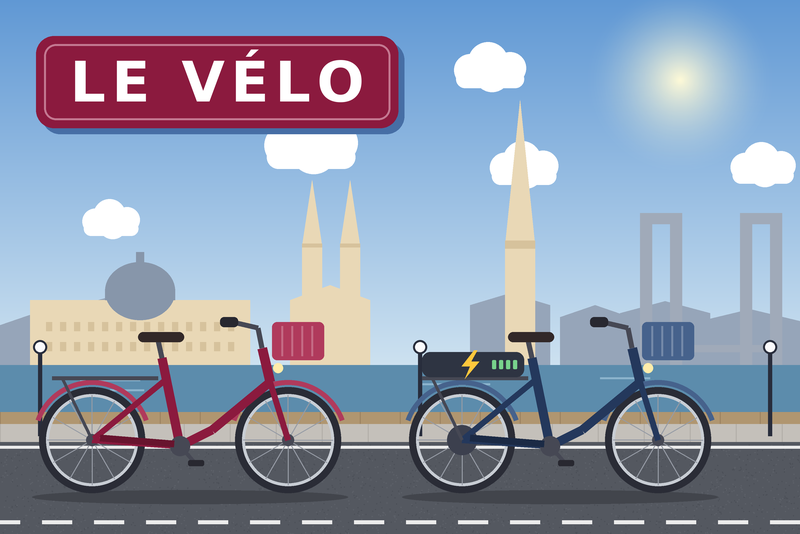
Bikes and free docks of the Le Vélo stations (Bordeaux), classic and electric apart.
Publicado por daviddu26
- Dispositivos
- Versión 1.1.0
- Requiere Gladys >=5.1.0
- ★ 0
La documentación de esta integración la escribe su autor y, por ahora, solo está disponible en inglés.
This integration brings into Gladys the bikes available and the free docks of the Le Vélo par TBM stations (formerly V³ / VCub), the bike-share service of Bordeaux Métropole. Classic and electric bikes are counted apart: you know before leaving whether an electric bike is still waiting at your station.
No account, no key: the station availability is published as open data by Bordeaux Métropole.
Community integration, not affiliated with TBM, Keolis Bordeaux Métropole Mobilités nor Bordeaux Métropole.
Beta. Report any issue or idea on GitHub, with a screenshot if you can.
Get started
- Check that your house has an address in Gladys (Settings → Houses).
- Install the integration, allow access to the house location, then save the configuration page.
- Open the Discover tab of the integration: the stations closest to your home are proposed there. Press Add on the ones you want.
The values arrive within a minute.
With several houses, the integration looks around the first one that has an address.
What you get
One device per station, for example Le Vélo – Meriadeck, with:
| Feature | Example | Note |
|---|---|---|
| Classic bikes | 10 | Bikes without assistance |
| Electric bikes | 5 | Electrically assisted bikes |
| Bikes available | 15 | Both together |
| Free docks | 28 | Where to return a bike |
| Status | In service | See below |
| Summary | 10 classic · 5 electric · 28 docks | Ready for a notification |
The counters keep their history: Gladys can chart when your station empties in the morning.
The status is In service, Rentals suspended (you can return, not rent), Returns impossible (you can rent, not return) or Out of service. A station that does not rent counts 0 bikes, even with bikes left at the docks (locked or under maintenance); a station that does not take bikes back counts 0 docks. A "fewer than 2 bikes" scene then tells the truth.
Follow another station
For a station far from home (work, train station…):
- At the bottom of the configuration page, press Find a station and type part of its name or street (e.g. "Saint-Jean").
- Copy its number into the Stations field (several numbers separated by commas), then save.
- The station appears in the Discover tab.
A station added keeps being followed even if you remove it from the field or change the radius: to stop, delete the device in Gladys.
Settings
| Setting | Default | Effect |
|---|---|---|
| Stations near my home | 3 | How many stations to propose (0 turns it off) |
| Search radius (m) | 500 | Largest distance from the house |
| Stations | (empty) | Numbers of additional stations |
| Refresh interval (s) | 30 | How often the stations are read, 30 seconds minimum |
| Language of values | French | Language of the feature names and of the texts |
Dashboard
The Le Vélo station widget shows a station at a glance: its name, then three numbers, Classic, Electric and Free docks.
- Green: enough left; orange: few left; red: none left; grey: the station does not rent (or take bikes back) right now.
- Under the name: the walking time from the house, then the time of the last update, or the state of the station when it is not fully in service ("6 min walk · Rentals suspended").
To add it: Dashboard → Edit → Add a box → Le Vélo station, then:
| Setting | Effect |
|---|---|
| Station | The station to show (a device already added) |
| "Few left" from | Orange at this number or fewer (1, 2, 3 or 5; 2 by default) |
| History | A chart of the classic bikes, the electric bikes and the free docks over 12 h, 24 h or a week (none by default) |
The chart fills up over time: it starts when the station was added.
"Le Vélo map" widget
The house and the stations on an OpenStreetMap background. Each station carries a pill with its classic bikes, its electric bikes (after the bolt) and its free docks (after the P), in the same colors as the Station widget. The pills find their own place so as not to hide one another, linked to their station by a line. Under the map, the same stations from the nearest on foot, with their names and their walking times.
To add it: Dashboard → Edit → Add a box → Le Vélo map, then:
| Setting | Effect |
|---|---|
| Stations | My stations (the ones added, by default) or Near my home (search radius) |
| Show | Everything (by default), Bikes only or Free docks only |
| "Few left" from | Orange at this number or fewer (2 by default) |
The map is an image: no zoom, no click. It frames itself to show the house and every station (10 at most). The background is downloaded once from OpenStreetMap and kept 30 days in the container.
Walking time
The walking time from the house to each station is computed along the streets by Transitous, the free community service the TBM integration also uses. It is asked once per station and kept in the container: computed again only when the address of the house changes. Until it answers (or when it does not), the time shown is a straight-line estimate, preceded by "≈".
Scenes
The features are ordinary Gladys sensors: use the Device state change trigger. Examples:
- Electric bikes of your station below 1 on weekdays at 8 am → notification "No electric bike left at Meriadeck, take the tram".
- In the morning, send the Summary in a message: "10 classic · 5 electric · 28 docks".
Buttons of the configuration page
- Find a station: finds a station by its name or street, and gives its number.
- Test the connection: reads the stations and the availability, and shows the state of a followed station.
Troubleshooting
| Message or symptom | What to do |
|---|---|
| "Give your house an address…" | Settings → Houses: set the address, then save the configuration again. |
| Nothing in the Discover tab | Widen the search radius, or add a station by hand. |
| "Not found in Stations: …" | Check the number with Find a station. |
| "The Le Vélo service does not answer" | Outage on the operator's side: the integration retries and keeps the stations it knows. |
| "Station unknown to the service" | The station was removed or renumbered: delete the device, add the right one. |
Data
Station availability: Bordeaux Métropole, data set Station Le Vélo en temps réel in the GBFS format, under the Licence Ouverte. The list of stations is read once a day and kept in the container; the availability of the whole network is read in a single request every 30 seconds, however many stations are followed.
Map background: © OpenStreetMap contributors, tiles of the OpenStreetMap Foundation server, downloaded once and kept 30 days in the container, as its usage policy asks.
Parámetros de configuración
Estos son los parámetros que Le Vélo (TBM) te pide en su pantalla de configuración en Gladys.
| Parámetro | Tipo | Obligatorio | Descripción |
|---|---|---|---|
| Get started in 2 minutes | section | No | 1. Check that your house has an address in Gladys (Settings → Houses). 2. Save this page. 3. Open the “Discover” tab of this integration and press “Add” on the stations near your home. That's it: the bikes available arrive within a minute. No account, no key: Le Vélo real time is open data. |
| Near my home | section | No | The closest stations are proposed in the “Discover” tab, one device per station. |
| Stations near my home | number | No | How many of the closest stations are proposed. 0 turns the suggestion off. |
| Search radius (m) | number | No | Only the stations within this distance of the house, in meters. |
| Other stations (optional) | section | No | To follow a station that is not near your home (work, school…): find its number with the “Find a station” button at the bottom of this page, and paste it here. |
| Stations | string | No | Station numbers, separated by commas. |
| Advanced | section | No | The defaults suit almost everyone. One request serves every station. |
| Refresh interval (s) | number | No | How often the stations are read, in seconds (30 seconds minimum). The operator refreshes its data about every minute: reading more often brings nothing. |
| Language of the values | select | No | Language of the feature names and of the texts published. |
Cómo instalar Le Vélo (TBM) en Gladys
- En Gladys, abre Integraciones: Le Vélo (TBM) aparece en el catálogo junto a las integraciones nativas, con una insignia de comunidad.
- Haz clic en Instalar. Gladys descarga la imagen Docker (
ghcr.io/daviddu26/gladys-le-velo:1.1.0), la ejecuta en un entorno aislado del núcleo y genera la interfaz de la integración (dispositivos, descubrimiento y configuración). - Abre la pantalla de Configuración de la integración, rellena los parámetros y guarda.
- También puedes instalarla directamente desde la URL de su repositorio: https://github.com/daviddu26/gladys-le-velo.
Le Vélo (TBM) requiere Gladys >=5.1.0. El catálogo de Gladys se actualiza cada hora, así que una nueva versión está disponible como máximo una hora después de publicarse.
¿Todavía no usas Gladys? Es gratuito y de código abierto: sigue la guía de instalación para empezar.
Sobre las integraciones externas
Le Vélo (TBM) es una integración externa: una integración comunitaria empaquetada como contenedor Docker y publicada en GitHub. Gladys la instala con un clic y la ejecuta en un entorno aislado del núcleo. La publica y mantiene daviddu26, no el equipo principal de Gladys.
- Explorar todas las integraciones, nativas y de la comunidad
- Crear y publicar tu propia integración externa
- Código fuente en GitHub — fuente de esta documentación