Integración domótica IPX800, gratuita y de código abierto
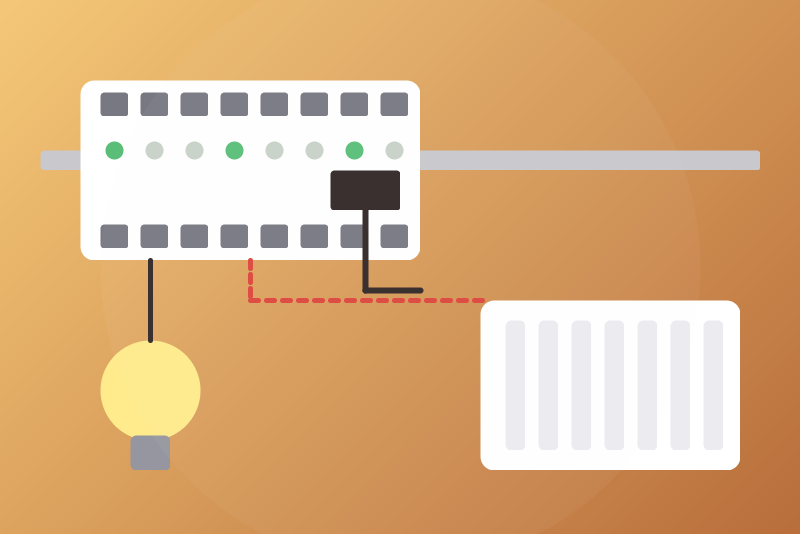
GCE IPX800 V4 and V5 on your network: relays, inputs, pilot wire (X-4FP), X-THL sensors.
Publicado por LM1LC3N7
- Dispositivos
- Versión 0.1.1
- Requiere Gladys >=5.1.0
- ★ 0
La documentación de esta integración la escribe su autor y, por ahora, solo está disponible en inglés.
Brings a GCE Electronics IPX800 V4 or V5 into Gladys through its local HTTP API: its relays, its digital inputs, the pilot-wire zones of its X-4FP extensions and its X-THL sensors (temperature, humidity, luminosity).
Never tested with a real device: written from the GCE documentation of the V4 API and from the open-source libraries of the Home Assistant integrations (pypx800, pypx800v5). Please report what you see on yours. Not affiliated with GCE Electronics.
Setup
- In the IPX800, create an API key: V5 under System > API, V4 under Network > API (tick the API access).
- In Gladys, Integrations > IPX800: choose the model (V5 or V4), type the
address of the IPX800 (e.g.
192.168.1.50, give it a fixed address in your router) and the API key, then save. - "Test the connection" reads the IPX800 now (once an interval has passed since the last read) and shows what it found.
- In Discover, create the devices you want.
The IPX800 wants the API key in the address of every request, over plain http: anyone who can watch your local network can read it, as with the IPX800's own apps. The key is kept by Gladys in its database, never shown again, sent only to the IPX800, and never written in the logs nor in the files of the integration.
What you get
| On the IPX800 | In Gladys | Code (in the name) |
|---|---|---|
| Relay (V4 1-56, V5 1-8) | read only, or a switch / light if you list it | R3 |
| X-8R output (V5) | the same | X8R12-3 (12: its id) |
| Digital input (V4 1-56, V5 1-8) | a binary input (read only) | D3 |
| X-8D / X-24D input (V5) | the same | X8D5-2, X24D6-10 |
| X-4FP zone | pilot wire (Off, Frost protection, Eco, Comfort, Comfort -1, Comfort -2) | FP5 (V4), X4FP7-2 (V5) |
| X-THL | temperature (°C), humidity (%), luminosity (lux) | THL1 (V4), XTHL9 (V5) |
V5: the integration lists the extensions itself. V4: the API answers
56 relays and 56 inputs whether they are wired or not; the integration shows
the 8 relays and 8 inputs of the IPX, and what you list in "Extensions of an
IPX800 V4", e.g. R9-R16, D9-D16, FP1-FP4, THL1 (pilot-wire zone n of the
V4 is zone z of X-4FP e: n = 4 × (e − 1) + z).
The IPX800 is read every 10 seconds by default (5 s at least). A value the IPX800 does not give (absent, a text, out of range) is not published: never as 0.
Relays: read only unless you list them
Every relay is read only by default. To drive one from Gladys, list it in
"Relays Gladys may drive", e.g. R1, R3:light, X8R12-2 (:light makes it a
light, otherwise a switch). A switch or a light obeys every "turn everything
off" of Google, Alexa, the MCP and the scenes: never list a pump, a freezer,
a ventilation, a heating, a door strike nor a valve. A relay you remove from
the list is read only again at once: its commands are refused, and a
switch-off the integration was still holding for it is dropped (in memory
and in /data, also at a restart). Its old feature in Gladys stays: delete
it if you want.
Pilot wire
- Off and Frost protection need no option and go before everything
else: during a pause after failed reads, with a refused API key, with the
queue of commands full, and before the first read after a restart (the V5
ids are kept in
/data). Clicked, they interrupt any request in progress (a read, a read back, a command, a resend), except another Off or Frost protection clicked just before. The same goes for switching off a relay you listed. - Eco, Comfort, Comfort -1, Comfort -2 drive the heating: they are off by
default. Tick "Allow Eco and Comfort from Gladys" to allow them; every
Gladys user, every scene and the Gladys app can then choose them. They are
refused while the state cannot be written to
/data.
An Off or Frost protection is refused only when: the address or the API key
is missing; the zone is not known (V4: not listed in the extensions; V5:
never read, even before a restart); the value is not one of the six modes.
Off for a relay is refused when the relay is not listed. Clicked before the
configuration is read from Gladys (the API key is kept there only, never in
/data), it asks Gladys for it at once and waits 3 s; if it has not come,
it is kept in memory and sent as soon as the API key is known (read again
5 s later, then every minute at most), before anything is sent to Gladys;
if the output turns out unknown or not listed, the status says so. An Off
kept in /data leaves the same way at start, without waiting for Gladys.
When the IPX800 does not take it within 3.5 s (no connection), it is kept
and sent again as soon as the IPX800 is free, before the read backs, by the
next reads that show another mode, and after a restart. An Off clicked while
another one gets no answer for 1 s interrupts it. A resend interrupted by a
click before it left goes again right behind that click.
An Off or Frost protection that the reads do not show is sent again, 3 times at most; then the status says so (check on site). A V5 zone with several modes on is shown as such in the status and gets the Off again. It stays held until a later command on that zone leaves (your click), another Off / Frost protection, or, once applied, another mode read twice in a row (changed on the IPX800 itself, by its scenarios or its page): never by the time. Anything asked before an Off on the same zone and not yet sent is cancelled, a Frost protection waiting to be tried again included: it never leaves after it. A mode the integration sent before the Off and that got no answer (cut by the Off, say), if the IPX800 still applies it in the 5 s after it left, is not a change on the IPX800: the Off is sent again.
Commands
A command is written within 3.5 s of the click or refused with "nothing was sent". It is then read back from the IPX800: the value asked is a success; another value is "not applied yet"; no answer in time is "sent, without confirmation". Two more reads follow after 5 s and 20 s. The commands of a scene are written one after the other, then read back once.
Pauses and refusals
A failed read pauses 10 s, 30 s, 1 min, 2 min then 5 min (one minute at least when the IPX800 answers 429 or 503), kept across restarts; Eco, Comfort and switching a relay on are refused until the pause ends. An API key refused by the IPX800 (401, 403) stops the reads until you change the key or "Test the connection" succeeds.
Limits
- X-8R, X-8D, X-24D, X-4FP and X-THL only; counters, X-4VR shutters, dimmers, X-PWM, virtual inputs and outputs are not in this version.
- One IPX800 per integration.
- http only (the IPX800 answers http on the local network).
Parámetros de configuración
Estos son los parámetros que IPX800 te pide en su pantalla de configuración en Gladys.
| Parámetro | Tipo | Obligatorio | Descripción |
|---|---|---|---|
| Your IPX800 | section | No | Brings a GCE Electronics IPX800 V4 or V5 into Gladys through its local HTTP API and its API key: relays (read only unless you list them below), digital inputs, pilot-wire zones of the X-4FP and X-THL sensors. Pilot wire: Off and Frost protection go first, without any option (see the guide for their limits); Eco and Comfort only once allowed below. Never tested with a real device. Not affiliated with GCE Electronics. |
| Model | select | No | |
| Address of the IPX800 | string | Sí | Its IP address (or name) on your network, without path nor key; give it a fixed address in your router. |
| Port | number | No | 80 unless you changed the port of its web server. |
| API key | secret | Sí | Created in the IPX800 (V5: System > API, V4: Network > API). The IPX800 wants it in the address of every request, over plain http: anyone who can watch your network can read it, as with the IPX800's own apps. Kept by Gladys in its database, never shown again, sent only to the IPX800, never written in the logs. |
| Relays Gladys may drive | string | No | The other relays are read only. Codes as in the device names: R1 to R8 (V4: up to R56), X8R<id>-<n> for an X-8R of the V5; add :light for a light, e.g. "R1, R3:light, X8R12-2". A relay listed here obeys every "turn everything off" of Google, Alexa, the MCP and the scenes: never list a pump, a freezer, a ventilation, a heating, a door strike nor a valve. |
| Extensions of an IPX800 V4 | string | No | V4 only (the V5 lists its extensions itself): what your IPX800 V4 has beyond its 8 relays and 8 inputs, e.g. "R9-R16, D9-D16, FP1-FP4, THL1" (FP: pilot-wire zones 1 to 16, four per X-4FP). |
| Pilot wire | section | No | Off and Frost protection need no option and go before everything else, during a pause or before the first read; they are refused only when the IPX800 or the zone is not known yet (see the guide). Eco, Comfort, Comfort -1 and Comfort -2 drive the heating: they are off by default. Once allowed, every Gladys user, every scene and the Gladys app can choose them. |
| Allow Eco and Comfort from Gladys | boolean | No | |
| Read every (seconds) | number | No | How often the IPX800 is read: 10 s by default, 5 s at least. |
| Language of the names | select | No | Used for the names of the devices and features added from now on. |
Cómo instalar IPX800 en Gladys
- En Gladys, abre Integraciones: IPX800 aparece en el catálogo junto a las integraciones nativas, con una insignia de comunidad.
- Haz clic en Instalar. Gladys descarga la imagen Docker (
ghcr.io/lm1lc3n7/gladys-ipx800:0.1.1), la ejecuta en un entorno aislado del núcleo y genera la interfaz de la integración (dispositivos, descubrimiento y configuración). - Abre la pantalla de Configuración de la integración, rellena los parámetros y guarda.
- También puedes instalarla directamente desde la URL de su repositorio: https://github.com/LM1LC3N7/gladys-ipx800.
IPX800 requiere Gladys >=5.1.0. El catálogo de Gladys se actualiza cada hora, así que una nueva versión está disponible como máximo una hora después de publicarse.
¿Todavía no usas Gladys? Es gratuito y de código abierto: sigue la guía de instalación para empezar.
Sobre las integraciones externas
IPX800 es una integración externa: una integración comunitaria empaquetada como contenedor Docker y publicada en GitHub. Gladys la instala con un clic y la ejecuta en un entorno aislado del núcleo. La publica y mantiene LM1LC3N7, no el equipo principal de Gladys.
- Explorar todas las integraciones, nativas y de la comunidad
- Crear y publicar tu propia integración externa
- Código fuente en GitHub — fuente de esta documentación