Integración domótica Heatmiser neoHub, gratuita y de código abierto
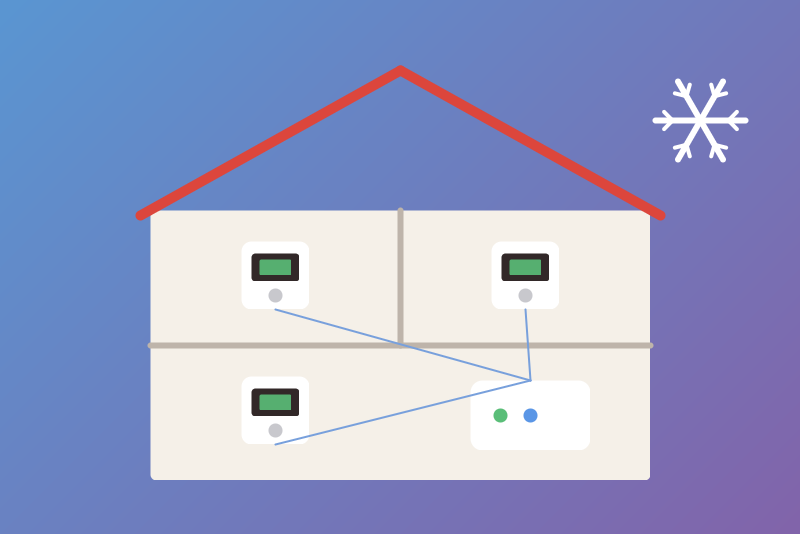
Heatmiser neoStat thermostats through the neoHub, locally: zones, setpoints, standby, away.
Publicado por LM1LC3N7
- Dispositivos
- Versión 0.1.1
- Requiere Gladys >=5.3.0
- ★ 0
La documentación de esta integración la escribe su autor y, por ahora, solo está disponible en inglés.
Brings the thermostat zones of a Heatmiser neoHub into Gladys, on your local network, through the official local API of the hub (a secure WebSocket on port 4243, authenticated by an API token of the hub). Unofficial, not affiliated with Heatmiser. Never tested with a real device yet: written from the official "neoHub API" document of IMI Heatmiser; your feedback is welcome.
What you get
- One device per thermostat zone (neoStat, neoAir): the room temperature, the setpoint, and the mode: Schedule (the zone follows its program) or Standby (frost protection: the zone holds its frost temperature).
- One device for the hub: the away mode (Home / Away). Away puts every thermostat in standby and turns the time clocks and neoPlugs off (PDF of Heatmiser): it acts on everything the hub drives.
- Time clocks, plugs and the time clock half of a combined neoAir are not shown in this version.
Setup
- In the Heatmiser Neo app: Settings > API Access > Tokens, create a token.
- In Gladys, open the integration: type the IP address of the hub (shown in your router; give the hub a fixed address there) and the token, save.
- Click Test the connection once, from your home network: it reads the
certificate the hub shows and learns its fingerprint (shown in the
answer and in the status). It is learnt, not verified: the hub makes
its own certificate, there is no authority to check it against. Someone who
controls your local network at that very click could have his own
certificate learnt instead and receive the token. To verify, compare the
fingerprint shown with the one of your hub, read from a computer of your
network:
openssl s_client -connect \<hub address>:4243 \</dev/null 2>/dev/null | openssl x509 -noout -fingerprint -sha256. You may also type the fingerprint yourself instead of clicking. From then on, the token goes to that certificate only. - Open the Discovery tab and add the zones and the hub.
The token is kept by Gladys in its database, never shown again, and sent only to the hub at the address you typed, over the learnt certificate. It does not appear in the logs, the status nor the files of the integration.
Commands
Standby on a zone and Away on the hub need no option. Standby only lowers the heating of its zone; away puts every thermostat in standby and turns the time clocks and neoPlugs off. They are sent at once, before any other command waiting (a read of the hub stuck for 1 s is cut for them), addressed by the device number of the zone; the standbys of a scene leave together in one command. A hub that refuses device numbers gets the zone at once by the name its last read gave (one command per zone); one that answers numbers without doing anything gets it by name when the stop is sent again (about 90 s later, see below). Once the hub refused a number and then took the name, it is sent names from then on, also after a restart; a zone whose name holds a quote or a backslash still goes by its number. On a hub that ignores numbers, such a zone cannot get a standby from Gladys (the status and the badge say "not applied"): rename it in the Heatmiser Neo app. Gladys gets its answer within about 3.4 s; a stop that could not leave by then stays in line and leaves as soon as the hub is free. A stop is done as soon as a read of the hub shows it, and a change you make later in the app wins (never sent again). The hub refreshes its data about every 90 s: a stop it answered is "not yet visible" until a read sent at least 90 s after its answer; if that read does not show it, or the hub did not answer, the stop is sent again with the next reads (by number, and by name when the name can be sent), 3 times at most, and the status and the badge of the zone say so. That window lasts until the first read made 90 s or more after the answer, so up to the refresh interval when it is longer (600 s at most). A change made in the app during that window cannot be told from a stop not applied: it may be overwritten, 3 times at most. A newer Schedule (or Home) that left lifts the stop: it is not sent again, not even after a restart. A Schedule (or Home) refused before leaving (option off, pause, too late) leaves the stop to be sent. A command asked before a standby on the same zone (before an away, on any zone) that has not left yet is cancelled. What a stop needs all the same: the address, the token and the learnt certificate (without them nothing can be sent to the hub); it is refused when another hub answers at the address, and it is not sent again by itself after the hub refused the token (a click sends it, or a new token).
These commands are off by default and need the option Allow heating commands:
- the setpoint of a zone (5 °C to the ceiling, 24 °C by default, rounded down to 0.5 °C, by steps of 0.5 °C);
- Schedule on a zone (leaves the standby);
- Home on the hub (leaves the away mode).
Each is decided on a fresh read of the hub (a read sent after the command arrived; the hub, the zone at its device number and its name at the previous read checked), addressed by the device number of the zone, sent within 2.8 s or refused unsent, then read back; Gladys gets its answer within about 3.4 s. As for the stops, a value the data of the hub does not show yet is "not shown yet", and is told as not applied only by a read made 90 s or more after it left (a follow-up read is made 95 s after). The same setpoint (or Schedule) asked of several zones at once leaves in one command; different setpoints leave one after the other, each within its own 2.8 s, the others refused unsent ("too late"). A setpoint is refused:
- when the option is off, or the value is outside 5 °C to the ceiling or not a multiple of 0.5 °C;
- while the zone is in standby, away or on holiday, or the hub is away or on holiday (choose Schedule or Home first);
- for 10 minutes after a standby of the zone or an away of the hub, unless Schedule or Home has left since;
- when the hub is set to °F (only °C is supported), or its unit is not read yet (again after any change of the system of the hub);
- when the zone is offline, gone, or renamed since the previous read (try again); right after a restart, the name kept at the Scan and a read of the unit within the command are used;
- when 8 commands already wait, during a pause after failed reads, after a refused token, or when its turn does not come in time (nothing sent).
Schedule and Home are refused when /data cannot keep that they lift a stop (nothing sent).
A command that may have reached the hub is never told "not sent": you get "sent, without confirmation" and the next reads show the result. No command goes through a switch: a "turn everything off" never reaches the heating.
Reads and pace
The hub is read every 60 s by default (30 to 600 s; the hub refreshes its own data about every 90 s); the button, the Discovery tab or a restart never read it sooner than the interval. A command adds its own reads: one before it, one right after it, then 5 s and 20 s later. After a failure the integration waits 1, 2, 5, 10 then 15 minutes. A token refused by the hub stops the automatic reads until you type a new token or click Test the connection.
If the hub is replaced or reset, its certificate changes: nothing is sent and the status shows the new fingerprint; type it in the configuration once you have checked it is your hub.
Data
/data/heatmiser-neohub-state.json keeps the time of the last read, the pause,
the learnt certificate fingerprints, the stop commands still to send, and,
for a refused token, an 8-bit tag (never the token).
Parámetros de configuración
Estos son los parámetros que Heatmiser neoHub te pide en su pantalla de configuración en Gladys.
| Parámetro | Tipo | Obligatorio | Descripción |
|---|---|---|---|
| Your Heatmiser neoHub | section | No | Brings the thermostat zones of your Heatmiser neoHub into Gladys, on your local network, through the official local API of the hub (secure WebSocket, port 4243): the temperature, the setpoint and the mode (schedule or standby) of each zone, and the away mode of the hub. Create an API token in the Heatmiser Neo app (Settings > API Access > Tokens), type it below with the address of the hub, save, then click "Test the connection" once, from your home network: it learns the fingerprint of the certificate of the hub (learnt, not verified: the guide tells how to compare it). Standby and away need no option; setpoints and the return to the schedule stay off until allowed below. Never tested with a real device yet. Unofficial, not affiliated with Heatmiser. |
| Address of the neoHub | string | Sí | The local IP address of your neoHub, like 192.168.1.40 (shown in your router). Port 4243 unless you add ":port". |
| API token of the hub | secret | Sí | Created in the Heatmiser Neo app: Settings > API Access > Tokens. Kept by Gladys in its database, never shown again, and sent only to the hub at the address above, over its learnt certificate. |
| Certificate fingerprint (optional) | string | No | The SHA-256 fingerprint of the certificate of the hub (the hub makes its own certificate). Empty: learnt on your first click of "Test the connection" (learnt, not verified: do it from your home network and compare it as the guide shows), then checked on every connection; the token never goes to another certificate. If the hub is replaced or reset, type here the fingerprint the status shows. |
| Heating commands (off by default) | section | No | Standby of a zone (frost protection) and the away mode of the hub need no option: standby only lowers the heating of its zone; away puts every thermostat in standby and turns the time clocks and neoPlugs off. Without the option below, Gladys sends nothing else. Setpoints, Schedule and Home are decided on a fresh read of the hub. No command goes through a switch: a "turn everything off" never reaches the heating. |
| Allow heating commands | boolean | No | The dashboard, the scenes and the voice assistants may change the setpoint of a zone, put a zone back on its schedule and leave the away mode. |
| Setpoint ceiling (°C) | number | No | A setpoint above this value is refused (16 to 35 °C). |
| Refresh interval (s) | number | No | Seconds between two reads of the hub (30 to 600). The hub refreshes its own data about every 90 s. |
| Language of the names | select | No | Used for the names of the devices, features and options added from now on. |
Cómo instalar Heatmiser neoHub en Gladys
- En Gladys, abre Integraciones: Heatmiser neoHub aparece en el catálogo junto a las integraciones nativas, con una insignia de comunidad.
- Haz clic en Instalar. Gladys descarga la imagen Docker (
ghcr.io/lm1lc3n7/gladys-heatmiser-neohub:0.1.1), la ejecuta en un entorno aislado del núcleo y genera la interfaz de la integración (dispositivos, descubrimiento y configuración). - Abre la pantalla de Configuración de la integración, rellena los parámetros y guarda.
- También puedes instalarla directamente desde la URL de su repositorio: https://github.com/LM1LC3N7/gladys-heatmiser-neohub.
Heatmiser neoHub requiere Gladys >=5.3.0. El catálogo de Gladys se actualiza cada hora, así que una nueva versión está disponible como máximo una hora después de publicarse.
¿Todavía no usas Gladys? Es gratuito y de código abierto: sigue la guía de instalación para empezar.
Sobre las integraciones externas
Heatmiser neoHub es una integración externa: una integración comunitaria empaquetada como contenedor Docker y publicada en GitHub. Gladys la instala con un clic y la ejecuta en un entorno aislado del núcleo. La publica y mantiene LM1LC3N7, no el equipo principal de Gladys.
- Explorar todas las integraciones, nativas y de la comunidad
- Crear y publicar tu propia integración externa
- Código fuente en GitHub — fuente de esta documentación