Integración domótica Fing, gratuita y de código abierto
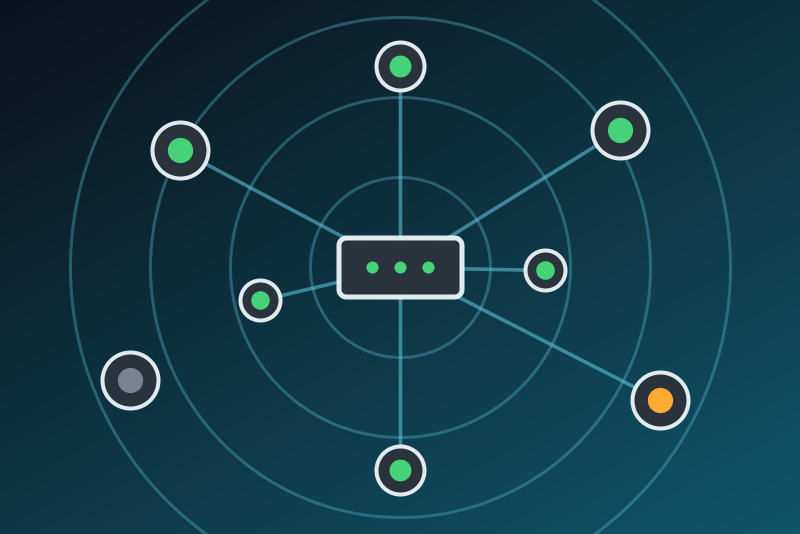
Devices of your network seen by a Fing Agent or Fingbox: online, IP, new devices.
Publicado por LM1LC3N7
- Dispositivos
- Versión 0.1.1
- Requiere Gladys >=5.1.0
- ★ 0
La documentación de esta integración la escribe su autor y, por ahora, solo está disponible en inglés.
The devices of your network seen by Fing, in Gladys, through the local API of a Fing Agent (the Fing software on an always-on computer or a Raspberry Pi) or a Fingbox:
- each device Fing knows can become a Gladys device (Discovery tab): online (yes / no), IP address and last change (when Fing last saw it come or go);
- the network becomes a device with its devices online and its devices in total;
- three scene triggers: Device online (a phone back home, for instance), Device offline and New device on the network.
Read only: Gladys never changes anything in Fing (no device blocked, nothing renamed).
This integration has never been tested with a real Fing Agent. This first version was ported from fing-agent-pyapi, the library of Fing that Home Assistant uses, and tested against a fake Fing Agent only. Please report what works and what does not on the Gladys forum.
Unofficial integration, not affiliated with Fing.
Before you start: turn on the local API
- Install a Fing Agent on a computer or a Raspberry Pi that stays on, in your home network, or use a Fingbox, and let it scan the network.
- In the Fing app, open the settings of the agent (or Fingbox) and turn on its local API. The app shows an API key: copy it. The names of the menus change between versions of the app; the local API may need a Fing subscription, check in the app.
- Give the agent a fixed IP address in your router: Gladys reaches it by its address.
Configuration
- Address of the Fing Agent: its IP address (
192.168.1.20) or host name. An address pasted from a browser (http://192.168.1.20:49090) is read as its host and port.https, a path or a query are refused. - Port of the local API:
49090unless you changed it. - API key of the local API: kept by Gladys in its database, never shown
again, sent only to the Fing Agent. Fing's local API is plain HTTP and
takes the key in the address of the request (
/1/devices?auth=…): the key crosses your local network in clear. Keep the agent on a network you trust. The integration never writes this address, the key or a MAC address in its logs, nor the key in its/datavolume. - Refresh: how often Gladys reads the devices (every minute by default, one request each time). The scene triggers start up to this long after the change, on top of the time Fing itself takes to notice it.
The Test the connection button says how many devices are online. Like the scan of the Discovery tab and a restart of Gladys, it reads the agent again only when the last reading is older than the refresh; otherwise it answers from that reading.
Devices
Fing lists every device it ever saw on the network, online or not. The Discovery tab shows them all (500 at most); add only the ones you want to follow (phones for presence, a NAS, a printer...).
- The Gladys device of a Fing device is keyed on its MAC address: a rename in Fing or a new IP address keeps the same device and its history. Its name in Discovery is the name given in Fing, or else its vendor and model, or its type, with its IP address (a name that holds a MAC address is replaced the same way). A device Fing lists twice is merged.
- The devices you added to Gladys are always among the 500 followed.
- Phones and private Wi-Fi addresses: recent phones and computers use a different, random MAC address per Wi-Fi network, and some change it from time to time. For a stable presence, turn off the private (random) address for your home network on the phone; otherwise the phone shows up as a new device after each change.
- Online follows what Fing reports. Fing waits a few minutes before it says a device left: a phone asleep may stop answering on Wi-Fi for a while.
- Last change is published as a date in UTC (
2026-10-17 08:00 UTC). - A device Fing no longer lists keeps its last values in Gladys and is shown as unreachable.
The Fing network device counts the devices Fing lists (all of them, even beyond the 500 followed) and those online.
Scene triggers
- Device online, Device offline: a device Fing saw offline (online) is online (offline) at the next reading. Filter on one device or leave the box empty for any. Variables: the name, the IP address and the vendor of the device.
- New device on the network: Fing lists a MAC address it did not list at the previous reading. Useful to be told when an unknown device joins your network. The device is not yet in Gladys: no device filter. The same variables.
No trigger fires at the first reading, after an outage of the Fing Agent, or after a restart of the integration (the readings are compared with the previous one only): a device that appeared during that time is not announced. Thirty events at most are sent per reading.
When something goes wrong
The connection status of the integration says what happens:
- Refused API key (HTTP 401 or 403): Gladys stops and does not try again by itself, even after a restart. Check the key in the Fing app, paste it and save the configuration.
- HTTP 429 or a server error (5xx): every request is paused (one minute to six hours), and the pause survives a restart.
- No answer, wrong address or port: Gladys tries again, never faster than the refresh, waiting longer each time (up to 30 minutes).
Privacy
Gladys keeps only what it shows: the name, vendor, model, type, IP address, state and last change of each device. The contact Fing linked a device to, and the network id, are not kept. MAC addresses only make the external ids of the devices; they are never written in a log.
Parámetros de configuración
Estos son los parámetros que Fing te pide en su pantalla de configuración en Gladys.
| Parámetro | Tipo | Obligatorio | Descripción |
|---|---|---|---|
| How it works | section | No | Gladys reads the devices that a Fing Agent (on a computer or a Raspberry Pi) or a Fingbox finds on your network, through its local API. Each device you add from the Discovery tab tells whether it is online, its IP address and its last change; the network becomes a device with its devices online and in total. Scene triggers: a device comes online, goes offline, a new device appears. Read only: Gladys never changes anything in Fing. Turn on the local API in the Fing app first (see the documentation). Unofficial integration, not affiliated with Fing. |
| Address of the Fing Agent | string | Sí | The IP address (or host name) of the computer, Raspberry Pi or Fingbox that runs the Fing Agent, on your local network. Give it a fixed IP in your router. |
| Port of the local API | number | No | 49090 unless you changed it in the Fing app. |
| API key of the local API | secret | Sí | Shown by the Fing app when you turn on the local API of the agent. Kept by Gladys in its database, never shown again, sent only to the Fing Agent. Fing's local API is plain HTTP and takes the key in the address of the request: it crosses your local network in clear, so keep the agent on a network you trust. |
| Refresh | select | Sí | How often Gladys reads the devices (one request each time). The scene triggers start up to this long after the change, on top of the time Fing takes to notice it. |
Cómo instalar Fing en Gladys
- En Gladys, abre Integraciones: Fing aparece en el catálogo junto a las integraciones nativas, con una insignia de comunidad.
- Haz clic en Instalar. Gladys descarga la imagen Docker (
ghcr.io/lm1lc3n7/gladys-fing:0.1.1), la ejecuta en un entorno aislado del núcleo y genera la interfaz de la integración (dispositivos, descubrimiento y configuración). - Abre la pantalla de Configuración de la integración, rellena los parámetros y guarda.
- También puedes instalarla directamente desde la URL de su repositorio: https://github.com/LM1LC3N7/gladys-fing.
Fing requiere Gladys >=5.1.0. El catálogo de Gladys se actualiza cada hora, así que una nueva versión está disponible como máximo una hora después de publicarse.
¿Todavía no usas Gladys? Es gratuito y de código abierto: sigue la guía de instalación para empezar.
Sobre las integraciones externas
Fing es una integración externa: una integración comunitaria empaquetada como contenedor Docker y publicada en GitHub. Gladys la instala con un clic y la ejecuta en un entorno aislado del núcleo. La publica y mantiene LM1LC3N7, no el equipo principal de Gladys.
- Explorar todas las integraciones, nativas y de la comunidad
- Crear y publicar tu propia integración externa
- Código fuente en GitHub — fuente de esta documentación