Integración domótica Écocompteur Legrand, gratuita y de código abierto
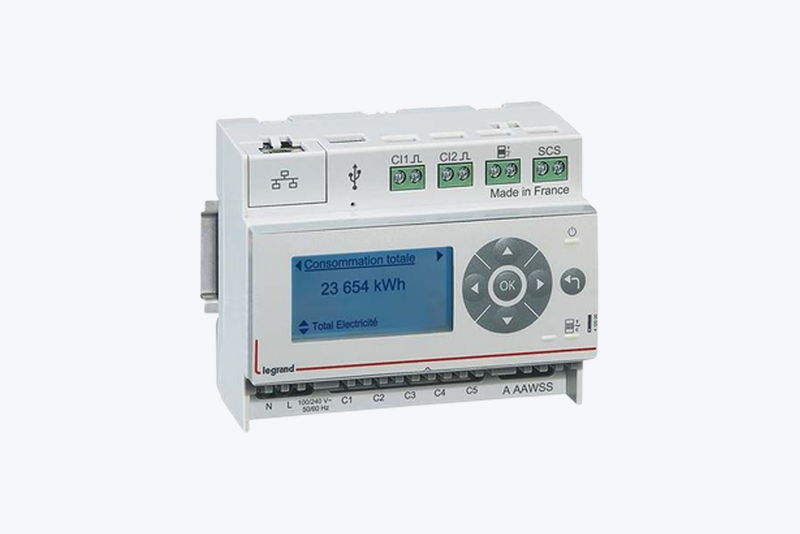
Reads the Legrand eco-meter (ref. 412000) on your local network.
Publicado por goldorakiller
- Dispositivos
- Versión 1.3.0
- Requiere Gladys >=5.1.0
- ★ 1
La documentación de esta integración la escribe su autor y, por ahora, solo está disponible en inglés.
This integration reads the Legrand eco-meter (ref. 412000) directly on your local network, with no account and no third-party service. The device exposes two HTTP endpoints (/inst.json and /data.json) that the integration polls at a configurable interval.
What shows up in Gladys
- Instantaneous power of the 5 measurement channels, in watts. Feature names come from the labels you set in the eco-meter's own interface: if input 1 is named "Heating" there, it is named "Heating" in Gladys.
- Meter indexes read from the teleinformation stream: off-peak/peak, the 6 Tempo colour indexes, or the base index depending on your tariff option (detected automatically). Reported in kWh.
- Tariff option and current tariff period as readable text ("HC/HP", "Tempo", "Heure Pleine Bleu"...) rather than a raw numeric code.
- Energy consumed per channel, in kWh ("Heating (énergie)"...), see below.
- Pulse inputs (gas, water): only the ones enabled on the device are created, with their volume in m³.
Energy per channel
The eco-meter only reports the instantaneous power of its channels, never a cumulative meter. The integration therefore builds an energy index for each channel by integrating the power between two readings. Like the teleinformation indexes, these indexes automatically get their "30-minute consumption" and "30-minute cost": you can track the cost of your heat pump or your EV charger on its own.
Good to know:
- The index starts at 0 when the integration is installed: it is a relative total, not the real lifetime history of the circuit. Gladys only looks at differences, so consumption and cost are not affected.
- It is an approximation: an appliance that switches on and off between two readings is counted more or less accurately. The shorter the refresh interval, the more accurate the result.
- If the eco-meter stays unreachable for more than 5 minutes, that period is not counted: the integration would rather under-count than invent consumption.
- The total is saved and survives a restart of the integration.
"Live power" widget
The integration provides a dashboard widget (Gladys 5.1 or later). Add it from the dashboard editor, in the integration's section. It shows:
- the power of the 5 channels, updated live;
- their total;
- the current tariff period, coloured by period (blue, white or red with Tempo, green for off-peak, orange for peak).
Consumption and cost tracking (Tempo option)
Every index feature (off-peak, peak, or any of the 6 Tempo combinations) is a real Gladys "Index" feature: the Gladys core automatically adds a matching "30-minute consumption" and "30-minute cost" feature for it, no extra configuration needed on the integration side — you only need a price table in Settings → Energy for the cost to compute.
With the Tempo option, that means 6 separate indexes, each with its own consumption/cost tracking:
| Index | Period |
|---|---|
| Index Heures Creuses Bleu | Off-peak, blue day |
| Index Heures Pleines Bleu | Peak, blue day |
| Index Heures Creuses Blanc | Off-peak, white day |
| Index Heures Pleines Blanc | Peak, white day |
| Index Heures Creuses Rouge | Off-peak, red day |
| Index Heures Pleines Rouge | Peak, red day |
Gladys knows the official Tempo day calendar itself: it does not need the eco-meter to tell it which colour applies on a given day, only the prices for each colour/period combination.
Configuration
- Give the eco-meter a fixed DHCP lease on your router. Its address is used as the device identifier: changing it would create a new device in Gladys.
- Enter that address in the configuration field (for example
192.168.1.140). - Adjust the refresh interval if needed (60 seconds by default, from 1 second to 60 seconds).
- Use the Test the connection button to check that the device answers before running a discovery.
Notes
- The eco-meter returns its indexes with leading zeros, which is not valid JSON; the integration normalizes the payload before parsing it.
- Channel labels are taken from the eco-meter when the device is created in Gladys. Once the device exists, its names belong to Gladys (like the device name or its room): renaming an input on the eco-meter afterwards does not update them. Rename the feature directly in Gladys, or delete and re-create the device from the Discovery tab (which loses its history).
- An unwired channel reports 0 W permanently. You can delete the matching feature in Gladys if it gets in the way.
Parámetros de configuración
Estos son los parámetros que Écocompteur Legrand te pide en su pantalla de configuración en Gladys.
| Parámetro | Tipo | Obligatorio | Descripción |
|---|---|---|---|
| Getting started | section | No | The eco-meter exposes its data locally, with no account and no API key. Give it a fixed DHCP lease: its address identifies the device in Gladys. |
| Eco-meter address | string | Sí | IP address or hostname on your local network, e.g. 192.168.1.140 |
| Refresh interval | select | No | How often the eco-meter is polled. Gladys only allows these fixed values (device poll_frequency is an enum, in milliseconds). |
| Publish meter indexes | boolean | No | Adds the off-peak/peak (or base) indexes read from the meter's teleinformation. |
Cómo instalar Écocompteur Legrand en Gladys
- En Gladys, abre Integraciones: Écocompteur Legrand aparece en el catálogo junto a las integraciones nativas, con una insignia de comunidad.
- Haz clic en Instalar. Gladys descarga la imagen Docker (
ghcr.io/goldorakiller/gladys-integration-ecocompteur:1.3.0), la ejecuta en un entorno aislado del núcleo y genera la interfaz de la integración (dispositivos, descubrimiento y configuración). - Abre la pantalla de Configuración de la integración, rellena los parámetros y guarda.
- También puedes instalarla directamente desde la URL de su repositorio: https://github.com/goldorakiller/gladys-integration-ecocompteur.
Écocompteur Legrand requiere Gladys >=5.1.0. El catálogo de Gladys se actualiza cada hora, así que una nueva versión está disponible como máximo una hora después de publicarse.
¿Todavía no usas Gladys? Es gratuito y de código abierto: sigue la guía de instalación para empezar.
Sobre las integraciones externas
Écocompteur Legrand es una integración externa: una integración comunitaria empaquetada como contenedor Docker y publicada en GitHub. Gladys la instala con un clic y la ejecuta en un entorno aislado del núcleo. La publica y mantiene goldorakiller, no el equipo principal de Gladys.
- Explorar todas las integraciones, nativas y de la comunidad
- Crear y publicar tu propia integración externa
- Código fuente en GitHub — fuente de esta documentación