Integración domótica E3/DC, gratuita y de código abierto
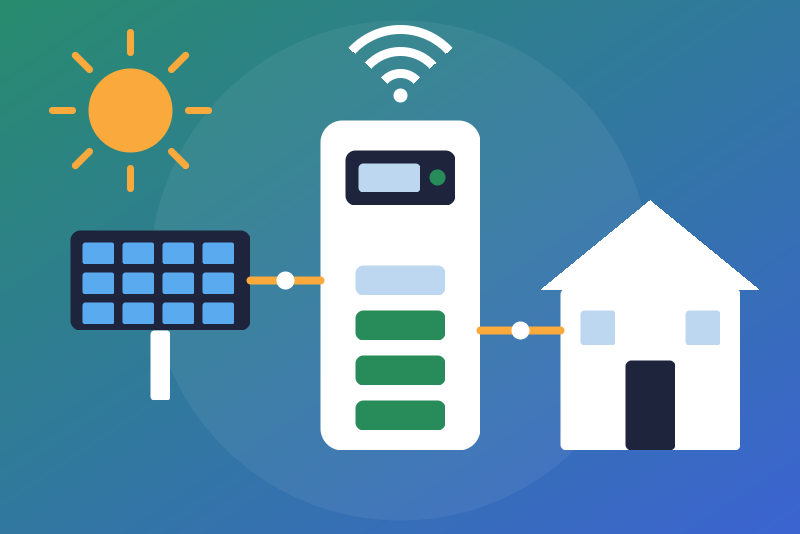
Unofficial: E3/DC home storage (S10, Quattroporte) on your network, read-only.
Publicado por LM1LC3N7
- Dispositivos
- Versión 0.1.1
- Requiere Gladys >=5.2.0
- ★ 0
La documentación de esta integración la escribe su autor y, por ahora, solo está disponible en inglés.
Unofficial integration, not affiliated with E3/DC (HagerEnergy). It reads your E3/DC home storage system (S10 E, S10 E Pro, S10 X, S10 Mini, Quattroporte...) on your local network, through RSCP, the local protocol of the system, without any cloud: the E3/DC portal is never contacted.
Never tested with a real device: the integration was written from the pye3dc library (MIT), without an E3/DC system at hand. Your feedback is welcome.
Read-only
The integration only reads. It never changes a setting, never starts nor stops a charge, a discharge or a wallbox, and sends no request that sets anything (none is even known by its code).
Before you start
On the display of the system: Main menu → Personalize → User profile → RSCP password. Set an RSCP password (32 bytes at most, i.e. 32 characters without accents). It protects the frames exchanged on your network: without it, the system answers nothing.
You also need the user name and password of your E3/DC account (the ones of the E3/DC portal and app): the system checks them itself, on your network.
Give the system a fixed address in your router (DHCP reservation).
Configuration
| Field | What to enter |
|---|---|
| System address | Its IP address, e.g. 192.168.1.50 (port 5033 unless you add another one). |
| E3/DC account user name | The user name of the portal and app. Never written to the logs nor shown in a status. |
| E3/DC account password | Kept by Gladys in its database, never shown again, sent only to the system on your network. |
| RSCP password | The one set on the display. Kept by Gladys in its database, never shown again, never sent: it only protects the frames. |
| Solar production | "Energy monitoring" (default) or "Sensor only" (see below). |
| Time zone | Where the day of the energies of the day starts at midnight. Europe/Berlin by default. |
| Reading interval | 30 s by default, 30 to 300 s. |
Then click Test the connection: it reads the system once (never faster than the interval) and shows its serial number and a few values.
What you get
One device per system, named after its serial number ("E3/DC S10-…"); create it from the Discover tab. Its features:
- state of charge (%);
- battery power (W, signed as the system reports it: according to pye3dc, positive while charging, negative while discharging);
- solar power (W), and the solar production index for the Gladys energy monitoring (with its 30-minute production, computed by Gladys);
- house consumption (W);
- grid power (W, signed as the system reports it: according to pye3dc, positive when taken from the grid, negative when sent into it);
- power of an additional source (W, an external inverter, signed as read);
- autarky and self-consumption (%);
- wallbox power, total and solar (W), read only;
- the energies of the day (kWh, from midnight): solar production, battery charge and discharge, taken from and sent into the grid, house consumption.
The signs of the battery and grid powers are not confirmed on a real system: each is one signed value, as read, never split.
Energy monitoring
- The system gives its solar energy as a counter of the day only (its database, from midnight). The integration builds a cumulative index from it (the counter of each day added to the days already ended), checks it with a guard, and sends it as the solar production index. Every doubt counts less, never more: a jump or a drop of the counter away from midnight is not counted (the status says so); what the system produces between the last read before midnight and midnight is not counted.
- A jump or a drop of the built index is held back: the last accepted value is sent again and the status shows it. A jump, if it is right, is accepted by clicking Accept the held index twice (the first click lists, the second accepts exactly what was listed). A drop is never accepted: it corrects itself once the index is back above the last accepted value, and only the energy above that value is counted. Saving the configuration accepts nothing.
- No double count: the house consumption and the energy taken from the grid are already counted by your main meter (Linky...); the integration shows them as plain values, never as an index. The energy sent into the grid is never counted as a consumption.
- "Sensor only": choose it if another integration already sends this solar production to Gladys (it would be counted twice). Choose before creating the device. Coming back to "Energy monitoring" later, the first value is held (two clicks to accept).
Errors and pauses
- Log-in refused (user name or password), or no readable answer to the log-in twice in a row (most often a wrong RSCP password; the second try comes 15 minutes after the first, so that a system restarting does not stop the reads): the reads stop, also after a restart, until you correct the configuration and save it. The integration never tries again by itself; the Test the connection button tries once per click (never faster than the interval).
- Unreachable: tried again after the reading interval (1 minute at least), then after twice that, and so on, up to 15 minutes (or the interval, if longer).
- Energies of the day not read: only they are left out; the status says so.
- Another serial number at the address: its own device appears in Discovery; the values never go to the device of another serial number.
- One connection at a time, never a read faster than the interval (reconnection, saving an unchanged form, restart, test button); only a new address or new log-in fields, saved by you, are read at once.
Privacy
Nothing leaves your network. The user name, the password and the RSCP password are never written to the logs, to the data of the integration nor to a status. While a log-in is refused, the data of the integration keeps only an 8-bit fingerprint of what was refused (to know, after a restart, whether the configuration changed); it cannot confirm a password and is erased by the next successful log-in.
Parámetros de configuración
Estos son los parámetros que E3/DC te pide en su pantalla de configuración en Gladys.
| Parámetro | Tipo | Obligatorio | Descripción |
|---|---|---|---|
| E3/DC home storage system | section | No | Unofficial connector, not affiliated with E3/DC (HagerEnergy). It reads your E3/DC system (S10 E, S10 X, S10 Mini, Quattroporte...) on your network through RSCP, its local protocol, every 30 s by default: state of charge, battery, solar, house, grid, wallbox, autarky, the energies of the day, and a solar production index for the Gladys energy monitoring. No cloud: the E3/DC portal is never contacted. Read-only: it never changes a setting of the system. Never tested with a real device. |
| System address | string | Sí | The IP address of the E3/DC system on your network (shown by your router or on its display), with a port only if it is not 5033. Preferably give it a fixed address in your router. |
| E3/DC account user name | string | Sí | The user name of your E3/DC account (the one of the E3/DC portal and app). The system checks it itself on your network: the portal is never contacted. It is never written to the logs nor shown in a status. |
| E3/DC account password | secret | Sí | The password of that account. Kept by Gladys in its database, never shown again, sent only to the E3/DC system on your network. |
| RSCP password | secret | Sí | The RSCP password you set on the display of the system (Main menu, Personalize, User profile, RSCP password), 32 bytes at most, i.e. 32 characters without accents. Kept by Gladys in its database, never shown again, never sent anywhere: it only protects the frames exchanged with the system. |
| Solar production | select | No | "Energy monitoring": the solar production of the system goes to the Gladys energy monitoring as an index. "Sensor only": only shown, never counted; choose it if another integration already sends this production to Gladys (counted twice otherwise). Choose before creating the device. |
| Time zone | string | No | Where the day of the energies of the day starts at midnight (an IANA name). Europe/Berlin by default, the same midnight as Vienna, Zurich and Paris. |
| Reading interval (seconds) | number | No | How often the system is read, from 30 to 300 seconds. Never faster, except right after you save a new address or new log-in fields. |
Cómo instalar E3/DC en Gladys
- En Gladys, abre Integraciones: E3/DC aparece en el catálogo junto a las integraciones nativas, con una insignia de comunidad.
- Haz clic en Instalar. Gladys descarga la imagen Docker (
ghcr.io/lm1lc3n7/gladys-e3dc:0.1.1), la ejecuta en un entorno aislado del núcleo y genera la interfaz de la integración (dispositivos, descubrimiento y configuración). - Abre la pantalla de Configuración de la integración, rellena los parámetros y guarda.
- También puedes instalarla directamente desde la URL de su repositorio: https://github.com/LM1LC3N7/gladys-e3dc.
E3/DC requiere Gladys >=5.2.0. El catálogo de Gladys se actualiza cada hora, así que una nueva versión está disponible como máximo una hora después de publicarse.
¿Todavía no usas Gladys? Es gratuito y de código abierto: sigue la guía de instalación para empezar.
Sobre las integraciones externas
E3/DC es una integración externa: una integración comunitaria empaquetada como contenedor Docker y publicada en GitHub. Gladys la instala con un clic y la ejecuta en un entorno aislado del núcleo. La publica y mantiene LM1LC3N7, no el equipo principal de Gladys.
- Explorar todas las integraciones, nativas y de la comunidad
- Crear y publicar tu propia integración externa
- Código fuente en GitHub — fuente de esta documentación