Integración domótica CoolMasterNet, gratuita y de código abierto
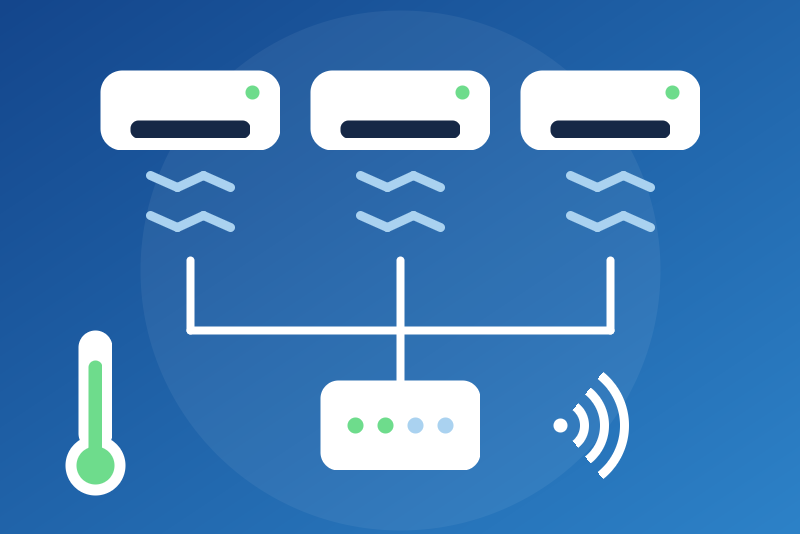
Ducted and VRF air conditioners through a CoolMasterNet bridge (CoolAutomation), locally.
Publicado por LM1LC3N7
- Dispositivos
- Versión 0.1.1
- Requiere Gladys >=5.1.0
- ★ 0
La documentación de esta integración la escribe su autor y, por ahora, solo está disponible en inglés.
Unofficial Gladys integration for the CoolMasterNet bridges of CoolAutomation. A CoolMasterNet bridge is wired to the bus of a ducted, VRF or multi-split air-conditioning system (Daikin, Mitsubishi Electric, Mitsubishi Heavy, Toshiba, LG, Samsung, Fujitsu, Hitachi, Panasonic…) and controls all its indoor units. The integration talks to its ASCII command line, on your local network (TCP port 10102), without any cloud.
Never tested with a real device: the integration follows the protocol as the pycoolmasternet-async library (used by Home Assistant) reads and writes it. Not affiliated with CoolAutomation.
What you get
One Gladys device per indoor unit (L1.100, L1.101…), with:
- On/off, Mode (automatic, cooling, heating, drying, fan only), Setpoint (16 to 30 °C), Fan speed (automatic, low, medium, high; "very low" and "top" are shown but never sent);
- Louver (only with the "Read the louvers" option);
- Room temperature, Filter to clean (0 or 1) and Error code ("No error" or the manufacturer's code).
Temperatures are always in °C in Gladys; a bridge set to °F is converted both ways.
Setup
- Give the bridge a fixed IP address in your router. Check that its ASCII server on port 10102 is on (it is by default).
- In Gladys, open the CoolMasterNet integration, enter the IP address of
each bridge (4 at most, separated by commas; add
:portif you changed the port) and save. - The units show up in the Discovery tab: add them.
- To control the units, turn on Allow the commands. Without it, the integration is read only and refuses every command.
Options:
- Read the louvers: one more request per unit at each read, and a "Louver" feature on each unit. Not every unit has a motorized louver.
- Send a line feed to wake the bridge: only if the bridge does not answer otherwise (some firmware show their prompt only after a line feed).
- Refresh interval: 60 s by default (30 to 600 s).
Security
The command line of the bridge has no password: any machine of your network can control it. Keep the bridge on a trusted network, never exposed to the Internet.
Commands follow strict rules:
- off by default;
- before each command, the integration reads the serial number of the bridge and the state of the unit again: if the bridge is not the device's (IP address given to another one) or the state cannot be read, nothing is sent;
- the option is checked again right before sending; a command that cannot leave within 3.5 s is refused unsent;
- a command is confirmed only when the state read back shows the value asked; otherwise Gladys shows "Command sent, without confirmation" and the unit is read again 5 s later;
- the setpoint is bounded to 16-30 °C: a value outside is refused;
- switching off is never blocked by another command in flight: it cancels
the command waiting for the same unit and works even right after a restart
of the integration. Stops go through a lane of their own (one more
connection, never behind the reads): a "turn everything off" writes one
offper unit at once over a single connection (each deadline checked right before its write), reads the answers in order, then reads them all back. A slow answer never delays the writes of the next stops. The integration never opens more than 3 connections at once to a bridge; - while a stop is in flight on a unit, the other commands to that unit are refused ("still running").
On/off is an air-conditioning feature (air-conditioning/binary), as for
MELCloud. Depending on what exposes it (voice assistant, HomeKit, Google Home,
MCP), a "turn everything off" may switch the units off, and a "turn everything
on" switch them on if the commands are allowed. The "turn the switches on /
off" scene actions do not reach them.
Device identifiers
Devices are identified by the serial number of the bridge (read with the
set command) and the address of the unit on the bus. If the bridge shows no
serial number at its first read, the integration uses the address typed
instead ("a-192-168-1-50"). The identifier chosen at the first read is kept in
/data for that address and never changes: a serial number that shows up
later (a firmware update) only checks that it is still the same bridge, and
creates no new devices. Another bridge at the same address (another serial
number) gets its own devices.
Limits
- Never tested with a real device.
- 4 bridges and 64 units per bridge at most.
- A "turn everything off" writes every stop at once, but Gladys waits only
5 s for the ack: if the bridge takes more than about 3.9 s to answer all
the
offlines, the stops are sent but reported "sent, without confirmation", and the state is read again 5 s later. - The exact name of the serial number field of the
setcommand is not publicly documented: the integration takes "serial number", "serial", "S/N", "SN", "UID" and "MAC". - The filter reset (
filt) and the ambient temperature hint (feed) are not offered.
Troubleshooting
- No answer: check the address, the port and that the ASCII server is on; try the "Send a line feed" option.
- Serial number unreadable: the states are not shown and commands are refused until the next read.
- The Test the connection button never reads a bridge sooner than the interval: it tells when the next read will happen.
Credits
Protocol logic ported from
pycoolmasternet-async
(MIT, On Freund, Steven Grimm). See THIRD_PARTY_NOTICES.md.
Parámetros de configuración
Estos son los parámetros que CoolMasterNet te pide en su pantalla de configuración en Gladys.
| Parámetro | Tipo | Obligatorio | Descripción |
|---|---|---|---|
| Your CoolMasterNet bridges | section | No | Shows in Gladys every indoor unit of a ducted, VRF or multi-split system (Daikin, Mitsubishi, Toshiba, LG, Samsung…) wired to a CoolMasterNet bridge of CoolAutomation, through the ASCII command line of the bridge on your network (TCP port 10102), without any cloud: on/off, mode, setpoint, fan speed, louver, room temperature, filter sign and error code. Enter the IP address of each bridge (give it a fixed address in your router), save, then add the units from the Discovery tab. Gladys controls them only if you allow the commands below. The command line has no password: keep the bridge on a trusted network. Never tested with a real device. Not affiliated with CoolAutomation. |
| IP addresses of the CoolMasterNet bridges | string | Sí | Separated by commas (4 at most). IPv4 addresses or host names; port 10102 unless you add one. |
| Allow the commands | boolean | No | Off by default: read only, every command refused. On: Gladys may switch the units on and off and change their mode, setpoint (16 to 30 °C), fan and louver. |
| Read the louvers | boolean | No | Off by default. On: one more request per unit at each read, and a louver feature on each unit (not every unit has one). |
| Send a line feed to wake the bridge | boolean | No | Only if the bridge does not answer otherwise: some firmware show their prompt only after a line feed. |
| Refresh interval (s) | number | No | How often each bridge is read, in seconds. |
| Language of the feature names | select | No | Used for the names of the devices and features added from now on, for the options and for the command errors. |
Cómo instalar CoolMasterNet en Gladys
- En Gladys, abre Integraciones: CoolMasterNet aparece en el catálogo junto a las integraciones nativas, con una insignia de comunidad.
- Haz clic en Instalar. Gladys descarga la imagen Docker (
ghcr.io/lm1lc3n7/gladys-coolmasternet:0.1.1), la ejecuta en un entorno aislado del núcleo y genera la interfaz de la integración (dispositivos, descubrimiento y configuración). - Abre la pantalla de Configuración de la integración, rellena los parámetros y guarda.
- También puedes instalarla directamente desde la URL de su repositorio: https://github.com/LM1LC3N7/gladys-coolmasternet.
CoolMasterNet requiere Gladys >=5.1.0. El catálogo de Gladys se actualiza cada hora, así que una nueva versión está disponible como máximo una hora después de publicarse.
¿Todavía no usas Gladys? Es gratuito y de código abierto: sigue la guía de instalación para empezar.
Sobre las integraciones externas
CoolMasterNet es una integración externa: una integración comunitaria empaquetada como contenedor Docker y publicada en GitHub. Gladys la instala con un clic y la ejecuta en un entorno aislado del núcleo. La publica y mantiene LM1LC3N7, no el equipo principal de Gladys.
- Explorar todas las integraciones, nativas y de la comunidad
- Crear y publicar tu propia integración externa
- Código fuente en GitHub — fuente de esta documentación