Integración domótica Compit, gratuita y de código abierto
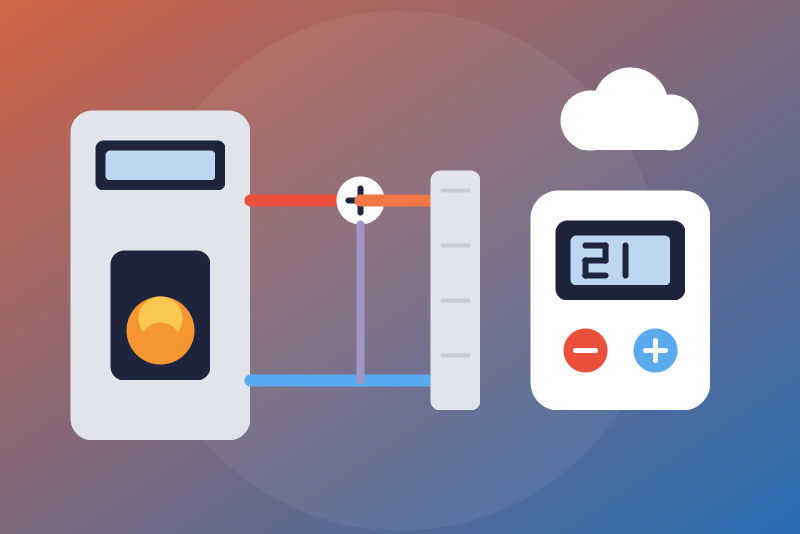
Compit heating controllers via iNext: temperatures, alarms, optional setpoints and season.
Publicado por LM1LC3N7
- Dispositivos
- Versión 0.1.1
- Requiere Gladys >=5.1.0
- ★ 0
La documentación de esta integración la escribe su autor y, por ahora, solo está disponible en inglés.
Unofficial integration, not affiliated with Compit. It shows in Gladys the Compit heating controllers of your iNext account (the cloud of the iNext app): Nano One, Nano Color and Nano Color 2 room thermostats, boiler controllers (BioMax, EL750, R470…), mixing valve controllers (R350.M, R350 T3, R810…), hot water, solar and heat pump controllers (R480, R490, R 900).
Never tested with a real controller nor a real account: it follows the compit-inext-api library (the one of Home Assistant's Compit integration); the iNext API is not documented publicly. Please report any difference.
What it does
One Gladys device per Compit device of the account, with, depending on the model:
- room temperature, setpoint in force (read), manual setpoint;
- season of the installation (Winter, Summer = heating and cooling off, Cooling);
- outdoor, boiler, hot water, mixing circuit, buffer tank, return and solar collector temperatures;
- hot water setpoint, humidity, fuel level;
- alarms (the list iNext gives, or "No alarm") and status.
Values are read every 120 seconds by default (60 to 900 s). A controller that has not reached the iNext cloud for over 30 minutes is shown in "Status", and its old values are not published again.
Installation
- Install the integration from the Gladys store.
- Enter the e-mail address and the password of your iNext account, then save. The password is kept by Gladys in its database, never shown again, and sent only to Compit (inext.compit.pl, over https).
- Add the devices from the Discovery tab.
On its first sign-in, Gladys registers itself on the account as a new client named "Gladys", with an identifier of your own installation (as the Home Assistant library does): the only write made without a command of yours. No application key is used and Gladys never poses as another application. The identifier is kept in /data: if /data could not be written, each restart would register a new "Gladys" client; old clients can be removed in the iNext app.
Commands (off by default)
By default Gladys only reads. Three options, each off by default:
- Room setpoint: the manual setpoint of a Nano Color or Nano Color 2 thermostat, from 5 °C to the chosen ceiling (24 °C by default, 16 to 30 °C, never above 30 °C), in steps of 0.1 °C. On the Nano One the setpoint is read only.
- Hot water setpoint: in whole degrees, from 20 °C to the chosen ceiling (55 °C by default, 40 to 60 °C, never above 60 °C whatever is typed: scalding risk). It shows as a water heater in Gladys, never as a room thermostat.
- Season: "Winter" (heating on). "Cooling" is never sent from Gladys in this version.
The bounds of the controller (the minimum and maximum iNext gives for the parameter) apply too. No command is a switch: a "turn everything off" of a voice assistant or a scene never reaches the heating.
A command (except "Summer") is decided on a fresh read of the device, right before the write; it is refused, nothing sent, when its option is off (checked again right before sending), when the value is out of bounds, when a value is missing, when the controller says the parameter cannot be written, when it has not reached the cloud for 30 minutes, when iNext is paused (busy or failing), answers too slowly or refuses to read the device, when the last read of iNext failed or iNext has not been read yet (after a restart, up to one interval), when there is no session (these commands never sign in by themselves), when another command of the same device is running, or when "Summer" was asked meanwhile. A command that may have left without an answer is reported "sent, without confirmation".
"Summer" needs no option. It sets the season of the whole installation of the controller (not of one room): it stops the heating, and the cooling too if it was running. It is written without a read first, even during a pause of iNext (one try). Without a session (after a restart during a pause, for instance), it signs in by itself once within its time, or joins a sign-in already under way; when its write gets a 401, it checks the token on the list of gates, renews it if the list refuses it too, and writes once more. It is refused only in these cases:
- no account configured, or the account was changed in the configuration while it was leaving;
- a refused account (see below);
- no session, and a sign-in left less than a minute ago;
- the type of the device is unknown (never listed by iNext) or has no season;
- the sign-in, or a write of the same device leaving, does not fit in 3.5 s ("too slowly");
- the sign-in fails (iNext busy, failing or unreachable);
- iNext is not reached in time ("not sent"), refuses the command ("refused") or does not answer ("sent, without confirmation").
It cancels a command of the same device not sent yet, and never waits for the answer of a previous write, only for its departure. If another write of the same device left just before it (it may land after), "Summer" is written again (3 times at most, for 90 s) by the follow-up reads that would show otherwise. The guard is kept in /data: after a restart within those 90 s, its follow-up reads go on, except in two cases where they are dropped without a new try: a sign-in left less than a minute before the restart, or a pause of iNext (429/5xx) under way.
Limits and safety
- Account refused (wrong e-mail or password, a token refused right after the sign-in, the registration of Gladys refused, a sign-in request refused with HTTP 400): a stop kept in /data, no automatic retry. Save other credentials, or press "Test the connection" (one try, never more often than the interval): only a success lifts the stop.
- Never two sign-ins within a minute, even after a restart; the periodic read never comes sooner than the interval after the previous one, even after a restart or with the "Test the connection" button (the follow-up reads after a command, at 5 s and 20 s, and a check of the token on the list of gates read sooner). After a restart within the interval, the status says when the next read comes (or the end of a pause); a sticky "Summer" kept in /data is checked by its follow-up reads, except in the two cases listed above.
- HTTP 429, or a failure of the whole read: a pause of 1 minute to 6 hours (429/5xx), kept in /data. One failing device (5xx, unreadable answer) is shown "Not read" and read less and less often (up to 1 hour); the others go on.
- A device iNext refuses (401/403): the token is checked once on the list of gates; if the list reads, that device only is "Access refused", read again after 15 minutes then up to 1 hour, without a new sign-in; if the list refuses it too, the token is renewed (one sign-in).
- Nothing secret in the logs, /data or the statuses. While the account is refused, /data keeps a salted fingerprint: of the e-mail and the password when iNext refused them, of the e-mail only otherwise; erased by the first success.
- Cooling, presets (holiday, away), the Nano One setpoint and R 900 thermostats cannot be commanded in this version.
Credits
Logic ported from compit-inext-api
(Apache-2.0, Przemko92), see THIRD_PARTY_NOTICES.md. Compit and iNext are
trademarks of their owner.
Parámetros de configuración
Estos son los parámetros que Compit te pide en su pantalla de configuración en Gladys.
| Parámetro | Tipo | Obligatorio | Descripción |
|---|---|---|---|
| Your Compit iNext account | section | No | Shows the Compit controllers of your iNext account in Gladys (room thermostats Nano One, Nano Color, Nano Color 2, boiler, mixing valve, hot water, solar and heat pump controllers), through the iNext cloud: temperatures, setpoints, heating season, fuel level, alarms. Enter the e-mail address and the password of your iNext account, save, then add the devices from the Discovery tab. On its first sign-in, Gladys registers itself on the account under the name "Gladys", as the Home Assistant library does. Never tested with a real controller nor a real account. Not affiliated with Compit. |
| E-mail address of the iNext account | string | Sí | |
| Password of the iNext account | secret | Sí | Kept by Gladys in its database, never shown again, sent only to Compit (inext.compit.pl, over https). |
| Commands | section | No | By default Gladys only reads. Each kind of command has its own option. Once allowed, the dashboard, the scenes and the voice assistants can change the manual setpoint of a room thermostat, the hot water setpoint, or the season of the installation, always within the bounds below and those of the controller. "Summer" needs no option: it sets the season of the whole installation, which stops the heating and the cooling; the guide lists the cases where it is still refused. |
| Allow the room setpoint commands | boolean | No | Off by default. Off: every change of the manual setpoint of a Nano Color or Nano Color 2 room thermostat is refused. |
| Room setpoint ceiling (°C) | number | No | Gladys never sets a room above this temperature. 24 °C by default, from 16 to 30 °C (never more than 30 °C, whatever is typed). The floor is 5 °C. |
| Allow the hot water setpoint commands | boolean | No | Off by default. Off: every change of the hot water setpoint is refused. Whole degrees. |
| Hot water setpoint ceiling (°C) | number | No | Gladys never sets the hot water above this temperature (scalding risk). 55 °C by default, from 40 to 60 °C (never more than 60 °C, whatever is typed). The floor is 20 °C. |
| Allow "Winter" (season changes) | boolean | No | Off by default. Off: "Winter" (heating on) is refused. "Summer" (heating and cooling of the whole installation off) needs no option (see the guide for its refusal cases). "Cooling" is never sent from Gladys in this version. |
| Refresh interval (s) | number | No | How often iNext is read, in seconds. |
| Language of the feature names | select | No | Used for the names of the devices and features added from now on, for the status texts and for the command errors. |
Cómo instalar Compit en Gladys
- En Gladys, abre Integraciones: Compit aparece en el catálogo junto a las integraciones nativas, con una insignia de comunidad.
- Haz clic en Instalar. Gladys descarga la imagen Docker (
ghcr.io/lm1lc3n7/gladys-compit:0.1.1), la ejecuta en un entorno aislado del núcleo y genera la interfaz de la integración (dispositivos, descubrimiento y configuración). - Abre la pantalla de Configuración de la integración, rellena los parámetros y guarda.
- También puedes instalarla directamente desde la URL de su repositorio: https://github.com/LM1LC3N7/gladys-compit.
Compit requiere Gladys >=5.1.0. El catálogo de Gladys se actualiza cada hora, así que una nueva versión está disponible como máximo una hora después de publicarse.
¿Todavía no usas Gladys? Es gratuito y de código abierto: sigue la guía de instalación para empezar.
Sobre las integraciones externas
Compit es una integración externa: una integración comunitaria empaquetada como contenedor Docker y publicada en GitHub. Gladys la instala con un clic y la ejecuta en un entorno aislado del núcleo. La publica y mantiene LM1LC3N7, no el equipo principal de Gladys.
- Explorar todas las integraciones, nativas y de la comunidad
- Crear y publicar tu propia integración externa
- Código fuente en GitHub — fuente de esta documentación