Integración domótica Bresser Weather Station, gratuita y de código abierto
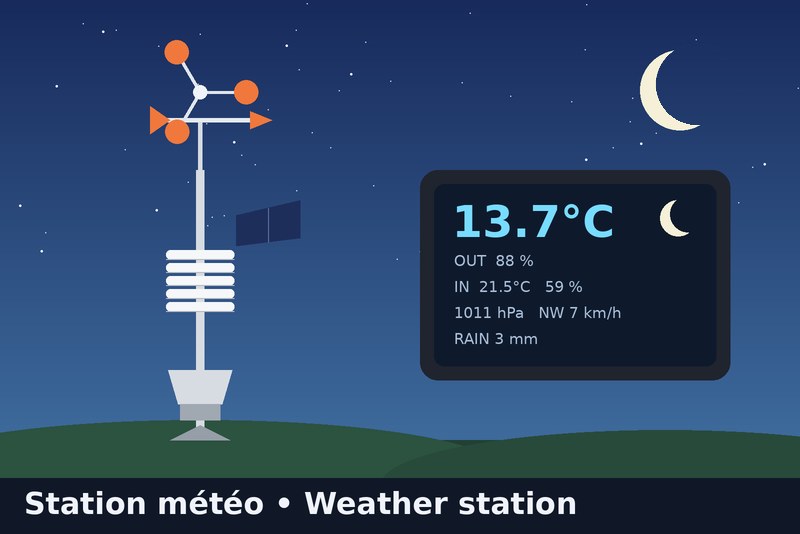
Bresser 7002580 station: Wunderground API or local relay (full data), plus a moon phase widget
Publicado por Gaetanb76
- Dispositivos
- Versión 1.1.6
- Requiere Gladys >=5.1.0
- ★ 0
La documentación de esta integración la escribe su autor y, por ahora, solo está disponible en inglés.

Brings your Bresser 7002580 WiFi colour station (5-in-1) into Gladys Assistant, plus a moon-phase dashboard widget (local astronomical calculation, nothing needed from the station).
The console cannot send its data to a server of your choice: it only uploads to Weather Underground (and Weathercloud). So the integration offers two ways to get the data. Pick one in the integration's Configuration tab ("Data source").
Which mode should I choose?
| A. Wunderground API (simple) | B. Local relay (complete) | |
|---|---|---|
| Installation | none: enter your station ID + a free API key | a small relay on your network (DNS + nginx), on the Gladys machine or a Raspberry Pi |
| Needs Internet / Wunderground | yes | no for Gladys (the upload is copied locally) |
| Update delay | about 5 min (adjustable, minimum 2) | about 12 s |
| Outdoor temperature, humidity, dew point | yes | yes |
| Pressure | yes | yes |
| Wind speed, gust, direction (degrees and N, NE, E… in French initials) | yes | yes |
| Rain (last hour, daily total) | yes | yes |
| Indoor temperature and humidity | no | yes |
| Battery level of the outdoor sensor | no | no |
| Moon-phase widget | yes | yes |
What is NOT available, whatever the mode
- Battery level: the station never sends it (neither to Wunderground nor to Weathercloud).
- Indoor values in mode A: Weather Underground does not publish the console's indoor sensor. The only service that shows them is Weathercloud, which has no read API, so they cannot be fetched directly: use mode B.
- UV, solar radiation: not measured by the 5-in-1 sensor.
Mode A: Wunderground API
- Your station must already upload to Weather Underground (Pro Weather Link page,
http://192.168.1.1when connected to thePWS-xxxxxxWiFi). - On wunderground.com: Member Settings > API Keys to get a free key (it is tied to your account and your personal station).
- In Gladys, Configuration: Data source = Wunderground API, enter the station ID (e.g.
ISAINT1234) and the API key. - Open the Discovery tab and create the "Bresser Weather Station" device (indoor features are not offered in this mode).
Mode B: Local relay
The station believes it talks to Weather Underground. A relay answers in its place, forwards each upload to the real Wunderground and sends a copy to the integration. Your Wunderground page keeps working.
- Choose Data source = Local relay. The Configuration tab then shows the address to use.
- Install the relay (see
relay/README.mdin the repository). Two options:- on the machine that hosts Gladys (Docker Compose, no extra hardware, Linux with Docker);
- on a Raspberry Pi or any always-on Linux box.
- In your router, set the relay machine as DNS server. The Livebox cannot change its DNS: use a second router in router mode behind it (e.g. TP-Link Deco) or set the DNS on each device.
- Open the Discovery tab and create the "Bresser Weather Station" device.
Moon phase widget
The widget shows a picture of today's moon, the phase name, the illumination and the dates of the next full and new moon. Everything is computed locally.
The moon is drawn as seen from your Gladys house: lit on the right while waxing in the northern hemisphere, upside down in the southern hemisphere. For this the integration asks Gladys for the house latitude ("location" authorization shown at install); the coordinates are neither stored nor displayed. If Gladys holds several houses, enter the one to use in Gladys house for the moon widget; leave it empty for the first located house. Without a located house, the moon is drawn as seen from the northern hemisphere.
Troubleshooting
- After an integration update, a feature is missing or has no icon: open the Discovery tab and click Update on the station.
- No data in mode A: check the station ID and API key, and that your station is online on wunderground.com. The log says "refused the API key" for a wrong key.
- No data in mode B: test the relay with the
curlcommand ofrelay/README.md. - Pressure is the value the station sends, converted from inHg to hPa.
- "Rain (last hour)" is the rate value the station sends (
rainin). - Moon phase widget missing: it requires Gladys 5.1.0 or later.
Support
Open an issue on the integration's GitHub repository, or ask on the Gladys Assistant community forum.
Parámetros de configuración
Estos son los parámetros que Bresser Weather Station te pide en su pantalla de configuración en Gladys.
| Parámetro | Tipo | Obligatorio | Descripción |
|---|---|---|---|
| Choose how to get your station data | section | No | Wunderground API: nothing to install, outdoor data only (no indoor values). Local relay: complete data (including indoor temperature and humidity) but needs a small relay on your network (see the integration docs). If you pick the relay, send a copy of the station uploads to http://{{gladys_host}}:{{port:wunderground}}/weatherstation/updateweatherstation.php |
| Data source | select | No | |
| Wunderground station ID (API mode) | string | No | |
| Wunderground API key (API mode) | secret | No | Free: wunderground.com > Member Settings > API Keys. |
| Update interval in minutes (API mode) | number | No | |
| Gladys house for the moon widget | string | No | Name of the Gladys house the moon is seen from: its latitude decides whether the moon is drawn as seen from the northern or southern hemisphere. Leave it empty to use the first house that has a location. The coordinates stay in the integration and are shown nowhere. |
Cómo instalar Bresser Weather Station en Gladys
- En Gladys, abre Integraciones: Bresser Weather Station aparece en el catálogo junto a las integraciones nativas, con una insignia de comunidad.
- Haz clic en Instalar. Gladys descarga la imagen Docker (
ghcr.io/gaetanb76/gladys-bresser-weather-station:1.1.6), la ejecuta en un entorno aislado del núcleo y genera la interfaz de la integración (dispositivos, descubrimiento y configuración). - Abre la pantalla de Configuración de la integración, rellena los parámetros y guarda.
- También puedes instalarla directamente desde la URL de su repositorio: https://github.com/Gaetanb76/gladys-bresser-weather-station.
Bresser Weather Station requiere Gladys >=5.1.0. El catálogo de Gladys se actualiza cada hora, así que una nueva versión está disponible como máximo una hora después de publicarse.
¿Todavía no usas Gladys? Es gratuito y de código abierto: sigue la guía de instalación para empezar.
Sobre las integraciones externas
Bresser Weather Station es una integración externa: una integración comunitaria empaquetada como contenedor Docker y publicada en GitHub. Gladys la instala con un clic y la ejecuta en un entorno aislado del núcleo. La publica y mantiene Gaetanb76, no el equipo principal de Gladys.
- Explorar todas las integraciones, nativas y de la comunidad
- Crear y publicar tu propia integración externa
- Código fuente en GitHub — fuente de esta documentación