Integración domótica Art-Net, gratuita y de código abierto
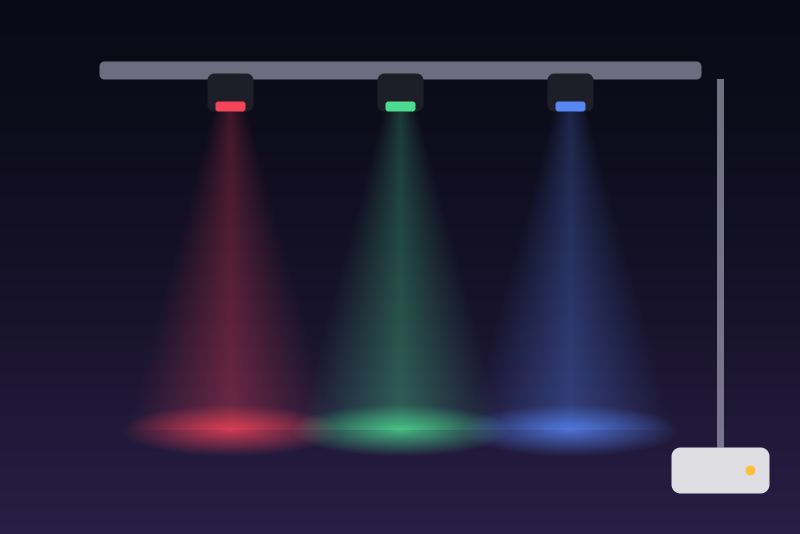
DMX stage lighting through an Art-Net node, on the local network.
Publicado por LM1LC3N7
- Dispositivos
- Versión 0.1.1
- Requiere Gladys >=5.1.0
- ★ 0
La documentación de esta integración la escribe su autor y, por ahora, solo está disponible en inglés.
Drives DMX stage lighting (dimmers, RGB, RGBW and white fixtures) from Gladys through an Art-Net node: the box that turns your local network into DMX512 lines. Everything stays on the local network (UDP port 6454), with no account and no cloud.
This integration has never been tested with a real node: only against a simulated node on the same machine. Please report how it behaves with yours. It is not affiliated with Artistic Licence nor with any lighting brand.
Art-Net™ Designed by and Copyright Artistic Licence. Art-Net is a protocol of Artistic Licence Engineering Ltd.
What you need
- An Art-Net node (Art-Net 3 or 4) on your network, with a fixed IP address (set it in your router or in the node).
- The DMX address of each fixture (set on the fixture: a display, DIP switches) and the universe of the DMX line it is plugged on (set in the node).
Configuration
-
Node IP address: the address of the node, for example
192.168.1.60. The port is 6454 unless you add another (192.168.1.60:6455). A broadcast address (ending in.255,2.255.255.255...) is refused: Art-Net 4 sends DMX to the node itself. -
Fixtures: one entry per fixture, separated by
;:[universe/]address profile name. Example:1 rgb Living room; 4 dimmer Bar; 2/10 cct Desk.-
universe: 1 to 32767 (the Port-Address of the node), 1 when left out; 0 is accepted when typed (
0/4): Art-Net 4 deprecates it, but many nodes still use it; -
address: 1 to 512, the first DMX channel of the fixture;
-
profile: the order of its channels:
Profile Channels Gladys features dimmerintensity on/off, brightness rgbred, green, blue on/off, brightness, colour rgbwred, green, blue, white on/off, brightness, colour drgbintensity, red, green, blue on/off, brightness, colour drgbwintensity, red, green, blue, white on/off, brightness, colour cctcold white, warm white on/off, brightness, white temperature -
name: up to 40 characters (optional:
Fixture 1/4otherwise).
An entry that cannot be read, that runs past channel 512 or that overlaps an earlier fixture is skipped: the status gives its position and the reason. At most 64 fixtures on 16 universes.
-
-
Language of the default names: the names given to fixtures without one and to the features.
Save: the fixtures appear in Discovery (one light each). Add them.
Assumed state
Art-Net sends DMX one way: a fixture never reports its state. Gladys shows the last command sent, and the badge of each fixture says the state is assumed. If someone changes a fixture with a lighting desk or its own buttons, Gladys does not know.
After a restart of the integration, every fixture is assumed off: nothing is sent until the first command, and that first command sends the whole universe, so the other fixtures of the universe go to 0 (Gladys shows them off). The DMX channels of a universe that are not in the fixtures list are sent at 0.
How the frames are sent
- A universe starts being sent at the first command, "off" or Blackout that touches it. Its frame (the whole universe, from channel 1 to the last channel used) then leaves after each change, 25 ms after the previous frame at the earliest (40 frames a second at most, the DMX512 limit is 44), and again every 900 ms without change, as Art-Net asks, until the integration stops.
- A frame is sent by unicast to the node address, from port 6454 when it is free (else from another port, said in the status: a few nodes ignore it).
- A command is answered once its frame left the network card. If it could not leave (network error), "on", brightness, colour and temperature are undone and the answer says nothing was sent.
Off and Blackout
"Off" (on/off at 0, or brightness 0) sets every channel of the fixture to 0. Blackout (button in the configuration, and scene action "Art-Net blackout") sets every known fixture, and every universe already sent, to 0.
They need no option and no configuration read: the node address and the
fixtures are also kept in /data, read as soon as the integration starts, so
they work right after a restart, before Gladys gives the configuration (before
it is read, they wait up to 1.5 s for a /data read in progress). They are not
held back by the 32-universe bound of a session. If a frame cannot leave, the
900 ms keep-alive tries it again until it does; when it finally leaves, Gladys
is told the fixture is off. Their only refusals:
- no node address known (none configured, nothing in
/data); - "off" only: a fixture not in the configuration; before the configuration is
read, a fixture not in
/data, or/dataunreadable, or/datastill not read after 1.5 s; - Blackout only: no fixture and no universe known (same cases);
- the integration is stopping.
If the node address in the configuration becomes invalid, "off" and Blackout go to the last valid one.
Buttons
- Test the node: sends an ArtPoll and shows the name the node gives in its ArtPollReply (3 s at most, once every 10 s). Some nodes answer only to port 6454, or not at all: this does not stop the DMX frames.
- Blackout (all fixtures at 0): see above.
Status
- Ready: N fixture(s), frames go to address:port: the configuration is valid.
- Frames do not leave for ... (code): the network refuses the datagrams (cable, address); they are tried again every second.
- Configuration not read: Gladys did not give it, tried again after 5 s, then up to every 5 min.
- Entries skipped: the position and reason of each entry in error.
- Storage /data unreadable / not writable: read again every 10 s; until then "off" and Blackout need the configuration.
Limits
- At most 32 universes started in one session (after several changes of the configuration): beyond, "on", brightness, colour and temperature are refused until the integration restarts; "off" and Blackout are not.
- One node. Several nodes, ArtPoll discovery, ArtSync and RDM are not done.
- 8-bit channels only (no 16-bit "fine" channels), no moving heads, no effects.
- Nothing is read back: the state is the last command sent.
Privacy
Nothing leaves your local network. /data keeps the node address and the
universe, address and profile of each fixture (not their names).
Parámetros de configuración
Estos son los parámetros que Art-Net te pide en su pantalla de configuración en Gladys.
| Parámetro | Tipo | Obligatorio | Descripción |
|---|---|---|---|
| Getting started | section | No | Give the IP address of your Art-Net node (the box that turns the network into DMX lines, fixed in your router) and list your fixtures. Art-Net never reports a state: Gladys shows the last command sent. Blackout (button below, or scene action) sets every fixture to 0. |
| Node IP address | string | Sí | IPv4 address of the Art-Net node, with an optional port (6454 by default). Never a broadcast address: Art-Net sends DMX to the node itself. |
| Fixtures | string | No | One entry per fixture, separated by ; written [universe/]address profile name. Universe 1 to 32767 (1 when left out; 0 accepted), address 1 to 512 (first DMX channel), profile: dimmer, rgb, rgbw, drgb, drgbw (d = intensity channel first) or cct (cold then warm white). |
| Language of the default names | select | No |
Cómo instalar Art-Net en Gladys
- En Gladys, abre Integraciones: Art-Net aparece en el catálogo junto a las integraciones nativas, con una insignia de comunidad.
- Haz clic en Instalar. Gladys descarga la imagen Docker (
ghcr.io/lm1lc3n7/gladys-artnet:0.1.1), la ejecuta en un entorno aislado del núcleo y genera la interfaz de la integración (dispositivos, descubrimiento y configuración). - Abre la pantalla de Configuración de la integración, rellena los parámetros y guarda.
- También puedes instalarla directamente desde la URL de su repositorio: https://github.com/LM1LC3N7/gladys-artnet.
Art-Net requiere Gladys >=5.1.0. El catálogo de Gladys se actualiza cada hora, así que una nueva versión está disponible como máximo una hora después de publicarse.
¿Todavía no usas Gladys? Es gratuito y de código abierto: sigue la guía de instalación para empezar.
Sobre las integraciones externas
Art-Net es una integración externa: una integración comunitaria empaquetada como contenedor Docker y publicada en GitHub. Gladys la instala con un clic y la ejecuta en un entorno aislado del núcleo. La publica y mantiene LM1LC3N7, no el equipo principal de Gladys.
- Explorar todas las integraciones, nativas y de la comunidad
- Crear y publicar tu propia integración externa
- Código fuente en GitHub — fuente de esta documentación