Integración domótica §14a Netzentgelte (Modul 3), gratuita y de código abierto
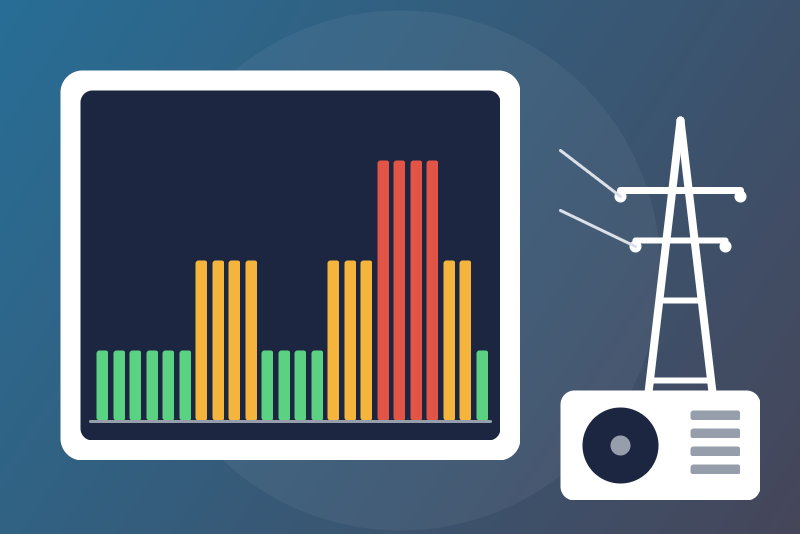
Unofficial: German time-variable grid fees §14a EnWG Modul 3 (HT/ST/NT) as an energy contract.
Publicado por LM1LC3N7
- Dispositivos
- Versión 0.1.1
- Requiere Gladys >=5.3.0
- ★ 0
La documentación de esta integración la escribe su autor y, por ahora, solo está disponible en inglés.
Unofficial integration, not affiliated with any grid operator, nor with the Bundesnetzagentur. Never tested with a real Gladys energy contract yet.
In Germany, a heat pump, a wallbox, an air conditioner or a home battery of more than 4.2 kW steered by the grid operator under §14a EnWG gets a reduced grid fee. With Modul 3 (on top of Modul 1), the grid fee per kWh also changes with the time of day, in three levels:
- HT (Hochlasttarif, high), in the evening peak for instance;
- ST (Standardtarif), the rest of the day;
- NT (Niedertarif, low), at night or at midday.
Each grid operator sets its own windows, for the quarters of the year where Modul 3 applies (often Q1 and Q4, sometimes all year); in the other quarters, the standard price applies.
This integration adds an energy contract to Gladys: it prices every half hour of your meter with your operator's grid fee in force then.
Data source and attribution
The prices and windows come from the Par14a-Database (the78mole), https://github.com/the78mole/Par14a-Database, licence: CC BY 4.0, read from the price sheets the operators publish under the EnWG (operator master data from vnbdigital.de).
- The 2027 sheets are provisional (vorläufig): the operators publish the final ones by the end of the year. The status of the integration says, per year, how many sheets are provisional, the date the data was published and when it was last checked; the current price of a contract shows "(provisional)" and the date the sheet was read.
- The data is provided without warranty: your operator's own price sheet prevails. A cost already computed is not recomputed when a sheet changes (see "Limits").
- Changes made to the data: the windows are turned into quarter-hour levels,
the VAT and your supplement are added (details in
THIRD_PARTY_NOTICES.md).
The integration downloads the yearly files of the Par14a-Database web page
(about 1 MB each, the years it lists, 6 at most) once a day, with a
conditional request (nothing is downloaded when nothing changed), and keeps
them in its /data volume. Pricing uses what is held: it never waits for the
network.
Setup
- Install the integration from the store. It has no configuration: the configuration screen shows its status and a button.
- Find your grid operator (Netzbetreiber, on your electricity bill, not your supplier): type part of its name, its town or its postcode in Find my grid operator and press it. The answer lists the matching operators with their ID, the sheet of the year (final or provisional, the date it was read), the HT / ST / NT prices (net) and the Modul 3 quarters. The postcode and town are those of the operator's head office, not of your home.
- In Energy → Contracts, create a contract from the template "§14a
Modul 3 grid fee (Germany)" on the meter of your §14a device (a separate
meter with Modul 3, or your main meter), and fill in:
- Grid operator (ID or name): the ID given by the button (e.g.
7214), or the exact name; a part of a name works only while it matches a single operator; - VAT on the grid fee (19 % by default; 0 keeps the net prices);
- Supplement per kWh (ct/kWh, 0 by default): everything else your supplier bills per kWh (energy, levies, electricity tax), VAT included, added as you type it;
- Fixed amount per month (EUR, 0 by default, 0 to 1000): the base prices per month (grid and supplier), VAT included; Gladys computes it. The Modul 1 reduction cannot be deducted: for most operators it is larger than the grid base price, and Gladys refuses a negative amount. Leave it out; the costs shown are then above your bill by that reduction (see "Limits").
- Grid operator (ID or name): the ID given by the button (e.g.
How a half hour is priced
- The windows are wall-clock times in German time (CET in winter, CEST in summer), whatever the timezone of Gladys. On the spring change day the quarter hours from 02:00 to 02:45 do not exist; on the autumn change day the hour from 02:00 to 03:00 happens twice, and both are priced by their wall-clock time.
- The windows of the sheets are on the quarter-hour grid (17:15, 19:45…), the meter data on the half hour: each half hour is priced as two quarter hours of half its energy (consumption assumed even within the half hour).
- The sheet used is the one of the German year of the quarter hour: the night of 31 December switches to the next year's sheet at midnight German time.
- Cost = grid fee × (1 + VAT) + supplement, per kWh, in EUR. Gladys adds the fixed amount per month.
- The current price (dashboard price widget, "current price" scene condition) is the price of the current quarter hour, with the time of the next change and the next price.
Limits
- Working days: a few sheets limit HT / NT to working days (the database only notes it in a comment). The integration prices every day with the windows, and says so in the status and in the search answer for the operators concerned. Public holidays are not handled either.
- Data missing: a year not in the database (2025 and before, 2028 before it is published), an operator without a usable Modul 3 sheet, or an operator name matching several operators: the half hours are not priced (never priced at 0); Gladys tries again at its next run, and catches up once the data is there. The status counts the contracts whose operator is not found.
- Billing day: Gladys asks for the costs of one billing period at a time, all or nothing. With a billing day other than the 1st, the December half hours of a period running past 1 January also wait for the next year's sheet.
- Modul 1 reduction: it cannot be entered (a negative fixed amount is refused by Gladys); the costs shown exceed the bill by it.
- Sheet updates: when a provisional sheet becomes final, the half hours priced before keep their cost.
- Labels: a half hour whose two quarter hours differ is labelled with
both, e.g.
ST/HTfor 17:00-17:30 with HT from 17:15. - The prices of the database are the grid fees only: the energy price of your supplier, the levies and the taxes go in the supplement.
Status messages
- "PROVISIONAL" / "n provisional": the share of provisional sheets of a year.
- "Last check failed …; next try …": the page did not answer (tried again
after 5, 15, 30, 60 minutes, then every 3 hours), asked to slow down (429:
paused for the time it asks, between 1 minute and 6 hours), or sent a list
of years that does not read (
jahre.json; the data held stays in use). A refused year file is not a failed check: see the next line. - "2028: no sheet published yet": the source opened a year without any sheet; not an error. "2027: the file was refused (…)": a new file of that year did not read; the data held for it stays in use, the other years are updated, and the file is asked again (conditionally) at the next daily check.
- "2026: kept in memory only": the year does not fit in the /data state file (16 MB at most, the most recent years first); at the next start it is downloaded again at once (once an hour at most, never during a 429 pause), without waiting for the daily check.
- "The data cannot be written to /data": a write failed or took more than 10 seconds; the data stays in memory and is downloaded again after a restart.
- "The saved data in /data cannot be read": the volume of the integration is broken; read again every 10 seconds, nothing is downloaded meanwhile.
Privacy
No account, no personal data: the integration only downloads public files, with its own User-Agent. Your contract inputs stay in Gladys.
Parámetros de configuración
Estos son los parámetros que §14a Netzentgelte (Modul 3) te pide en su pantalla de configuración en Gladys.
| Parámetro | Tipo | Obligatorio | Descripción |
|---|---|---|---|
| §14a EnWG Modul 3 grid fees | section | No | Unofficial, not affiliated with any grid operator. For a heat pump, wallbox or battery steered under §14a EnWG with Modul 3, the grid fee per kWh changes with the time of day: HT (high), ST (standard), NT (low), in the windows and quarters of your grid operator. This integration adds the "§14a Modul 3 grid fee" energy contract: create it in Energy → Contracts, type your grid operator (use the button below to find its ID), and Gladys prices every half hour. Data: Par14a-Database (the78mole), CC BY 4.0, read from the operators' price sheets; the 2027 sheets are PROVISIONAL (vorläufig) until the operators publish the final ones, and the status below dates the data. The operator's own price sheet always prevails. |
Cómo instalar §14a Netzentgelte (Modul 3) en Gladys
- En Gladys, abre Integraciones: §14a Netzentgelte (Modul 3) aparece en el catálogo junto a las integraciones nativas, con una insignia de comunidad.
- Haz clic en Instalar. Gladys descarga la imagen Docker (
ghcr.io/lm1lc3n7/gladys-netzentgelte-14a:0.1.1), la ejecuta en un entorno aislado del núcleo y genera la interfaz de la integración (dispositivos, descubrimiento y configuración). - Abre la pantalla de Configuración de la integración, rellena los parámetros y guarda.
- También puedes instalarla directamente desde la URL de su repositorio: https://github.com/LM1LC3N7/gladys-netzentgelte-14a.
§14a Netzentgelte (Modul 3) requiere Gladys >=5.3.0. El catálogo de Gladys se actualiza cada hora, así que una nueva versión está disponible como máximo una hora después de publicarse.
¿Todavía no usas Gladys? Es gratuito y de código abierto: sigue la guía de instalación para empezar.
Sobre las integraciones externas
§14a Netzentgelte (Modul 3) es una integración externa: una integración comunitaria empaquetada como contenedor Docker y publicada en GitHub. Gladys la instala con un clic y la ejecuta en un entorno aislado del núcleo. La publica y mantiene LM1LC3N7, no el equipo principal de Gladys.
- Explorar todas las integraciones, nativas y de la comunidad
- Crear y publicar tu propia integración externa
- Código fuente en GitHub — fuente de esta documentación