Make Gladys Assistant Speak on a Google Speaker
Gladys Assistant can broadcast voice messages on a Google speaker or any other Google Cast-compatible device.
Adding a Google Speaker to Gladys Assistant
- Go to the Google Cast integration in the Gladys interface.
- Open the Google Cast Discovery tab: compatible devices on your network should appear automatically.
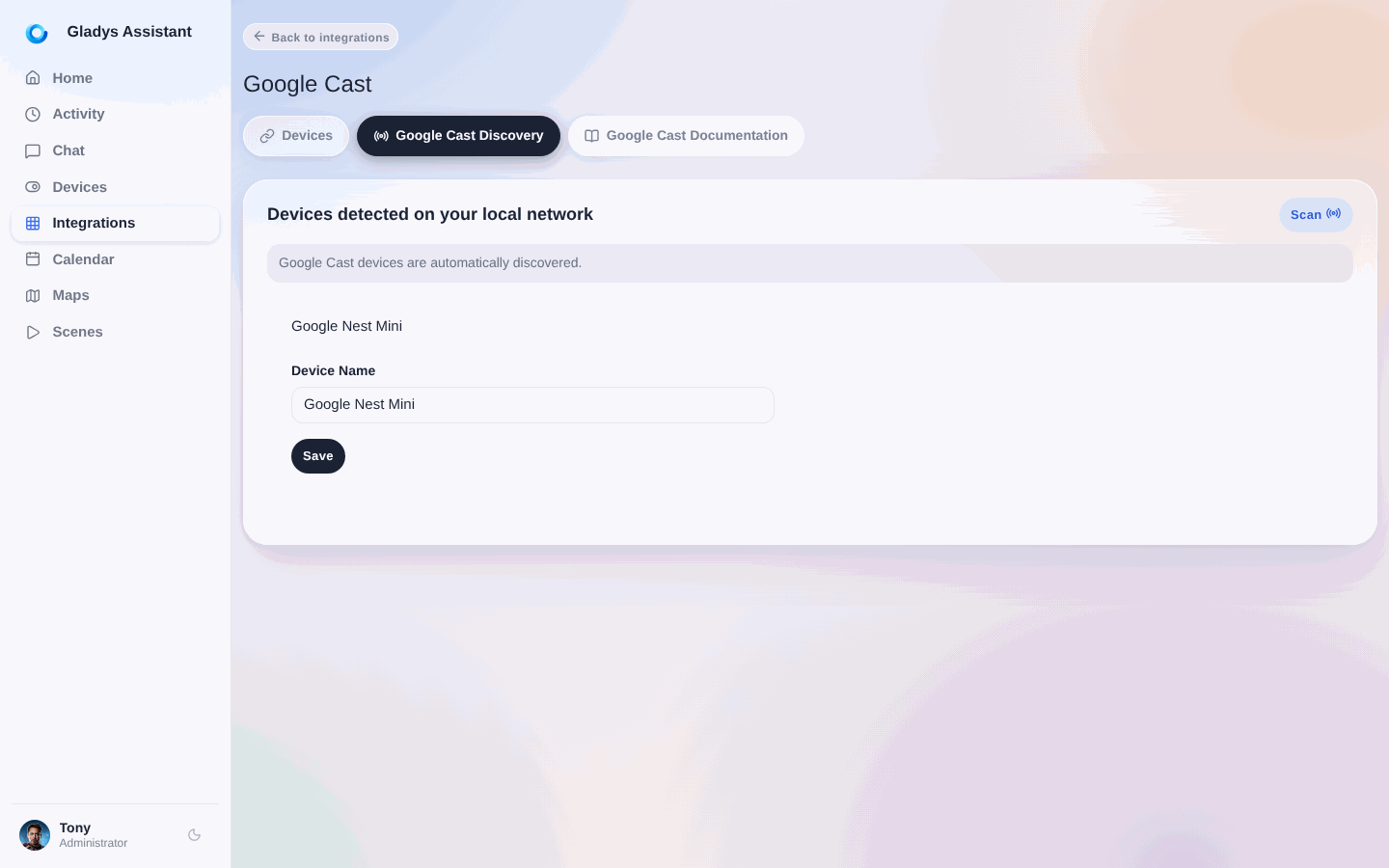
- Select your device and click Save.
- Then, go to the Devices tab and assign the speaker to its corresponding room.
Making Gladys Assistant Speak on a Speaker
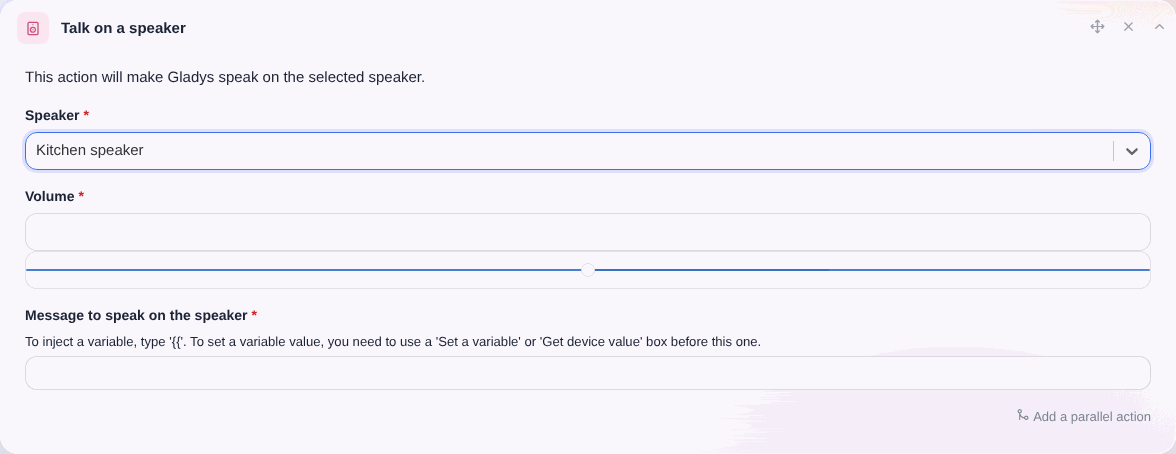
Once the speaker is added, you can use it in a scene with the Speak on a Speaker action:
Important Note
note
This feature requires a Gladys Plus subscription, as it relies on an AI-based Text-to-Speech (TTS) API, which is a paid service.
In the future, we would like to offer a fully local solution, but currently, there are no high-quality alternatives for French TTS that work offline.