Zeversolar smart home integration, free and open source
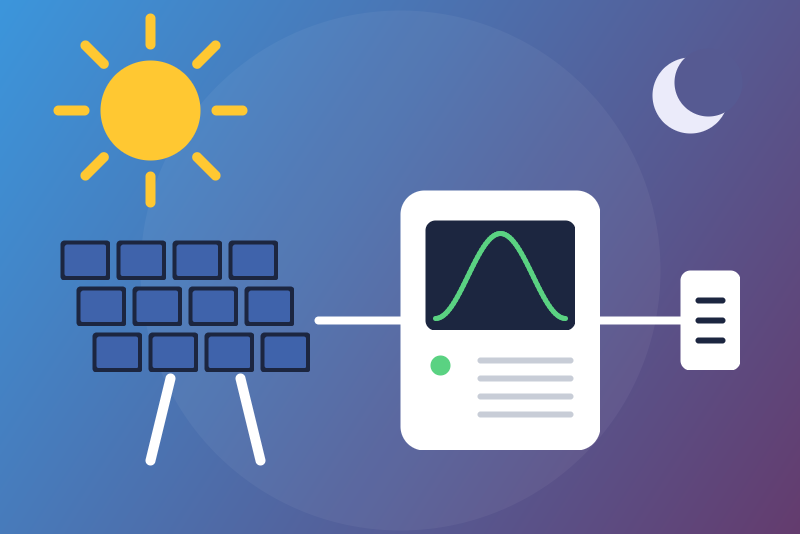
Unofficial: Zeversolar solar inverters on your network: power, energy of the day, energy index.
Published by LM1LC3N7
- Devices
- Version 0.1.4
- Requires Gladys >=5.2.0
- ★ 0
Unofficial connector, not affiliated with Zeversolar. It reads your Zeversolar solar inverter on your home network, through the status page of its Wi-Fi board, without any cloud and without any account.
Never tested with a real Zeversolar inverter: it was built from the zeversolar library (the one Home Assistant uses) and the examples of its documentation. Please report what you see (see "Feedback" below).
What you get
One Gladys device per inverter, named after its serial number:
| Feature | What it is |
|---|---|
| Solar production (W) | the power the inverter produces now; 0 at night |
| Solar energy of the day (kWh) | the counter of the day of the inverter, as it gives it |
| Solar production index (kWh) | a cumulative index for the Gladys energy monitoring (production per half hour, revenue) |
| Inverter awake | 1 while the inverter produces or is ready, 0 asleep (the night) |
| Inverter fault | 1 when the inverter reports an error |
| Link to the Zeversolar cloud | 1 when the Wi-Fi board is connected to the maker's cloud |
Read-only: the integration never sends a command to the inverter (no on/off, no power limit).
Setting it up
- Find the IP address of the inverter in your router (its Wi-Fi board shows up as a device of your network). Give it a fixed address if you can.
- In Gladys, open the integration, enter the address (by day: at night the inverter sleeps and does not answer), and save.
- Open the "Discover" tab and create the device. Its values come at the next read (within a minute by day).
- Optional but recommended: enter the peak power of your panels (kWp, on the installer's invoice). It bounds what the energy index may take between two reads. Left empty, it is learned from the power the inverter reaches over a week (30 kW until then, which lets more odd readings through). Never enter less than the real peak power (a long silence at noon could then lose the rest of the day): in doubt, leave it empty.
The "Test the connection" button reads the inverter if a read is due, and otherwise tells the last read: the integration never reads more than once a minute, whatever asks.
The night
A Zeversolar inverter is powered by its panels: at sunset it stops, and its Wi-Fi board either answers without production or goes silent. That is not an error: after three silent reads (or at once when the board says so), the inverter is "asleep", its power goes to 0, the status stays green and says so, and it is read every 5 minutes until it wakes up. The status turns red if the inverter vanishes (or its board answers without it) while producing 50 W or more, if another Wi-Fi board answers at the address, if the answer is not its status page, or if there is no reading for more than a day; after an hour of silence it is considered asleep anyway.
The energy index
The inverter only gives a counter of the day (it starts again every morning), never a lifetime counter, while the Gladys energy monitoring counts the rises of a cumulative index. So the integration builds one: the index goes on from its last value and adds what the counter of the day adds. It never goes back to 0 and never drops: a new day (the counter back to 0 in the morning) leaves it where it was. When the inverter shows the counter of the day before again (at sunrise, or after a restart during the day), that value is kept out of the index and out of the energy of the day. Doubts are settled on the side of counting less: a reboot of the inverter that really resets its counter during the day, a counter that jumps (the rest of that day may then be lost), hours without reads around the change of day, a wall clock set wrong.
Risk left (it would count too much): a value of the day before shown again more than 0.1 kWh from the last value read, above or below, or any wrong reading that fits within the peak power of the installation since the last read. Entering the peak power keeps that margin small. And the day before shown again less than 0.1 kWh above today's counter may be taken: 0.1 kWh at most.
The index also goes through a guard: a jump of the index itself is held back, shown in the integration status, and only taken when you click "Accept the held index" in the configuration (it is then counted at once). A drop of the index is never accepted: it corrects itself, the index goes on once the counter is back above it. Saving the configuration never accepts anything.
Limits
- Only the first inverter is read when the Wi-Fi board reports several.
- The energy of the day comes as the library reads it: one decimal digit is a missing zero ("14.9" means 14.09 kWh).
- Production after the local midnight (far north in June, or a Gladys time zone east of the house): the reset of the counter falls on the same local day and that day is undercounted.
- The integration needs Gladys 5.2.0 or later.
Privacy
Nothing leaves your network: the integration only talks to the address you entered, with one small GET a minute (every 5 minutes at night). The registry key of the Wi-Fi board (its key for the maker's cloud) is never kept, logged or shown; of its registry id only a short fingerprint is kept (to tell one board from another).
Feedback
Issues and pull requests: https://github.com/LM1LC3N7/gladys-zeversolar. If
you own a Zeversolar inverter, the text of http://<address>/home.cgi (by day
and at night, with the registry key and serial numbers hidden) helps a lot.
Configuration settings
These are the settings Zeversolar asks for in its configuration screen in Gladys.
| Setting | Type | Required | Description |
|---|---|---|---|
| Zeversolar inverter | section | No | Unofficial connector, not affiliated with Zeversolar. It reads the local status page of your Zeversolar inverter (its Wi-Fi board), without any cloud, once a minute: solar power, energy of the day, and a solar production index for the Gladys energy monitoring, built from the counter of the day. At night the inverter sleeps: the power goes to 0, the index waits for the morning. Read-only: it never sends a command to the inverter. Never tested with a real Zeversolar inverter. |
| Inverter address | string | Yes | The IP address of the inverter on your network (shown by your router), with a port only if it is not 80. Enter it by day: at night the inverter sleeps and does not answer. Preferably give it a fixed address in your router; if it changes, enter the new one: the device and its history are kept. |
| Peak power of the installation (kWp, optional) | number | No | The peak power of your panels (on the installer's invoice). It bounds what the energy index may take between two reads (an odd reading is held back instead). Empty: learned from the power the inverter reaches over a week (30 kW until then). Never enter less than the real peak power: in doubt, leave it empty. |
How to install Zeversolar in Gladys
- In Gladys, open Integrations: Zeversolar appears in the catalog, next to the native integrations, with a community badge.
- Click Install. Gladys pulls the Docker image (
ghcr.io/lm1lc3n7/gladys-zeversolar:0.1.4), starts it in a sandbox isolated from the core, and generates the integration's interface (devices, discovery and configuration). - Open the Configuration screen of the integration, fill in the settings, and save.
- You can also install it directly from its repository URL: https://github.com/LM1LC3N7/gladys-zeversolar.
Zeversolar requires Gladys >=5.2.0. The catalog inside Gladys refreshes every hour, so a new version becomes available at most one hour after its release.
Not running Gladys yet? It is free and open source: follow the installation guide to get started.
About external integrations
Zeversolar is an external integration: a community integration packaged as a Docker container and published on GitHub, that Gladys installs in one click and runs in a sandbox isolated from its core. It is published and maintained by LM1LC3N7, not by the Gladys core team.
- Browse all integrations, native and community
- Build and publish your own external integration
- Source code on GitHub — source of this documentation