Wiser by Feller smart home integration, free and open source
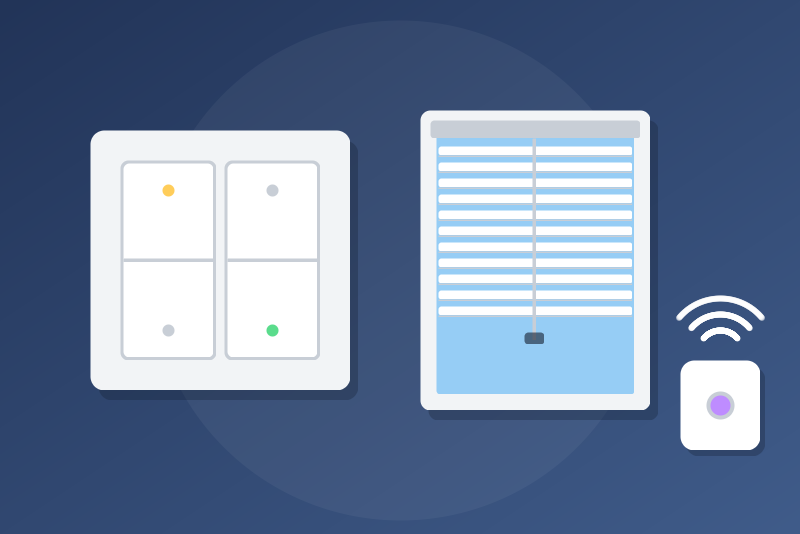
Wiser by Feller lights, dimmers, blinds and scenes, through the µGateway. Unofficial.
Published by LM1LC3N7
- Devices
- Version 0.1.1
- Requires Gladys >=5.1.0
- ★ 0
This integration connects Gladys to your Wiser by Feller µGateway through its official local API, and offers the outputs of your installation in the Discovery tab of Gladys: lights, dimmers, switched outlets, venetian blinds, shutters and awnings, as well as your Wiser scenes and the presses of the buttons registered on the µGateway. Once a device is added, its state follows the µGateway live, and Gladys controls it through it. Everything stays on your local network: no cloud. Unofficial, not affiliated with Feller AG.
Development version (0.1). Written from Feller's API documentation and the aiowiserbyfeller library, and tested against a simulated µGateway: it has never been tested with a real µGateway yet. Feedback is welcome on the GitHub repository.
What you get
| Wiser output | In Gladys |
|---|---|
| Switch (light) | a light: on/off |
| Dimmer (LED, DALI) | a light: on/off and brightness (0-100 %) |
| Switch set as "outlet" in the app | a switch: on/off |
| Venetian blind | a shutter: open, close, stop, position; the slats as their own device, on request |
| Roller shutter, motor | a shutter: open, close, stop, position |
| Awning | a curtain: open, close, stop, position |
| Plain relay motor | a shutter: open, close, stop (no position) |
| Impulse or staircase-timer output | a read-only state and an "Activate" button, off by default |
| Wiser scene | a "Run" button: the scene runs as from the app |
| Button registered on the µGateway | a button: every press reaches your Gladys scenes |
Blinds and shutters are never switches: a "turn everything off" scene does not close them. The position follows the Gladys convention: 100 % = open, 0 % = closed. While a motor learns its end positions (calibration), its position is unknown and not sent.
An on/off output is a light or a switch only when it has no sub-type at all: an output set as impulse, timer or with any other sub-type becomes an impulse output (read-only, its button behind the option). If you set an output as impulse after adding it (in the eSetup app), click Scan in the Discovery tab, then delete the device and add it again: its old light commands are refused until then.
A Wiser scene that drives an impulse output is guarded like it: refused while the option is off (read again just before sending), and at least 3 seconds between two impulses of the same output, whether they come from the scene or from the "Activate" button. A scene that runs scripts is guarded the same way as soon as an impulse output exists.
Devices are named after the output and its room in the Wiser app ("Ceiling (Living room)"). Their id follows the physical address of the output (module and channel): it does not change if the µGateway renumbers its outputs. HVAC outputs, and the colours and white temperature of DALI lights, are not controlled yet.
Buttons and scene triggers
The µGateway (generation B, firmware 6.0.41 or later) sends the presses of the
registered ("managed") buttons over its WebSocket. Each registered button
becomes a Gladys device whose "Press" feature takes one value per press: short
press, long press, release, telling up/down and on/off apart on a rocker. Use
it as a "Device state change" trigger in a scene. Two presses in a row are two
events. Gladys does not register buttons itself (that would change the
configuration of the µGateway): register them through the API of the µGateway
(POST /api/buttons) or a tool that does it, then click Scan in the
Discovery tab. Generation A µGateways do not send these presses.
Requirements
- A Wiser by Feller µGateway on the same local network as Gladys, and its IP address (preferably fixed, reserved in your router).
- Physical access to the µGateway to press one of its buttons once, when getting the token.
Setup
- In Gladys, open the Wiser by Feller integration, Configuration tab.
- Type the IP address of the µGateway (like
192.168.1.20) and save. - Click Get the token. The buttons of the µGateway blink for 30 seconds: press one of them. The token is saved in the "Token of the µGateway" field by itself and Gladys connects.
- Open the Discovery tab and add the devices you want.
The button sends one request per click, never in a loop. Without a press within 30 s nothing changes: click again. Each new token replaces the previous one (the µGateway invalidates the old one).
The token of the "gladys" account starts as a copy of the Wiser account chosen
in "Wiser account to copy" (admin, the one of the Wiser Home app, by
default): names, rooms and scenes come from it.
Options
- Live updates (on by default): Gladys listens to the WebSocket of the µGateway; the states follow within a second and the button presses arrive. The states are also read every 5 minutes, and the list of outputs, scenes and buttons every 30 minutes (or with Scan in the Discovery tab).
- Read interval (30 s by default, 10 to 3600 s): without the live updates (off or lost), the states are read at this pace.
- Allow impulse and timer outputs (off by default): an "impulse" or "staircase timer" output often drives a garage door opener or a door strike. While the option is off, its "Activate" button is refused, and the option is read again just before each request. Two impulses are at least 3 seconds apart.
- Slats of venetian blinds as their own device (off by default): each venetian blind also offers a "<blind> – Slats" device (0-100 %). Beware: a "close all blinds" of Google, Alexa, HomeKit or an assistant (MCP) may target this device too.
- Language of the feature names: French or English.
If the WebSocket says nothing for 10 minutes, Gladys opens it again (a µGateway that drops it silently); in a quiet house this only costs a reconnection. A socket that opens then drops at once keeps a growing retry delay (up to 2 minutes), and the states are never read more than once per interval.
Security and privacy
- The token is kept by Gladys in its database, never shown again, and sent
only to the address typed (in the
Authorizationheader). It never appears in the logs. Redirections are never followed. - A token refused by the µGateway is never tried again automatically, even after a restart: Gladys waits for you to get a new token or click Test the connection.
- A "429" of the µGateway pauses everything (1 minute to 6 hours).
- Commands leave one at a time per output, within 3.5 s, or are refused. A command that may have left without an answer (a 5xx, an answer not understood, a timeout once sent) is told "sent, without confirmation" and the output is read again; a refusal of the µGateway (4xx) is told "refused"; a µGateway unreachable before sending gives "not sent".
Troubleshooting
- "The µGateway refused the token": click Get the token and press a button of the µGateway.
- "Unreachable": check the IP address (no
.localname, the container does not resolve them) and that the µGateway is powered. - No live updates: the states are read at the chosen interval; the badge of the device shows it with an orange dot.
- Test the connection shows the model, the firmware, the number of outputs, scenes and registered buttons, and the state of the live updates.
Credits
Logic ported from aiowiserbyfeller (Apache-2.0) and the Home Assistant integration ha-wiser-by-feller (Apache-2.0), after the API documentation published by Feller AG. Wiser by Feller is a trademark of Feller AG; this project is not affiliated with Feller AG.
Configuration settings
These are the settings Wiser by Feller asks for in its configuration screen in Gladys.
| Setting | Type | Required | Description |
|---|---|---|---|
| Your Wiser by Feller installation in Gladys | section | No | The outputs of your Wiser µGateway are offered in the Discovery tab: lights (on/off, brightness), switched outlets, blinds and shutters (position; slats of venetian blinds on request), awnings, your Wiser scenes as buttons, and the presses of the buttons registered on the µGateway. Everything stays on your local network, through the official API of the µGateway, with live updates. Impulse and staircase-timer outputs stay read-only until you allow them below. Never tested with a real µGateway yet. Unofficial, not affiliated with Feller AG. |
| Address of the µGateway | string | Yes | The local IP address of your Wiser µGateway, like 192.168.1.20 (shown in the Wiser Home app, or in your router). The token is sent to this address only. |
| Token of the µGateway | secret | No | Filled in by the "Get the token" button below: save the address first, click the button, then press any button of the µGateway within 30 seconds while they blink. Kept by Gladys in its database, never shown again, and sent only to the address above. |
| Wiser account to copy | select | No | Names, rooms and scenes belong to a Wiser account: the token of Gladys starts as a copy of this one when you get it. "admin" is the account of the Wiser Home app. |
| Live updates | boolean | No | Listens to the WebSocket of the µGateway: the states follow within a second and the button presses reach your scenes. Off: the states are read at the interval below and the presses are not seen. |
| Read interval without live updates (s) | number | No | How often the states are read when the live updates are off or lost (10 to 3600 s). With them, every 5 minutes. |
| Language of the feature names | select | No | Used for the names of the features of the devices added from now on. |
| Allow impulse and timer outputs | boolean | No | Off by default: impulse and staircase-timer outputs (a garage door opener is often wired to one) are read-only. On, their "Activate" button sends a press, from the dashboard and the scenes. |
| Slats of venetian blinds as their own device | boolean | No | Off by default. On, each venetian blind also offers a "<blind> – Slats" device in Discovery. Beware: a "close all blinds" of Google, Alexa, HomeKit or an assistant (MCP) may target it too. |
How to install Wiser by Feller in Gladys
- In Gladys, open Integrations: Wiser by Feller appears in the catalog, next to the native integrations, with a community badge.
- Click Install. Gladys pulls the Docker image (
ghcr.io/lm1lc3n7/gladys-wiser-feller:0.1.1), starts it in a sandbox isolated from the core, and generates the integration's interface (devices, discovery and configuration). - Open the Configuration screen of the integration, fill in the settings, and save.
- You can also install it directly from its repository URL: https://github.com/LM1LC3N7/gladys-wiser-feller.
Wiser by Feller requires Gladys >=5.1.0. The catalog inside Gladys refreshes every hour, so a new version becomes available at most one hour after its release.
Not running Gladys yet? It is free and open source: follow the installation guide to get started.
About external integrations
Wiser by Feller is an external integration: a community integration packaged as a Docker container and published on GitHub, that Gladys installs in one click and runs in a sandbox isolated from its core. It is published and maintained by LM1LC3N7, not by the Gladys core team.
- Browse all integrations, native and community
- Build and publish your own external integration
- Source code on GitHub — source of this documentation