WARP Charger smart home integration, free and open source
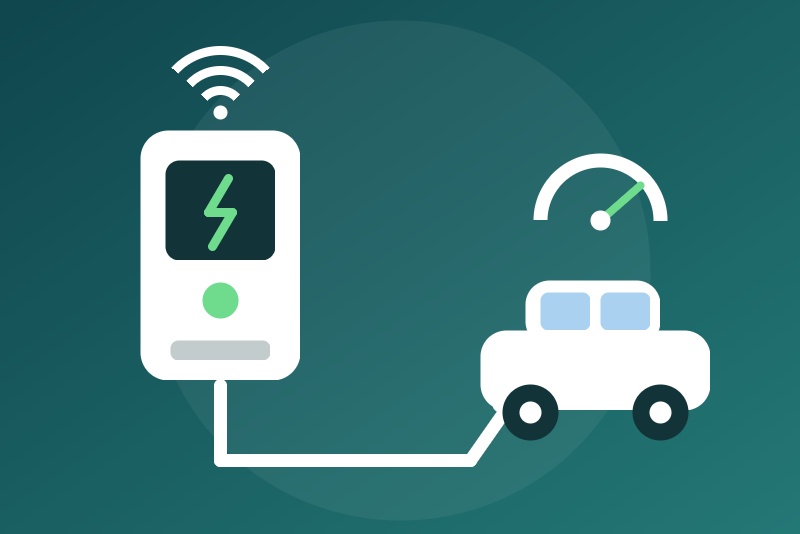
Tinkerforge WARP chargers over the local HTTP API: state, power, energy; optional start, current.
Published by LM1LC3N7
- Devices
- Version 0.1.1
- Requires Gladys >=5.1.0
- ★ 0
Shows your Tinkerforge WARP charger (WARP1, WARP2, WARP3 or WARP4, firmware 2.x) in Gladys through its local HTTP API: no cloud, no account, straight on your network.
Never tested with a real charger. Not affiliated with Tinkerforge. The integration follows the official documentation of the API (docs.warp-charger.com) and the Home Assistant integration HomeAssistant-Tinkerforge-Warp-Wallbox-Custom-Component. A firmware update may change the API.
What you get
One device per charger (keyed by its UID, not by its IP address), with:
| Feature | Content |
|---|---|
| Status | No vehicle, plugged in waiting for release, ready, charging, fault |
| Connector | Available, occupied, faulted or unavailable ("charging station" category) |
| Charging state | Charging, paused by the charger, paused by the vehicle, idle |
| Vehicle plugged in | Yes / no |
| Power | In W (the charger's meter, "draw minus feed") |
| Current allowed | In A, the current the charger allows the vehicle |
| Energy of the session | In kWh, a plain sensor (during a session) |
| Energy index | In kWh, the energy drawn since the meter was made, guarded (see below) |
| Charge mode | Fast, off, solar surplus... (the charger's power manager, read only) |
| Fault reported | Yes / no |
| Start charging | Button (commands allowed only) |
| Stop charging | Button, always available |
| Set the charging current | List from 6 A to the ceiling (commands allowed only) |
Read every 30 seconds by default (10 s to 10 min, adjustable), one request at a time. The power, the energy, the session, the current set and the charge mode are secondary: when one does not answer, the other values are published anyway and the status of the integration says "Not read this time: ...".
Installation
- Give the charger a fixed IP address in your router.
- In Gladys, install the integration, enter the IP address of the charger
(or its name,
warp3-xxxx.local, optionally followed by a port). - If you set users on the charger (Users page), give the name and password of one of them: the integration answers the Digest challenge of the charger, the password itself never travels. The password is kept by Gladys in its database, never shown again, sent only to the charger.
- Save, then add the charger from the Discovery tab.
HTTP only: when the charger is set to HTTPS only (Network settings), the status of the integration says so; allow HTTP. The WARP Energy Manager is not a charger and is not supported.
Stop charging
The Stop charging button acts like the charger's own button
(evse/stop_charging). It does not depend on the commands option, on a read
or a command in progress (it ends them), on a pause after a 429 or 5xx
error, on refused credentials, nor on the configuration: right after a
restart it goes to the address of the last charger read (kept in /data),
and a stop not seen applied before a restart is sent again as soon as the
container starts. A command that arrived before it and has not left is
dropped.
It succeeds when the read back shows the charge blocked (or no vehicle).
Otherwise the answer says why, and the stop is kept (in /data) and checked
every 15 s:
- no address known (no configuration nor charger read before): nothing is sent;
- the charger does not answer for 3 s: tried again every 15 s;
- credentials refused: tried again every 15 s, and at once when new credentials are saved;
- not applied yet (the charger still allows the charge): sent again 3 times at most (writes the charger accepted), then kept without new writes until a new click, a restart included; the status of the integration says so;
- without confirmation in time (4.3 s): checked the same way.
A stop that never left is never given up: it is tried again every 15 s, and at once when new credentials are saved or the Test the connection button is clicked.
A kept stop is let go when the charger shows the charge blocked, when the vehicle is unplugged, or when a start clicked in Gladys after it (option on) left and was not clearly refused (a 401, another 4xx, a 429 or a redirect keeps it; a 5xx or no answer lets it go: the start may have been applied). A start still on its way when the stop is clicked never lets that stop go: the stop cuts it and watches for it. While a stop is kept, Start is always written, even when the charger already shows the charge allowed. Never by time. A start sent less than 90 s before the stop that lands after it is countered by a new stop.
Start charging and set the current (option)
Off by default: turn on Allow the commands. They are a button and a list, never a switch (a "turn everything off" never reaches them). Each command reads the charger right before (identity, state, current slots), leaves within 3.5 s or not at all, and succeeds only when the read back shows the value asked ("sent, not applied yet" otherwise, then reads at 5 and 20 s).
- Start: refused without a vehicle, on a fault, or when the settings of the charger (cables, its charging current, external control) allow a current above the ceiling: set the current first. With the factory settings (32 A) and the default ceiling (16 A), the first start is refused until the current is set. With external control on, the external controller (an energy manager, solar surplus) may raise its own slot after the start, above the ceiling: Gladys does not bound that controller.
- Current: from 6 A to the lowest of the ceiling (16 A by default, 32 A
at most) and the cable limits read from the charger. With external control
on in the charger, the integration writes its slot
(
evse/external_current); otherwise the current of the web interface (evse/global_current), kept in flash by the charger: one increase a minute at most (its time kept in/data), a decrease never limited.
Also refused: during a 429/5xx pause, with refused credentials, before the configuration is read, while another command runs, or when a stop was clicked meanwhile.
Energy index (guarded)
The energy index is the charger's meter (MeterValueID 209): Gladys turns it into consumption and cost in its Energy tab. As Gladys counts every rise in full, it goes through a guard (the one of the P1 Monitor integration):
- an index at 0 or missing is not published;
- a plausible rise (25 kW on average at most since the last value, on the session clock, which an NTP correction does not move) goes through;
- a jump or a drop (meter reset or replaced) is held: nothing is
published, the status of the integration shows it, the hold is kept in
/data. Neither time nor repetition confirms it; - the Accept the held index button takes it in two clicks: the first shows the value, the second (3 s to 5 min later) takes exactly that value (plus what the charger may have drawn since). A drop accepted counts nothing.
The charger is already counted by your main meter: in the Energy settings of Gladys, put it under your main meter.
Good to know
- The charger is not read sooner than the interval: not by the Test the
connection button, a Discovery, a reconnection to Gladys nor a restart
(the time of the last read is kept in
/data). Only the reads that follow a command (5 and 20 s) are an exception. - A value older than 2 minutes is not sent as new.
- Nothing secret is written to
/datanor to the logs. - The charger's OCPP, its MQTT integration or another home automation may drive it too: the last write wins.
Configuration settings
These are the settings WARP Charger asks for in its configuration screen in Gladys.
| Setting | Type | Required | Description |
|---|---|---|---|
| Your WARP charger | section | No | Shows your Tinkerforge WARP charger (WARP1 to WARP4, firmware 2.x) in Gladys through its local HTTP API, without any cloud: state, vehicle plugged in, power, current allowed, energy of the session, energy index, charge mode. Enter the IP address of the charger (give it a fixed address in your router), and a user name and password of its web interface if you set users on it, save, then add it from the Discovery tab. The stop button always works; starting and the charging current can be changed from Gladys only if you allow the commands below. Never tested with a real charger. Not affiliated with Tinkerforge. |
| IP address of the charger | string | Yes | An IPv4 address or a host name (warp3-xxxx.local), optionally followed by a port (80 by default). HTTP only: HTTPS is not supported in this version. |
| User name of the web interface | string | No | Only if users are set on the charger (Users page): one of them. Leave empty otherwise. Never in the address field. |
| Password of the web interface | secret | No | With the user name above. Kept by Gladys in its database, never shown again, sent only to the charger, as a Digest answer (the password itself never travels). Refused credentials are tried again after 15 min, 1 h, then every 6 h. |
| Allow the commands | boolean | No | Off by default. On: Gladys may start the charge (button) and set the charging current (list, 6 A to the ceiling below). Off: these two features refuse every command. The stop button works either way. |
| Ceiling of the charging current (A) | number | No | The highest current Gladys may set, and a start is refused while the charger would give more: the lower of this value (16 A by default) and the cable limits read from the charger. |
| Refresh interval (s) | number | No | How often the charger is read, in seconds. |
| Language of the feature names | select | No | Used for the feature names of the devices added from now on, for the status texts and for the command errors. |
How to install WARP Charger in Gladys
- In Gladys, open Integrations: WARP Charger appears in the catalog, next to the native integrations, with a community badge.
- Click Install. Gladys pulls the Docker image (
ghcr.io/lm1lc3n7/gladys-warp-charger:0.1.1), starts it in a sandbox isolated from the core, and generates the integration's interface (devices, discovery and configuration). - Open the Configuration screen of the integration, fill in the settings, and save.
- You can also install it directly from its repository URL: https://github.com/LM1LC3N7/gladys-warp-charger.
WARP Charger requires Gladys >=5.1.0. The catalog inside Gladys refreshes every hour, so a new version becomes available at most one hour after its release.
Not running Gladys yet? It is free and open source: follow the installation guide to get started.
About external integrations
WARP Charger is an external integration: a community integration packaged as a Docker container and published on GitHub, that Gladys installs in one click and runs in a sandbox isolated from its core. It is published and maintained by LM1LC3N7, not by the Gladys core team.
- Browse all integrations, native and community
- Build and publish your own external integration
- Source code on GitHub — source of this documentation