WAREMA WebControl pro smart home integration, free and open source
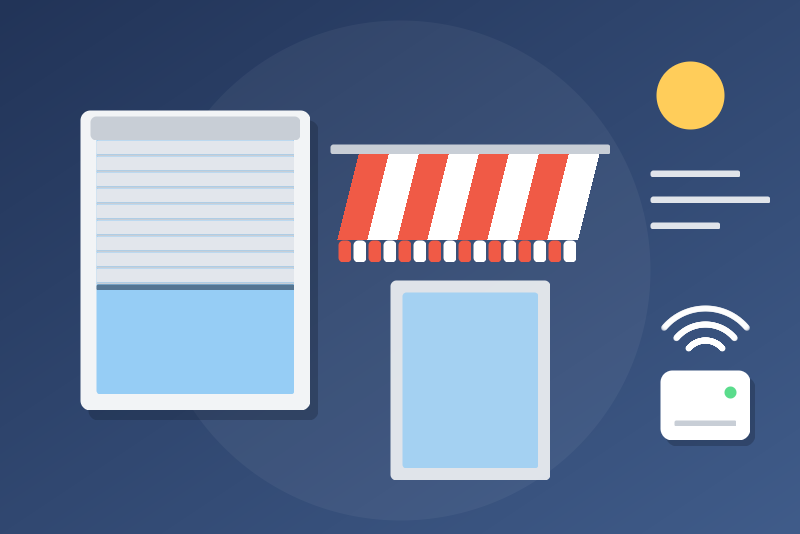
WAREMA blinds, shutters, awnings, lights and scenes, through the WMS WebControl pro. Unofficial.
Published by LM1LC3N7
- Devices
- Version 0.1.1
- Requires Gladys >=5.1.0
- ★ 0
This integration connects Gladys to your WAREMA WMS WebControl pro through its local API, and offers the channels of your installation in the Discovery tab of Gladys: roller shutters, venetian blinds, awnings, slat roofs, lights and switched loads, as well as your WAREMA scenes. Once a device is added, Gladys reads its state at the interval you choose and controls it through the box. Everything stays on your local network: no cloud. Unofficial, not affiliated with WAREMA.
Development version (0.1). Written from the WAREMA API documentation and the pywmspro library, and tested against a simulated box only: it has never been tested with a real WebControl pro yet. Feedback is welcome on the GitHub repository.
What you get
| WAREMA channel | In Gladys |
|---|---|
| Roller shutter / blind | a shutter: open, close, stop, position, and the cause of its last movement |
| Venetian blind | a shutter: open, close, stop, position; the slats as their own device, on request |
| Awning | a curtain: open (= retract), close (= extend), stop, position; its valance too |
| Slat roof (slats only) | a shutter, read-only for now: position of the slats, cause of its last movement |
| Dimmer | a light: on/off and brightness (0-100 %) |
| Light switch | a light: on/off |
| Switched load | a read-only state and "Turn on" / "Turn off" buttons, off by default |
| WAREMA scene | a "Run" button: the scene runs as from the WAREMA app |
Blinds and shutters are never switches: a "turn everything off" scene does not close them. The position follows the Gladys convention: 100 % = open, 0 % = closed (WAREMA counts the other way: 0 % open, 100 % closed). Fully opening or closing a venetian blind also opens or closes its slats, as the WAREMA app does.
Awnings: Open = retract the awning (WAREMA 0 %, as in Home Assistant), Close = extend it; position 100 % = retracted. Gladys has no "awning" type, so awnings and their valance are curtains: beware, a "close the curtains" of a scene, Google, Alexa, HomeKit or an assistant (MCP) extends the awnings. Check the direction on yours, and tell us if it is the other way round.
Slat roofs are read-only for now (position of the slats and cause of the last movement): their direction and range are not checked on a real box yet.
Stop always goes first: it never waits behind another command of the same product, nor behind a read, and the moves of that product still waiting are dropped. A stop is sent without waiting for the detailed answer of the box; without an answer within 1 s, it is told "sent, without confirmation" and the product is read again.
Window drives, potential-free actuators, load dimmers and the "identify" command are not offered yet.
Wind, rain and ice protections
The protections of the WebControl pro (wind, rain, ice, frost, safety) always keep the upper hand: Gladys never tries to get around them. A command the box refuses is reported as the box said it (its error code), with the last protection it reported for that product, and Gladys never sends it again by itself. Each cover has a read-only "Last movement cause" text (sun, wind alarm, rain alarm, timer, manual…), usable in your scenes, and its badge turns orange while a protection is active, while the box reports the product as blocked, or while it no longer reaches it over the radio.
Requirements
- A WAREMA WMS WebControl pro (container version 11H or later, which brings the API) set up with WMS studio pro, on the same local network as Gladys.
- Its IP address, preferably fixed (reserved in your router).
The API of the WebControl pro has no password: anyone on your network can use it, with or without Gladys. Keep the box on a trusted network.
Setup
- In Gladys, open the WAREMA WebControl pro integration, Configuration tab.
- Type the IP address of the box (like
192.168.1.30) and save. - Click Test the connection: it shows the number of channels, scenes and rooms.
- Open the Discovery tab and add the devices you want.
Options
- Read interval (30 s by default, 10 to 3600 s): how often the states of the devices you added are read. Only those are read: each read goes over the WMS radio, one channel every half second. After a command, the channel is read again a few times while it moves.
- Allow switched loads (off by default): a switched load often drives a patio heater. While the option is off, its buttons are refused, and the option is read again just before each request. They are buttons, never a switch: a "turn everything off" does not reach them. A WAREMA scene runs as it is, even when it holds a switched load (a heater) or a window: this option does not block it.
- Slats of venetian blinds as their own device (off by default): each venetian blind also offers a "<blind> – Slats" device (0-100 %). Beware: a "close all blinds" of Google, Alexa, HomeKit or an assistant (MCP) may target this device too.
- Language of the feature names: French or English.
Security and privacy
- Gladys talks only to the address you typed, over plain HTTP on your local network; redirections are never followed. There is no secret to keep.
- Commands leave one at a time per channel, within 3.5 s, or are refused. A command that may have left without an answer (a timeout once sent, an answer not understood) is told "sent, without confirmation" and the channel is read again; a refusal of the box is told "refused" with its code; a box unreachable before sending gives "not sent".
- A "429" or a server error of the box pauses everything (1 minute to 6 hours), and the pause survives a restart. After a failure, Gladys never asks the box more often than the read interval.
- Scenes are never relearnt, and nothing changes the configuration of the box.
Troubleshooting
- "Unreachable": check the IP address (no
.localname, the container does not resolve them) and that the box is powered. - "Does not answer like a WMS WebControl pro": the address answers, but not with the API; check the address, and that the box runs a version with the API.
- Orange badge: hover it: a protection is active, the product is blocked, out of radio reach, or a command was not confirmed yet.
Credits
Logic ported from pywmspro (Apache-2.0)
and the Home Assistant wmspro integration (Apache-2.0), after the API
documentation published by WAREMA. WAREMA is a trademark of WAREMA Renkhoff SE;
this project is not affiliated with WAREMA.
Configuration settings
These are the settings WAREMA WebControl pro asks for in its configuration screen in Gladys.
| Setting | Type | Required | Description |
|---|---|---|---|
| Your WAREMA installation in Gladys | section | No | The channels of your WMS WebControl pro are offered in the Discovery tab: roller shutters and venetian blinds (open, close, stop, position; slats on request), awnings and their valance (open = retract), slat roofs (read-only), lights (on/off, brightness), switched loads, and your WAREMA scenes as buttons. Everything stays on your local network, through the free local API of the box (plain HTTP, no password: keep it on a trusted network). The wind, rain and ice protections of the box always win: a command it refuses is reported as it is. Switched loads stay read-only until you allow them below. Never tested with a real WebControl pro yet. Unofficial, not affiliated with WAREMA. |
| Address of the WebControl pro | string | Yes | The local IP address of your WMS WebControl pro, like 192.168.1.30 (shown in your router, or in the WMS WebControl pro app). Preferably a fixed address reserved in your router. |
| Read interval (s) | number | No | How often the states of the devices you added are read (10 to 3600 s). Each read goes over the WMS radio, one channel every half second: keep it reasonable with many channels. |
| Language of the feature names | select | No | Used for the names of the features of the devices added from now on, and for the movement causes. |
| Allow switched loads | boolean | No | Off by default: a switched load of the WebControl pro (a patio heater is often wired to one) is read-only. On, its "Turn on" and "Turn off" buttons send the command, from the dashboard and the scenes. Never a switch: a "turn everything off" does not reach it. A WAREMA scene runs as it is, even when it holds a switched load (a heater) or a window: this option does not block it. |
| Slats of venetian blinds as their own device | boolean | No | Off by default. On, each venetian blind also offers a "<blind> – Slats" device in Discovery. Beware: a "close all blinds" of Google, Alexa, HomeKit or an assistant (MCP) may target it too. |
How to install WAREMA WebControl pro in Gladys
- In Gladys, open Integrations: WAREMA WebControl pro appears in the catalog, next to the native integrations, with a community badge.
- Click Install. Gladys pulls the Docker image (
ghcr.io/lm1lc3n7/gladys-warema:0.1.1), starts it in a sandbox isolated from the core, and generates the integration's interface (devices, discovery and configuration). - Open the Configuration screen of the integration, fill in the settings, and save.
- You can also install it directly from its repository URL: https://github.com/LM1LC3N7/gladys-warema.
WAREMA WebControl pro requires Gladys >=5.1.0. The catalog inside Gladys refreshes every hour, so a new version becomes available at most one hour after its release.
Not running Gladys yet? It is free and open source: follow the installation guide to get started.
About external integrations
WAREMA WebControl pro is an external integration: a community integration packaged as a Docker container and published on GitHub, that Gladys installs in one click and runs in a sandbox isolated from its core. It is published and maintained by LM1LC3N7, not by the Gladys core team.
- Browse all integrations, native and community
- Build and publish your own external integration
- Source code on GitHub — source of this documentation