Ubiquiti airOS smart home integration, free and open source
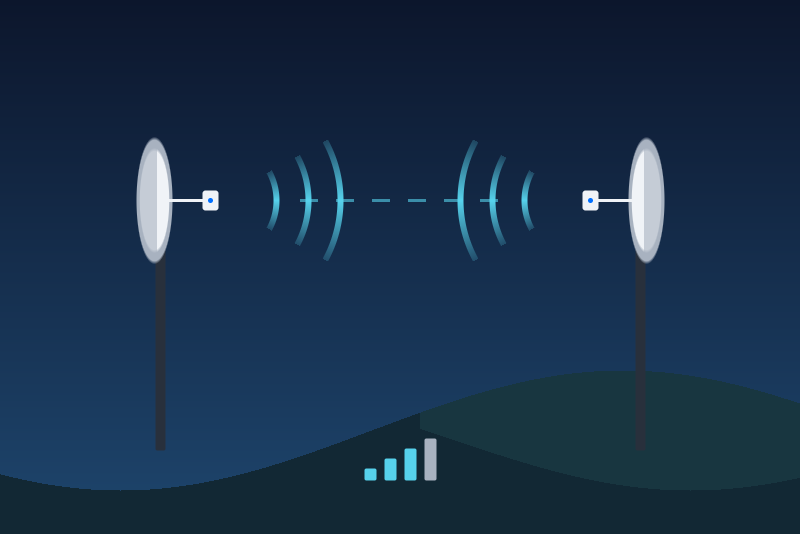
Ubiquiti airMAX radios (airOS 8): signal, rates, capacity, link, reboot.
Published by LM1LC3N7
- Devices
- Version 0.1.2
- Requires Gladys >=5.1.0
- ★ 0
Ubiquiti airMAX radios (NanoBeam, NanoStation, LiteBeam, PowerBeam, Rocket, LiteAP… on airOS 8) in Gladys, through the JSON API of the local web interface of the radio. Handy to watch a wireless link to a barn, a garden office or a neighbour:
- the radio becomes a Gladys device (Discovery tab): wireless link up (yes / no), connected stations, signal and remote signal (dBm), noise floor, transmit and receive rates, downlink and uplink capacity, link distance, frequency, channel width, CPU load, memory used, uptime, temperature (when the radio has a sensor), LAN port connected and its speed, wireless mode, firmware;
- a Reboot the radio button, inactive until you allow it;
- two scene triggers: Wireless link lost and Wireless link back.
On an access point with several stations (PtMP), the signals are those of the weakest station. With no station connected, the signals (and on some radios the capacities) are not read: Gladys keeps their last value, with its date. Prefer reading the radio on the Gladys side of the link: when the radio read is the one that becomes unreachable, "link lost" cannot fire (the radio itself is then shown unreachable).
This integration has never been tested with a real radio. This first version was ported from python-airos, the library Home Assistant uses, and tested against a fake radio only. Tell on the Gladys forum what works and what does not, with the model and the airOS version.
Unofficial integration, not affiliated with Ubiquiti.
Before you start
- The radio must run airOS 8 (shown in its web interface). airOS 6 and older are not supported.
- Gladys needs an account of the web interface (
ubntby default). Its password is kept by Gladys in its database, never shown again, and sent only to the radio. - Add one integration per radio (both ends of a link if you want both).
Settings
- Address of the radio: its IP address or host name, with
:portif its interface is not on 443. Plain HTTP is refused (airOS 8 serves HTTPS). - User name, Password.
- Certificate fingerprint (optional): see below.
- Refresh: 30 s, 1 min (default), 2 or 5 min. The test button, a save of the form and a restart of Gladys or of the container do not read sooner (the time of the last attempt is kept, written before each reading, at most once a minute from the 1 min refresh up: at the 30 s refresh it is written before every reading, so a restart never reads sooner). A press on Reboot the radio makes one fresh read of its own (a login if needed), outside the refresh.
- Allow rebooting the radio: off by default.
The HTTPS certificate
The radio has a self-signed certificate, which no authority can vouch for. Gladys checks it by its SHA-256 fingerprint, right after the TLS handshake and before sending the password:
- the field empty, at the first connection: Gladys writes the certificate met to its storage, then sends the password. If its storage cannot be read or written, nothing is learned and nothing is sent: type the fingerprint (the status shows the one met);
- afterwards, another certificate stops everything (nothing is sent) and the status shows its fingerprint. Saving the form again changes nothing. If you replaced or reset the radio, type in Certificate fingerprint the fingerprint your browser shows for the radio (padlock, certificate, SHA-256): it becomes the trusted one. If the radio then presents another one, nothing is sent and the status shows the one it presents. Emptying the field later does not learn a certificate again.
The reboot
The Reboot the radio button is a button, never a switch: a "turn everything off" of a voice assistant or a scene never reaches it. A press is refused, nothing sent, in these cases:
- Allow rebooting the radio is off (checked again right before the request is written);
- the radio is not connected, Gladys is in a pause asked by the radio (HTTP 429 or 5xx), the login or the certificate was refused;
- a reboot was sent less than 10 minutes ago (kept across restarts), or this delay cannot be written to the storage of the integration (/data);
- a reboot is already being sent;
- after a restart of the integration, until its first reading (one refresh interval at most), or the configuration was saved during the press;
- the radio does not answer the read made just before within 2.5 s, or another radio answers (another MAC), or its MAC cannot be read or was not read yet;
- the request could not be written within 3.5 s of the press.
When the request was written but the radio did not answer, Gladys says "sent, without an answer": the radio may be rebooting. The link drops for 1 to 2 minutes; the status then says the radio is rebooting.
Failures
- Credentials refused: nothing is sent again until the user name or the password changes; the Test the connection button tries once more. Gladys keeps an 8-bit marker of the refused password (shared by 1 password in 256, never the password): a new password sharing it is taken as refused until the test button tries it.
- HTTP 429 or 5xx: a pause of every request (1 min to 6 h), kept across restarts.
- No answer: tried again after 1 minute or the refresh interval if longer, then twice as long each time, up to 30 minutes.
- Another radio at the address (another MAC): nothing is published; save the form to take it as the new one.
Neither the password, nor the session, nor the MAC addresses or IP addresses of the stations are logged or published. The storage keeps the certificate fingerprint, the 8-bit marker above, and a salted hash of the MAC of the radio (not the MAC in clear; a MAC is not a secret, the radio broadcasts it).
Not done (yet)
One device per station of an access point, the station kick, the firmware update, airOS 6, the AirCube and the UniFi devices: say on the forum if you need one.
Configuration settings
These are the settings Ubiquiti airOS asks for in its configuration screen in Gladys.
| Setting | Type | Required | Description |
|---|---|---|---|
| How it works | section | No | Gladys reads one Ubiquiti airMAX radio (NanoBeam, NanoStation, LiteBeam, PowerBeam, Rocket, LiteAP... under airOS 8) through the JSON API of its local web interface, in HTTPS, with an administration account. The radio becomes a device: wireless link up, connected stations, signal and remote signal, noise floor, transmit and receive rates, downlink and uplink capacity, link distance, frequency, channel width, CPU load, memory used, uptime, temperature, LAN port, wireless mode, firmware, and a Reboot button, off unless you allow it below. Scene triggers: wireless link lost, wireless link back. airOS 6 and older are not supported. Add one integration per radio. Unofficial integration, not affiliated with Ubiquiti. |
| Address of the radio | string | Yes | The IP address (or host name) of the radio on your local network, the one of its web interface, with its port if it is not 443. |
| User name | string | Yes | An account of the web interface of the radio (ubnt by default on airOS). |
| Password | secret | Yes | The password of this account. Kept by Gladys in its database, never shown again, sent only to the radio, on a connection whose certificate was checked first. |
| Certificate fingerprint (optional) | string | No | The radio has a self-signed HTTPS certificate. Empty: Gladys pins the certificate met at the first connection (written to its storage before the password is sent) and then refuses any other one, saying its fingerprint. To trust a new certificate (radio replaced or reset), or to pin it yourself, type its SHA-256 fingerprint here (as your browser shows it). |
| Refresh | select | Yes | How often the radio is read. The test button, a save of the form or a restart do not read sooner; a press on Reboot makes one fresh read of its own. |
| Command | section | No | Reading only by default. The one command is the reboot, a button (never a switch: a "turn everything off" never reaches it), refused unless allowed here, at most one every 10 minutes. The link drops while the radio reboots (1 to 2 minutes). |
| Allow rebooting the radio | boolean | No | Off: the Reboot button is refused and nothing is sent. |
How to install Ubiquiti airOS in Gladys
- In Gladys, open Integrations: Ubiquiti airOS appears in the catalog, next to the native integrations, with a community badge.
- Click Install. Gladys pulls the Docker image (
ghcr.io/lm1lc3n7/gladys-airos:0.1.2), starts it in a sandbox isolated from the core, and generates the integration's interface (devices, discovery and configuration). - Open the Configuration screen of the integration, fill in the settings, and save.
- You can also install it directly from its repository URL: https://github.com/LM1LC3N7/gladys-airos.
Ubiquiti airOS requires Gladys >=5.1.0. The catalog inside Gladys refreshes every hour, so a new version becomes available at most one hour after its release.
Not running Gladys yet? It is free and open source: follow the installation guide to get started.
About external integrations
Ubiquiti airOS is an external integration: a community integration packaged as a Docker container and published on GitHub, that Gladys installs in one click and runs in a sandbox isolated from its core. It is published and maintained by LM1LC3N7, not by the Gladys core team.
- Browse all integrations, native and community
- Build and publish your own external integration
- Source code on GitHub — source of this documentation