Trakt smart home integration, free and open source
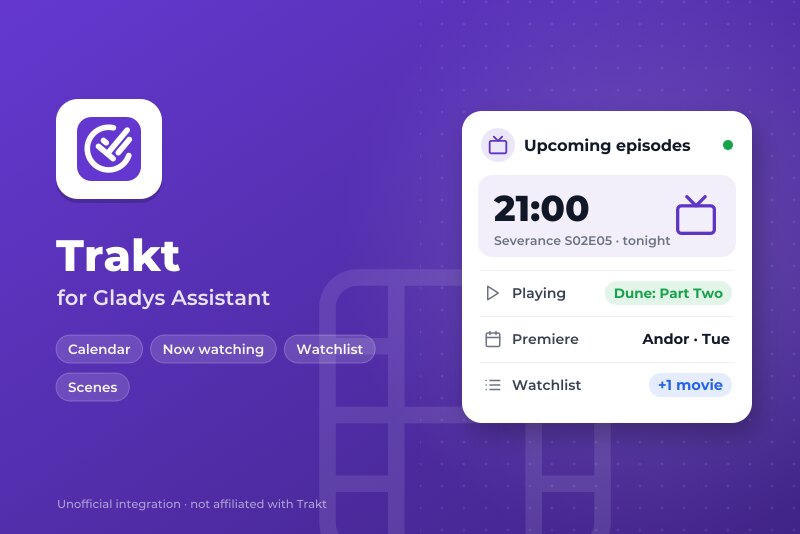
Your shows and movies from Trakt: calendar, what you watch, posters, scenes and widgets.
Published by William-De71
- Devices
- Version 0.1.0
- Requires Gladys >=5.3.0
- ★ 0
Overview
This integration brings your Trakt account into Gladys. The episodes of the shows you follow and the releases of the movies of your watchlist land in a "Shows and movies" calendar for every user who enables the integration. Scenes can react on the day an episode airs (or the day before, or a week before), at the very minute it airs, when a date changes, and when you start or stop watching something on Plex, Kodi, Jellyfin, Infuse or the Trakt apps. Scene actions add a title to your watchlist or mark it as watched, and three dashboard widgets show what is coming, your shows in progress and what is playing, with the posters.
Everything comes from the official Trakt API, with your own free Trakt app. Gladys Trakt uses Trakt but is not endorsed or certified by Trakt.
Requirements
- Gladys Assistant 5.3.0 or later (calendar integrations).
- Internet access.
- A Trakt account (free is enough) and a GitHub account, which Trakt asks for once to let you create an API app.
- For "Now watching": a player that scrobbles to Trakt (Plex, Kodi, Jellyfin, Emby, Infuse, the Trakt apps…), or check-ins.
Configuration
- On trakt.tv, open Settings → My Apps (the first time, Trakt asks you to connect a verified GitHub account), and create an app: any name, for example "Gladys", redirect URI
urn:ietf:wg:oauth:2.0:oob. Copy its Client ID. No Client Secret is needed. - In Gladys, paste the Client ID in the configuration of the integration and save.
- Click Connect: the Trakt activation page opens. Sign in to Trakt and type the code shown in the connection status of the configuration page. A few seconds later, the status says "Linked to <your Trakt name>".
- In My calendars on the same page, press Enable for me. Each user who wants the calendar enables the integration for themselves; the Trakt account is the same for everybody.
Trakt deletes an app that is not used for 30 days: keep the integration running. A Development app (the default) is enough for you and up to 16 people you invite to it.
| Field | Description |
|---|---|
| Client ID | The Client ID of your Trakt app (64 characters). It identifies the app; it is not a password. |
| Trakt account | The Connect button: links the account by a code typed on trakt.tv/activate. |
| What to follow | Episodes of shows, movie releases and streaming releases of movies (all three by default). |
| Days read ahead | 30, 60 (default) or 90 days. |
| Keep the specials | Episodes of "season 0" (bonus, making-of). Off by default. |
| Now watching | Asks Trakt every minute what the account is watching. On by default. |
| Reading of the calendar | Every hour, 3 hours (default), 6 or 12 hours. |
| Hour of the "release day" trigger | From 0 to 23, local time (9 by default). |
| Language of the scene texts | Language of the ready-made sentences and of the messages of the buttons. Automatic: the language of the dashboard. |
The buttons Read again now and Disconnect the Trakt account are at the bottom of the configuration. After a disconnection, also revoke the app in your Trakt settings (Connected apps).
Usage
Calendar
Each user gets a calendar named "Shows and movies":
- an episode is an event at its airing time (converted to the timezone of Gladys), as long as its runtime: "Severance S02E05 – Trojan's Horse". A season released at once is one event: "Andor S02E01–E08";
- a movie release and a streaming release of a movie of your watchlist are all-day events.
Trakt lists the episodes of the shows you watched or keep in your watchlist, and the movies of your watchlist. The calendar keeps the last 7 days and the days read ahead. An episode that moves follows; a show you remove from your watchlist disappears.
A new calendar is private. In My calendars, turn Share with the household on to use it in the scenes of the household (and with the native trigger "Calendar event is coming"), or turn Synchronize this calendar off to skip it.
Dashboard widgets
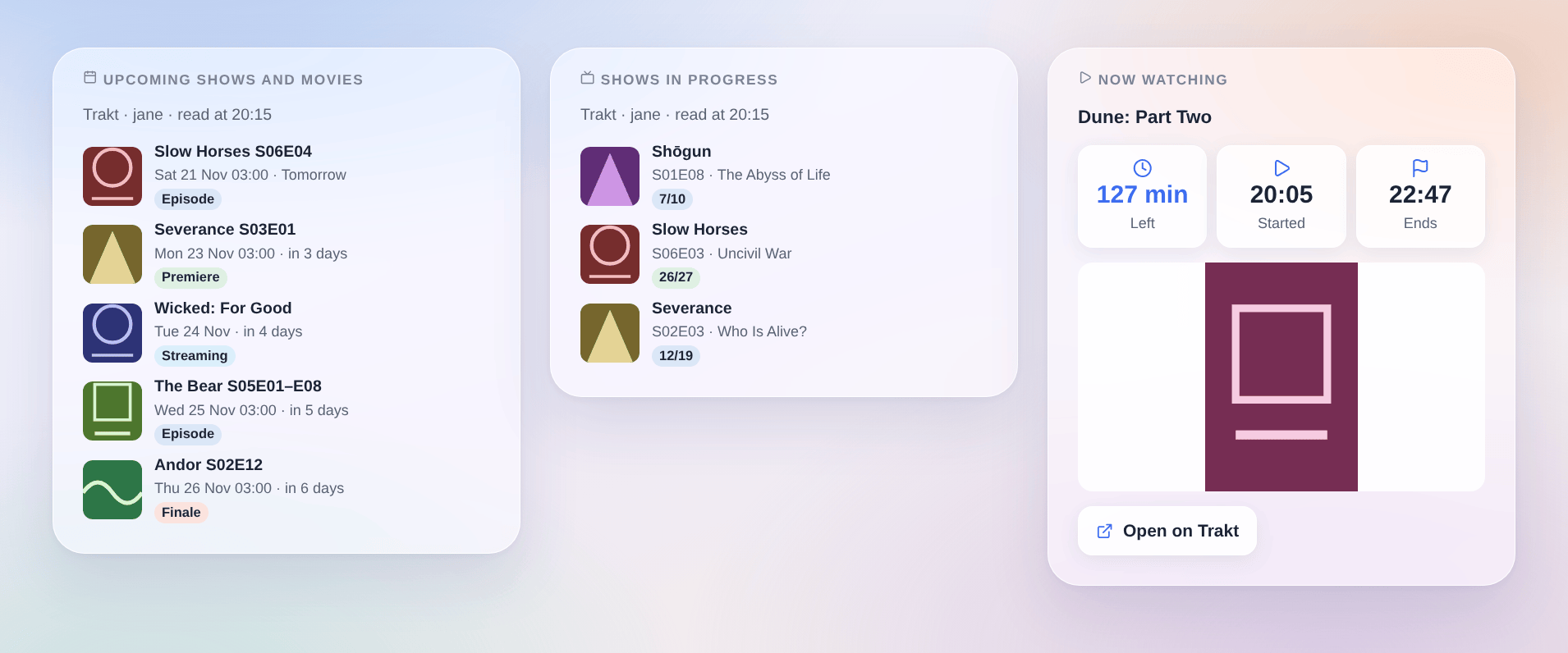
- Upcoming shows and movies: the next 3, 5 or 8 items with day, time, how far it is, a badge (premiere, finale, kind) and the poster. Tap one for its details and its Trakt page. It can be limited to some kinds.
- Shows in progress: the next episode to watch of each show you follow, and how many you watched.
- Now watching: what the account is watching, the time left, the start and the expected end, the poster; when nothing plays, the last title watched.
The posters are downloaded once and kept by the integration (Trakt forbids loading them from its servers), so they appear a little after the first reading.
Scenes
Triggers (filters: kinds, and the title of the show or the movie exactly as Trakt writes it):
- Trakt: new in the calendar: an episode or a movie appeared in the days already read (a renewed show, a new date, a title added to your watchlist on trakt.tv).
- Trakt: release day: an episode airs or a movie comes out today, tomorrow or in a week (choose it in "When"), at the hour of the configuration.
- Trakt: an episode airs now: the airing time of an episode just passed.
- Trakt: date changed: the day or the time of something to come changed;
previous_dateholds the old day. - Trakt: playback started and Trakt: playback stopped: needs "Now watching". "Stopped" says whether the end was reached (
finished) and how many minutes were watched. A pause also counts as stopped, and resuming as started. - Trakt: account to link again: Trakt refuses the sign-in (app deleted, access revoked): click Connect again.
The variables: full_title ("Severance S02E05 – Trojan's Horse"), title, episode ("S02E05"), episode_title, kind (episode, movie, streaming), kind_name, season, number, premiere, finale, date, time, date_text, days, network, url, text (a ready-made sentence).
Actions:
- Trakt: next episode or release: the next item of your calendar (of some kinds, or of one title), with day, time, days until and a ready-made sentence
text. - Trakt: add to the watchlist: a movie or a show, by title ("Dune (2021)"), IMDb identifier or trakt.tv address. Its episodes and releases then join the calendar.
- Trakt: mark as watched: the next episode of a show in progress, or a movie. The same title is never marked twice within an hour.
Examples:
- When playback starts → dim the living room lights and close the shutters; when playback stops with
finished= true → turn the lights back on. - When an episode of Severance airs tomorrow → send
{{triggerEvent.data.text}}on Telegram at 9 am. - When something new appears in the calendar → send
{{triggerEvent.data.full_title}}, {{triggerEvent.data.date_text}}and the link{{triggerEvent.data.url}}.
Transport
Cloud only. The integration talks to the Trakt API and downloads the posters from the Trakt servers. Your Client ID and your Trakt tokens only go to Trakt. Nothing about your home leaves your network: Trakt only receives what the scene actions write (watchlist, history).
Troubleshooting
- Connect says that Trakt does not know this Client ID: copy the Client ID again from Settings → My Apps (not the Client Secret), save, then click Connect.
- The code expired or was denied: click Connect again, and type the new code within 10 minutes.
- "Trakt refuses the sign-in: click Connect again": the access was revoked on trakt.tv, the app was deleted (unused for 30 days), or Gladys was off for a long time. Connect again; if the app is gone, create a new one and paste its Client ID.
- "Trakt refuses the Client ID": the app was deleted or is waiting for an approval; check it in My Apps.
- The calendar stays empty: check that you pressed Enable for me in My calendars, and that the account follows shows (watched or in the watchlist) with episodes in the coming days.
- Times are one hour off: the times are those of the first airing of the episode, in the timezone of Gladys (Settings → System). Some streaming services publish at another time in your country.
- "Now watching" never changes: your player must scrobble to Trakt (check that the play shows as "watching now" on trakt.tv); the option must be on.
- "Trakt asked to slow down": the requests resume at the time shown; nothing is lost.
- No poster: the posters are downloaded after a reading; some titles have none on Trakt.
For a bug report, give the Gladys and integration versions, your players, and the lines of the Logs tab of the integration; in developer mode, DEBUG=gladys-integration-sdk adds the SDK logs.
Configuration settings
These are the settings Trakt asks for in its configuration screen in Gladys.
| Setting | Type | Required | Description |
|---|---|---|---|
| 1. Create your Trakt app | section | No | Trakt asks every installation for its own free API app. On trakt.tv, open Settings → My Apps (Trakt asks for a verified GitHub account the first time), create an app (any name, redirect URI “urn:ietf:wg:oauth:2.0:oob”) and copy its Client ID below. No Client Secret is needed. Trakt deletes an app unused for 30 days: keep the integration running. |
| Client ID | string | Yes | The Client ID of your Trakt app (64 characters). It identifies the app; it is not a password. |
| 2. Link your Trakt account | section | No | Save first, then click Connect: the Trakt activation page opens. Sign in and type the code shown in the connection status of this page. One Trakt account feeds the calendar of every user who enables the integration in “My calendars”. Development apps accept the owner of the app and the people invited to it. |
| Trakt account | account_link | No | |
| Calendar | section | No | Trakt lists the episodes of the shows the account watched or keeps in its watchlist, and the releases of the movies of its watchlist. Times are those of the first airing, converted to the timezone of Gladys. Titles stay as Trakt writes them. |
| What to follow | multi_select | Yes | The calendar, the widgets and the scenes only see these. |
| Days read ahead | select | No | |
| Keep the specials | boolean | No | Episodes of “season 0”: bonus, making-of, recaps. |
| Reading and scenes | section | No | A reading takes about ten requests; “Now watching” adds one request a minute. Trakt allows 500 requests per 5 minutes. |
| Now watching | boolean | No | Asks Trakt every minute what the account is watching (sent by Plex, Kodi, Jellyfin, Infuse, the Trakt apps…): “playback started / stopped” triggers and the “Now watching” widget. |
| Reading of the calendar | select | No | |
| Hour of the “release day” trigger | number | No | From 0 to 23, local time: the scenes run at that hour on the day (or the day before, a week before). |
| Language of the scene texts | select | No | For the ready-made sentences of the scenes and the messages of the buttons. Automatic: the language of the last dashboard shown. |
How to install Trakt in Gladys
- In Gladys, open Integrations: Trakt appears in the catalog, next to the native integrations, with a community badge.
- Click Install. Gladys pulls the Docker image (
ghcr.io/william-de71/gladys-trakt:0.1.0), starts it in a sandbox isolated from the core, and generates the integration's interface (devices, discovery and configuration). - Open the Configuration screen of the integration, fill in the settings, and save.
- You can also install it directly from its repository URL: https://github.com/William-De71/gladys-trakt.
Trakt requires Gladys >=5.3.0. The catalog inside Gladys refreshes every hour, so a new version becomes available at most one hour after its release.
Not running Gladys yet? It is free and open source: follow the installation guide to get started.
About external integrations
Trakt is an external integration: a community integration packaged as a Docker container and published on GitHub, that Gladys installs in one click and runs in a sandbox isolated from its core. It is published and maintained by William-De71, not by the Gladys core team.
- Browse all integrations, native and community
- Build and publish your own external integration
- Source code on GitHub — source of this documentation