Telldus smart home integration, free and open source
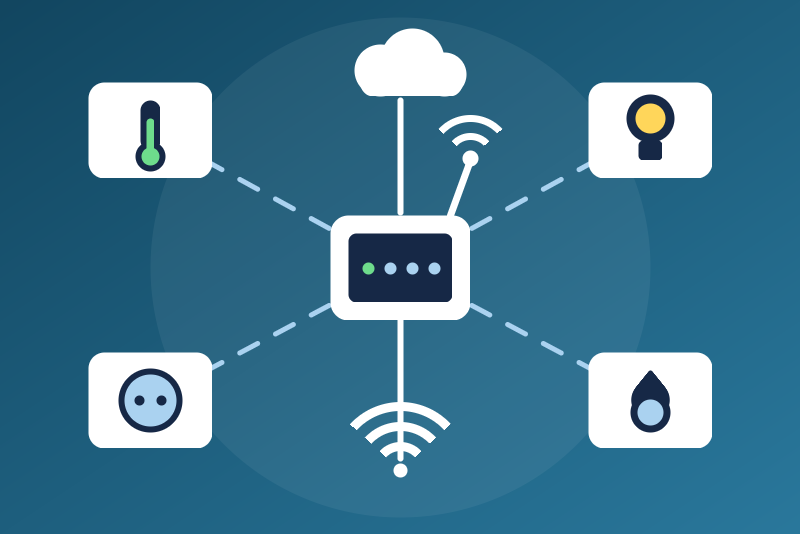
TellStick and Telldus Live: 433 MHz plugs, lights and sensors.
Published by LM1LC3N7
- Devices
- Version 0.1.1
- Requires Gladys >=5.1.0
- ★ 0
Brings the 433 MHz devices and sensors of your TellStick into Gladys: on/off plugs and receivers (Nexa, Proove, Chacon...), dimmers, and the temperature and humidity sensors the TellStick hears. Through Telldus Live (the cloud, with API keys of your own) or the local API of a TellStick ZNet or Net v2. Unofficial integration, not affiliated with Telldus. It was never tested with a real device: please report what works and what does not.
Connection
Telldus Live: sign in on https://api.telldus.com/keys, generate a
private token, and copy the four values (public key, private key, token,
token secret) into the configuration. Every request is signed (OAuth 1) with
them; they are kept by Gladys in its database, never shown again, sent only
to Telldus Live, never written in the logs, the status or /data. Telldus
Live is read every 60 s at the most often.
Local API (TellStick ZNet / Net v2): pick "Local API", enter the address
of the TellStick (an address of your network: never a broadcast, multicast,
0.0.0.0 or loopback address), save, click Request local access, open
the address shown in a browser of your network, accept "Gladys Assistant",
then click Finish local access: the token is saved in the configuration
of Gladys (never in /data). When the TellStick allows it, the token is
renewed a week before it expires. The local API is plain HTTP: use it on a
trusted network only. It can be read every 10 s.
Device ids are not the same in Telldus Live and in the local API: switching mode gives new devices in Gladys.
Devices and sensors
Discovery offers the devices of the last list read (no extra request):
- an on/off receiver: a switch once declared safe;
- a dimmer: a light (on/off and brightness 0-100 %) once declared safe;
- a sensor: temperature (°C; Fahrenheit converted) and humidity (%).
Groups, bells, shutters, thermostats and the other sensor values (rain, wind, UV, power) are not handled in this version.
433 MHz receivers answer nothing. The state shown is the last command Telldus sent (from Gladys, the Telldus app, a schedule, or a remote the TellStick heard): an assumed state, never confirmed. A command answered by Telldus is "sent", not "done".
A sensor value is published when it is newer than the last one published
(source date kept in /data) and less than 2 hours old against the date of
the answer of Telldus; a value with no date, in the future, empty or text
is never published (never as 0).
Devices declared safe
A plug may feed a heater, a pump or a garage door, and a "turn everything
off/on" of a voice assistant or a scene reaches every switch and light. So a
device is shown read only (unknown type) until you list its Telldus id in
Devices declared safe (for example 1234567, 1234568). The Test the
connection button lists the ids. The ids are those of the current
connection mode: Telldus Live and the local API number devices differently. After changing the list, scan and update
the device in the Discovery tab. A feature created before the list changed
is kept; turning on through it is then refused.
Turning on, or a brightness above 0, is refused (nothing sent) when: /data
is not read yet; the configuration is not read or not usable; the device
belongs to the other connection mode; it is not declared safe (checked again
just before the send); Telldus refused the credentials; a pause after a 429
is in progress; the device is not in the last list or that list is more than
15 minutes old; the device does not take that command; a turn off of the same
device came after the click. Without an answer from Telldus within 3 s, a
command that left is "sent, without confirmation".
Turning off
Turning off (or a brightness of 0) does not wait for the safe list, a pause,
the device list, a read in progress (it is cut) or /data. It is sent at
once, sent again after 3 s and 10 s (a 433 MHz receiver may miss one
transmission), and a send that fails is tried again every 10 s, 6 tries and
2 minutes at most (then the status names the device). A turn on of the same
device accepted by Telldus, or a read that left at least 3 s after the last
send and shows the device on again (the Telldus app or a remote), stops the
resends; a resend due while a newer turn on is on its way waits for its
answer. A send Telldus answers with an error (401/403, 4xx, error, 429) is
"refused by Telldus" and tried again in 10 s; a 429 also pauses the reads.
The 2 minutes are counted on a monotonic clock (a clock change of the
system never drops a stop). Pending stops are kept in
/data and go on after a restart (never older than 2 minutes).
Turning off is not sent only when: the configuration is not read or not usable yet (it is kept and leaves as soon as it is, within its 2 minutes); the device belongs to the other connection mode; Telldus refused these very credentials since the integration started (a mark kept from before a restart does not hold a stop).
Errors and limits
- 401/403 on the device list: the credentials are refused. Nothing is
sent with them again on its own (the refusal and a 6-bit mark, salted,
are kept in
/data); new credentials, a new local access or a success of the Test the connection button lift it. After a restart, new credentials entered while the integration was stopped share the mark of the refused ones once in 64: reads then wait, but the test button always tries and its success clears the mark, and turning off is still sent. A 401/403 on the sensors only, or on a command, is not a refusal: the sensors are then read less often (up to once an hour). - 429 or 5xx on a read: reads paused (1 minute, doubled at each one in a
row, up to 6 hours, longer if Telldus asks with Retry-After), kept in
/data. A 5xx on a command of one device never holds the others. - Answers are bounded (512 KB, 10 s). The Test the connection button never reads sooner than 60 s (Live) or 10 s (local) after the last read; a restart never reads before the interval after the last read.
/dataunreadable: reads wait for it (read again every 10 s), nothing is overwritten; turning off still leaves.
Configuration settings
These are the settings Telldus asks for in its configuration screen in Gladys.
| Setting | Type | Required | Description |
|---|---|---|---|
| Getting started | section | No | Reads the 433 MHz devices and the temperature and humidity sensors of your TellStick, through Telldus Live (cloud, your own API keys) or the local API of a TellStick ZNet / Net v2. 433 MHz receivers answer nothing: their state is assumed. A device is commanded only once you declare it safe. Unofficial, not affiliated with Telldus; never tested with a real device. |
| Connection | select | No | |
| Telldus Live | section | No | Sign in on api.telldus.com/keys and generate a private token: it gives the four values below (public key, private key, token, token secret). |
| Public key | secret | No | Kept by Gladys in its database, never shown again, sent only to Telldus Live. |
| Private key | secret | No | Kept by Gladys in its database, never shown again, sent only to Telldus Live. |
| Token | secret | No | Kept by Gladys in its database, never shown again, sent only to Telldus Live. |
| Token secret | secret | No | Kept by Gladys in its database, never shown again, sent only to Telldus Live. |
| Local API | section | No | Enter the address of the TellStick, save, click "Request local access", accept in the browser, then click "Finish local access": the token is saved here. Use it on a trusted network only (the local API is plain HTTP). |
| TellStick address | string | No | |
| Local token | secret | No | Kept by Gladys in its database, never shown again, sent only to your TellStick. |
| Devices | section | No | A plug may feed a heater or a pump, and "turn everything off/on" reaches every switch and light: a device is commanded only once its Telldus id is listed here (the "Test the connection" button lists the ids of the current connection mode: Live and local ids differ). Turning off does not need the list. Then scan and update the device in the Discovery tab. |
| Devices declared safe (Telldus ids) | string | No | |
| Read interval (s) | number | No | How often Telldus is read: 60 s at least for Telldus Live, 10 s for the local API. |
How to install Telldus in Gladys
- In Gladys, open Integrations: Telldus appears in the catalog, next to the native integrations, with a community badge.
- Click Install. Gladys pulls the Docker image (
ghcr.io/lm1lc3n7/gladys-telldus:0.1.1), starts it in a sandbox isolated from the core, and generates the integration's interface (devices, discovery and configuration). - Open the Configuration screen of the integration, fill in the settings, and save.
- You can also install it directly from its repository URL: https://github.com/LM1LC3N7/gladys-telldus.
Telldus requires Gladys >=5.1.0. The catalog inside Gladys refreshes every hour, so a new version becomes available at most one hour after its release.
Not running Gladys yet? It is free and open source: follow the installation guide to get started.
About external integrations
Telldus is an external integration: a community integration packaged as a Docker container and published on GitHub, that Gladys installs in one click and runs in a sandbox isolated from its core. It is published and maintained by LM1LC3N7, not by the Gladys core team.
- Browse all integrations, native and community
- Build and publish your own external integration
- Source code on GitHub — source of this documentation