TEC smart home integration, free and open source
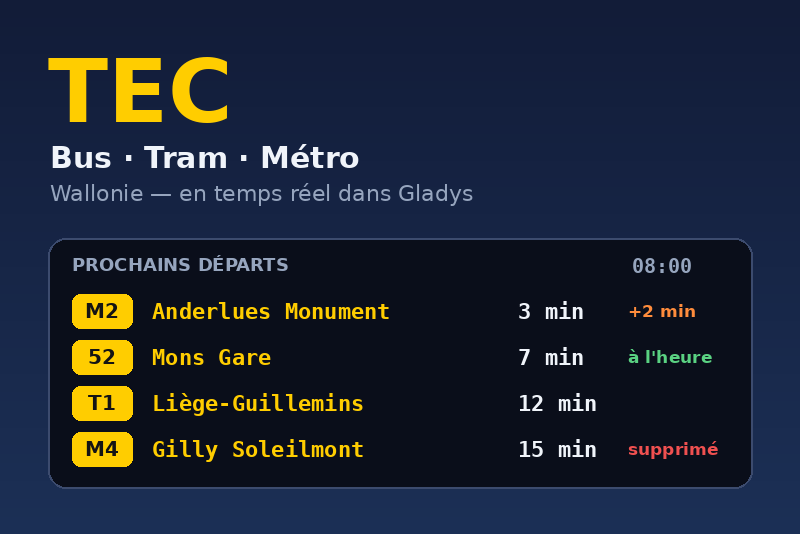
Next TEC bus, tram and metro departures in Wallonia, with live delays and disruptions.
Published by gboulvin
- Devices
- Version 1.1.0
- Requires Gladys >=5.3.0
- ★ 0
This integration shows in Gladys the next departures of the TEC buses, the Liège tram and the Charleroi metro, with delays, cancellations and disruptions (works, detours, strikes) in real time.
What you get
One device per monitored stop, with:
| Feature | Example |
|---|---|
| Next departure | 8 minutes |
| Next bus | M2 → ANDERLUES Monument · 08:03 (+3 min) |
| Delay of the next departure | 3 minutes |
| Following departure | 22 minutes |
| Next departures | M2 8 min (+3 min) · 52 08:05 cancelled · M4 25 min |
| Disruptions | 1 (alerts in force on the lines) |
At night, "Next departure" counts the minutes to the first departure of the morning.
Configuration
- API key (optional, recommended). Delays come from the
Belgian Mobility open data portal.
Without a key it only accepts 100 requests a day, so the real-time data is
refreshed every 20 minutes. With a free key, every minute:
- create an account on the developer portal;
- subscribe to the free (Standard) product;
- copy the primary key of your subscription into the "API key" field.
- Find your stops. Every stop has one code per direction (e.g.
CMpa1andCMpa2for the two platforms of the Palais metro station). Two buttons help:- Search for a stop: type part of the name ("charleroi gare"), the codes are listed with the lines serving them;
- Stops near my home: the stops nearest to your Gladys houses (the location of the house must be set). The first load of the timetable takes a minute or two.
- Stops: list the codes, separated by commas. To keep only some lines of
a stop, add them after a colon, separated by
+:CMpa1:M2+M4, Ctrrpla2:82. Twenty stops at most. - Save, then add the devices from the Discover tab.
Other settings:
- Language of the texts: language of the device names and of the texts written in the states (next bus, departures list).
- Real-time refresh: with a key, how often the real-time feed is read (60 s by default).
- Departures shown: how far ahead the lists look (90 minutes by default).
- Delay alert from: the delay that fires "TEC departure delayed" (5 minutes by default).
Actions
- Search for a stop and Stops near my home — see above.
- Test the connection — reads the real-time feed live and shows the timetable version, the trips tracked and the requests used.
- Update the timetable now — TEC publishes a new timetable every night; the integration checks by itself every 6 hours.
Scenes
Triggers (category Integrations of the scene editor):
- TEC departure soon — a departure leaves in N minutes. Pick the stop, the line and one or several values of N (1 to 30 minutes). Perfect for "The bus leaves in 5 minutes, time to go!".
- TEC departure delayed — a departure within the hour is late by at least the configured delay.
- TEC departure cancelled — a departure within the hour is cancelled or no longer serves the stop.
- New TEC disruption — a new alert concerns a line of a monitored stop.
The following actions read the details, e.g. {{triggerEvent.data.line}},
{{triggerEvent.data.destination}}, {{triggerEvent.data.expected_time}},
{{triggerEvent.data.delay_minutes}} or {{triggerEvent.data.title}}.
Actions:
- Get the next TEC departure — line, destination, minutes, expected time, delay and a summary of the next departures, for a message ("The next metro leaves in … minutes").
- Check a TEC line — whether a line is disrupted, with the number of alerts and their summary: use it in a condition before warning anyone.
Widgets
- TEC departures — the departure board of a stop: live next departure, delay and disruptions, the next departures colored by their delay, the data source and a "Refresh" button.
- TEC disruptions — the alerts in force on the lines of your stops (or of one stop, or one line), with a link to the details on letec.be.
Data and privacy
- Timetable: TEC open data (CC0), downloaded from
opendata.tec-wl.be(about 80 MB) and indexed locally in/data. - Real-time: Belgian Mobility open data portal (CC BY 4.0) — "Source: LETEC – Open Data".
- The location of your houses is only read by the "Stops near my home" button, and never leaves your Gladys.
Troubleshooting
- "Ignored (unknown stop…)": the code is not in the timetable; use the
stop search (codes are case-sensitive:
CMpa1). - Orange cloud badge: no API key (real-time every 20 minutes) or real-time data temporarily unavailable; the timetable times stay displayed.
- The portal refused the API key: check that the subscription is active and that you copied the primary key.
Configuration settings
These are the settings TEC asks for in its configuration screen in Gladys.
| Setting | Type | Required | Description |
|---|---|---|---|
| TEC real-time data | section | No | The timetable comes from the TEC open data (no account). Delays, cancellations and disruptions come from the Belgian Mobility open data portal: it works without a key (refreshed every 20 minutes), but a free key from its developer portal allows a refresh every minute. |
| API key (optional) | secret | No | Primary key of your Belgian Mobility subscription. |
| Stops to monitor | section | No | Each stop has one code per direction. Find yours with the "Search for a stop" or "Stops near my home" buttons below, then list the codes separated by commas. To keep only some lines, add them after a colon: CMpa1:M2+M4. |
| Stops | string | No | Stop codes, separated by commas (20 at most). |
| Language of the texts | select | No | Language of the names and texts written in the devices. |
| Real-time refresh (s) | number | No | With an API key only; without one, every 20 minutes. |
| Departures shown (minutes ahead) | number | No | |
| Delay alert from (minutes) | number | No | Delay that fires the "Departure delayed" scene trigger. |
How to install TEC in Gladys
- In Gladys, open Integrations: TEC appears in the catalog, next to the native integrations, with a community badge.
- Click Install. Gladys pulls the Docker image (
ghcr.io/gboulvin/gladys-letec:1.1.0), starts it in a sandbox isolated from the core, and generates the integration's interface (devices, discovery and configuration). - Open the Configuration screen of the integration, fill in the settings, and save.
- You can also install it directly from its repository URL: https://github.com/gboulvin/Gladys-LeTEC.
TEC requires Gladys >=5.3.0. The catalog inside Gladys refreshes every hour, so a new version becomes available at most one hour after its release.
Not running Gladys yet? It is free and open source: follow the installation guide to get started.
About external integrations
TEC is an external integration: a community integration packaged as a Docker container and published on GitHub, that Gladys installs in one click and runs in a sandbox isolated from its core. It is published and maintained by gboulvin, not by the Gladys core team.
- Browse all integrations, native and community
- Build and publish your own external integration
- Source code on GitHub — source of this documentation