Team Tracker smart home integration, free and open source
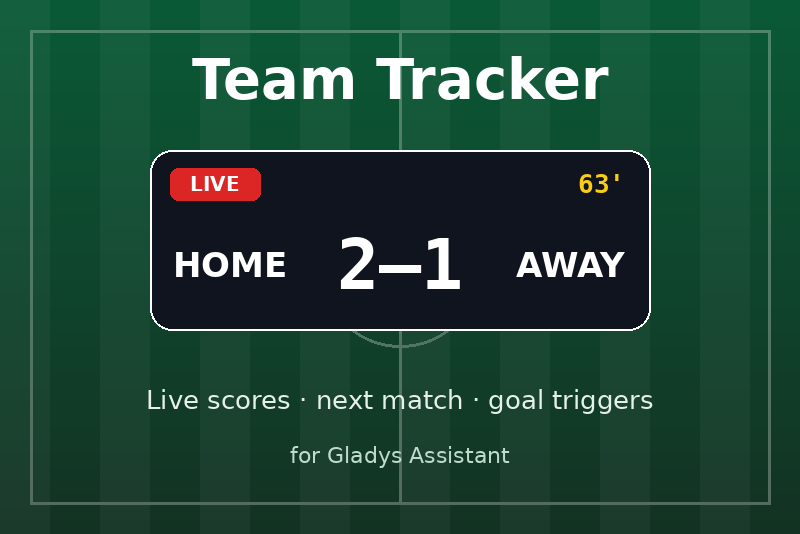
Follow your sports teams: live scores, next match, and scenes when your team scores.
Published by prohand
- Devices
- Version 1.2.0
- Requires Gladys >=5.3.0
- ★ 0
Follow your sports teams in Gladys: live scores, the next match, and scenes that run when your team scores or wins.
Beta. Scores come from ESPN's public API, which is free but undocumented: it can change without notice. Feedback is welcome on the GitHub repository or on the Gladys forum.
What you get
- One device per team, with three values:
- Score: your team's score in the current (or last) match;
- Opponent score;
- Match: one line, e.g.
Live · 63' · PSG 2 – 1 OM,Final · PSG 2 – 1 OM · WinorNext · Sat, Oct 17, 05:15 PM · at STR.
- Scene triggers: match starting soon, match started, my team scored, opponent scored, match ended.
- A scene action that reads the match of a team, to announce the score or to change the lights depending on the result.
- Two dashboard widgets: the live match of one team, and the list of all your teams.
No account, no API key, nothing to install on your network. Gladys 5.3 or later is required.
Configuration
-
Open the Configuration tab of the integration.
-
In Teams, write the teams to follow as
LEAGUE:TEAM, separated by commas:LIG1:PSG, TOP14:RAC, NFL:KC, NBA:LALLEAGUEis a code of the table below.TEAMis the team's abbreviation (PSG,KC) or its ESPN id (160).- Not sure? Click Find a team, pick the league, type part of the name: the integration lists the exact lines to paste.
-
Pick the language of the match texts and your time zone (e.g.
America/New_York,Europe/Paris), used to write kickoff times. -
Save, then click Test the teams: every team is listed with its current or next match, and every entry that cannot be followed says why.
-
Open the Discover tab and add the team devices with Add to Gladys.
Other settings
| Setting | Default | Meaning |
|---|---|---|
| Kickoff reminder (min) | 30 | The "Match starting soon" trigger fires this long before. |
| Refresh during a match (s) | 30 | How often scores are read while a match is live. |
| Refresh between matches (min) | 15 | How often the next matches are checked otherwise. |
| Time zone | Europe/Paris | Kickoff times are written in this zone (IANA name). |
| Language of the match texts | English | Language of the "Match" line and of the scene summary. |
The integration wakes up on its own for the reminder and for the kickoff: you do not need a short refresh to catch the start of a match.
Leagues
| Code | League | Code | League |
|---|---|---|---|
LIG1 | Ligue 1 | TOP14 | Top 14 |
LIG2 | Ligue 2 | SIXN | Six Nations |
CDF | Coupe de France | RWC | Rugby World Cup |
D1F | Première Ligue (women) | NFL | NFL |
EPL | Premier League | NCAAF | NCAA Football |
LIGA | LaLiga | NBA | NBA |
SERA | Serie A | WNBA | WNBA |
BUND | Bundesliga | NCAAM | NCAA Men's Basketball |
CL | Champions League | NCAAW | NCAA Women's Basketball |
EL | Europa League | NHL | NHL |
ECL | Conference League | MLB | MLB |
MLS | MLS | WC | FIFA World Cup |
NWSL | NWSL | WWC | FIFA Women's World Cup |
Another league? Any ESPN team league works with its two path segments instead of a
code: soccer/por.1:SLB (Liga Portugal), soccer/ned.1:AJA (Eredivisie). They are the
two parts after /sports/ in the ESPN API addresses.
A team in two competitions (Ligue 1 and Champions League) is two entries:
LIG1:PSG, CL:PSG. Each is its own device.
Same abbreviation for two teams (three Top 14 teams are STA): use the ESPN id that
Find a team gives (TOP14:25922 for Stade Toulousain).
Individual sports (tennis, golf, F1, MMA) are not supported: a match there is not two teams with a score.
Scenes
The integration adds its own cards to the scene editor, under the Integrations category.
Triggers
| Trigger | When |
|---|---|
| Match starting soon | The kickoff reminder is due (30 min before, default). |
| Match started | The match went live. |
| My team scored | Your team's score went up (goal, try, touchdown…). |
| Opponent scored | The opponent's score went up. |
| Match ended | The match is over; filter on win, loss or draw. |
Every trigger can be limited to one team and to home or away matches; left
empty, any team matches. The following actions can read the details with
{{triggerEvent.data.<name>}}:
| Variable | Example | Triggers |
|---|---|---|
team_name | Paris Saint-Germain | all |
opponent | Strasbourg | all |
home_away | away | all |
league | Ligue 1 | all |
team_score | 2 | all |
opponent_score | 1 | all |
summary | Live · 63' · PSG 2 – 1 STR | all |
points | 1 (6 for a touchdown) | my team scored, opponent scored |
result | win, loss or draw | match ended |
kickoff | 2026-10-17T15:15Z | match starting soon |
minutes | 30 | match starting soon |
Examples:
- Goal light: "My team scored" → turn the living room lights green for 30 seconds.
- Match reminder: "Match starting soon" → send a message "{{triggerEvent.data.summary}}".
- Result: "Match ended", result = win → play a song.
Scores are read every 30 seconds by default: an event arrives up to that long after the action on the field, plus ESPN's own delay.
Action: Get the match of a team
Gives the following actions the current or next match of a team: state (pre, in,
post or none), is_live, team_score, opponent_score, opponent, kickoff,
result and summary. It answers from the last reading, without calling ESPN.
The two scores are also device values: a scene condition can compare them ("only if my team leads").
Dashboard
- Team match: pick a team in the widget settings. Live score (it follows the device values in real time once the device is created), clock, kickoff, opponent, home or away, and a Refresh button.
- My teams: every followed team with its logo, live matches first, with a LIVE, result or NEXT badge.
Troubleshooting
- A team is missing from the Discover tab: click Test the teams, it says why (unknown league, team not found, abbreviation shared by several teams, ESPN unreachable).
- The badge of a team is "unreachable": ESPN did not answer the last reading. The last known scores stay displayed; the next reading tries again.
- Kickoff times are off by some hours: set your Time zone.
- Logs: open the integration's Logs tab in Gladys. Each scene event is logged
(
Scene event team_scored <- LIG1:PSG: …).
Privacy
The integration only sends ESPN the leagues and team ids it reads. It needs no account
and stores one small file in its own /data volume (the last reading of each team).
Configuration settings
These are the settings Team Tracker asks for in its configuration screen in Gladys.
| Setting | Type | Required | Description |
|---|---|---|---|
| Getting started | section | No | Scores come from the public ESPN API: no account, no key. Write the teams to follow as LEAGUE:TEAM, separated by commas, e.g. LIG1:PSG, TOP14:RAC, NFL:KC. Not sure of the abbreviation? Use the "Find a team" button below. Each team becomes a device in the Discover tab. |
| Teams | string | Yes | LEAGUE:TEAM entries separated by commas (20 at most). The team is its abbreviation or its ESPN id. |
| Language of the match texts | select | No | Language of the "Match" text shown on the devices and sent to the scenes. |
| Time zone | string | No | Kickoff times are written in this time zone (IANA name). |
| Kickoff reminder (min) | number | No | The "Match starting soon" trigger fires this many minutes before kickoff. 0 turns it off. |
| Refresh during a match (s) | number | No | How often scores are read while a match is live, in seconds. |
| Refresh between matches (min) | number | No | How often the next matches are checked when nothing is live, in minutes. |
How to install Team Tracker in Gladys
- In Gladys, open Integrations: Team Tracker appears in the catalog, next to the native integrations, with a community badge.
- Click Install. Gladys pulls the Docker image (
ghcr.io/prohand/gladys-teamtracker:1.2.0), starts it in a sandbox isolated from the core, and generates the integration's interface (devices, discovery and configuration). - Open the Configuration screen of the integration, fill in the settings, and save.
- You can also install it directly from its repository URL: https://github.com/prohand/gladys-teamtracker.
Team Tracker requires Gladys >=5.3.0. The catalog inside Gladys refreshes every hour, so a new version becomes available at most one hour after its release.
Not running Gladys yet? It is free and open source: follow the installation guide to get started.
About external integrations
Team Tracker is an external integration: a community integration packaged as a Docker container and published on GitHub, that Gladys installs in one click and runs in a sandbox isolated from its core. It is published and maintained by prohand, not by the Gladys core team.
- Browse all integrations, native and community
- Build and publish your own external integration
- Source code on GitHub — source of this documentation