Syslog smart home integration, free and open source
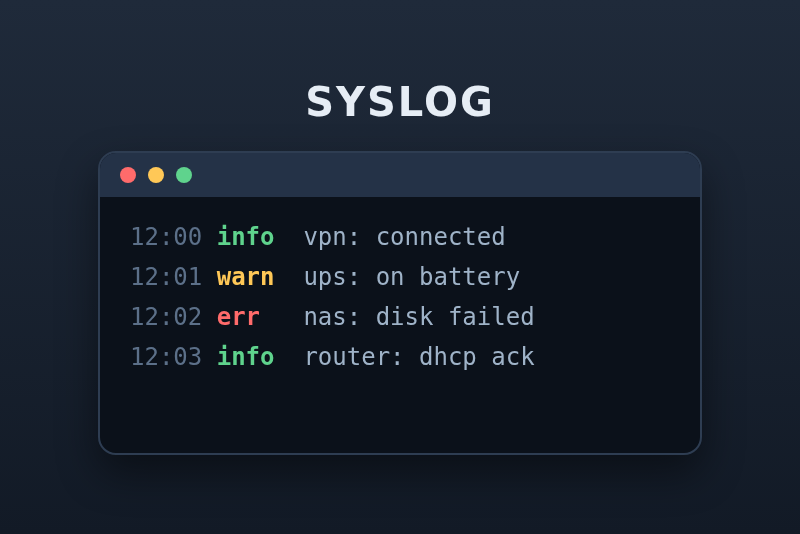
Your router, NAS and servers send their logs to Gladys: react to the messages that matter.
Published by guim31
- Devices
- Version 1.0.0
- Requires Gladys >=5.2.0
- ★ 0
Your router, NAS, UPS, switches and servers all write logs, and almost all of them can send these logs over the network with syslog. This integration makes Gladys a syslog receiver: each device that sends its logs becomes a Gladys device with its last message, its last severity and its errors of the last hour. Rules pick the messages that matter ("VPN connection", "disk failure", "power cut"…) and trigger scenes, and a dashboard widget lists the last severe messages.
Nothing is stored: Gladys keeps the last message of each device and the last severe messages in memory, and counters. It is not a log archive (for that, see Graylog).
Tested with real syslog senders (logger, rsyslog 8 as a relay, RFC 3164 and
RFC 5424, UDP and TCP) against the Docker image of the integration; not yet on a
real Gladys instance: feedback welcome on
the issues.
What you need
- Gladys Assistant 5.2.0 or later.
- Devices that can send their logs to a "remote syslog server", over UDP or TCP, with a configurable port. Most routers, NAS (Synology, QNAP, TrueNAS…), UPS software (NUT, apcupsd), switches, firewalls and Linux servers (rsyslog, syslog-ng, journald) can.
Getting started
1. Install the integration
In Gladys, Integrations → Install from GitHub, address
https://github.com/guim31/gladys-syslog. The integration starts two
containers: the integration itself and a small receiver that listens for
syslog. Gladys chooses the ports the receiver is reachable on, one for UDP and
one for TCP: the configuration screen of the integration shows them, in the
"Send your logs to Gladys" section.
2. Point your devices at Gladys
In the syslog (or "remote logging") settings of each device, enter the address of the Gladys machine and the UDP port shown by the configuration screen. UDP is what almost every device offers; TCP (the second port) does not lose messages in transit and suits rsyslog and syslog-ng. Both "octet counting" and "one message per line" TCP framings are understood.
On a Linux server with rsyslog, one line in /etc/rsyslog.d/gladys.conf is
enough (replace the address and the port):
*.* @192.168.1.10:41234
@ sends over UDP, @@ over TCP. To test from any Linux machine:
logger -n 192.168.1.10 -P 41234 --udp "Hello Gladys"
3. A device that only sends to port 514
Some boxes do not let you choose the port: they always send to port 514. Two solutions:
-
A relay (recommended): an rsyslog that listens on port 514, on a machine of the network (a NAS, a Raspberry Pi…), and forwards everything to Gladys:
module(load="imudp")input(type="imudp" port="514")*.* action(type="omfwd" target="192.168.1.10" port="41234" protocol="udp"template="RSYSLOG_SyslogProtocol23Format")Then enter the IP address of the relay in Trusted relays: the messages it forwards are sorted by the host name they carry, so each device behind the relay stays a device of its own. (Without this, they would all look like the relay.) A relay on the Gladys machine itself reaches the receiver through Docker, under another address: the IP parameter of the devices it forwarded before you declared it shows which one.
-
A port redirection on the Gladys machine (iptables), from 514 to the chosen port. It hides the sender's address from the integration on most Docker setups: prefer the relay.
4. Add the devices
Each device that sends a message appears in the Discovery tab of the integration, named after the host name it sends (or its IP address). Add the ones you want to follow. The integration identifies a device by its IP address: give your devices a fixed address (a DHCP reservation).
The Forget the senders not added button of the configuration clears the Discovery tab of the devices you did not add; they come back with their next message.
Configuration
- Allowed senders: IP addresses or IPv4 ranges (
192.168.1.0/24), separated by commas. Empty: every sender is accepted. A message from another address is dropped by the receiver. Recommended: syslog has no authentication, and a host of the network could otherwise fill the 200 senders with forged addresses. - Trusted relays: see above.
- Messages per second per sender (20 by default): beyond, the messages of that sender are dropped (a burst of twice this number is accepted). A device gone wild cannot flood Gladys. The receiver also accepts 500 messages a second at most, all senders together.
- Language of the names and texts: the names of the features (fixed when a device is added), the severities and the scene variables.
- Rules: up to five, see below.
Severities
Each syslog message carries a severity, from the most to the least severe: Emergency, Alert, Critical, Error, Warning, Notice, Info, Debug. A message without one counts as Notice. The integration calls "severe" a message Warning or more severe, and "error" a message Error or more severe.
The devices
Each sender:
- Last message: the program and the text of its last message.
- Last severity: the severity of its last message.
- Errors in the last hour: its messages Error or more severe in the last 60 minutes.
- Last seen: the time of its last message.
The Syslog rules device has one counter per rule, named after the rule: the messages that matched it in the last 60 minutes. Use them in scene conditions ("more than 5 failed logins in the last hour").
The states are sent to Gladys every 15 seconds at most, only when they change: Gladys accepts 300 states a minute.
Rules
A rule has:
- a name, the name of its counter and a variable of its scene trigger;
- a text, found in the message whatever the case, or a regular
expression between slashes:
/disk \S+ failed/i(i: whatever the case). The message is read asprogram: text, so a rule can name the program:openvpn: .* Peer Connection Initiated; - a minimum severity (Any by default);
- optional senders: IP addresses or host names, separated by commas.
Examples: Peer Connection Initiated (OpenVPN connection), on battery (NUT,
power cut), authentication failure (failed login), /ata\d.*failed/
(disk error in the kernel log).
Dashboard
The Severe log messages widget shows:
- the errors of the last hour, all senders together;
- the last severe messages, newest first: the text, the sender and the time, the severity as a colored badge; tap a message to read it whole;
- a Clear button: once read, the list only shows the new messages.
Settings: the senders (empty: all), the minimum severity shown (Error by default), and switches to hide the counter and the Clear button. The severe messages are kept in memory only: a restart of the integration empties the list.
Scenes
Triggers
- A rule matches: a message matches a rule. Filters: the rules, the senders. Variables: rule name, sender, IP address, severity, program, message.
- A severe message arrives: a sender logs a Warning or worse. Filters: the severities, the senders. Same variables, without the rule.
- A new sender appears: a device never seen before sends its first message (a new device on the network, or one misconfigured). Variables: sender, IP address.
To avoid floods, a trigger fires at most once every 10 seconds for the same rule and sender (or the same sender and severity), and the integration sends 120 scene events a minute at most.
Scene ideas
- "Power cut": rule
on battery→ send a message and turn off what can be. - "Someone logged into the VPN": rule
Peer Connection Initiated→ a notification with{{triggerEvent.data.message}}. - "The NAS reports a disk error": the "A severe message arrives" trigger, severities Critical and Error, sender the NAS.
Troubleshooting
- No device appears: check that the device sends to the right port (the one
of the configuration screen, not 514) and to the IP address of the Gladys
machine; test with
loggerfrom a computer. Check the Allowed senders. - The configuration screen shows
{{port:syslog_udp}}: the receiver has not started yet; reload the page a few seconds after the installation. - Every device has the same address: they go through a relay, or Gladys runs Docker with a network setup that hides the sender's address. Use Trusted relays.
- Messages are missing: a sender over its rate limit is reported in the integration logs; raise "Messages per second per sender". UDP can lose messages on a busy network: use TCP.
- The status is red: the receiver container is not running (the integration starts it again by itself), a regular expression of a rule is invalid, or an allowed sender is not understood: the message says which.
Limits
- The time of a message is the time it is received: device clocks are often wrong, and the old syslog format has neither year nor time zone.
- A device is identified by its IP address: a device whose address changes appears again in Discovery.
- No TLS (syslog over TLS, port 6514): the receiver is meant for the local network.
- 200 senders at most; messages are cut at 2,048 characters.
- Nothing is archived: for searching old logs, use a log server (Graylog…).
- Not affiliated with any of the brands cited.
Configuration settings
These are the settings Syslog asks for in its configuration screen in Gladys.
| Setting | Type | Required | Description |
|---|---|---|---|
| Send your logs to Gladys | section | No | In the syslog settings of your router, NAS, UPS or server, set the remote server to {{gladys_host}}, UDP port {{port:syslog_udp}} (or TCP port {{port:syslog_tcp}}). Gladys chooses these ports: a device that only sends to port 514 needs a redirection, see the guide. Each sender then appears in the Discovery tab. |
| Allowed senders (optional) | string | No | IP addresses or IPv4 ranges, separated by commas. Empty: every sender is accepted. |
| Trusted relays (optional) | string | No | IP of a syslog relay (rsyslog…) forwarding other devices: their messages are sorted by the host name they carry, not by the relay IP. |
| Messages per second per sender | number | No | Beyond, the messages of that sender are dropped: a device gone wild cannot flood Gladys. |
| Language of the names and texts | select | No | Used for the feature names (fixed when a device is added), the severities and the scene variables. |
| Rules | section | No | Up to five rules. A rule counts the messages that contain its text (any case), or match a regular expression written between slashes (/disk .* failed/i), at least as severe as chosen, from the chosen senders (IP or host name, empty: all). Each rule has a counter in the "Syslog rules" device and fires the "A rule matches" scene trigger. |
| Rule 1: name | string | No | |
| Rule 1: text or /regular expression/ | string | No | |
| Rule 1: at least this severe | select | No | |
| Rule 1: senders (optional) | string | No | |
| Rule 2: name | string | No | |
| Rule 2: text or /regular expression/ | string | No | |
| Rule 2: at least this severe | select | No | |
| Rule 2: senders (optional) | string | No | |
| Rule 3: name | string | No | |
| Rule 3: text or /regular expression/ | string | No | |
| Rule 3: at least this severe | select | No | |
| Rule 3: senders (optional) | string | No | |
| Rule 4: name | string | No | |
| Rule 4: text or /regular expression/ | string | No | |
| Rule 4: at least this severe | select | No | |
| Rule 4: senders (optional) | string | No | |
| Rule 5: name | string | No | |
| Rule 5: text or /regular expression/ | string | No | |
| Rule 5: at least this severe | select | No | |
| Rule 5: senders (optional) | string | No |
How to install Syslog in Gladys
- In Gladys, open Integrations: Syslog appears in the catalog, next to the native integrations, with a community badge.
- Click Install. Gladys pulls the Docker image (
ghcr.io/guim31/gladys-syslog:1.0.0), starts it in a sandbox isolated from the core, and generates the integration's interface (devices, discovery and configuration). - Open the Configuration screen of the integration, fill in the settings, and save.
- You can also install it directly from its repository URL: https://github.com/guim31/gladys-syslog.
Syslog requires Gladys >=5.2.0. The catalog inside Gladys refreshes every hour, so a new version becomes available at most one hour after its release.
Not running Gladys yet? It is free and open source: follow the installation guide to get started.
About external integrations
Syslog is an external integration: a community integration packaged as a Docker container and published on GitHub, that Gladys installs in one click and runs in a sandbox isolated from its core. It is published and maintained by guim31, not by the Gladys core team.
- Browse all integrations, native and community
- Build and publish your own external integration
- Source code on GitHub — source of this documentation