SYR SafeTech smart home integration, free and open source
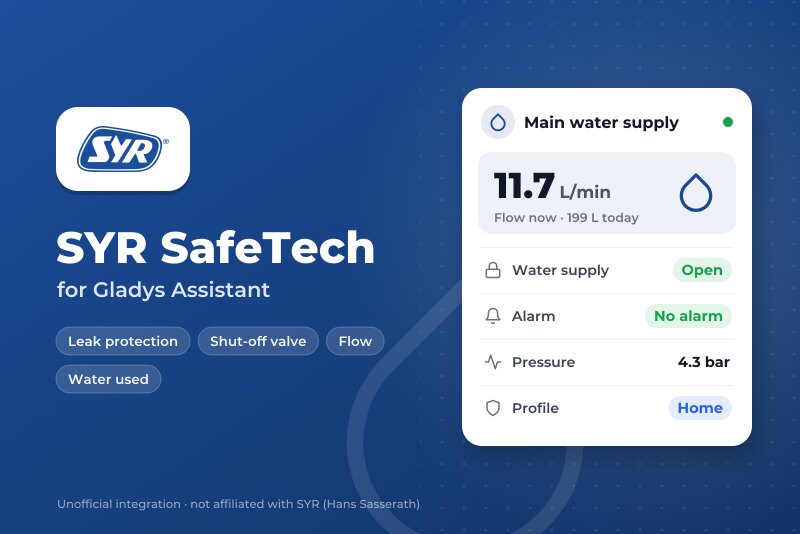
SYR leak protection on the local network: shut-off valve, leaks, flow, water used.
Published by William-De71
- Devices
- Version 0.1.0
- Requires Gladys >=5.3.0
- ★ 0
Overview
This integration brings your SYR leak protection device into Gladys over your local network: the shut-off valve on your main water supply, its leak alarms, the water flow, pressure and temperature, the water you use each day and its leak protection profiles. You can shut the water off from Gladys, and let a scene do it when a leak sensor gets wet.
It talks to the local API of the device (port 5333): no cloud, no SYR account, nothing leaves your home. It works with:
- SYR SafeTech Connect (V3, V4 and the current model), SafeTech+ Connect, Trio DFR/LS Connect, Trio LS, SafeTech Lock and TRIO Lock Connect;
- Hansgrohe Pontos Base, RWC MultiSafe, and the same devices sold under other brands (CONEL, Sanibel, DITECH, TAKE, concept, Optima); probably the POLYGONVATRO "Wasserwächter" too (same firmware, not confirmed).
The older Safe-T+ and the LEX water softeners have no local API: they only talk to the SYR cloud, which this integration does not use.
This integration is not affiliated with SYR (Hans Sasserath). It was written from the community documentation of the local API and has not been tested with a real device yet: your feedback is welcome.
Prerequisites
- Gladys Assistant 5.3.0 or later.
- The SYR device connected to your network (Wi-Fi or Ethernet) and reachable from the Gladys server on port 5333.
- Its IP address: shown in the device menu or in the list of connected devices of your internet box. Give it a fixed address (DHCP reservation) in your box, so that it does not change.
Configuration
| Field | What to type |
|---|---|
| Device addresses | The IP address of your device, e.g. 192.168.1.40. Several devices: separate them with commas. |
| Reading | How often the devices are read: every 10 seconds, 30 seconds (default) or minute. |
| Language of the texts | Language of the feature names, alarm texts and scene messages. Automatic: the language of the last widget shown. |
Then press Search and test: the integration finds the device on its own (the newer /trio path, else the older /safe-tec or /pontos-base) and offers it on the Discover screen. Diagnostic writes what the integration knows to its logs, for a bug report.
Usage
Devices
Add the device from Discover. It has the features its model reports:
| Feature | What it is |
|---|---|
| Water supply | The valve, as a switch: on = water flows, off = shut off. Not on a Pontos Base. |
| Leak | On while a leak alarm is active (volume, duration or flow limit, microleak, floor sensor). |
| Alarm | The current alarm in words, "No alarm" otherwise. |
| Leak protection profile | The active profile (Home, Away, Holidays… as named in the SYR app); you can change it. |
| Water flow | m³/h. |
| Water pressure, temperature | bar and °C, when the device has the sensors (not the Trio DFR/LS). |
| Water meter | The total counted by the device, in m³. |
| Water used today | Liters since midnight, worked out by the integration from the meter. |
| Last / current water draw | Liters of the last draw, and of the one going on. |
| Battery, battery low | The level of the backup battery when the device tells it, and the low battery warning. |
Dashboard widgets
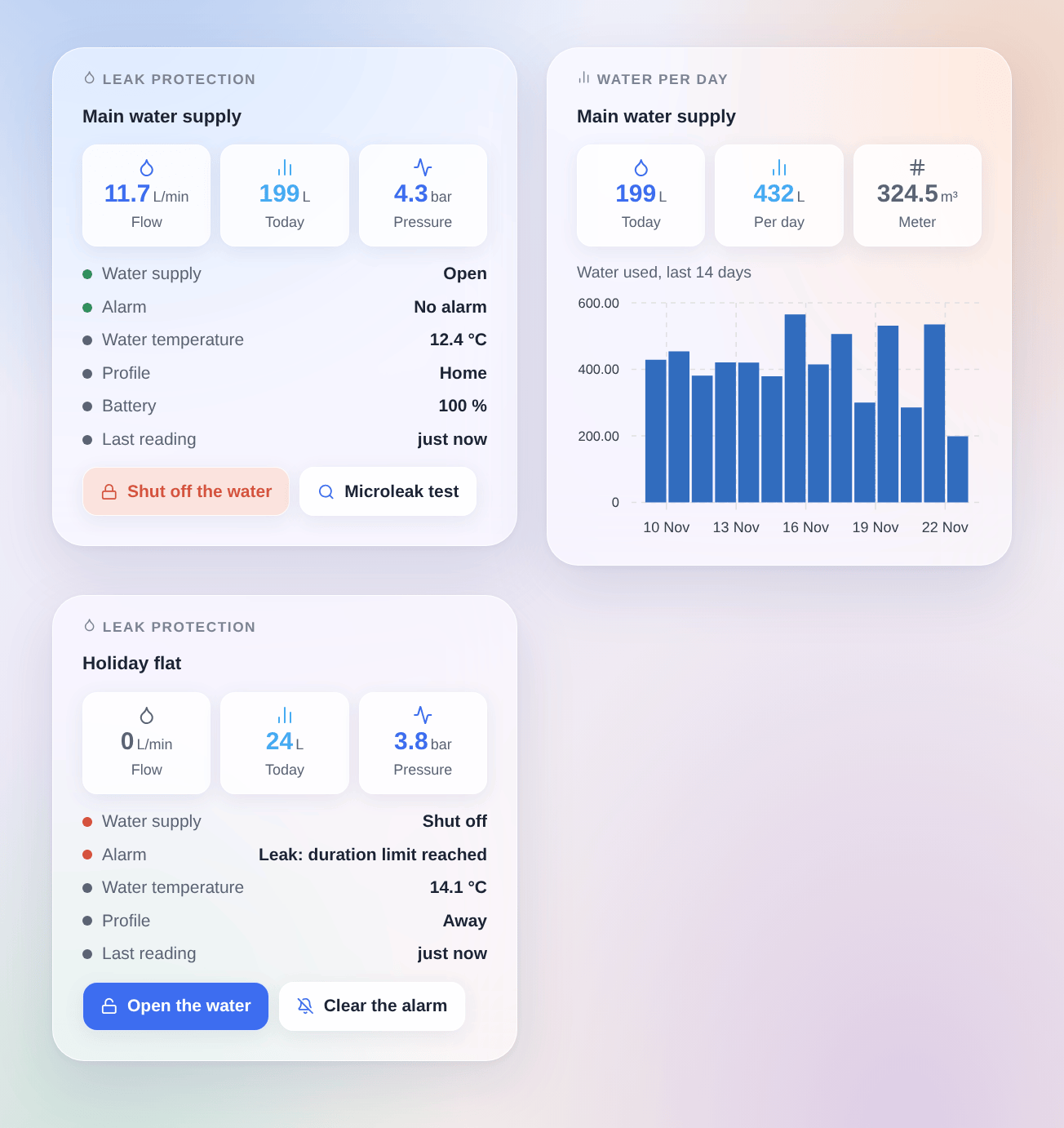
- Leak protection: the flow now, the water used today, the pressure, the valve, the alarm, the profile and the battery, with buttons to shut the water off or open it again, clear the alarm and start the microleak test (Gladys asks before the valve moves).
- Water per day: the water used each of the last 14 days, today and the average per day. The chart fills in as the days go by.
Scenes
Triggers: leak detected, alarm (any alarm, faults included), alarm over, warning (power cut, battery, leak warning; newer devices only), not answering and answering again. Each one can be limited to one device and gives its texts to the scene ({{triggerEvent.data.message}}).
Actions: select a profile (by its number in the SYR app), microleak test (the valve closes about 4 minutes), clear the alarm, water used (today, yesterday, meter, flow, valve, for a message or a condition).
Examples:
- When a Zigbee leak sensor under the sink gets wet → turn the SYR water supply off and send a message.
- When the house alarm is armed → select profile 2 ("Away"), with stricter limits; back to profile 1 when it is disarmed.
- When SYR detects a leak → send
{{triggerEvent.data.message}}to everyone and switch the boiler off.
Troubleshooting
- "No answer from … on port 5333": check the address, that the device is on and connected, and that nothing blocks port 5333 between Gladys and the device.
- "answers, but not as a SYR device": the address belongs to another device, or your model has no local API (Safe-T+, LEX: cloud only).
- The water supply switch is missing: the Pontos Base cannot be driven over its local API; the others always show it.
- "The device refused the command": the firmware does not know the command (code NSC) or the value (MIMA), for example a profile that is not active.
- Open an issue on GitHub with the versions of Gladys and of the integration, the result of Diagnostic and, if you can, the answer of
http://<address>:5333/trio/get/all(or/safe-tec/get/all) without the serial number.
Configuration settings
These are the settings SYR SafeTech asks for in its configuration screen in Gladys.
| Setting | Type | Required | Description |
|---|---|---|---|
| Your SYR device | section | No | The integration talks to your SYR leak protection device over the local network, through its local API (port 5333): nothing leaves your home. It works with the SafeTech Connect, SafeTech+, Trio DFR/LS, SafeTech Lock, TRIO Lock and Hansgrohe Pontos Base (older Safe-T+ and LEX devices have no local API). The device does not announce itself: type its IP address and give it a fixed one in your internet box. Not affiliated with SYR (Hans Sasserath). |
| Device addresses | string | Yes | IP addresses or names of your SYR devices, separated by commas (a port after “:” if it is not 5333). |
| Options | section | No | |
| Reading | select | No | How often the devices are read. |
| Language of the texts | select | No | Feature names, scene texts and errors. Automatic: the language of the last widget shown. |
How to install SYR SafeTech in Gladys
- In Gladys, open Integrations: SYR SafeTech appears in the catalog, next to the native integrations, with a community badge.
- Click Install. Gladys pulls the Docker image (
ghcr.io/william-de71/gladys-syr-safetech:0.1.0), starts it in a sandbox isolated from the core, and generates the integration's interface (devices, discovery and configuration). - Open the Configuration screen of the integration, fill in the settings, and save.
- You can also install it directly from its repository URL: https://github.com/William-De71/gladys-syr-safetech.
SYR SafeTech requires Gladys >=5.3.0. The catalog inside Gladys refreshes every hour, so a new version becomes available at most one hour after its release.
Not running Gladys yet? It is free and open source: follow the installation guide to get started.
About external integrations
SYR SafeTech is an external integration: a community integration packaged as a Docker container and published on GitHub, that Gladys installs in one click and runs in a sandbox isolated from its core. It is published and maintained by William-De71, not by the Gladys core team.
- Browse all integrations, native and community
- Build and publish your own external integration
- Source code on GitHub — source of this documentation