SOMA Connect smart home integration, free and open source
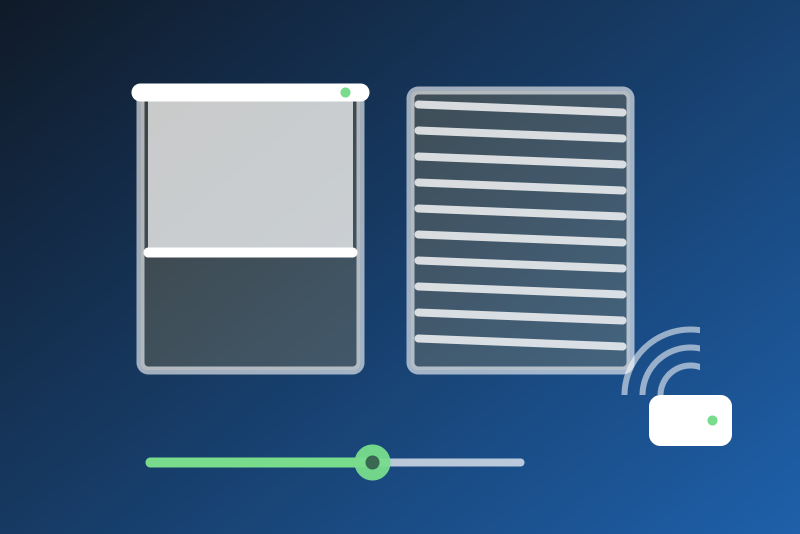
SOMA Smart Shades and Tilt through the local API of SOMA Connect. Unofficial.
Published by LM1LC3N7
- Devices
- Version 0.1.2
- Requires Gladys >=5.1.0
- ★ 0
Control your SOMA Smart Shades (roller shade motors) and SOMA Tilt (venetian blind motors) from Gladys, through the local HTTP API of your SOMA Connect bridge.
Unofficial integration, not affiliated with SOMA (Wazombi Labs). It has never been tested with a real SOMA Connect: it follows the API used by pysoma, the library of the maker. Feedback is welcome.
How it works
- Gladys speaks HTTP only to SOMA Connect, on your local network (port 3000). The Bluetooth link to the shades stays inside SOMA Connect: Gladys needs no Bluetooth. No account, no cloud.
- Each device listed by SOMA Connect becomes a shutter in the Discovery
tab, with:
- Open / close: open, close and stop;
- Position: 0 % (closed) to 100 % (open);
- Battery (%), read at most once an hour (each read wakes the shade).
- A Tilt turns the slats: 100 % = slats level (open), 0 % = closed downwards. A Tilt closed upwards (from the SOMA app) reads as closed; Gladys only closes downwards.
Set up
- Pair your shades with SOMA Connect in the SOMA app, and check that SOMA Connect is on your network.
- Give SOMA Connect a fixed address in your router (DHCP reservation).
- In Gladys, type its IP address (port 3000 by default; another port:
192.168.1.50:3001) and save. Press Test the connection. - In the Discovery tab, add the shades.
Commands
- Open and position go to SOMA Connect within 3.5 s of your click, or are refused with nothing sent. Each shade takes its moves one at a time (4 waiting at most); different shades move side by side, so a scene can move all your shades at once.
- The acknowledgement says that SOMA Connect accepted the command. The position is confirmed only when a read shows it (within 2 %): the shade is read again 2, 5, 20, 45 and 90 s after a command. A shade that did not reach its position after the last read gets a warning badge and a line in the status.
- A command that may have reached SOMA Connect without an answer is told "sent, without confirmation", not "not sent".
Stop
Stop goes first: it takes no queue, needs no read before it, has no option,
and goes through a pause asked by SOMA Connect and through the spacing of
the tries after a failure. It works right after a restart, before any read (the
address, the firmware and the shades are kept in /data). It cancels the moves
of that shade not sent yet: a move asked before a stop does not leave after it.
A read silent for a second is cut to give it the way.
A stop is refused, or not sent, in these cases only:
- the shade is unknown to the integration (never listed by SOMA Connect, and
not kept in
/data), or no address of SOMA Connect is typed nor kept; - a move of that shade asked after the stop was accepted by SOMA Connect meanwhile (that move is what you asked last);
- SOMA Connect cannot be reached, or answers an error, during 3.5 s (tried
every 250 ms): the stop is then kept (also in
/data) and sent again once a minute (with or without the configuration of Gladys, to the address kept in/data), 3 times at most; the status and the badge say so, and say when it is given up.
When the reads 2 and 5 s after a stop show the shade still going the way it went, the stop is sent again (3 times at most). Later reads never send a stop: a move started from the SOMA app or a remote after a stop is left alone.
Close
Close (and the position 0 %) is protective too: no queue (it replaces the
moves of that shade still waiting), no option, through a pause, before the
configuration of Gladys is read (address and shade kept in /data), tried
every 250 ms within 3.5 s; a move that was leaving is followed by the close
again. It is refused, or not sent, in these cases only:
- the shade is unknown to the integration, or no address of SOMA Connect is typed nor kept;
- a stop, or a move accepted by SOMA Connect, asked after it;
- SOMA Connect cannot be reached, or answers an error, during 3.5 s: unlike a stop, a close is then not kept nor sent again (not after a restart either).
- A close answered "not sent" or "refused" is never sent afterwards, not even behind the move that was leaving. A move it replaces is told so ("replaced by a close"), not "cancelled by a stop".
Reads
- Every interval (60 s by default, 30 to 3600 s): the list of devices, then the position of each shade. Never sooner than the interval, except the reads after a command, even after a restart, a reconnection or the Test button.
- A shade out of Bluetooth reach of SOMA Connect is shown "not read" and its badge unreachable; the others go on.
- SOMA Connect unreachable: tried again after 30 s, 1, 2 then 5 min (never
sooner than the interval). A "too many requests" (HTTP 429), or an error 5xx
on the list of devices, pauses the moves (what Retry-After asks, 1 min to
6 h; else 1 to 5 min; kept in
/data) and the reads (never sooner than the interval anyway); the pause does not hold a stop nor a close. An error 5xx on one shade only marks that shade "not read". - The URL form follows pysoma (
?mac=for firmware 3,/<mac>otherwise); after a 404 the other form is tried at once, and the form that answered is kept for the next requests. - A position is published only while it is recent; nothing old is published again as new.
Limits
- One SOMA Connect, 32 devices at most.
- The light level of the solar panel is not read yet (its unit is not known).
- The type of a device (shade or Tilt) changed in SOMA Connect applies after a Scan in the Discovery tab.
- Never tested with a real SOMA Connect: the URL forms, the answers and the time SOMA Connect takes to answer are to be checked.
Configuration settings
These are the settings SOMA Connect asks for in its configuration screen in Gladys.
| Setting | Type | Required | Description |
|---|---|---|---|
| Your SOMA shades in Gladys | section | No | Each SOMA Smart Shades or Tilt paired with your SOMA Connect becomes a shutter in the Discovery tab: open, close, stop, position and battery. Gladys only speaks HTTP to SOMA Connect on your local network (port 3000); the Bluetooth link to the shades stays inside SOMA Connect. No account, no cloud. Never tested with a real SOMA Connect yet. Unofficial, not affiliated with SOMA (Wazombi Labs). |
| Address of SOMA Connect | string | Yes | The local IP address of your SOMA Connect, like 192.168.1.50 (port 3000 by default; another port: 192.168.1.50:3001). Give it a fixed address in your router (DHCP reservation). |
| Read interval (s) | number | No | How often the position of each shade is read (30 to 3600 s). After a command, the shade is also read a few times while it moves. The battery is read at most once an hour. |
| Language of the feature names | select | No | Used for the names of the features of the shades added from now on. |
How to install SOMA Connect in Gladys
- In Gladys, open Integrations: SOMA Connect appears in the catalog, next to the native integrations, with a community badge.
- Click Install. Gladys pulls the Docker image (
ghcr.io/lm1lc3n7/gladys-soma-connect:0.1.2), starts it in a sandbox isolated from the core, and generates the integration's interface (devices, discovery and configuration). - Open the Configuration screen of the integration, fill in the settings, and save.
- You can also install it directly from its repository URL: https://github.com/LM1LC3N7/gladys-soma-connect.
SOMA Connect requires Gladys >=5.1.0. The catalog inside Gladys refreshes every hour, so a new version becomes available at most one hour after its release.
Not running Gladys yet? It is free and open source: follow the installation guide to get started.
About external integrations
SOMA Connect is an external integration: a community integration packaged as a Docker container and published on GitHub, that Gladys installs in one click and runs in a sandbox isolated from its core. It is published and maintained by LM1LC3N7, not by the Gladys core team.
- Browse all integrations, native and community
- Build and publish your own external integration
- Source code on GitHub — source of this documentation