Solar Router (F1ATB, MSunPV) smart home integration, free and open source
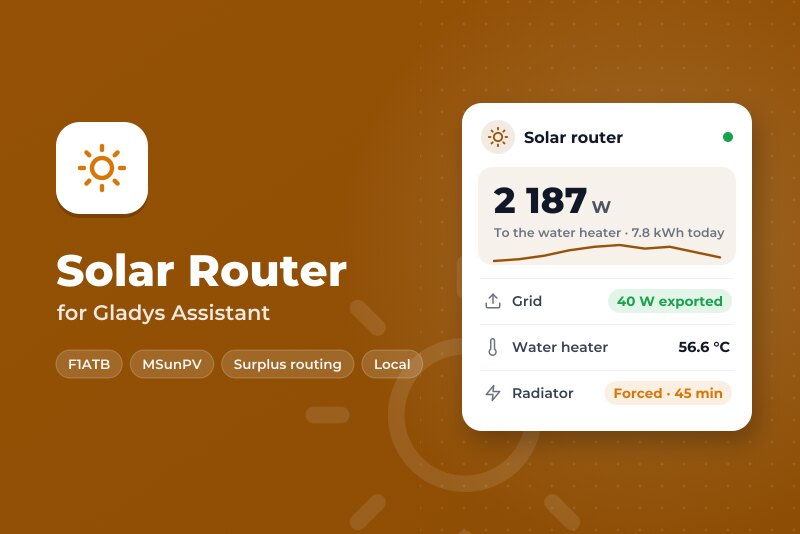
F1ATB and MSunPV solar routers on the local network: surplus, loads, forcing.
Published by William-De71
- Devices
- Version 0.1.0
- Requires Gladys >=5.3.0
- ★ 0
Overview
This integration brings your solar router into Gladys. A solar router sends the surplus of your solar panels to a load (usually the water heater, sometimes a radiator or a pump) instead of exporting it to the grid. Two routers are supported:
- F1ATB (https://f1atb.fr), the open router built on an ESP32 (firmware V17), through the pages its web interface reads:
/ajax_data,/ajax_etatActions,/ajax_dataESP32, and/ForceActionto force an output; - MSunPV by Ard-Tek (models 2x2d and 4x4d), through its
/status.xmlpage, andPOST /index.xmlto change the mode of an output.
What you get:
- One device for the router: grid exchange, energy drawn from and sent to the grid, routed power and energy (F1ATB with a second probe), solar production (MSunPV), temperatures, Wi-Fi signal.
- One device per output (each load): opening or power, a Forced on switch, the mode, the forcing time left.
- Two dashboard widgets, four scene triggers and two scene actions.
Transport: local. The integration talks to the router over HTTP on your network; no data goes to the internet. It is not affiliated with F1ATB nor with Ard-Tek. It has not been tested with a real router yet: the answers follow the F1ATB firmware sources and, for the MSunPV, the fields documented by its Home Assistant integration.
Prerequisites
- Gladys Assistant 5.3.0 or later.
- An F1ATB or MSunPV router on the same network as Gladys, already set up with its own web interface (outputs, probes).
- Its IP address (shown on the screen of the router or in your internet box). Neither router announces itself on the network, so the address must be typed in. The model is recognised by itself.
- Ideally, a fixed IP address for the router (a DHCP reservation in your box). A router that changes address is found again once you type the new one: it is known by its MAC address (F1ATB) or serial number (MSunPV), so its devices stay the same.
The integration reads each router every 5, 10, 30 or 60 seconds, one request at a time: these small boards also serve their own web page and regulate the power several times a second.
Configuration
| Field | Meaning |
|---|---|
| Router addresses | IP addresses or names of your routers, separated by commas (192.168.1.30, 192.168.1.31:8080); a port after ":" if it is not 80 |
| Reading | Every 5, 10 (default), 30 seconds or every minute |
| Forcing duration (F1ATB) | Minutes an F1ATB output stays forced on with its switch or a widget button (60 by default, 1440 at most) |
| Language of the texts | Feature names, modes, scene texts and errors; automatic follows the language of the last widget shown (en/fr/de/es) |
Buttons:
- Search and test reads the routers at the addresses typed and offers their devices on the Discover screen; it tells you which address does not answer or is no router.
- Diagnostic writes what the integration knows to its logs, for a bug report.
Usage
Devices
After the configuration, open Discover: the router and each of its outputs are offered ("Solar router F1ATB RMS-ESP32-5678", "Water heater (F1ATB RMS-ESP32-5678)"). Add what you want, put each output in its room and rename it if you like: the widgets and the scenes use the name you give it.
| Device | Features |
|---|---|
| F1ATB router | Power drawn from the grid and power sent to the grid (two values, grid category), energy drawn and sent (indexes of the router, kWh), routed power and energy (with a second probe on the load), up to 4 temperatures, Wi-Fi signal (not on Ethernet) |
| F1ATB output (action) | Opening (0 to 100 %; a relay is 0 or 100), Forced on switch, mode (Automatic, Forced on, Forced off), forcing time left (minutes), full-power hours today |
| MSunPV router | Grid exchange (one signed value: drawn > 0, sent < 0), energy drawn and sent (indexes summed by the integration from the daily counters, starting at 0), solar production and energy produced, water heater, bathroom and ambient temperatures (when connected), Wi-Fi signal |
| MSunPV output | Water heater and radiator: opening in % (2x2d) or power in W and its energy (4x4d), Forced on switch, mode (Automatic, Forced on, Off) |
- A feature appears once the router gave its value (a second probe, a temperature probe): press Update on the Discover screen to add it to a device already created.
- The Forced on switch: on an F1ATB, the output is forced for the duration of the configuration and the router counts it down by itself, then goes back to automatic; on an MSunPV, the output stays forced until you switch it off (back to automatic).
- The other features are read only. The values are sent when they change, and every 30 minutes otherwise; a router that does not answer sends nothing (Gladys shows its values outdated).
Dashboard widgets
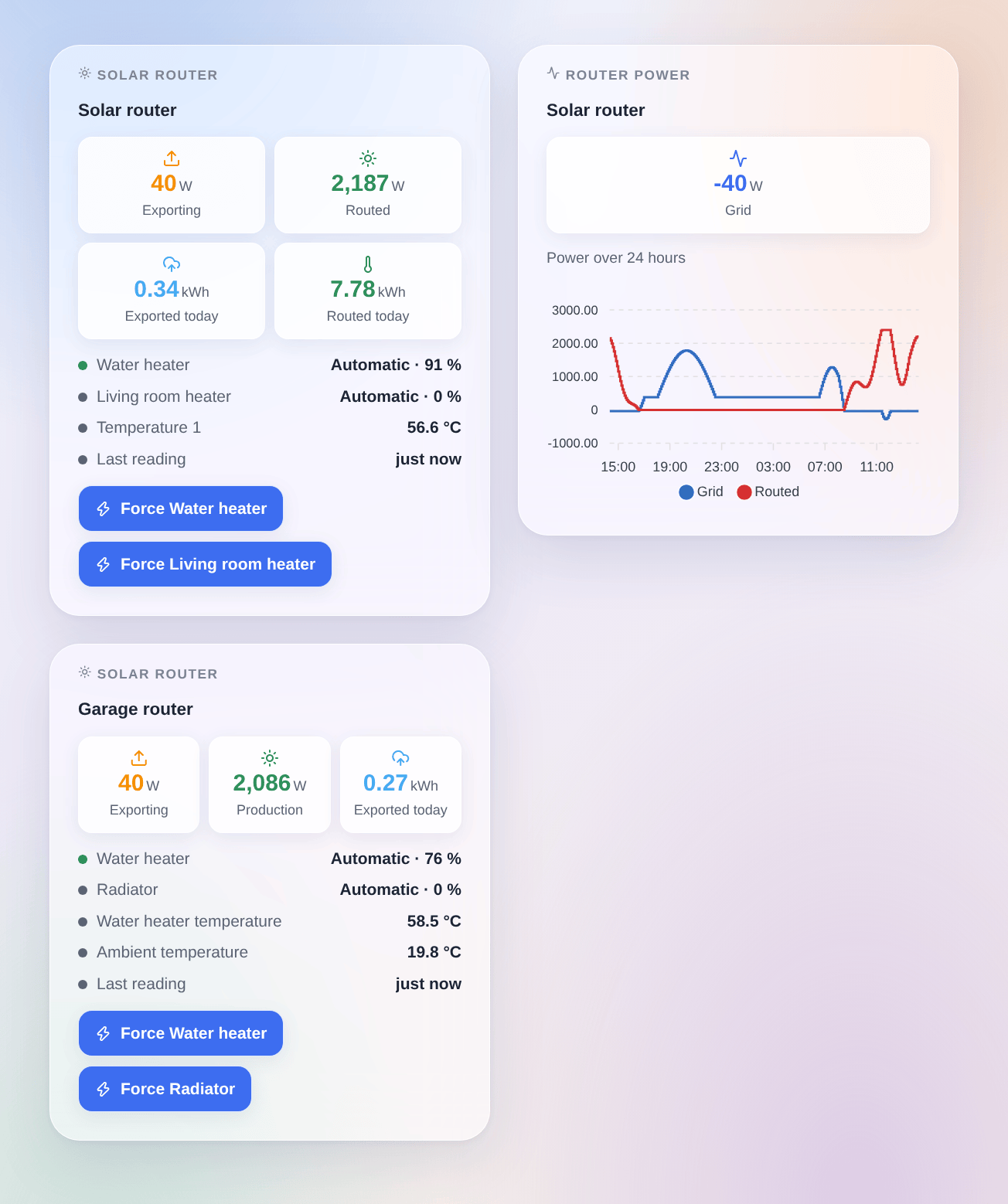
- Solar router: one router (the first one by default): the power drawn or exported now, the routed (F1ATB) or produced (MSunPV) power, the energy exported and routed today, the state of each output, two temperatures, the last reading, and a button for each of the first two outputs ("Force …" / "Auto …").
- Router power: the grid exchange and the routed or produced power over the last 24 hours (a point every 5 minutes, kept by the integration).
Scenes
Triggers (one event per transition, never at the first reading, never as the result of an action):
- Solar router: not answering: no answer to 3 readings in a row for at least a minute;
- Solar router: answers again, with the minutes without answer;
- Solar router: restarted (F1ATB): its uptime went back;
- Solar router: forcing ended (F1ATB): an output forced on or off went back to automatic by itself, at the end of its duration.
Actions:
- Solar router: set an output: forced on, off (forced off on an F1ATB) or automatic; a duration in minutes for an F1ATB;
- Solar router: today’s energy: drawn, exported, routed and produced today (as the router counts it), the grid exchange now and a sentence (
summary).
The values are device features: "exporting more than 1,000 W" or "water heater below 45 °C" are device conditions of Gladys, with your own thresholds.
Examples:
- Every night at 23:00, if the Water heater temperature is below 45 °C → Solar router: set an output (water heater, forced on, 120 minutes): a hot tank in the morning, on off-peak hours, after a cloudy day.
- When Solar router: forcing ended → send "{{triggerEvent.data.output_name}}: back to automatic".
- Every evening at 21:00 → Solar router: today’s energy → send its
summary.
Troubleshooting
- "No answer from …": check the address (open it in a browser: the web page of the router must appear), the port if it is not 80, and that the router is on the same network as Gladys.
- "… answers, but it is neither an F1ATB nor an MSunPV router": the address belongs to another device. An F1ATB answers
/ajax_datastarting with "Deb"; an MSunPV answers/status.xml. Such an address is tried again after 30 minutes, or at once with Search and test. - No Wi-Fi signal: a router on Ethernet has none, it is normal.
- An MSunPV temperature is missing: a probe that reads 0 is not offered until it measures something.
- The MSunPV indexes start at 0: the router only gives daily counters; the integration adds them up from the first reading. Gladys only uses their increases.
- An F1ATB output does not move: in the F1ATB, the output must be active, and the triac (output 0) only exists when the router is synchronised on the mains.
- For a bug report: press Diagnostic, then copy the logs of the integration (with
DEBUG=gladys-integration-sdkfor the details of the SDK), and give the versions of Gladys, of the integration and of the router firmware.
Configuration settings
These are the settings Solar Router (F1ATB, MSunPV) asks for in its configuration screen in Gladys.
| Setting | Type | Required | Description |
|---|---|---|---|
| Your solar router | section | No | The integration talks to your F1ATB or MSunPV router over the local network, through the pages of its own web interface: nothing leaves your home. Neither router announces itself on the network: type its IP address (shown on its screen or in your internet box). The model is recognised by itself. Not affiliated with F1ATB or Ard-Tek. |
| Router addresses | string | Yes | IP addresses or names of your routers, separated by commas (a port after “:” if it is not 80). |
| Options | section | No | |
| Reading | select | No | How often the routers are read. |
| Forcing duration (F1ATB) | number | No | Minutes an F1ATB output stays forced on with its switch or a widget button. An MSunPV output stays forced until switched back. |
| Language of the texts | select | No | Feature names, scene texts and errors. Automatic: the language of the last widget shown. |
How to install Solar Router (F1ATB, MSunPV) in Gladys
- In Gladys, open Integrations: Solar Router (F1ATB, MSunPV) appears in the catalog, next to the native integrations, with a community badge.
- Click Install. Gladys pulls the Docker image (
ghcr.io/william-de71/gladys-solar-router:0.1.0), starts it in a sandbox isolated from the core, and generates the integration's interface (devices, discovery and configuration). - Open the Configuration screen of the integration, fill in the settings, and save.
- You can also install it directly from its repository URL: https://github.com/William-De71/gladys-solar-router.
Solar Router (F1ATB, MSunPV) requires Gladys >=5.3.0. The catalog inside Gladys refreshes every hour, so a new version becomes available at most one hour after its release.
Not running Gladys yet? It is free and open source: follow the installation guide to get started.
About external integrations
Solar Router (F1ATB, MSunPV) is an external integration: a community integration packaged as a Docker container and published on GitHub, that Gladys installs in one click and runs in a sandbox isolated from its core. It is published and maintained by William-De71, not by the Gladys core team.
- Browse all integrations, native and community
- Build and publish your own external integration
- Source code on GitHub — source of this documentation