SNCF smart home integration, free and open source
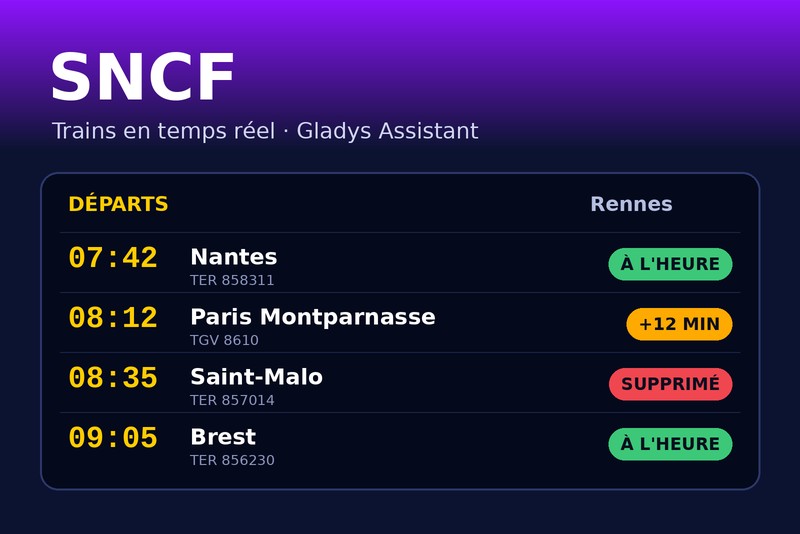
Your SNCF trains in real time: delays, cancellations, scenes, widgets.
Published by William-De71
- Devices
- Version 1.3.0
- Requires Gladys >=5.3.0
- ★ 0
This integration follows your SNCF trains in real time in Gladys: the next departures of your trips (home → work, the way back…), their delays, the cancellations and their cause. It turns them into devices, scene triggers ("my train is cancelled", "my train leaves in 15 minutes") and dashboard widgets.
The data comes from the official SNCF API: real time for TGV INOUI, OUIGO, Intercités, TER, Lyria and Eurostar. Transilien trains are timetable only (no delays, no cancellations).
Community integration, not affiliated with or endorsed by SNCF.
Configuration
1. Get an API key (free)
- Open the SNCF developer token page.
- Fill in your first name, last name and email, accept the terms of use.
- The key (a 36-character identifier, like
0f1e2d3c-4b5a-…) arrives by email.
The free key allows 5 000 requests a day. The integration counts them itself and slows down before the limit: past it, the SNCF blocks the key for hours.
2. Fill in the integration
| Field | Role |
|---|---|
| API key | required |
| Trip 1, 2, 3 | departure and arrival stations (only direct trains are followed) |
| Travel window | optional, e.g. 07:00-09:30: the trains leaving in that window |
| Travel days | optional, e.g. Monday to Friday (empty: every day) |
| Trains followed | how many next trains per trip (4 by default) |
| Delay threshold | from how many minutes a train counts as "delayed" (5 by default) |
| Refresh | every 3 minutes around the window, every 30 minutes the rest of the time (by default) |
| Language | of the device names and scene texts (automatic: the language of your dashboard) |
For a station, type:
- its name: "Rennes", "Lyon Part Dieu", "Paris Montparnasse" — the first result of the SNCF search is kept;
- its UIC code: "87471003";
- its identifier: "stop_area:SNCF:87471003".
When the name does not give the right station, use the Find a station button: it lists the matching stations with their identifier, to copy into the trip field.
Save, then click Test the connection: for each trip, it tells how many trains were found and the time of the next one.
The travel window
With a travel window, the integration follows the trains of the next window: today's while it is not over, then the next travel day's. In the evening, the widget already shows tomorrow morning's trains, and a cancellation announced the evening before fires your scene the evening before.
It also reads the API often only around the window (from an hour before to its end), which saves the quota: about 250 requests a day for a trip with a 2.5-hour window, 800 without a window.
3. Add the devices
In the Discovery tab, each trip shows up as a device "SNCF – from → to". Add it and put it in a room. Widgets and scenes also work without the device, but choosing the trip in their settings goes through the device list.
| Feature | Value |
|---|---|
| Next train | text, e.g. "07:42 · TER 858311 · +5 min" or "… · cancelled" |
| Delay of the next train | in minutes, the one of the next train that runs (0 when on time) |
| Disrupted trains | how many followed trains are late (from the threshold) or cancelled |
On the Devices screen, the badge of each trip says cloud while the SNCF API answers, unreachable when its last read failed, and turns orange when the reads are paused by the daily quota.
Scenes
Triggers
| Trigger | When | Filters |
|---|---|---|
| SNCF: train delayed | a followed train becomes late (from the threshold), then again past 15 and 30 minutes | trip, delay level |
| SNCF: train cancelled | a followed train is cancelled, or no longer stops at a station of the trip | trip |
| SNCF: train leaving soon | a followed train leaves in 5, 10, 15, 20, 30, 45 or 60 minutes | trip, minutes |
Leaving soon counts on the real-time departure: when your 7:42 train is 5 minutes late, "leaves in 15 minutes" comes at 7:32, not 7:27.
Every trigger provides variables: trip, train number and type, direction, date, scheduled and expected times, delay, cause, and a summary ready to send. Each event fires once per train, even after a restart of the integration.
Action
SNCF: next trains gives the next train of a trip (times, delay, status, cause, minutes until departure, number of disrupted trains) and a sentence summarizing the following ones.
Widgets
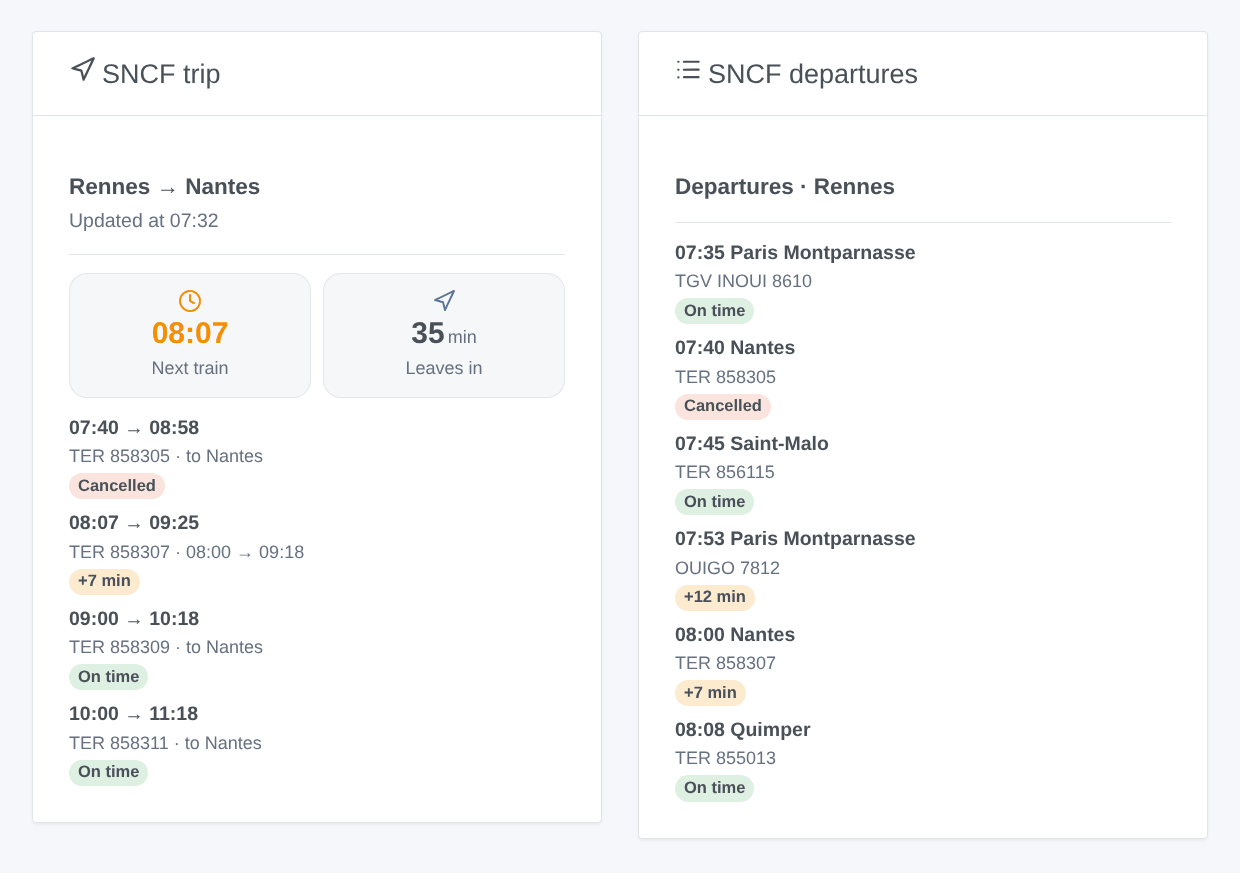
| Widget | Content |
|---|---|
| SNCF trip | the next departure time and the time left, then each train with an on time / +N min / cancelled badge; tap a disrupted train to read the cause |
| SNCF departures | the departures board of a station, every direction: a station typed in the widget settings, or the departure station of a trip |
Limits
- Only direct trains are followed (no change).
- Transilien: timetable only, no delays and no cancellations (a limit of the SNCF API).
- The platform is not provided by the official API.
- A cancelled train vanishes from the real-time data of the SNCF: the integration finds it by comparing with the timetable, then confirms it on the departures board of the station. When it cannot be confirmed, the train stays shown as scheduled rather than wrongly announced as cancelled.
Troubleshooting
| Message | What to do |
|---|---|
| "The SNCF API key is refused" | check the key copied from the email (no space) |
| "Station not found: …" | use the Find a station button and copy the identifier it gives |
| "Daily quota of the SNCF API reached" | the SNCF blocked the key until the time shown: fewer trips without a window, or longer intervals |
| "No train found in the followed period" | no direct train in the travel window: check the stations and the window, or empty it |
| Device names or summaries in English | set Language of the texts in the settings, or open an SNCF widget once |
Configuration settings
These are the settings SNCF asks for in its configuration screen in Gladys.
| Setting | Type | Required | Description |
|---|---|---|---|
| SNCF API key | section | No | The trains come from the official SNCF API: TER, TGV INOUI, OUIGO, Intercités, Lyria, Eurostar… in real time (Transilien: timetable only, no delays). The key is free: fill in the form of the SNCF developer page, the key arrives by email. It allows 5 000 requests a day; the integration counts them and slows down before the limit. |
| API key | secret | Yes | The key received by email (a UUID, 36 characters). |
| Trip 1 | section | No | A station name ("Rennes", "Lyon Part Dieu"), its UIC code ("87471003") or the identifier given by the "Find a station" button ("stop_area:SNCF:87471003"). Only direct trains are followed. The travel window and days are optional: with them, the trains of the next window are followed and the API is read often only around it (it saves the daily quota). |
| Departure station | string | No | |
| Arrival station | string | No | |
| Travel window | string | No | Departures between these times, e.g. 07:00-09:30. Empty: the next trains, all day. |
| Travel days | multi_select | No | Empty: every day. |
| Trip 2 (optional) | section | No | Same fields as trip 1, for example the way back. Leave empty when unused. |
| Departure station | string | No | |
| Arrival station | string | No | |
| Travel window | string | No | Departures between these times, e.g. 07:00-09:30. Empty: the next trains, all day. |
| Travel days | multi_select | No | Empty: every day. |
| Trip 3 (optional) | section | No | Same fields as trip 1, for example the way back. Leave empty when unused. |
| Departure station | string | No | |
| Arrival station | string | No | |
| Travel window | string | No | Departures between these times, e.g. 07:00-09:30. Empty: the next trains, all day. |
| Travel days | multi_select | No | Empty: every day. |
| Settings | section | No | With a travel window, a trip costs about 250 requests a day with the default values; without one, about 800. Three trips and an open departures board stay within the 5 000 a day. |
| Trains followed per trip | number | No | The next trains of each trip, between 1 and 8. |
| Delay threshold (min) | number | No | From how many minutes a train counts as delayed (scenes, disrupted trains, colors). |
| Refresh around the window (min) | number | No | From an hour before the travel window to its end (all day without a window), between 2 and 30 minutes. |
| Refresh the rest of the time (min) | number | No | Outside the window (and at night), between 10 and 180 minutes. |
| Language of the texts | select | No | Device names, scene summaries and outputs. Automatic: the language of your dashboard, once an SNCF widget has been displayed. |
How to install SNCF in Gladys
- In Gladys, open Integrations: SNCF appears in the catalog, next to the native integrations, with a community badge.
- Click Install. Gladys pulls the Docker image (
ghcr.io/william-de71/gladys-sncf:1.3.0), starts it in a sandbox isolated from the core, and generates the integration's interface (devices, discovery and configuration). - Open the Configuration screen of the integration, fill in the settings, and save.
- You can also install it directly from its repository URL: https://github.com/William-De71/gladys-sncf.
SNCF requires Gladys >=5.3.0. The catalog inside Gladys refreshes every hour, so a new version becomes available at most one hour after its release.
Not running Gladys yet? It is free and open source: follow the installation guide to get started.
About external integrations
SNCF is an external integration: a community integration packaged as a Docker container and published on GitHub, that Gladys installs in one click and runs in a sandbox isolated from its core. It is published and maintained by William-De71, not by the Gladys core team.
- Browse all integrations, native and community
- Build and publish your own external integration
- Source code on GitHub — source of this documentation