SMSFactor + Octopush smart home integration, free and open source
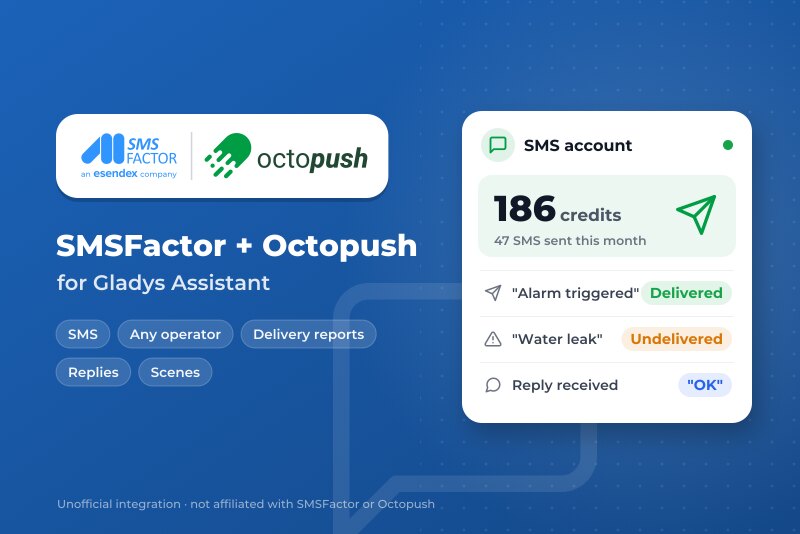
Gladys notifications by SMS through SMSFactor or Octopush, with scenes and widgets.
Published by William-De71
- Messaging
- Version 0.1.0
- Requires Gladys >=5.3.0
- ★ 0
Overview
This integration sends the notifications of Gladys by SMS through one of two French SMS gateways, SMSFactor or Octopush, to any mobile number and any operator. Each user of Gladys enters their own mobile number; the administrator chooses the provider and enters its credentials once for the house.
It also brings:
- four scene triggers: SMS not sent, SMS not delivered, SMS received, credits low;
- two scene actions: send an SMS to any number (even someone who is not a Gladys user), read the SMS account;
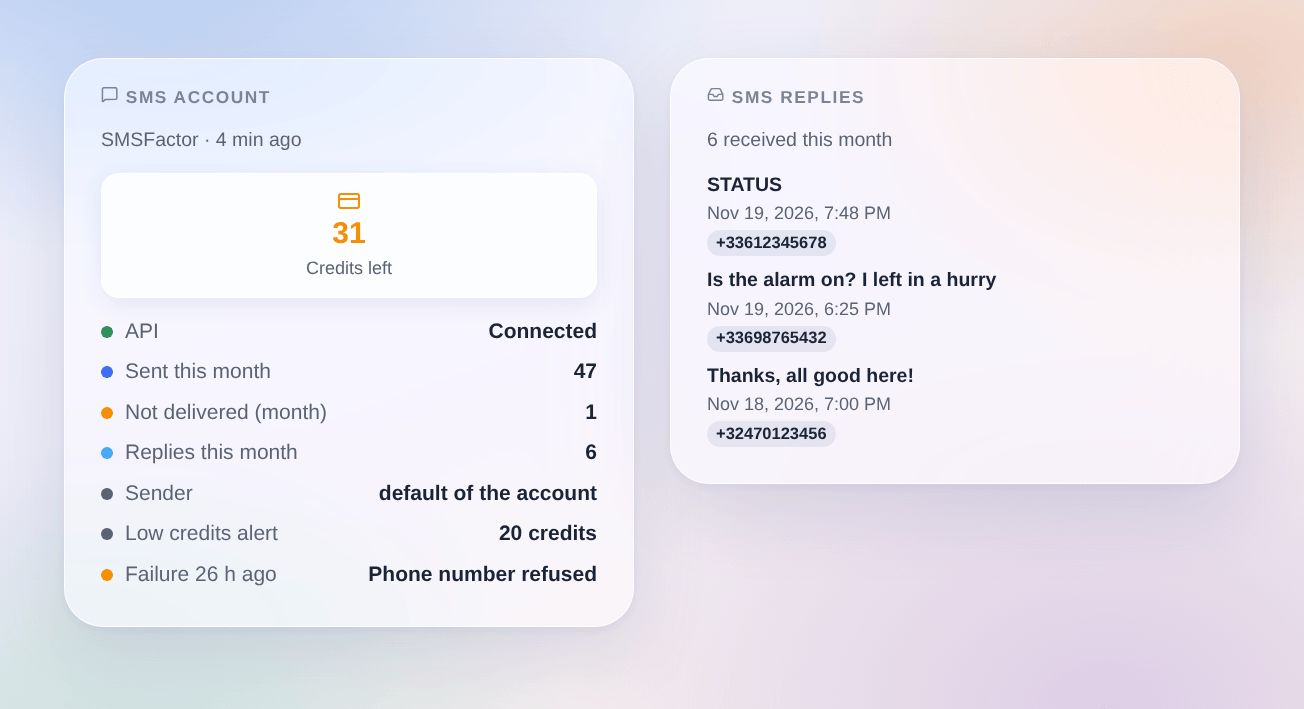
- two dashboard widgets: the SMS account and the SMS replies.
| SMSFactor | Octopush | |
|---|---|---|
| Sending, scene actions | Yes | Yes |
| Credits low | In SMS credits | In euros (balance) |
| SMS not delivered (reports) | Yes, read every 5 min | No (callbacks only) |
| Replies (SMS received, widget) | Yes, read every minute | No (callbacks only) |
| List of senders | Yes | No |
| SMS type | One | Premium or low cost |
Octopush reports deliveries and replies only to a public web address, which a Gladys at home does not have: with Octopush, the integration only sends.
Transport: cloud. The texts and the phone numbers go through the API of
the provider (api.smsfactor.com or api.octopush.com), then through the
mobile operators.
Prerequisites
- Gladys Assistant 5.3.0 or later.
- An account at SMSFactor or Octopush with some credits. Each SMS uses credits, more for a long text, an emoji or a foreign number.
- SMSFactor: an API token (Developers → API tokens in your account).
- Octopush: the login (e-mail address) and the API key of the account, and an account validated by Octopush (onboarding finished).
- Optional: a sender name (3 to 11 letters or digits, such as
GLADYS). Some countries require it to be registered first. Recipients cannot reply to a name sender.
Configuration
- In Gladys, open Integrations → SMSFactor + Octopush → Configuration.
- Choose the provider.
- Fill in the credentials of that provider only: the SMSFactor API token, or the Octopush login and API key (and its SMS type). Save.
- Click Test the connection: it shows the credits or the balance, and the senders with SMSFactor. Send a test SMS checks the whole chain.
- Each user opens the My account block of the same screen and enters their mobile number.
| Field | Use |
|---|---|
| Provider | SMSFactor or Octopush |
| SMSFactor API token | From Developers → API tokens, stored encrypted |
| Octopush login | The e-mail address of the Octopush account |
| Octopush API key | From the API section of the Octopush website, stored encrypted |
| Octopush SMS type | Premium (fast, custom sender, every country) or low cost (France only, cheaper, slower) |
| Sender | Optional: 3 to 11 letters or digits; empty = the default of the account |
| Default country code | Added to numbers typed without one (33 by default: 06… becomes +336…) |
| Low credits alert | Below this amount, "Credits low" fires once (empty: 20 credits, or 2 € with Octopush) |
| Read the replies (SMSFactor) | Reads the replies every minute, for "SMS received" and the replies widget |
The SMS leave as alerts (transactional), not advertising: they are sent at any hour, without a "STOP" mention. Use the integration for the notifications of your home only.
Usage
Notifications
Every Gladys notification addressed to a user who entered a number leaves by SMS: alarms, "Send a message" scene actions, the answers of Gladys. A picture attached to a message is dropped (an SMS carries text only). A text with a character outside the SMS alphabet (an emoji, "ê", "œ") is sent in Unicode, which fits 70 characters per SMS instead of 160.
Scene triggers
| Trigger | When it fires | Variables |
|---|---|---|
| SMS not sent | The first failure of a notification, then again only after an SMS went through (it never loops) | reason, HTTP status, error, masked number |
| SMS not delivered | SMSFactor accepted an SMS but reports it never reached the phone (read for 48 hours after the send) | masked number, status, details, ticket |
| SMS received | Each new reply on the SMSFactor account, filtered by sender and first word ("Read the replies" on) | sender, text, first word, date |
| Credits low | The credits or the balance went below the threshold; again only after a top-up above it | amount left, threshold, unit, provider |
Replies arrive only for SMS sent without a custom sender, and only in the countries where SMSFactor allows them (France, Belgium, Switzerland). Never use "SMS received" to open a door or disarm an alarm: anyone can send an SMS with a forged number.
Scene actions
- Send an SMS to a number: one or several numbers separated by commas, and a text (scene variables allowed). Returns the SMS sent, the numbers not understood, the numbers filtered by the provider, the credits used and left.
- Read the SMS account: returns the credits or balance left with their unit, the SMS sent, received and not delivered this month, the provider.
Scene examples
- When the alarm goes off → send an SMS to the neighbor: "Alarm at home, can you take a look?".
- When the credits are low → send a message to the administrator: "Only {{triggerEvent.data.credits_left}} left on the SMS account".
- When an SMS is not delivered → send the alert again by another channel (Telegram, e-mail).
Dashboard widgets
- SMS account: credits or balance left (orange near the threshold, red below), the state of the API, the SMS sent, received and not delivered this month, the sender, the threshold and the last failure.
- SMS replies: the last replies received (SMSFactor); tap one to read it whole.
Troubleshooting
- "refuses the credentials": the SMSFactor token was deleted, or the Octopush API key was generated again: copy the current one.
- "account is not validated yet" (Octopush): finish the onboarding steps on the Octopush website.
- "Sender refused": the sender is not registered or not allowed for this country: empty the field to use the default of the account.
- "Country not allowed": SMSFactor needs an authorization to send to a country other than the one of the account.
- "Number blocked (STOP)": the recipient answered STOP once, or the number is known as unreachable.
- No reply received: replies need SMSFactor, an SMS sent without a custom sender, and "Read the replies" on.
- Logs: Integrations → SMSFactor + Octopush → Supervision tab. Phone numbers are masked; the token and the key never appear.
Configuration settings
These are the settings SMSFactor + Octopush asks for in its configuration screen in Gladys.
| Setting | Type | Required | Description |
|---|---|---|---|
| SMS provider | section | No | Choose the service that sends the SMS, then fill in its credentials below (only those of the chosen provider). Both are French SMS gateways paid per SMS: buy credits on their website first. |
| Provider | select | Yes | SMSFactor also reports undelivered SMS and can read replies; Octopush only sends. |
| SMSFactor | section | No | In your SMSFactor account, open Developers → API tokens and create a token, then paste it here. |
| SMSFactor API token | secret | No | Stored encrypted and never shown again. |
| Octopush | section | No | Your Octopush login is the e-mail address of the account; the API key is shown in the API section of the Octopush website. The account must be validated (onboarding finished) before it can send. |
| Octopush login | string | No | The e-mail address of the Octopush account. |
| Octopush API key | secret | No | Stored encrypted and never shown again. |
| Octopush SMS type | select | No | Premium: fast delivery, custom sender, every country. Low cost: cheaper, France only, no custom sender, slower. |
| Sender and numbers | section | No | Leave the sender empty to use the default of the account (a number, which recipients can reply to with SMSFactor). A name sender (3 to 11 letters or digits, e.g. GLADYS) cannot be answered, and with SMSFactor it may have to be registered first. |
| Sender | string | No | Optional. 3 to 11 letters or digits. |
| Default country code | string | No | Added to the numbers typed without one (06 12 34 56 78 becomes +33 6 12 34 56 78). Digits only: 33 France, 32 Belgium, 41 Switzerland, 352 Luxembourg, 1 Canada. |
| Alerts and replies | section | No | |
| Low credits alert | number | No | Below this amount, the "Credits low" scene trigger fires once: SMS credits with SMSFactor, euros with Octopush. Empty: 20 credits or 2 €. |
| Read the replies (SMSFactor) | boolean | No | Fires "SMS received" for each reply to an SMS sent without a custom sender. Anyone can send an SMS with a forged number: never use it to open a door or disarm an alarm. |
How to install SMSFactor + Octopush in Gladys
- In Gladys, open Integrations: SMSFactor + Octopush appears in the catalog, next to the native integrations, with a community badge.
- Click Install. Gladys pulls the Docker image (
ghcr.io/william-de71/gladys-smsfactor-octopush:0.1.0), starts it in a sandbox isolated from the core, and generates the integration's interface (devices, discovery and configuration). - Open the Configuration screen of the integration, fill in the settings, and save.
- You can also install it directly from its repository URL: https://github.com/William-De71/gladys-smsfactor-octopush.
SMSFactor + Octopush requires Gladys >=5.3.0. The catalog inside Gladys refreshes every hour, so a new version becomes available at most one hour after its release.
Not running Gladys yet? It is free and open source: follow the installation guide to get started.
About external integrations
SMSFactor + Octopush is an external integration: a community integration packaged as a Docker container and published on GitHub, that Gladys installs in one click and runs in a sandbox isolated from its core. It is published and maintained by William-De71, not by the Gladys core team.
- Browse all integrations, native and community
- Build and publish your own external integration
- Source code on GitHub — source of this documentation