Saunum smart home integration, free and open source
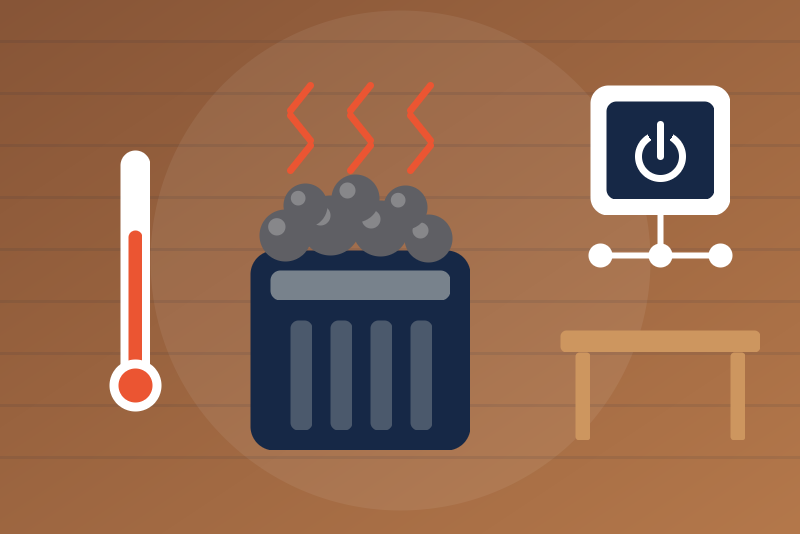
Saunum Leil sauna panels over local Modbus TCP: temperature, door, session; on/off.
Published by LM1LC3N7
- Devices
- Version 0.1.1
- Requires Gladys >=5.1.0
- ★ 0
This integration shows a Saunum Leil sauna in Gladys, through the Modbus TCP of its control panel on your local network. Never tested with a real device. Not affiliated with Saunum.
Safety. A sauna gets very hot. Never start heating from afar without making sure nobody is inside and nothing lies on the stove. Turning on from Gladys is off by default and refused while the door is open; turning off does not depend on that option (the cases where it can still fail are listed below).
What you get
A sauna in the Discovery tab, with:
- Session on (yes/no, read only) and the state as text ("Standby", "Scheduled", "Heating", "Ready", "Cooling down", "Waiting for the door", with ", alarm" when one is on);
- measured temperature, humidity (newer panel firmware only), door (opening sensor), heater elements on, alarm (yes/no);
- the setpoint (thermostat) and the session time left (minutes, newer firmware only);
- the light (on/off);
- two buttons: Turn on (heat) and Turn off.
No switch for the session: an "everything on" from Google Home, Alexa, HomeKit, MCP or a scene does not reach the start button.
Setup
- At the control panel, turn on Modbus TCP and note its IP address (best kept fixed in your router).
- In Gladys, open the Saunum integration, enter the address (for example
192.168.1.80, or192.168.1.80:502) and, if you changed it, the Modbus unit id (1 by default). - Save, then add the sauna from the Discovery tab.
- To start heating from Gladys, turn on Allow heating from Gladys, and check the setpoint of the "Turn on" button (80 °C by default), the highest setpoint (90 °C by default, 100 °C at most, the limit of the panel) and the session duration of the "Turn on" button (60 min by default, 60 to 720).
The panel may accept only one Modbus connection at a time (not confirmed on a real panel): avoid using another Modbus client (Home Assistant, a script) on it at the same time. The integration opens one connection at a time (a new address waits until the previous connection, even one still being opened, is closed), waits 1 s between two reads and 0.5 s before a command (the recommended and the minimum spacing of the pysaunum library), and closes its connection after 10 s without a request (pysaunum says the panel closes it at 20 s).
The panel is read every 30 s (10 s to 10 min), not more often after a restart, a reconnection to Gladys, the "Test the connection" button or a Discovery scan. Exceptions: a few seconds after each command, and every 10 s while a turn off or a start from Gladys is being checked (see below).
There is one panel per integration: the device keeps its id when you change the address (a new DHCP lease, a replaced panel). The Modbus registers hold no serial number, so the integration cannot tell two panels apart: change the address only for the same sauna.
The commands
Turn off
Writes "session off" (register 0 = 0) to the panel. It does not depend on the "Allow heating" option, a heating command in progress, failed reads, or the first read after a restart. It is always written (never "already off"), goes before every read or command waiting in the queue, cuts a read already on the wire, and a heating write not sent yet gives way to it. It only waits for a write already on the wire or a connection being opened, and the 0.5 s spacing after it.
It is accepted on the echo of the panel, then verified by the reads: the panel is read 5 s and 20 s later, and every 10 s for up to 2 minutes, until a read shows the sauna off. A read showing it heating again (with no start from Gladys after the turn off) writes "off" again, 3 times at most, with a warning in the logs and in the status ("a turn off did not take effect"). This may also turn off a session started at the panel within those two minutes: that is intended. When a start may still land after the turn off (sent without answer), that guard lasts 2 minutes whatever the reads show, and is kept across a restart.
Turn off is refused, or fails, when:
- the value is not 1, or the device is not the panel of this integration;
- the configuration is not loaded within 3.5 s of the click ("The configuration is not loaded yet"), or there is no valid address or Modbus unit id;
- the panel cannot be reached ("Not sent", check the sauna);
- the panel refuses the write (a Modbus exception; a busy panel, exception 5 or 6, gets one more try);
- it is still waiting at 4.3 s (a write on the wire, a slow connection): "Not sent yet", it leaves as soon as possible;
- it left but the panel did not answer in time: "Sent, without confirmation".
Turn on (heat)
Refused when:
- "Allow heating from Gladys" is off (checked on arrival and again right before each write);
- the configuration is not loaded, or has no valid address or unit id; the device is not the panel of this integration; the configuration changes during the command;
- another heating command is in progress, or a previous start is not confirmed yet;
- a turn off is in flight, waiting, or not verified yet by a read (or one is pressed during the command);
- the fresh read fails (unreachable, no answer, invalid data) or cannot be done within 3.5 s;
- the device does not carry the fingerprint of a Saunum panel (a register outside the range pysaunum documents), or a panel that served registers 105-118 no longer does;
- an alarm is on, or an alarm register holds an unknown value;
- the door is open;
- the sauna is cooling down; on a newer firmware: the state is not "Standby" (or unknown), or the panel reports a reason not to start;
- the writes cannot all leave within 3.5 s of the click (estimated after the fresh read: then nothing is written). A slow panel (about 200 ms per answer or more) cannot take the setpoint, the duration and the start in that time: set at the panel the same setpoint and session duration as the configuration, so that only the start is left to write;
- the panel refuses a write (Modbus exception) or a write cannot be sent.
A session already on: nothing is written (accepted). Otherwise it writes the setpoint of the "Turn on" button and the session duration of the configuration (when the panel holds other values), then starts the session. If the start is refused after the setpoint or duration was written, the message says so (the session is not started).
The start is then checked on the reads (5 s, 20 s, then every 10 s until checked, and every read while the session runs): the setpoint must not be 0 (the preset's) nor above the highest setpoint of the configuration as it is now, and the duration must not be 0 nor longer than the one written (shorter is accepted); on a newer firmware the active duration (register 106) must not be longer either, and the time left must fit in it. Otherwise, when the reads show the session never started, or when no read could check it within a minute, a turn off is asked, with a warning in the logs and the status.
Setpoint
A whole number from 40 °C to the highest setpoint. Refused when:
- the option is off, the configuration is not loaded or not valid, the device is not ours, or the configuration changes during the command;
- another heating command is in progress; a turn off is in flight, waiting or not verified yet; or a turn off was pressed less than 2 min ago;
- the fresh read fails or cannot be done within 3.5 s; the fingerprint is missing, or registers 105-118 are no longer served;
- an alarm is on or unknown; the current setpoint is unknown;
- the sauna cools down (register 109 when served; otherwise a session on with a setpoint of 0);
- the door is open: on a newer firmware in every state but "Standby"; on an older one, while a session is on;
- the write cannot leave within 3.5 s, or the panel refuses it.
The same setpoint already set: nothing is written. With no session on, "Turn on" writes its own setpoint anyway.
Light
On/off (0 or 1), after a fresh read with the fingerprint of a Saunum panel. Refused when the value is not 0 or 1, the configuration is not loaded or not valid, the fresh read fails or lacks the fingerprint, or the write cannot be sent or is refused.
Every command answers within 4.3 s; a write the panel received without answering in time is "Sent, without confirmation".
Limits
- Never tested with a real panel: made-up register values only. The register map is the one of the pysaunum library (Home Assistant).
- Older firmware without registers 105 to 118: no humidity, no time left, no controller state (asked again every 30 minutes).
- Fan, sauna type, AutoLeil and the panel's other settings are not handled.
Troubleshooting
- "The panel does not answer": check the address, that Modbus TCP is on, and that no other Modbus client holds the connection.
- "invalid data": the device at this address does not answer like a Saunum panel (a session or door register outside 0/1).
- A warning in the status ("the session started from Gladys did not keep its values", "a turn off did not take effect"): check the sauna; it stays until the next start from Gladys or a new configuration.
Configuration settings
These are the settings Saunum asks for in its configuration screen in Gladys.
| Setting | Type | Required | Description |
|---|---|---|---|
| Your Saunum sauna | section | No | Shows a Saunum Leil sauna in Gladys through the Modbus TCP of its control panel on your local network: session, state, temperature, humidity, door, heater elements, alarm, setpoint, time left, light. Turning off does not depend on the option below; heating from Gladys (turning on and the setpoint) is off until you allow it, and is refused while the door is open or an alarm is on (the guide lists every refusal). A start from Gladys is checked on the next reads and turned off if the panel does not keep its setpoint and duration. Enter the address of the panel, save, then add the sauna from the Discovery tab. A sauna heats to a high temperature: never heat it from afar without making sure nobody is inside and nothing lies on the stove. Never tested with a real device. Not affiliated with Saunum. |
| Address of the control panel | string | Yes | Its IPv4 address (best kept fixed in your router) or host name, optionally followed by ":port" (502 by default). Modbus TCP must be on at the panel. The panel may accept only one Modbus connection at a time: avoid using another Modbus client (Home Assistant…) at the same time. |
| Modbus unit id | number | No | 1 unless you changed it at the panel. |
| Allow heating from Gladys | boolean | No | Off by default. On: the "Turn on (heat)" button and the setpoint may start or change heating, after a fresh read of the panel (refused while the door is open, an alarm is on, or the panel reports a reason not to start; the guide lists every refusal). Off: they refuse every request. Turning off does not depend on this option. |
| Setpoint of the "Turn on" button (°C) | number | No | Written before each start from Gladys, never above the highest setpoint below. |
| Highest setpoint (°C) | number | No | Gladys never asks for more (90 °C by default; 100 °C, the limit of the panel, at most). |
| Session duration of the "Turn on" button (min) | number | No | Written before each start from Gladys: the panel stops heating after it (60 min by default, 60 to 720). If a read shows a duration of 0 or longer than this one while the session runs, Gladys turns the sauna off. |
| Refresh interval (s) | number | No | How often the panel is read, in seconds (not more often after a restart; read again a few seconds after each command, and every 10 s while a turn off or a start is being checked). |
| Language of the feature names | select | No | Used for the feature names of the devices added from now on, for the state texts and for the command errors. |
How to install Saunum in Gladys
- In Gladys, open Integrations: Saunum appears in the catalog, next to the native integrations, with a community badge.
- Click Install. Gladys pulls the Docker image (
ghcr.io/lm1lc3n7/gladys-saunum:0.1.1), starts it in a sandbox isolated from the core, and generates the integration's interface (devices, discovery and configuration). - Open the Configuration screen of the integration, fill in the settings, and save.
- You can also install it directly from its repository URL: https://github.com/LM1LC3N7/gladys-saunum.
Saunum requires Gladys >=5.1.0. The catalog inside Gladys refreshes every hour, so a new version becomes available at most one hour after its release.
Not running Gladys yet? It is free and open source: follow the installation guide to get started.
About external integrations
Saunum is an external integration: a community integration packaged as a Docker container and published on GitHub, that Gladys installs in one click and runs in a sandbox isolated from its core. It is published and maintained by LM1LC3N7, not by the Gladys core team.
- Browse all integrations, native and community
- Build and publish your own external integration
- Source code on GitHub — source of this documentation